How to Enable Tax Calculation for a Unit
122 views 0 February 7, 2023 Updated on August 29, 2025 mippsupportadmin
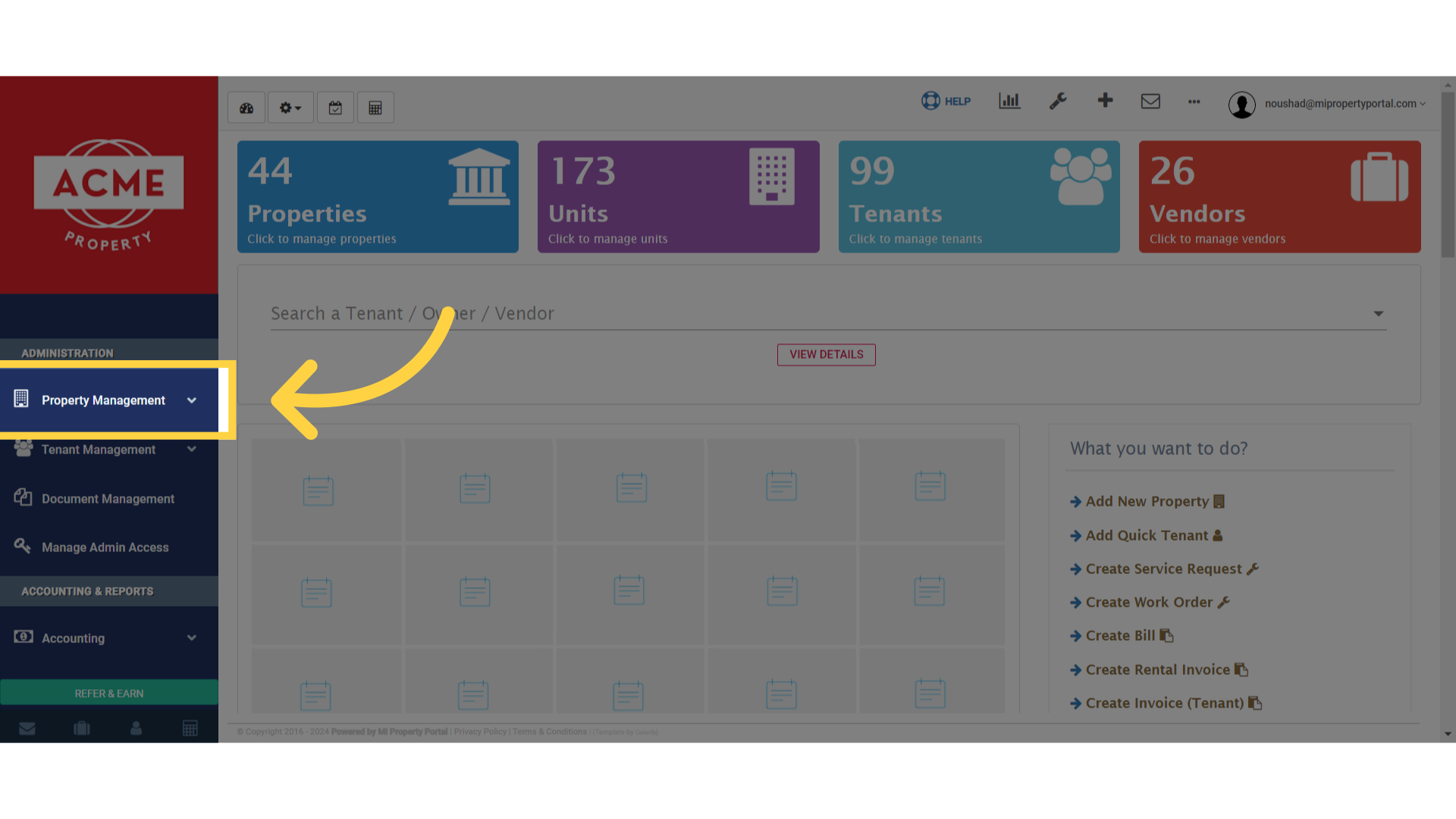
1. Click “Property Management”
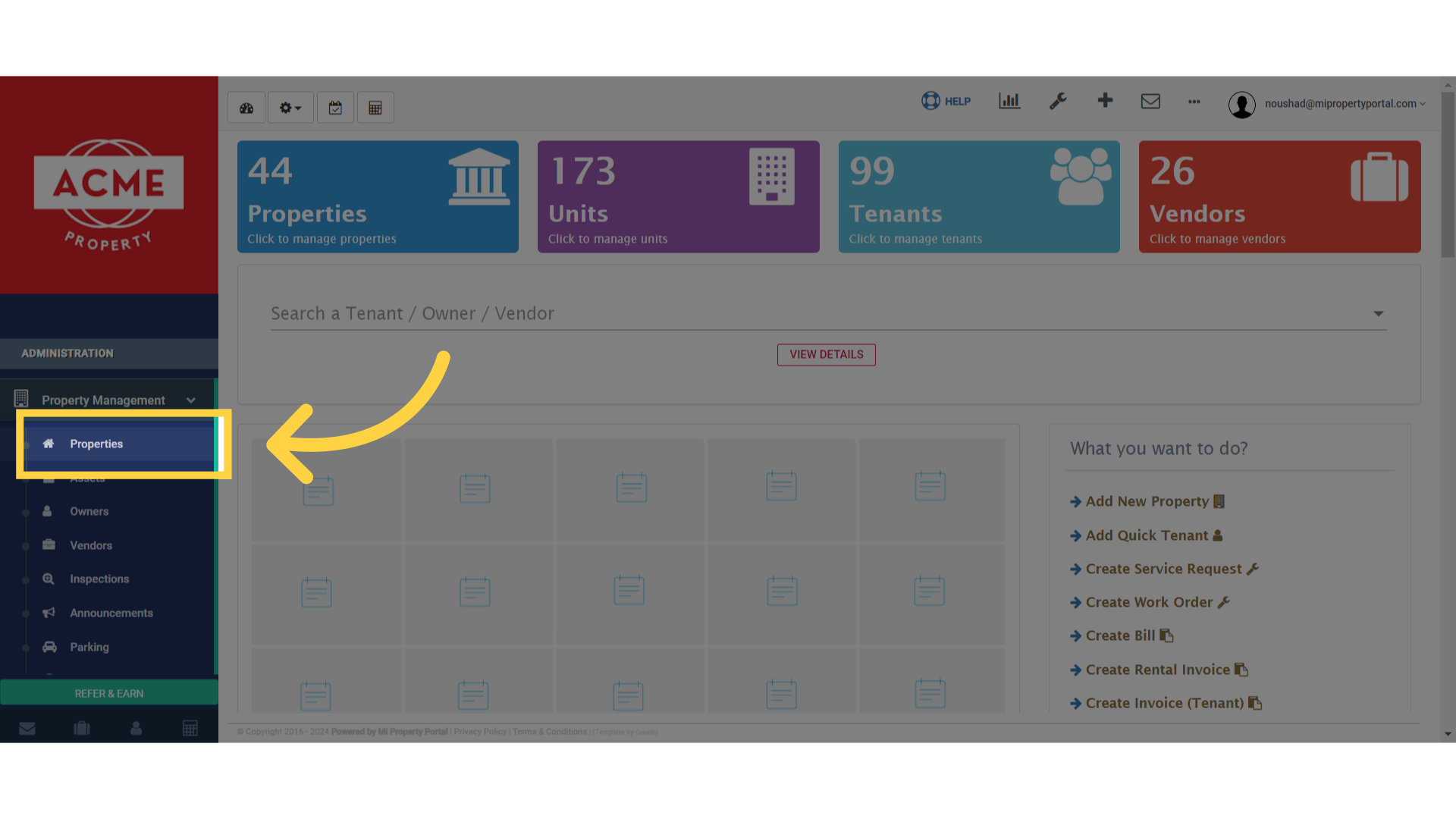
2. Click “Properties”
3. Click on dropdown menu
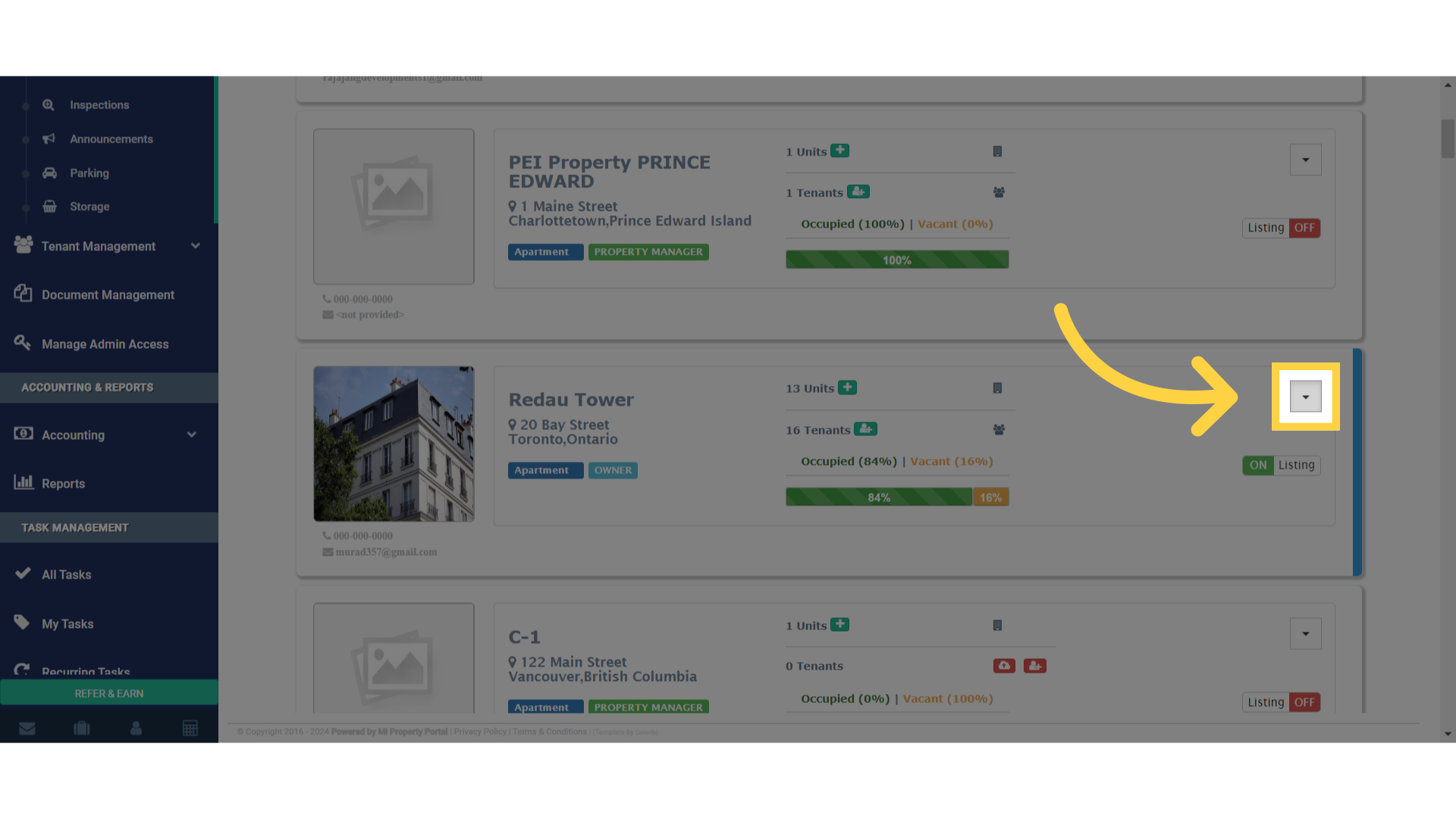
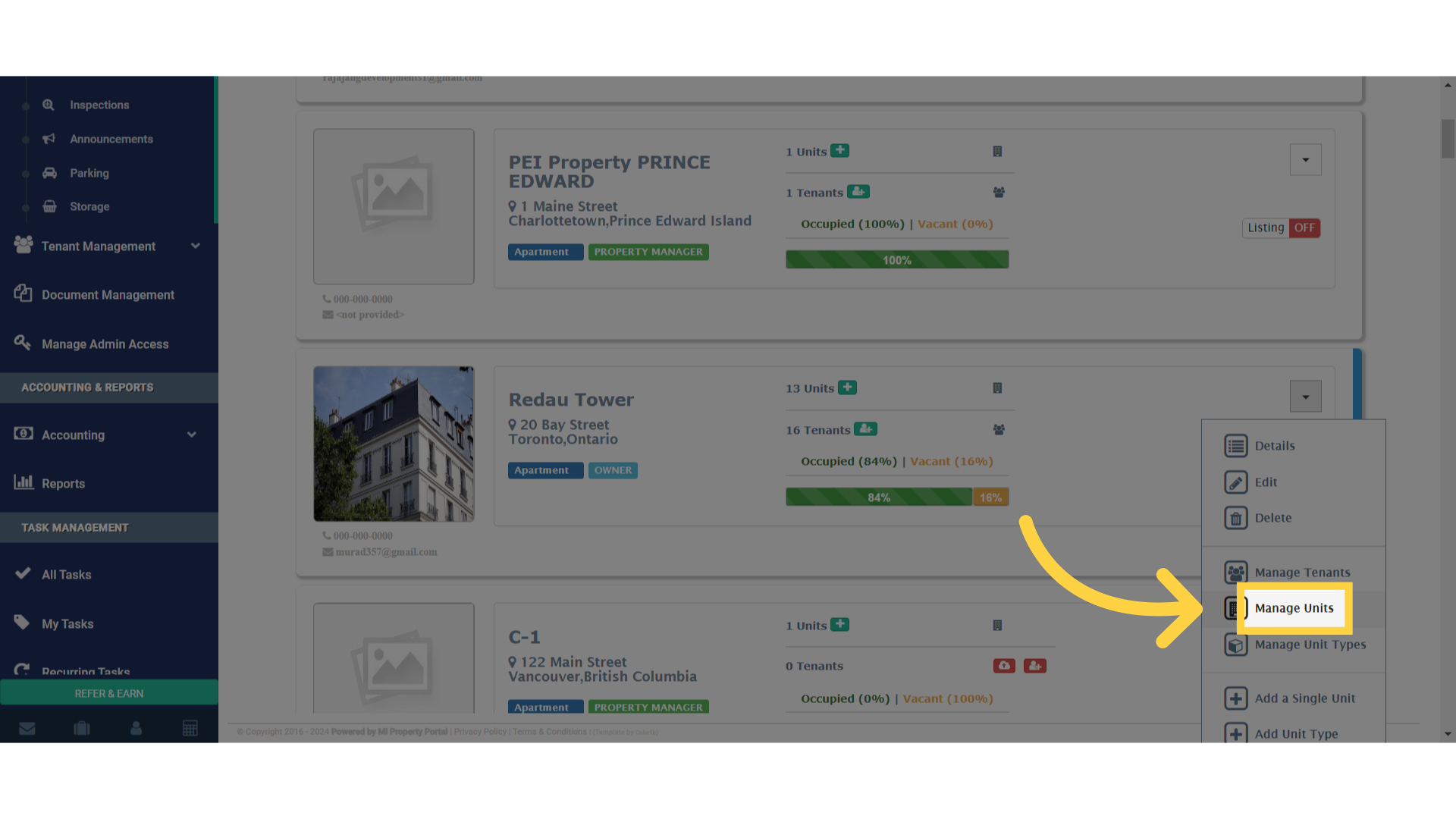
4. Once you’ve selected a specific property, click on the ‘More Actions’ dropdown menu. Click on the ‘Manage Units’ option
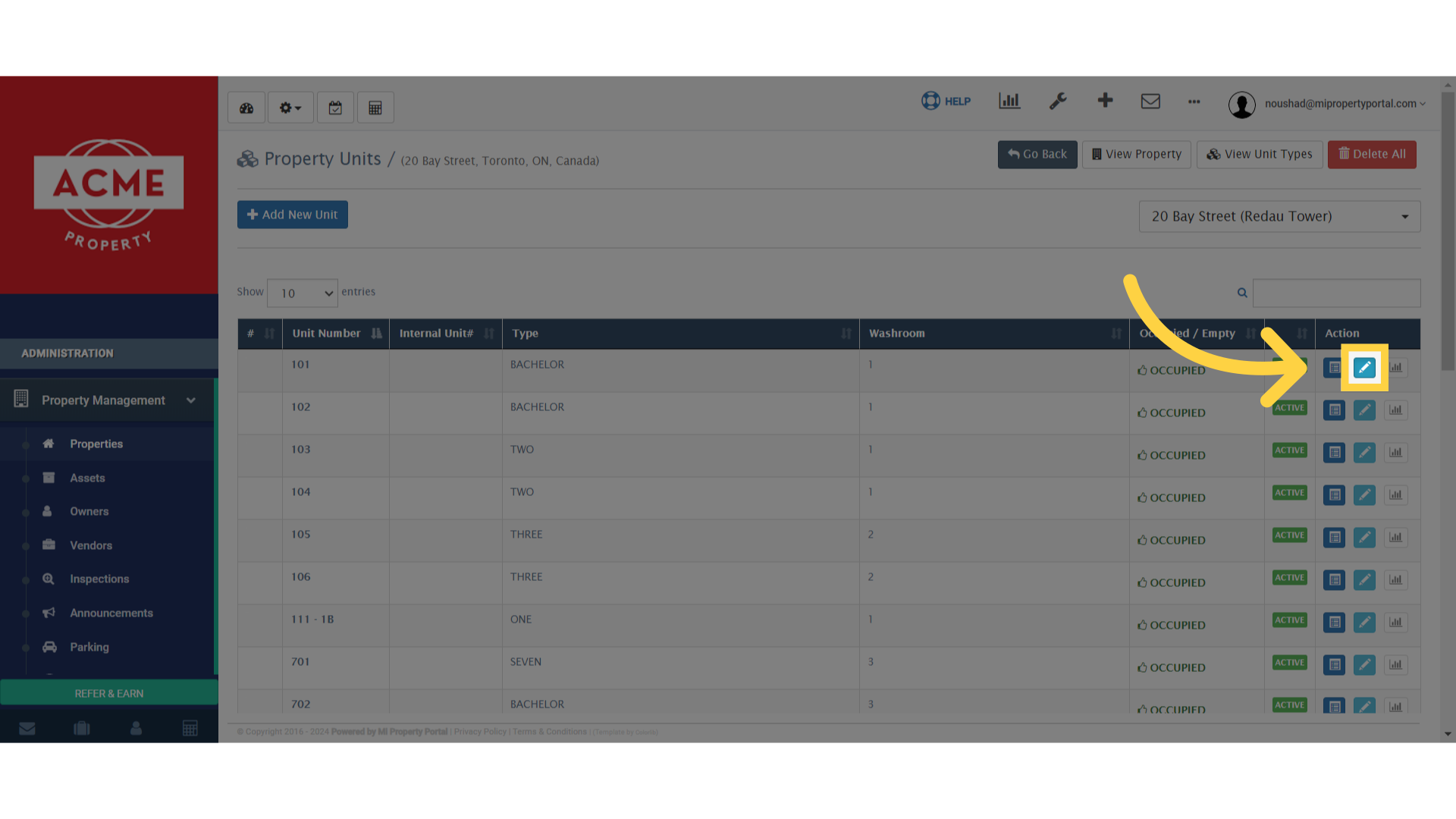
5. Then, click on the ‘Pencil/Edit’ icon next to the property unit type
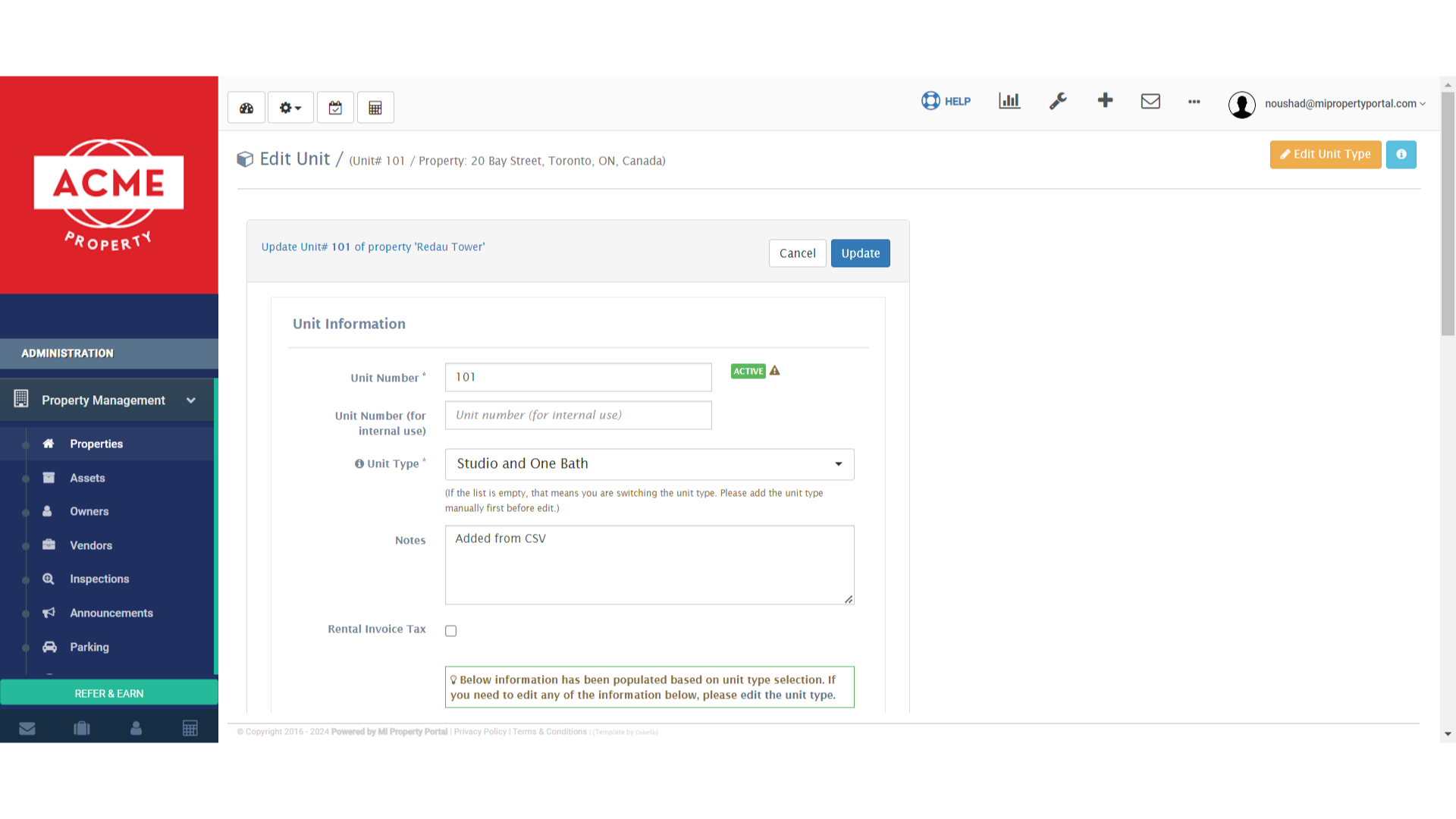
6. On the ‘Unit Information’ page, scroll down
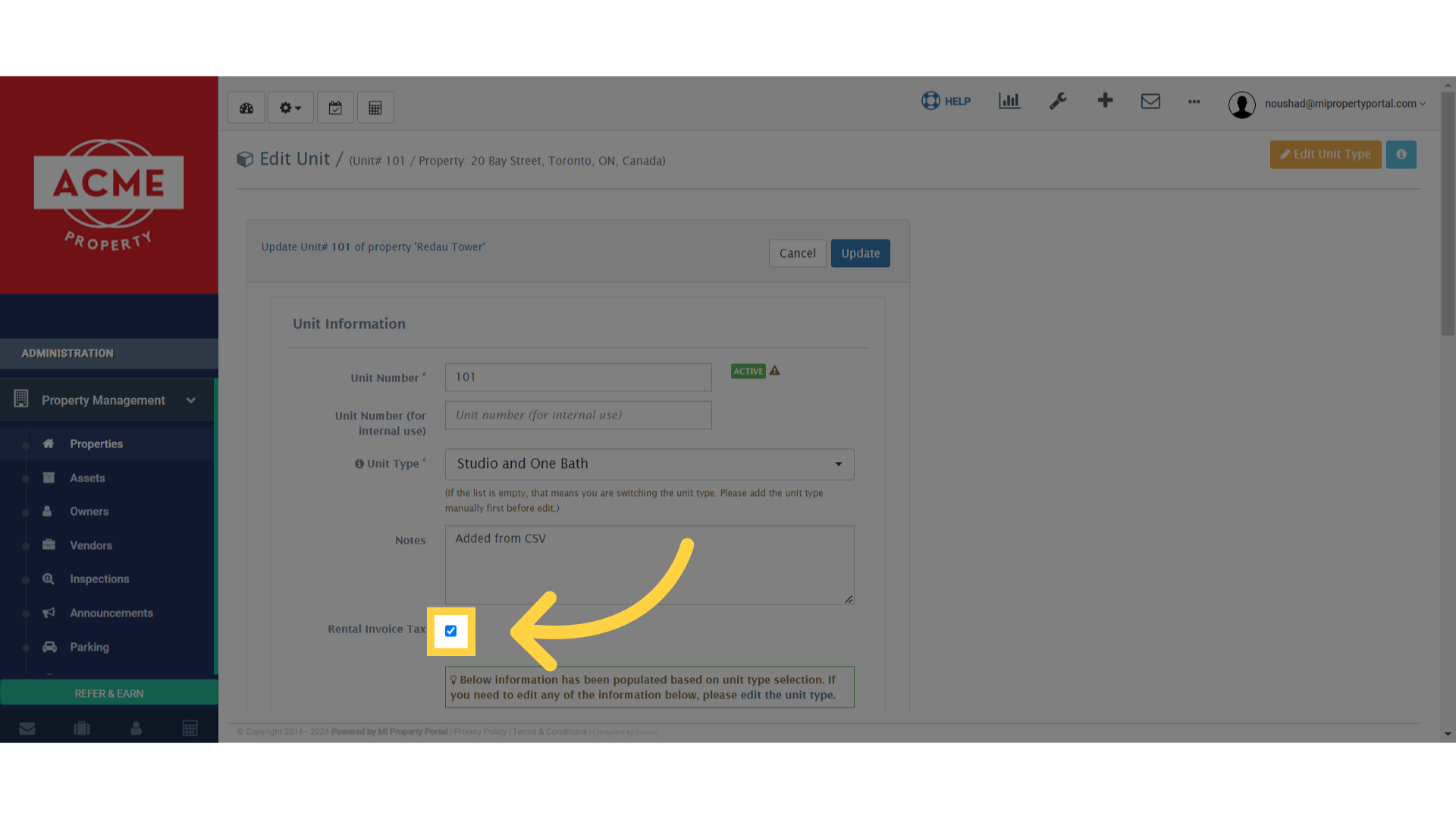
7. Make sure to check that box
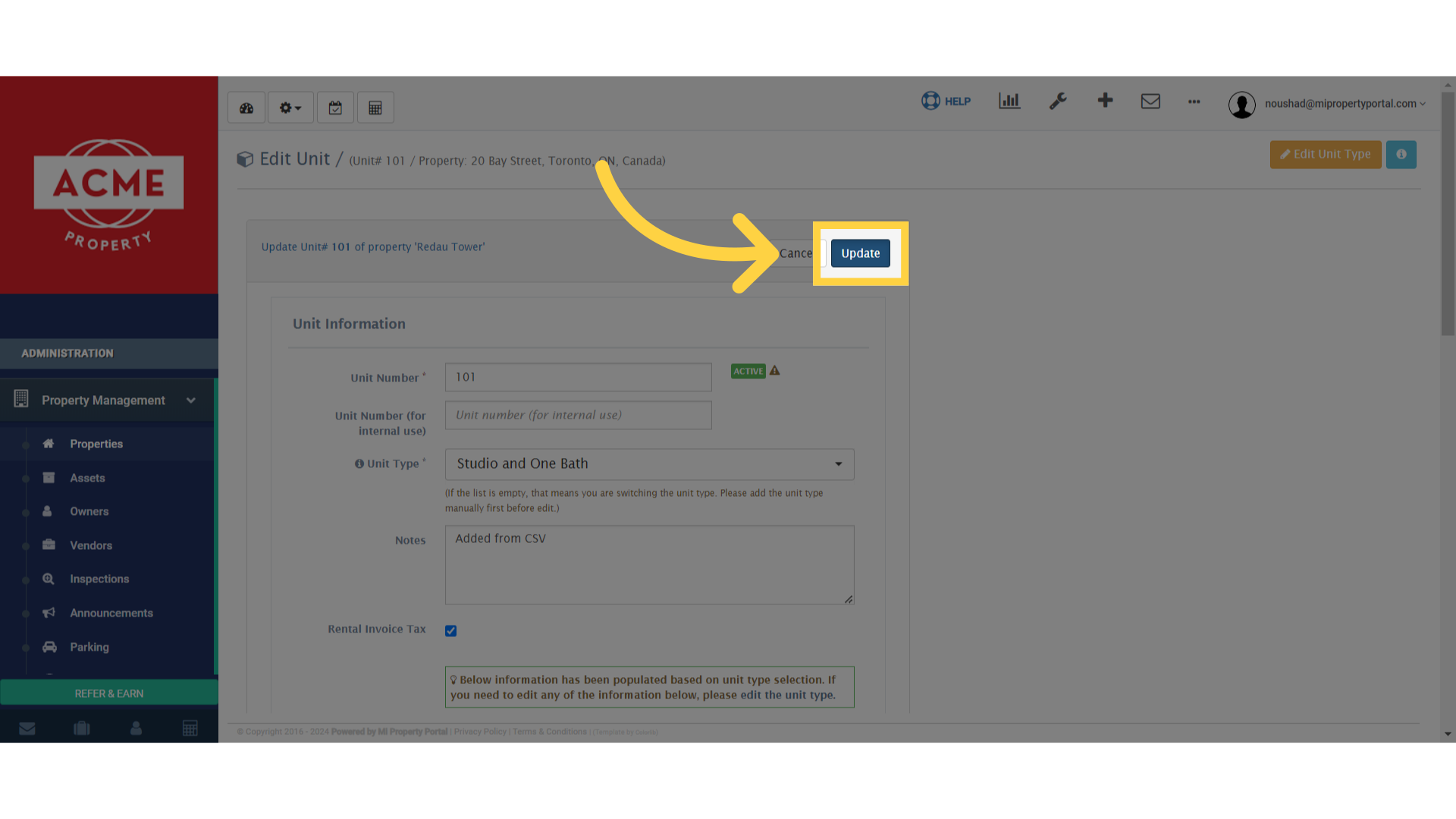
8. Click “Update”
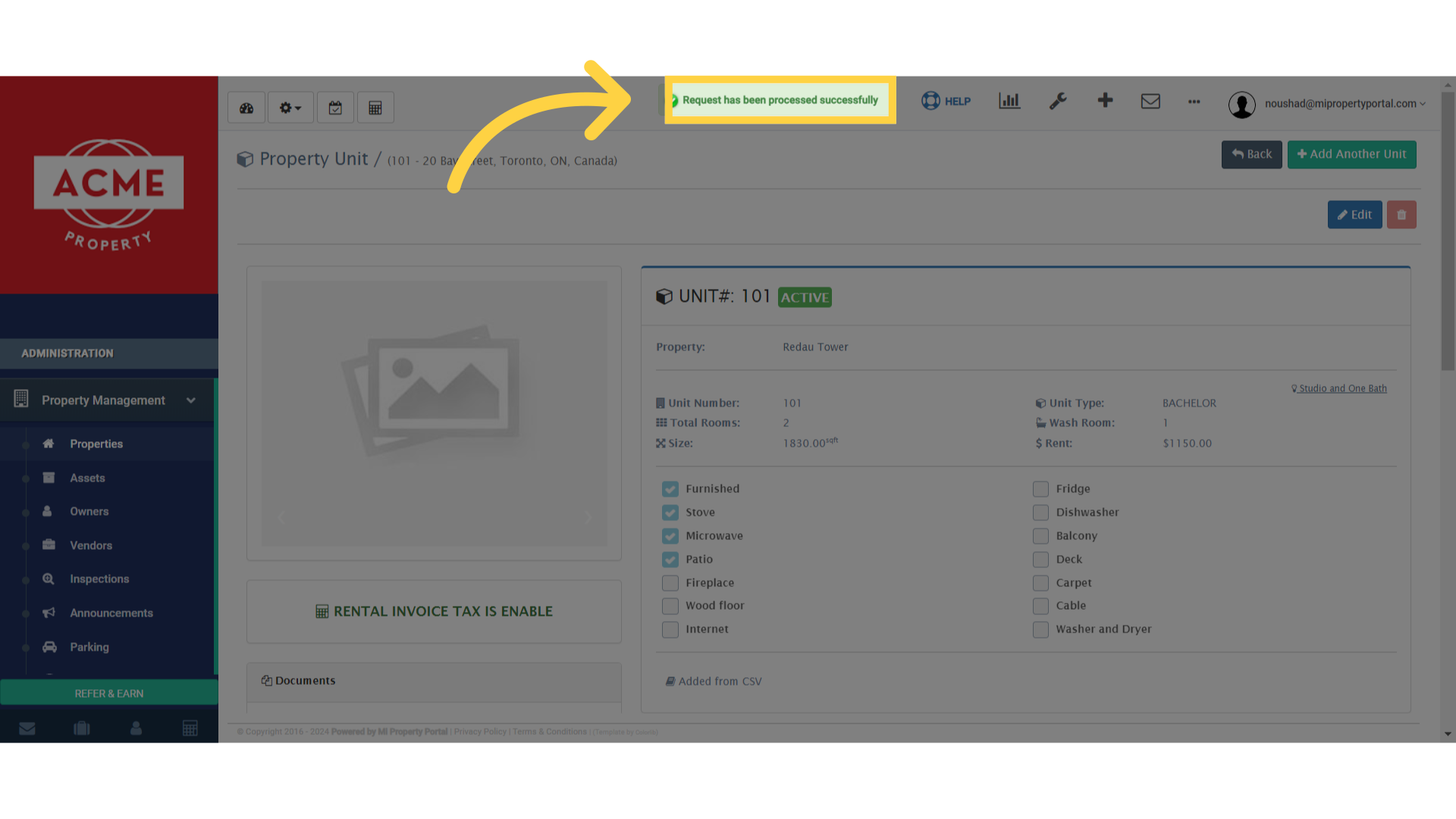
9. A confirmation message saying ‘Request has been processed successfully’ will appear