• Home
  • Blogs
  • FAQs
  • Login
  • Home
  • Blogs
  • FAQs
  • Login
home/Knowledge Base/Prospective Tenants/How to Add a Prospect Manually?

How to Add a Prospect Manually?

148 views 0 December 1, 2022 Updated on June 4, 2025 mippsupportadmin


Now, in this video I’m excited to show you How to Add a Prospect Manually.

Go to manage.mipropertyportal.com

1. Click on “Prospective Tenants” under “Sales & Marketing” from the left navigationClick on 'Prospective Tenants.'
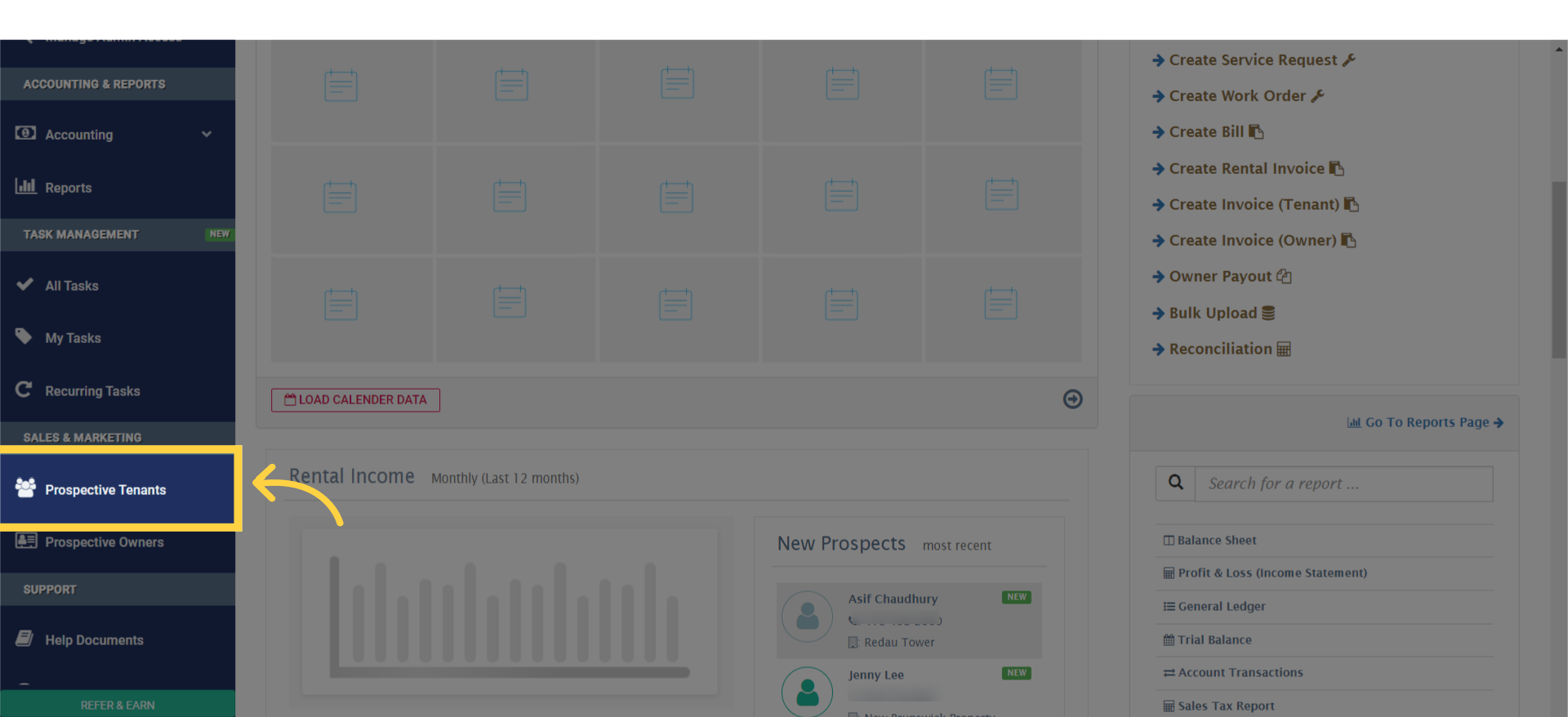
2. Click on “Add New Prospect”

Click on 'Add New Prospect.'

3. Fill out all the required information on the Prospect Profile form
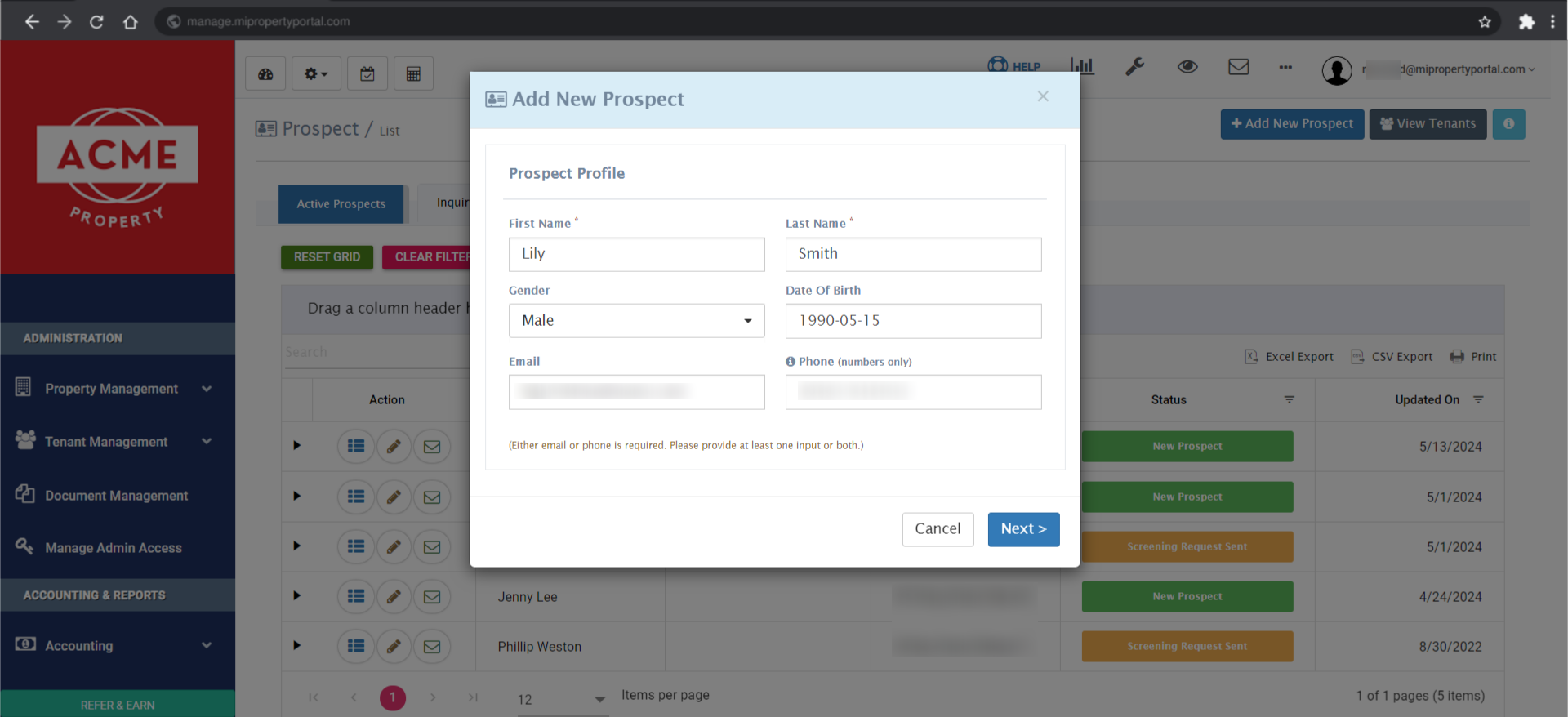
Completing Prospect Profile Information Fill out all the required information on the Prospect Profile form

4. Click on “Next” to proceed
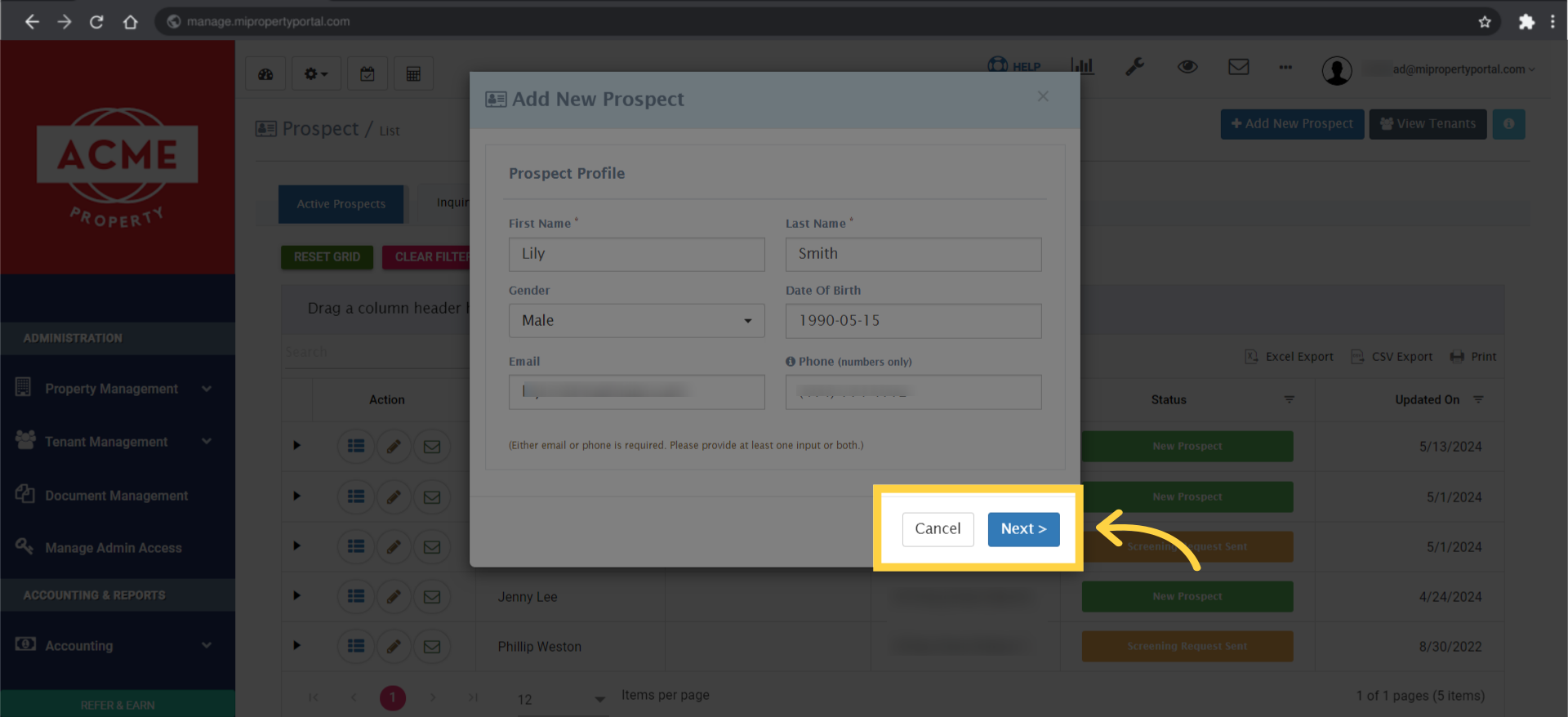
click on 'Next >' to proceed.

5. Fill out the information and select the correct fields on the Prospect Current Address page
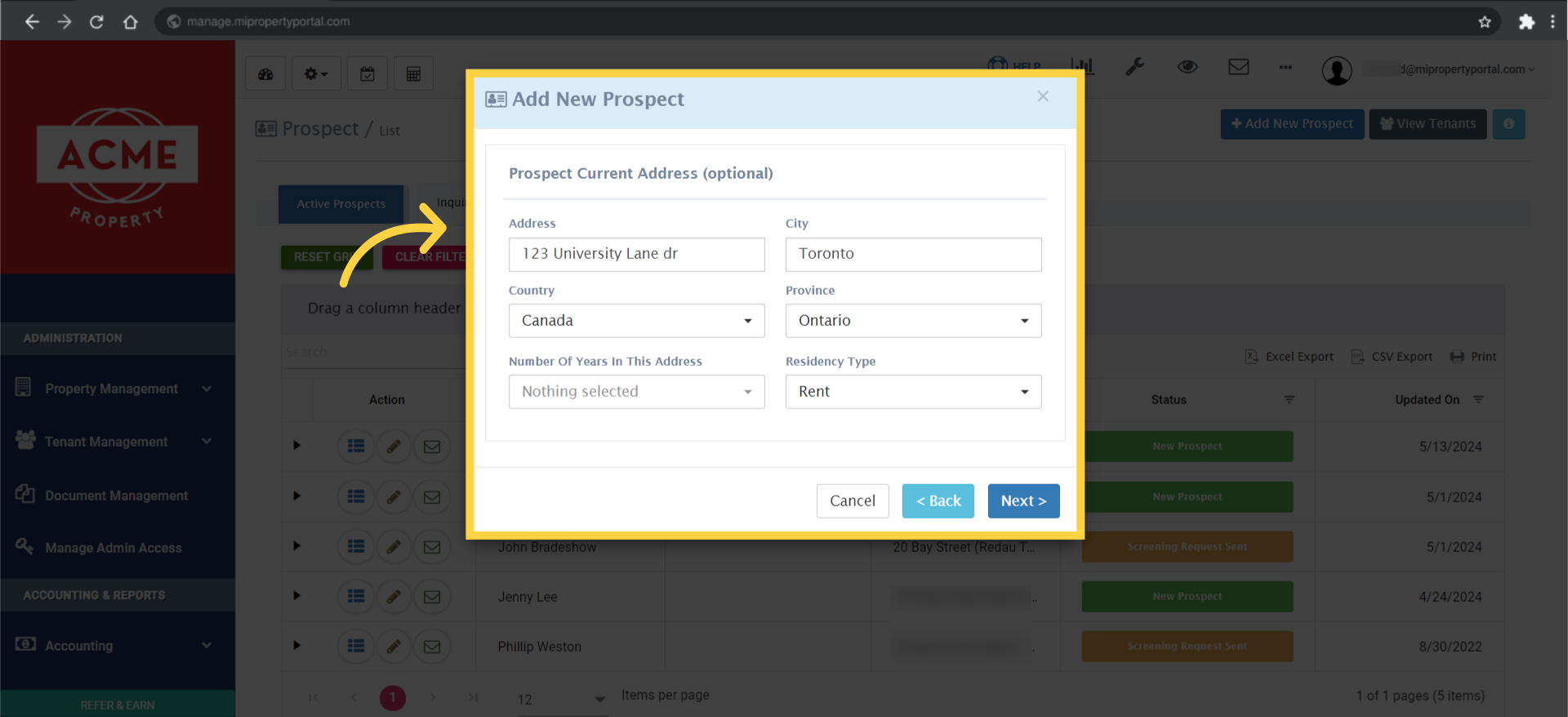
Fill out the information and select the correct fields on the Prospect Current Address page.

6. Click on “Next” to proceed to the “Reference Info” page
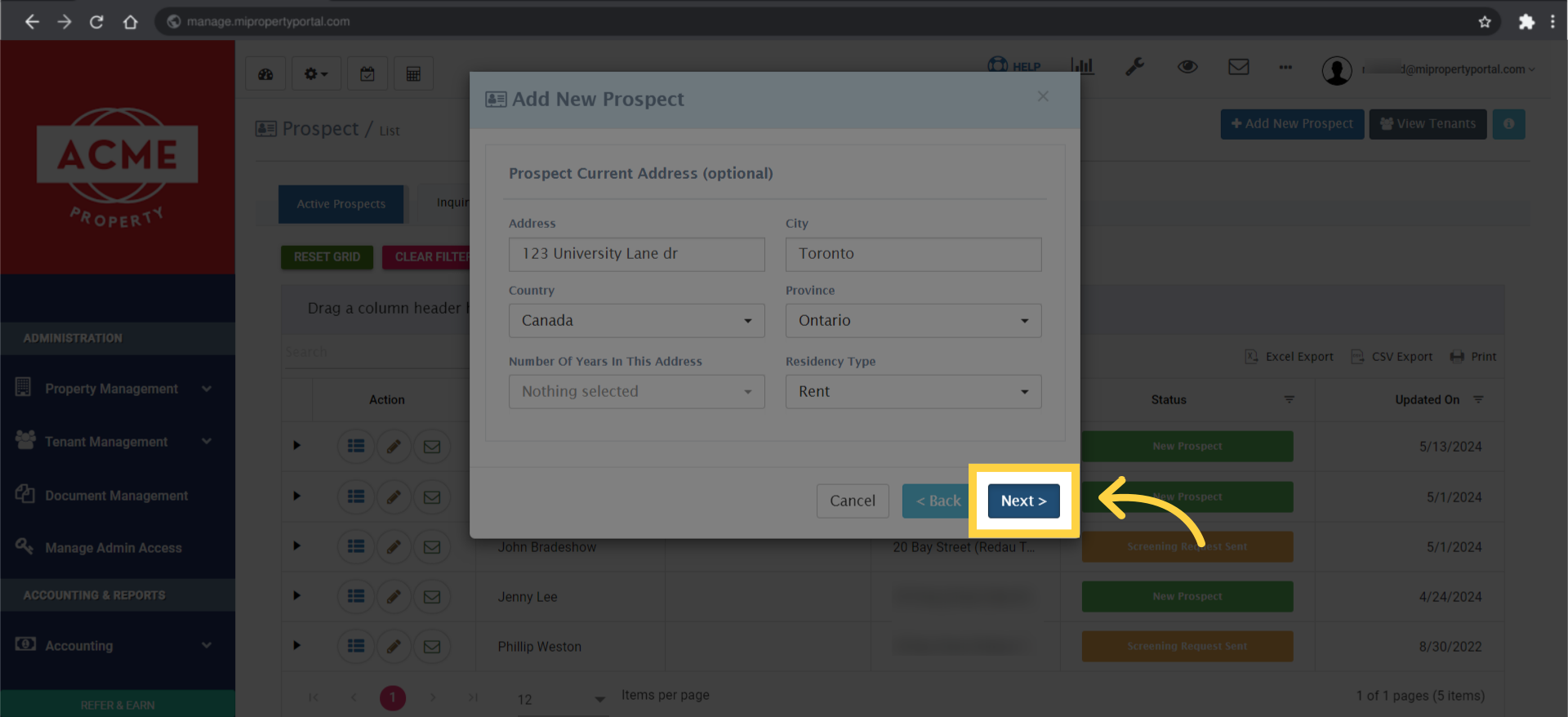
Click on 'Next' to proceed to the 'Reference Info' page.

7. On the ‘Reference Info’ page, choose the ‘Source’ and enter the ‘Source Details’
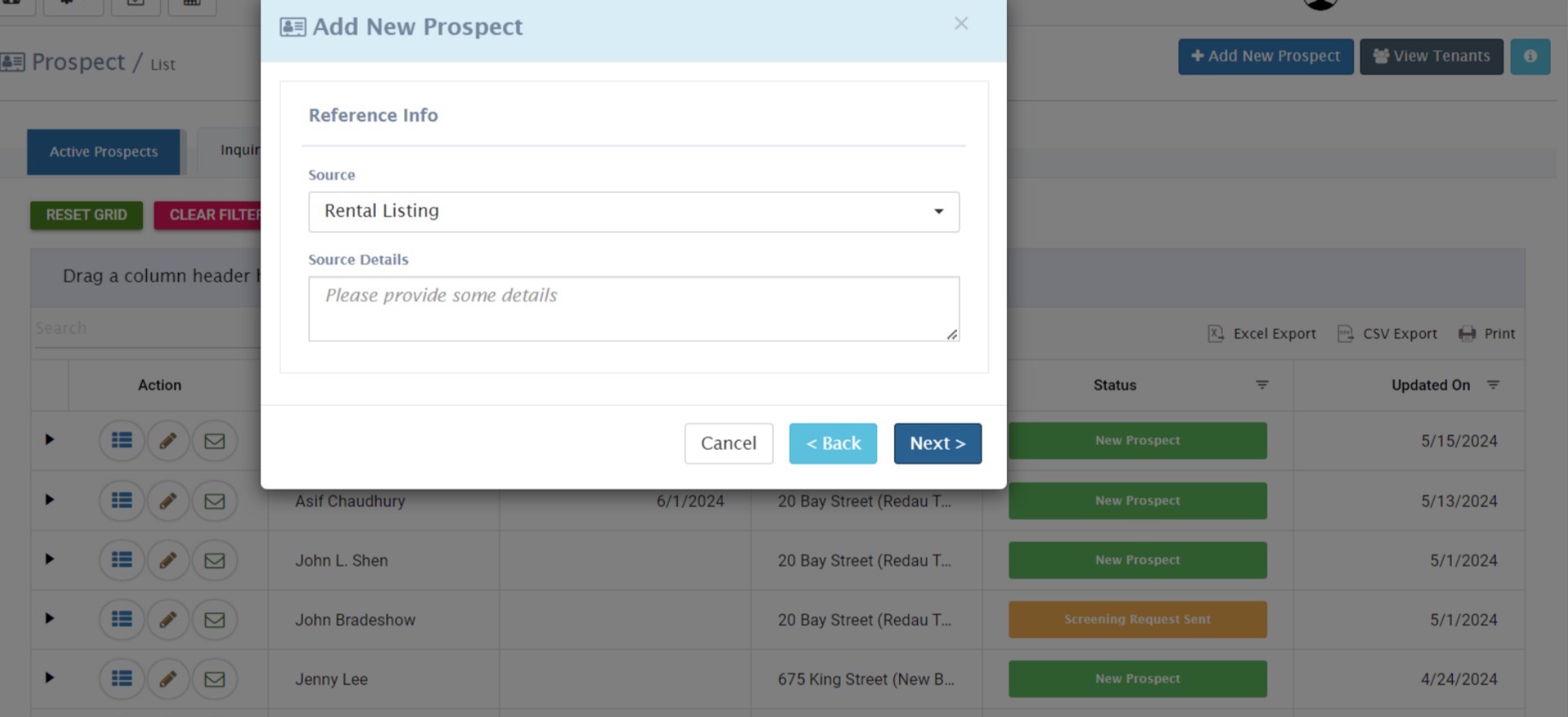
On the 'Reference Info' page, choose the appropriate 'Source' and provide relevant 'Source Details.'

8. Click on “Next ” to proceed to the next step
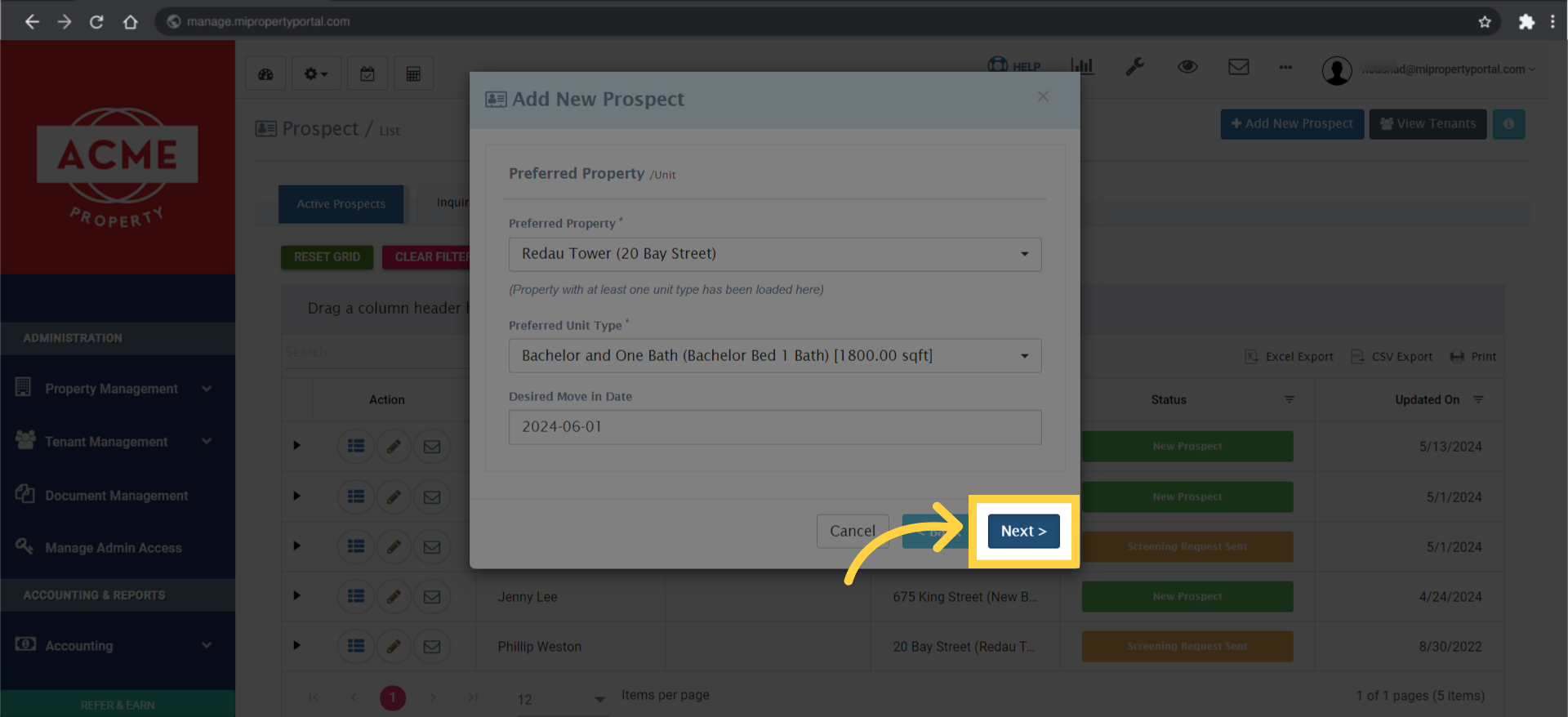
Click on 'Next >' to proceed to the next step.

9. Confirm the submission by clicking on “Yes, Submit”
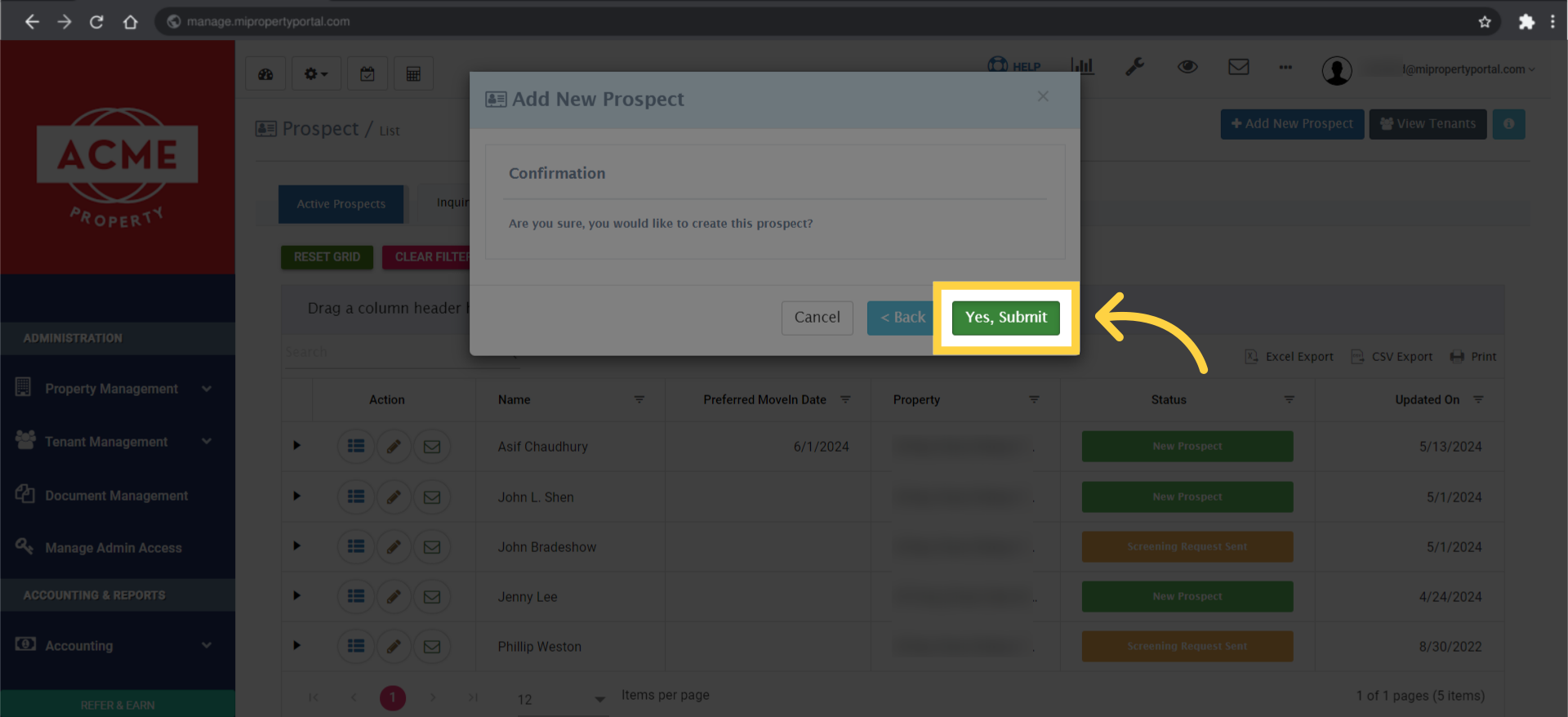
Confirm the submission by clicking on 'Yes, Submit.'

10. Close the “Prospect Added Successfully” pop-up confirmation
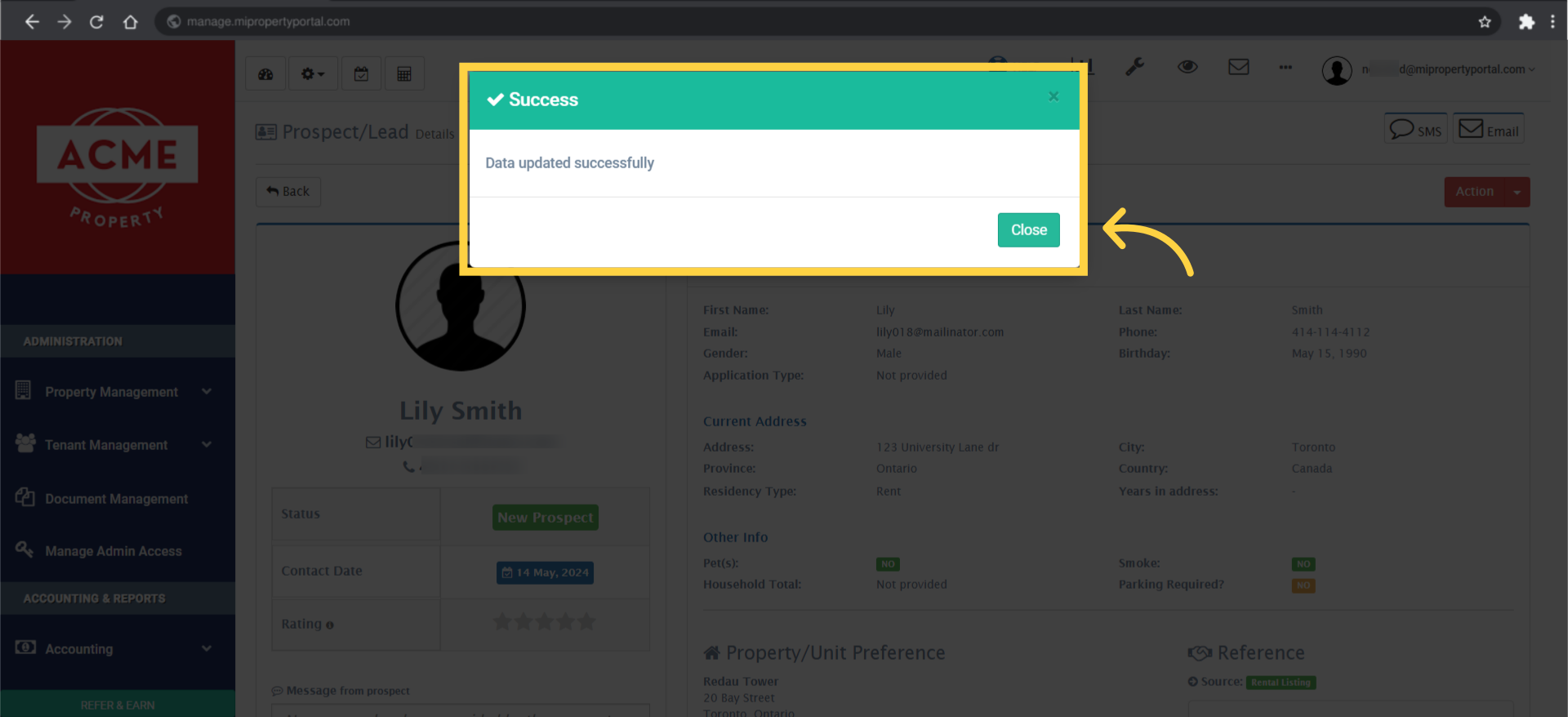
Close the 'Prospect Added Successfully' pop-up confirmation.

11. The prospect profile will now be created and accessible within the system
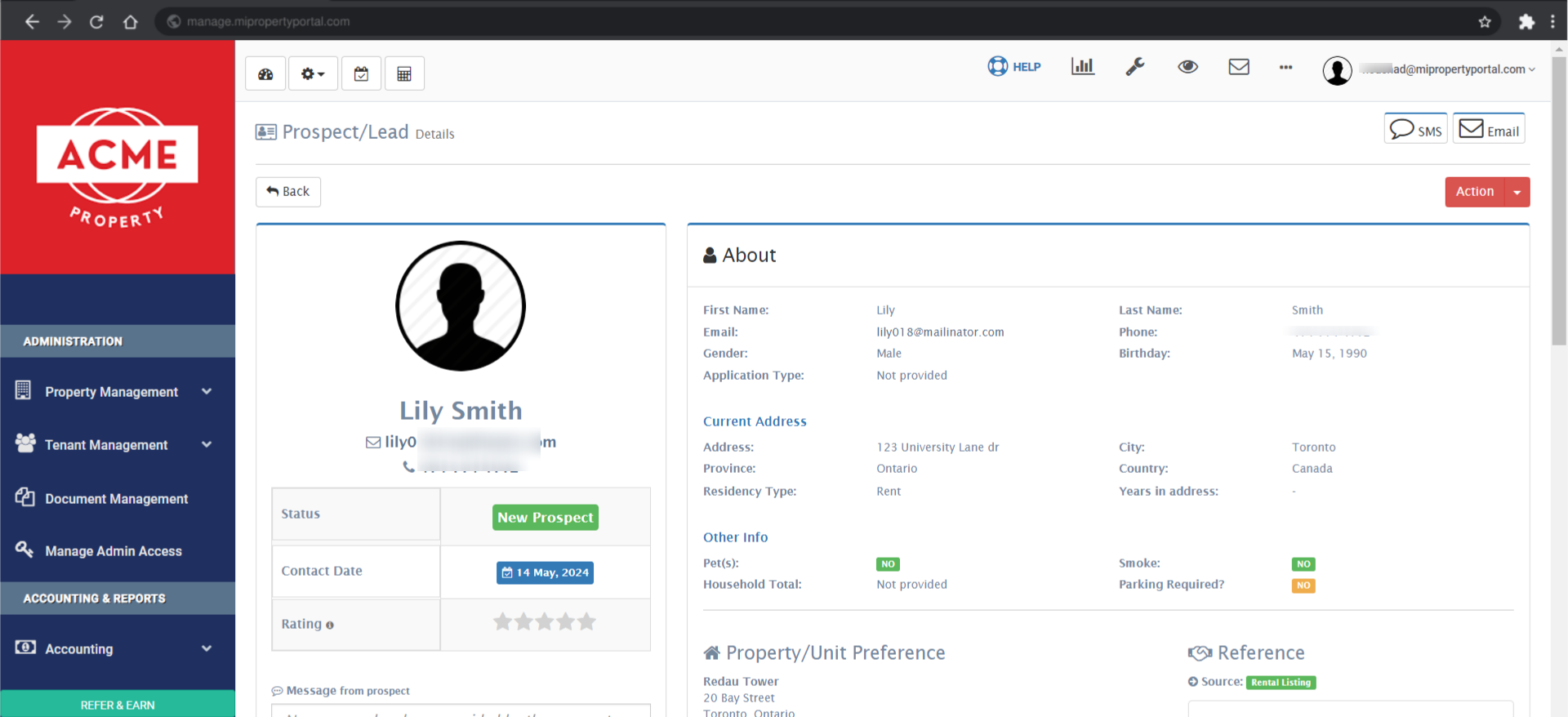
The prospect profile will now be created and accessible within the system.

This guide shows you how to add a prospect manually. I hope it’s helpful. See you next time, and thanks for watching!


Tags:How to manually add lead information in MIPPTroubleshooting manual prospect entry issues in MIPPHow to enter prospect data by hand in MiPropertyPortalHow to add a potential tenant manually in MIPPHow to fill in prospect information manuallyManual process for adding prospects in the portalHow to record prospect details manually in MiPropertyPortalHow to manually add a new lead to the portalHow to use manual entry for prospects in MIPPBest practices for adding a prospect manuallyHow to manually input prospect data in MiPropertyPortalHow to create a prospect record manuallyHow to enter a prospect manually without an online formHow to register a prospect manually in MiPropertyPortalSupport for adding prospects manually in the systemHow to input prospect details manually in MIPPHow to create a new prospect manually in MiPropertyPortalGuide to manually entering a prospect in the portalSteps to add a prospect manually in MIPPHow to manually add a prospect in MiPropertyPortaladd prospect manuallyadd prospecthow to add a prospect manually

Was this helpful?

Yes  No
Related Articles
  • Lease Creation
  • How to Send the Rental Application Link to A Prospective Tenant’s Email from the Unit Type Details Page?
  • How to Send the Rental Application Link to A Prospective Tenant’s Email from the Unit Type List Page?
  • How to Send the Rental Application Link to A Prospective Tenant’s Email?
  • How to Create Guarantor for a Prospect in the Portal?
  • How to Collect Guarantor Signature?

Didn't find your answer? Contact Us

Leave A Comment Cancel reply

You must be logged in to post a comment.

Popular Articles
  • Can I log rental income for ‘Unpaid’ invoices for ‘Moved-out’ tenants?
  • Email notification sent to tenant on Other document upload
  • How to Automatically Adjust Tenant Credits to Rental Invoices
  • How to Enable Tenants to Submit LTB Forms from the Tenant Portal
  • New Feature – Trust Liability Report
KB Category
  • Service Request
  • Subscription
  • Bulk Data Upload
  • Owner Portal
  • MiPropertyPortal Admins Training Workshop
  • MiPropertyPortal New Features/Improvements Monthly Webinar
  • Task Management
  • Prospective Tenants
  • Setup
  • Vendor Management
  • Tenant Screening
  • Tenant Portal
  • Tenant Management
  • Accounting
  • Security Deposit
  • Reporting
  • Rental Tax
  • Rental Listing
  • Property Owner Related
  • Property
  • Other
  • Asset Management
  • Online Payment
  • Lease Management
  • General
  • Form Management

How to Collect Guarantor Signature?  

MiPP
MiProperty Portal is Canadian-made for
Canadian landlords and property managers.
COMPANY
  • About Us
  • Why MiPP?
  • Features
SUPPORT
  • Knowledge Base
  • Get Email Help
SOCIAL
  • Linkedin
  • Facebook
  • Twitter
  • Privacy Policy
  • Terms of Use
  • © 2025 mipropertyportal.com. All Rights Reserved.