• Home
  • Blogs
  • FAQs
  • Login
  • Home
  • Blogs
  • FAQs
  • Login
home/Knowledge Base/Prospective Tenants/How to Send the Rental Application Link to A Prospective Tenant’s Email from the Unit Type Details Page?

How to Send the Rental Application Link to A Prospective Tenant’s Email from the Unit Type Details Page?

146 views 0 November 13, 2023 Updated on December 9, 2024 mippsupportadmin

1. Initiate the process by clicking here
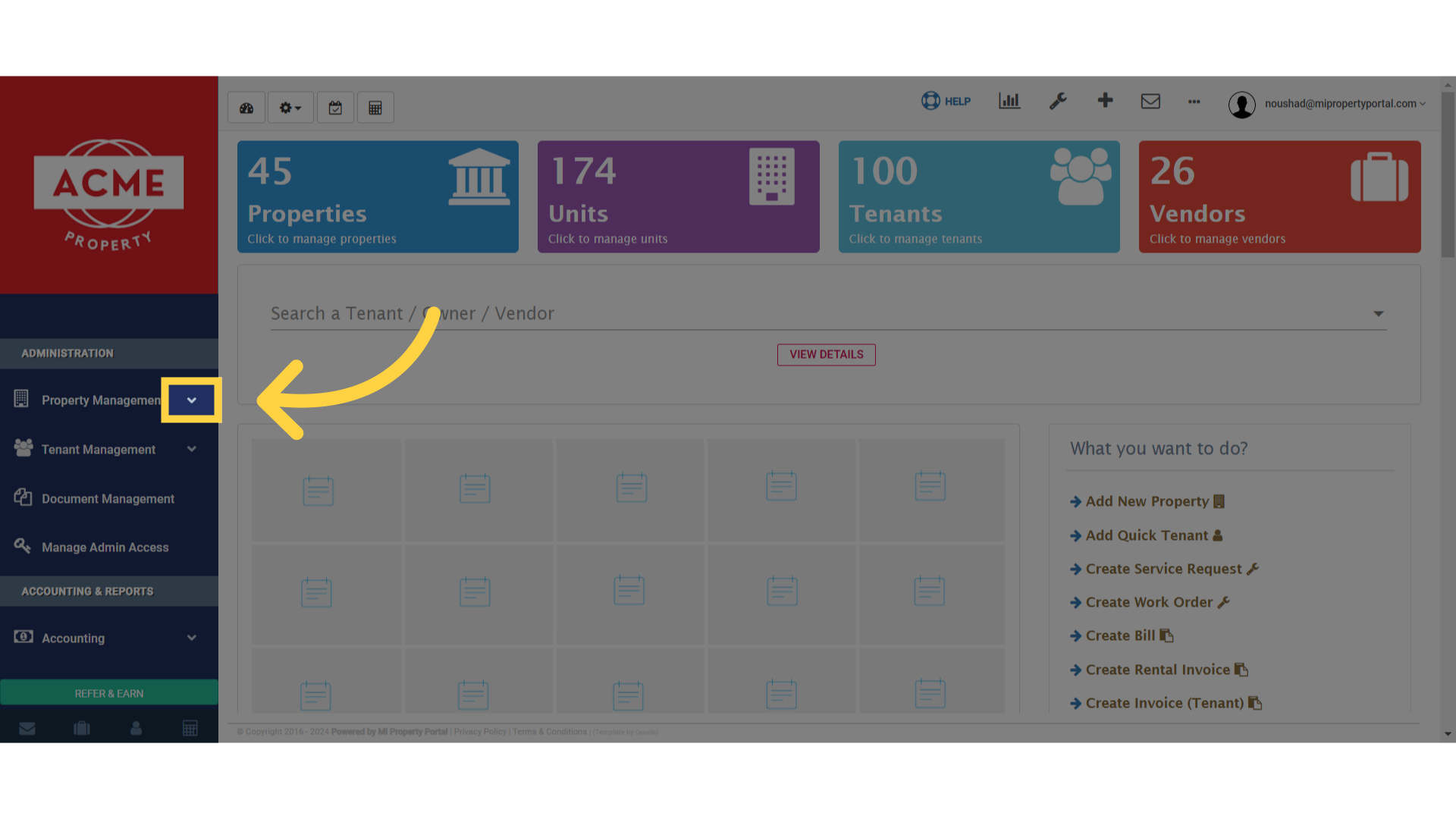
Click here

2. Access the properties section
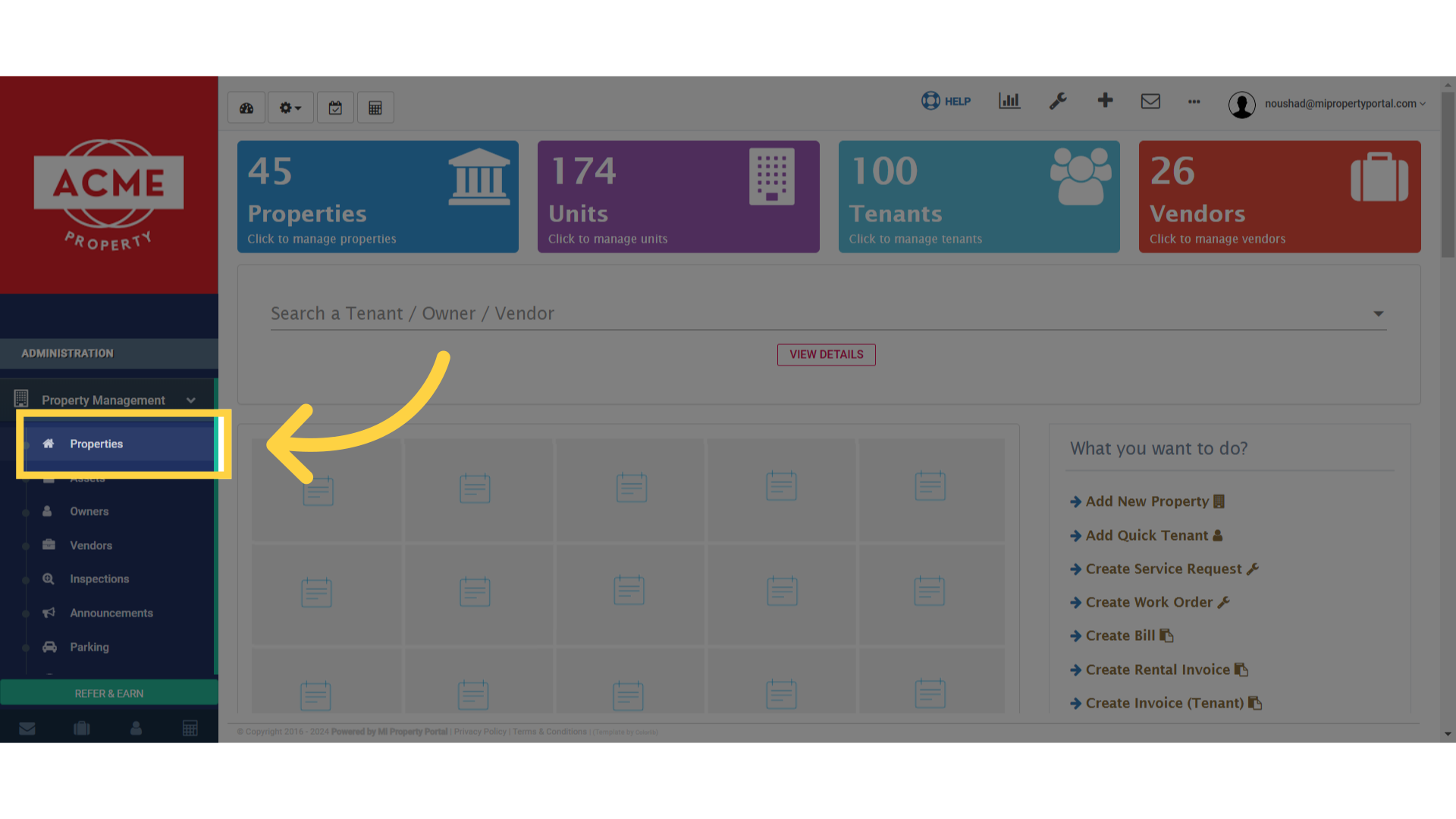
Click 'Properties'

3. Select the desired option by clicking here
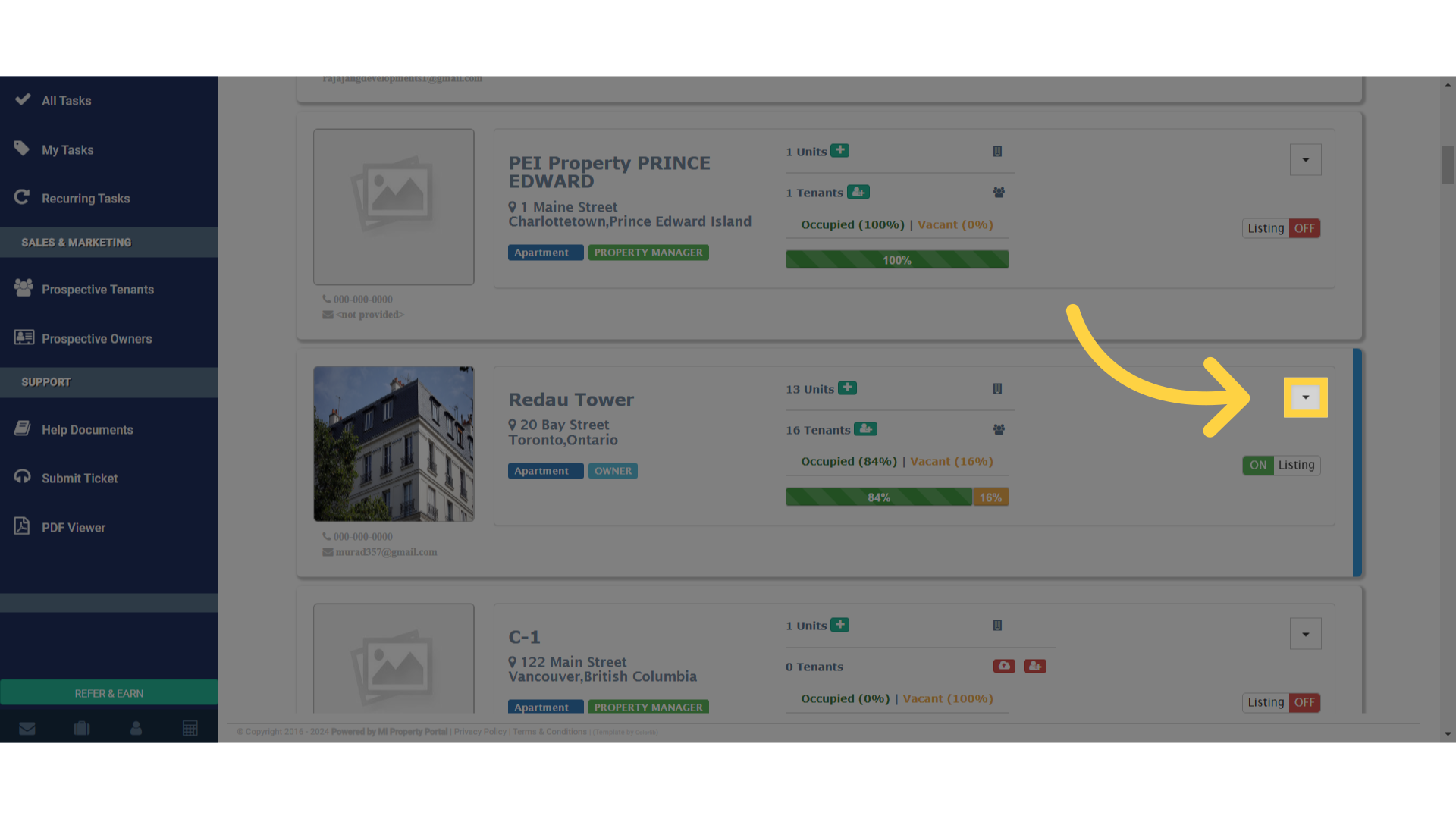
Click here

4. Manage the unit types effectively
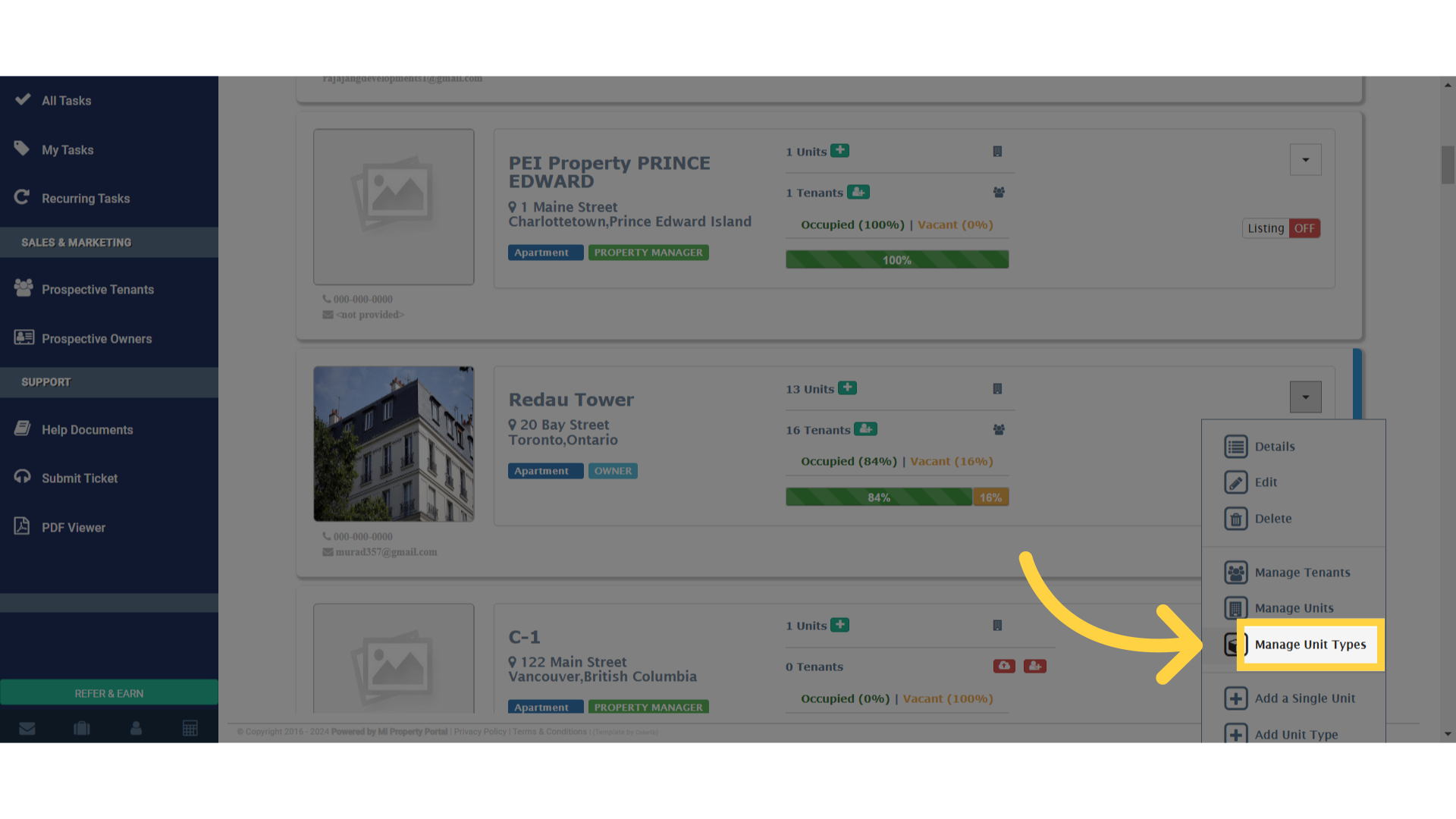
Click 'Manage Unit Types'

5. Navigate to the specified section

Click here

6. Access the detailed information tab
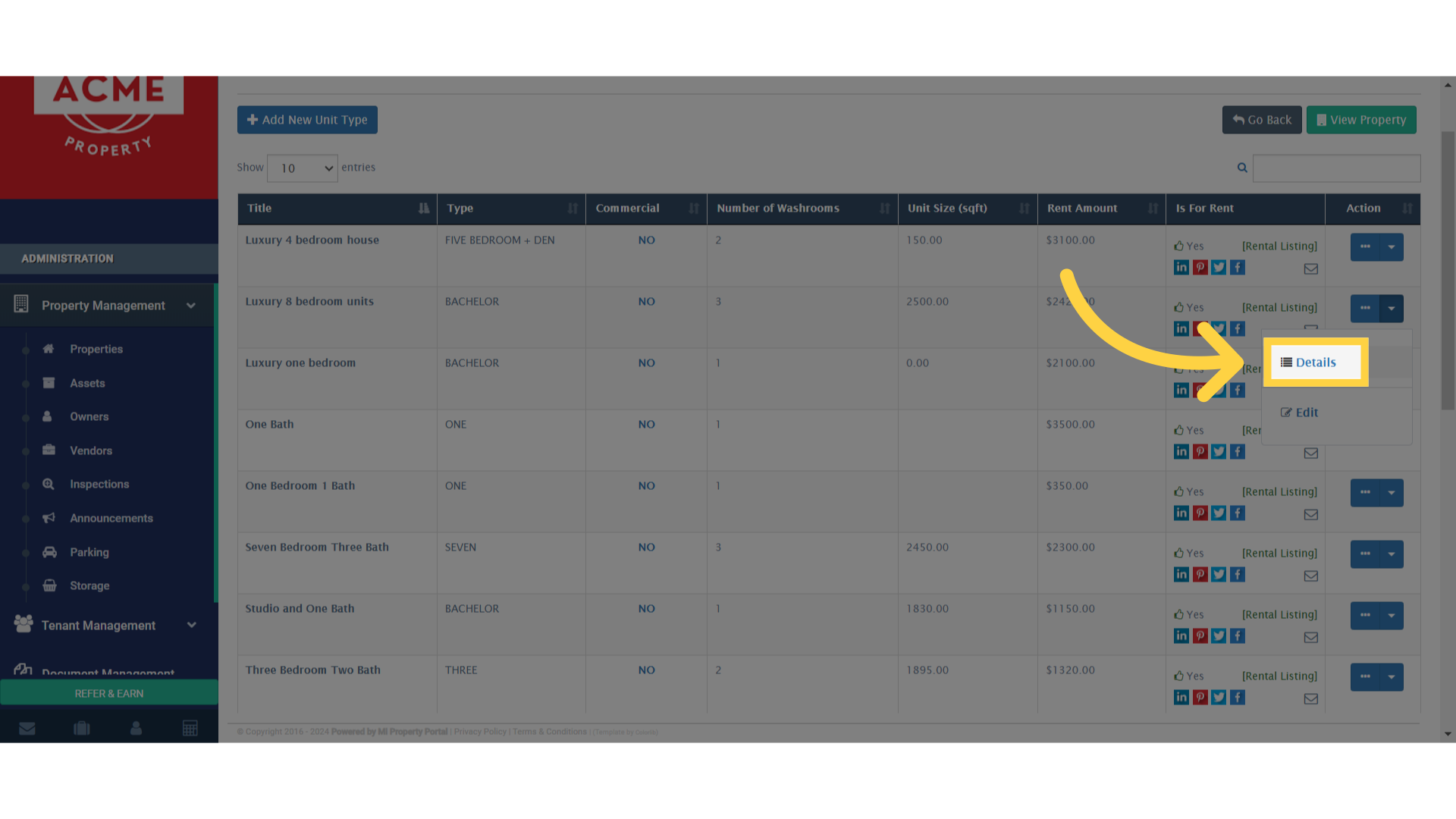
Click 'Details'

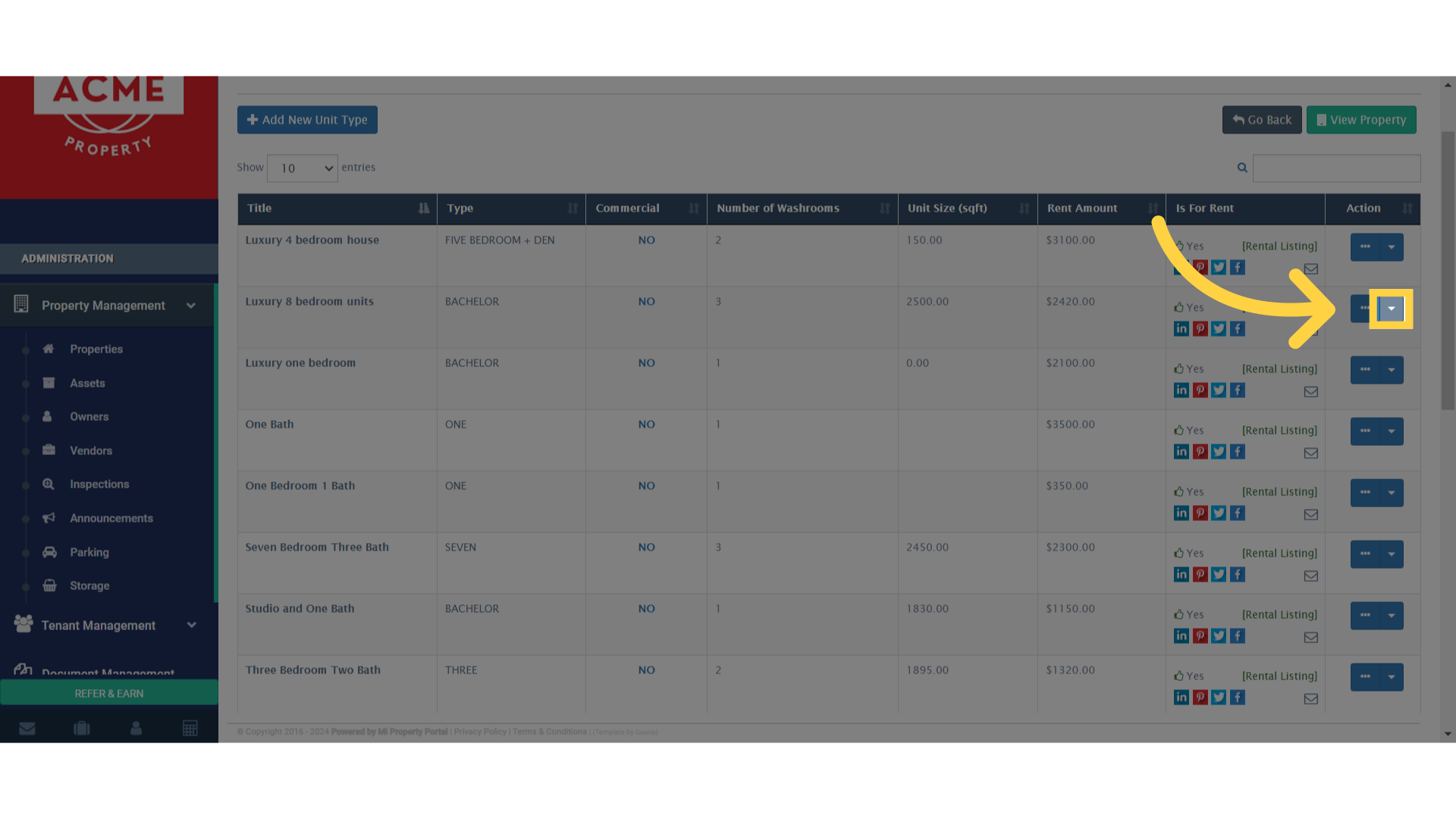
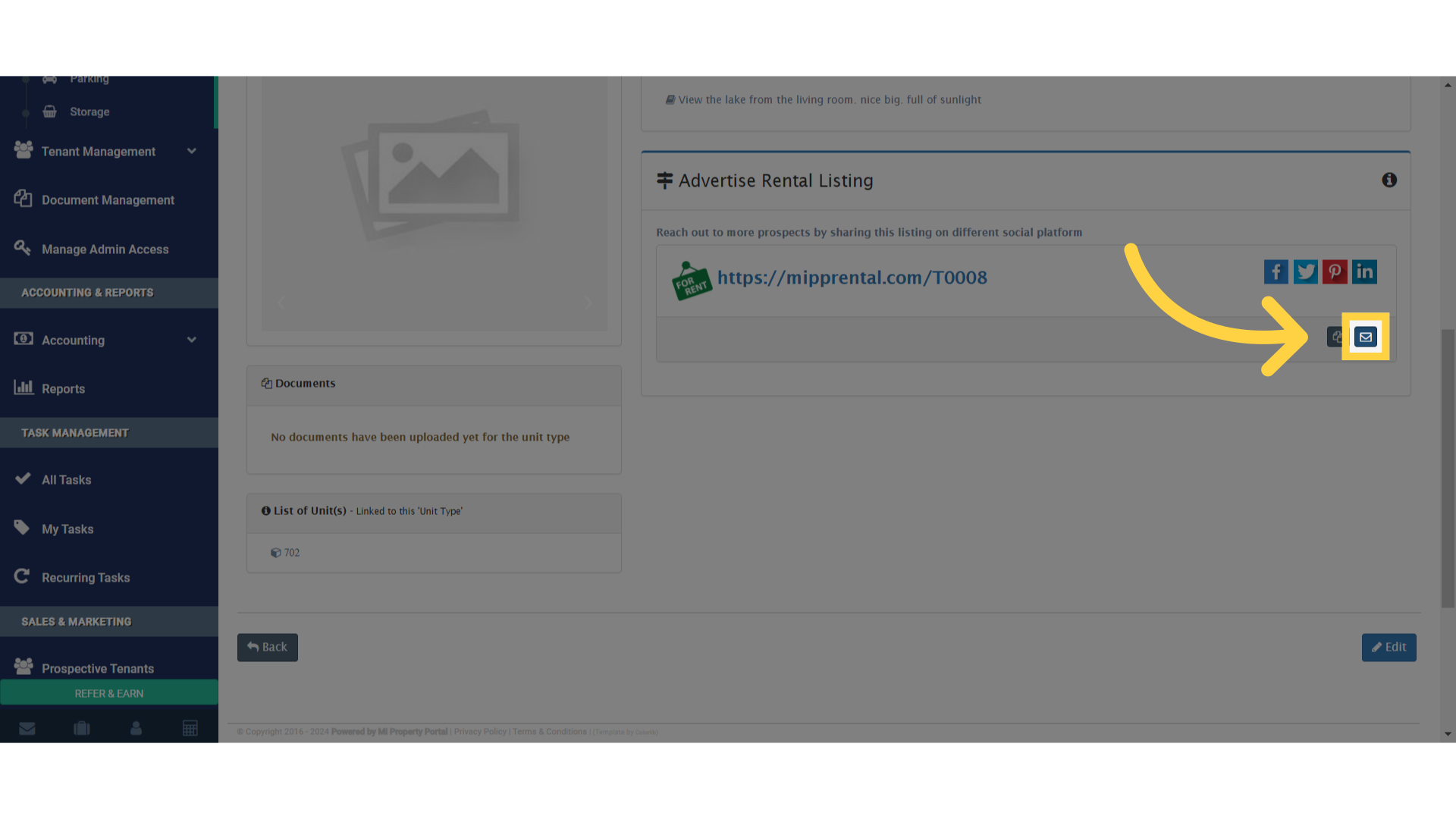
7. Locate the link to send

Click here

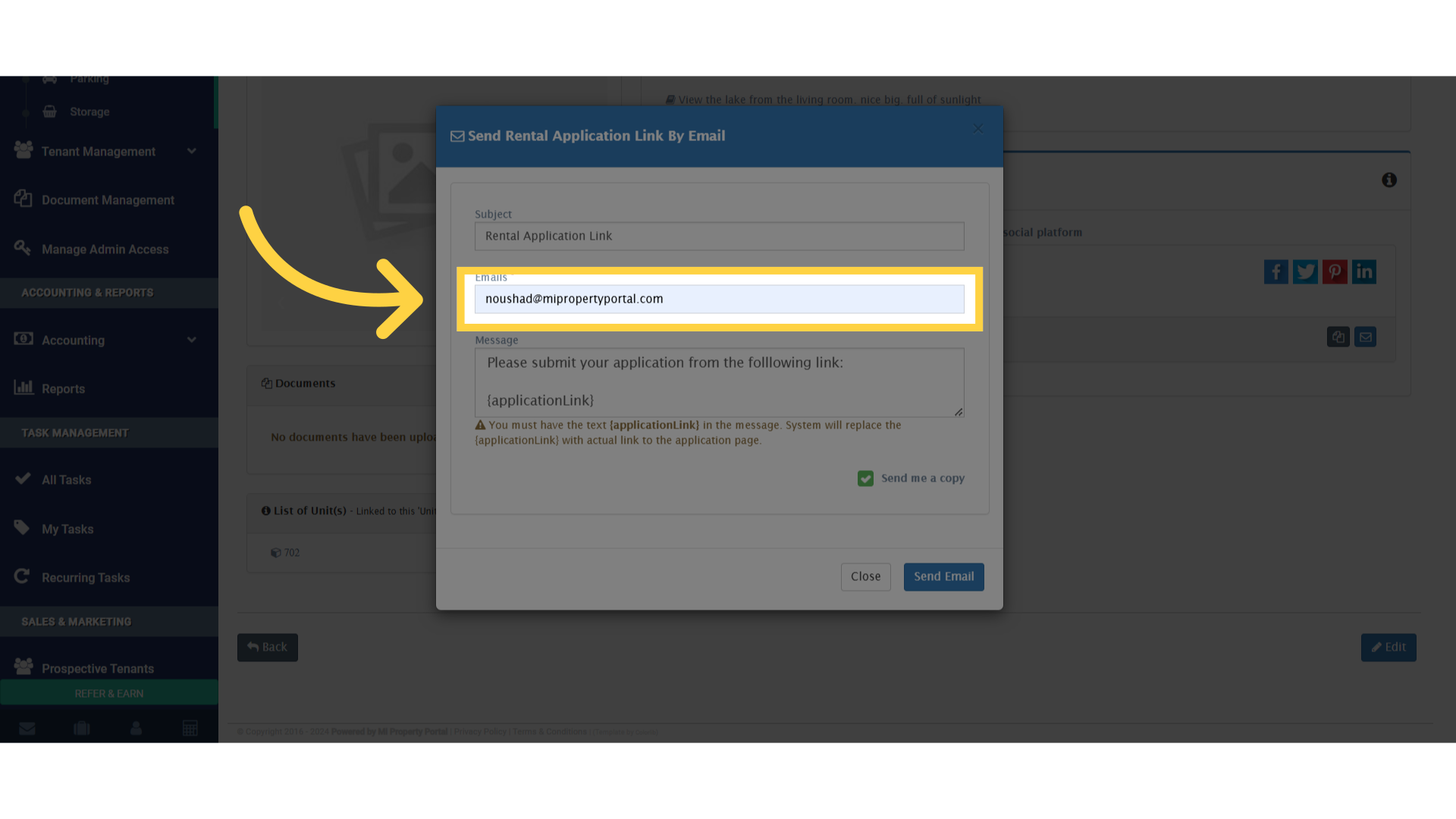
8. Add the email address

Click 'noushad@mipropertyportal.com'

9. Send the email to the designated recipients
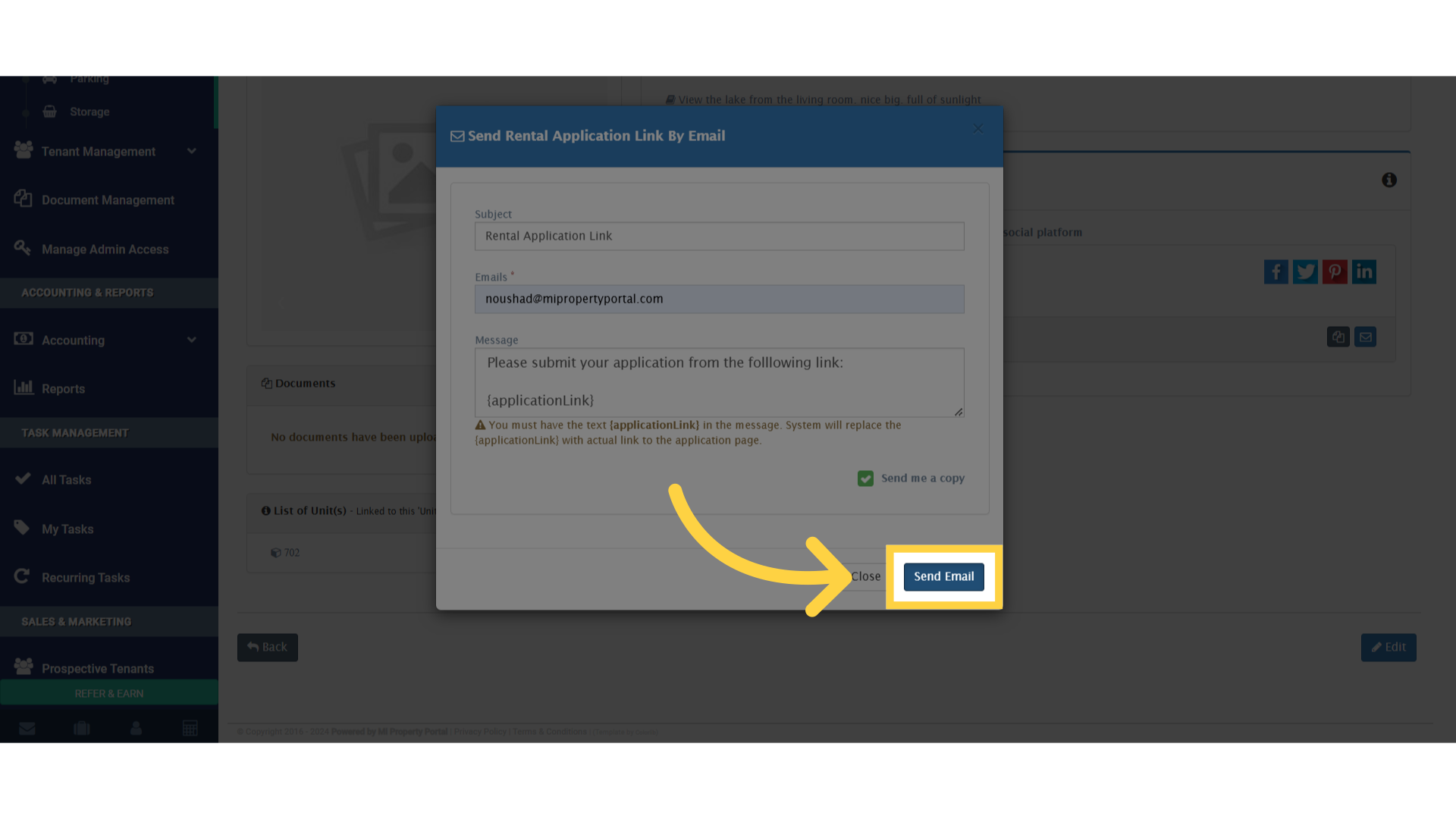
Click 'Send Email'

Tags:Email prospective tenant rental formSend rental link to tenant email from unit pageSteps to share application form from unit details pageHow to email rental application link to tenantSend rental form link from unit type detailsShare tenant application via email from property portalEmail rental application link to tenantHow to send application link from unit detailsShare rental application from unit type details pageSend rental application link via email from unit detailsa prospective tenant's email from the unit type details pageHow to send the Rental Application Link to A Prospective Tenant's Email from the Unit Type Details Page?Unit Type DetailsUnit Type Details Pagea prospective tenantRental Application Link

Was this helpful?

Yes  No
Related Articles
  • Lease Creation
  • How to Send the Rental Application Link to A Prospective Tenant’s Email from the Unit Type List Page?
  • How to Send the Rental Application Link to A Prospective Tenant’s Email?
  • How to Create Guarantor for a Prospect in the Portal?
  • How to Collect Guarantor Signature?
  • How to Add a Prospect Manually?

Didn't find your answer? Contact Us

Leave A Comment Cancel reply

You must be logged in to post a comment.

Popular Articles
  • Can I log rental income for ‘Unpaid’ invoices for ‘Moved-out’ tenants?
  • New Feature – Trust Liability Report
  • New Feature – Bell Notification Sent to Admin on Tenant Document Upload via Tenant Portal
  • Send Email Notification After Lease Document Upload
  • Notify to Owner if service request flag is enabled from notification settings
KB Category
  • Service Request
  • Subscription
  • Bulk Data Upload
  • Owner Portal
  • MiPropertyPortal Admins Training Workshop
  • MiPropertyPortal New Features/Improvements Monthly Webinar
  • Task Management
  • Prospective Tenants
  • Setup
  • Vendor Management
  • Tenant Screening
  • Tenant Portal
  • Tenant Management
  • Accounting
  • Security Deposit
  • Reporting
  • Rental Tax
  • Rental Listing
  • Property Owner Related
  • Property
  • Other
  • Asset Management
  • Online Payment
  • Lease Management
  • General
  • Form Management

  How to Collect Guarantor Signature?

How to Send the Rental Application Link to A Prospective Tenant’s Email from the Unit Type List Page?  

MiPP
MiProperty Portal is Canadian-made for
Canadian landlords and property managers.
COMPANY
  • About Us
  • Why MiPP?
  • Features
SUPPORT
  • Knowledge Base
  • Get Email Help
SOCIAL
  • Linkedin
  • Facebook
  • Twitter
  • Privacy Policy
  • Terms of Use
  • © 2026 mipropertyportal.com. All Rights Reserved.