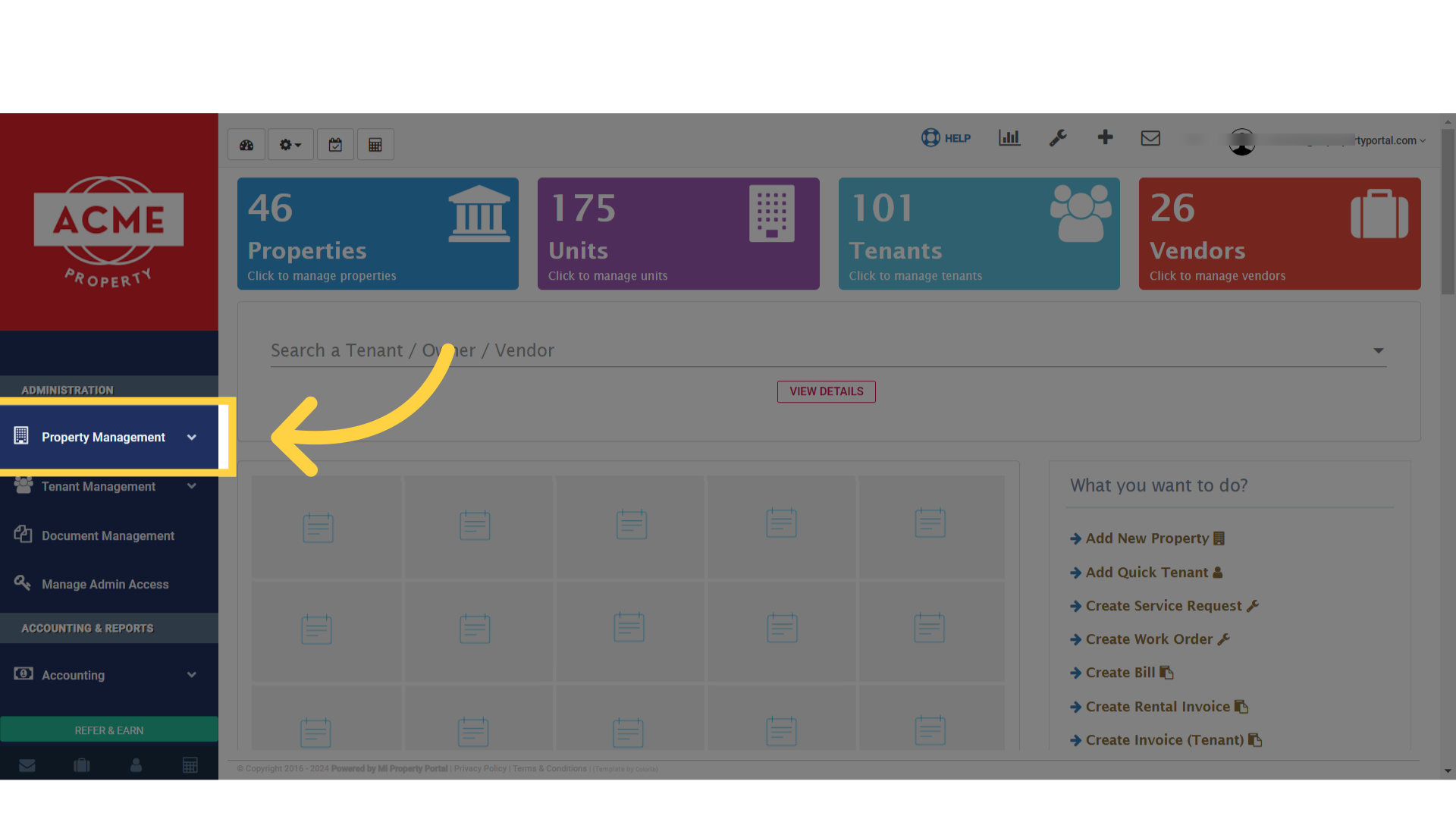
1. After logging in, Click on Property Management dropdown on the left navigation
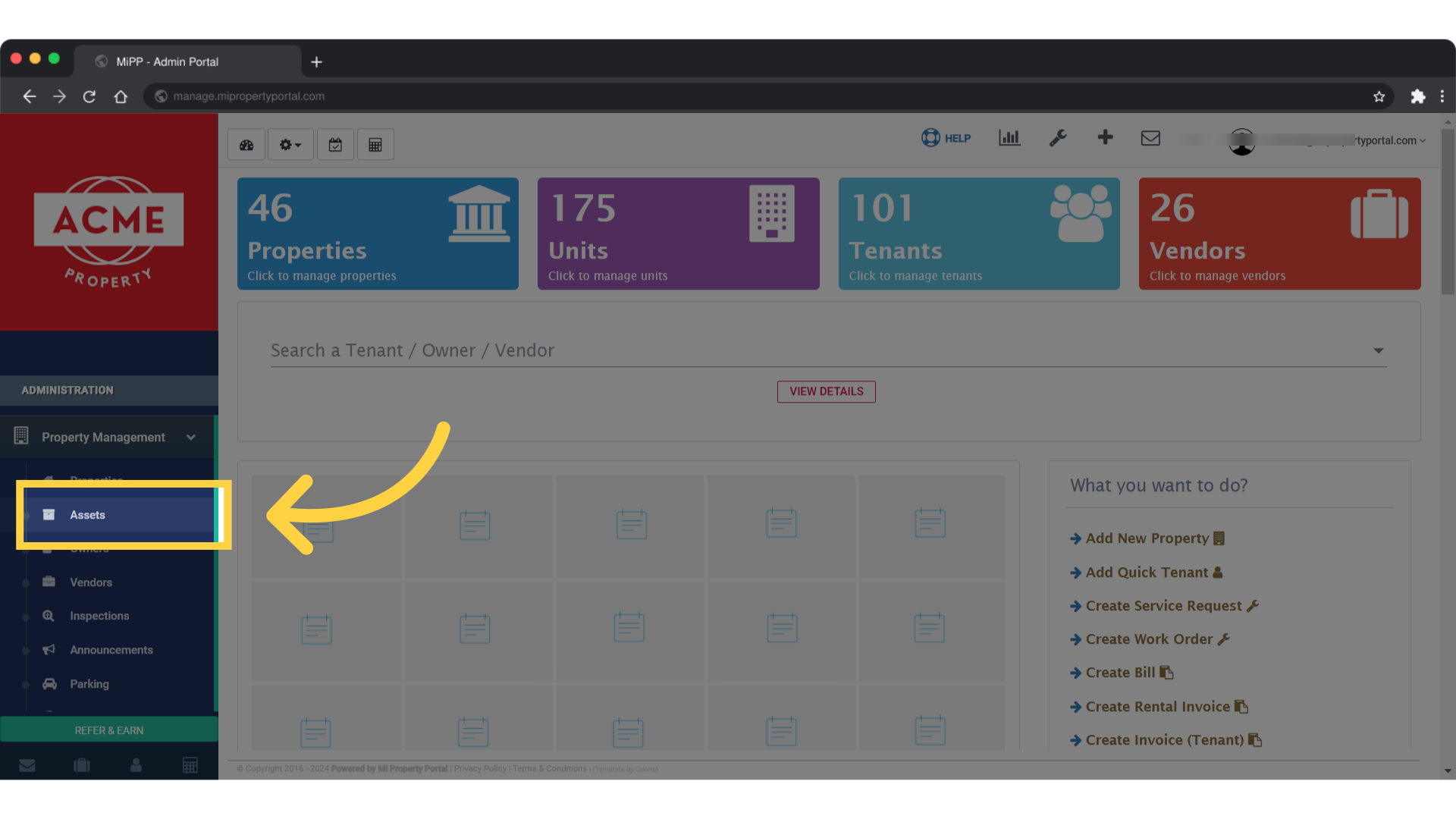
2. Click on Assets under the Property Management dropdown
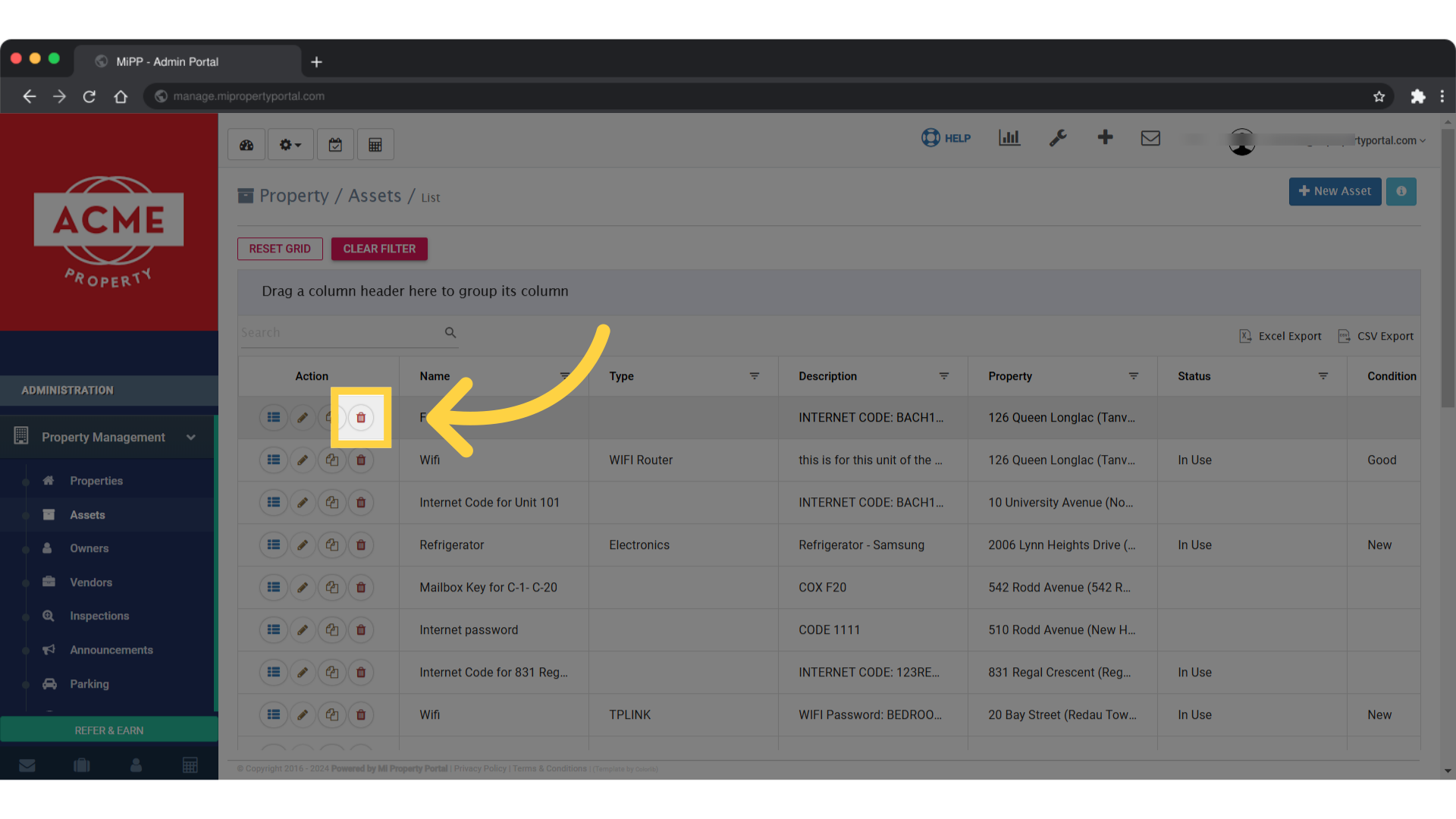
3. Once in the Property/Assets section, choose the asset & click on Trash icon to delete the asset
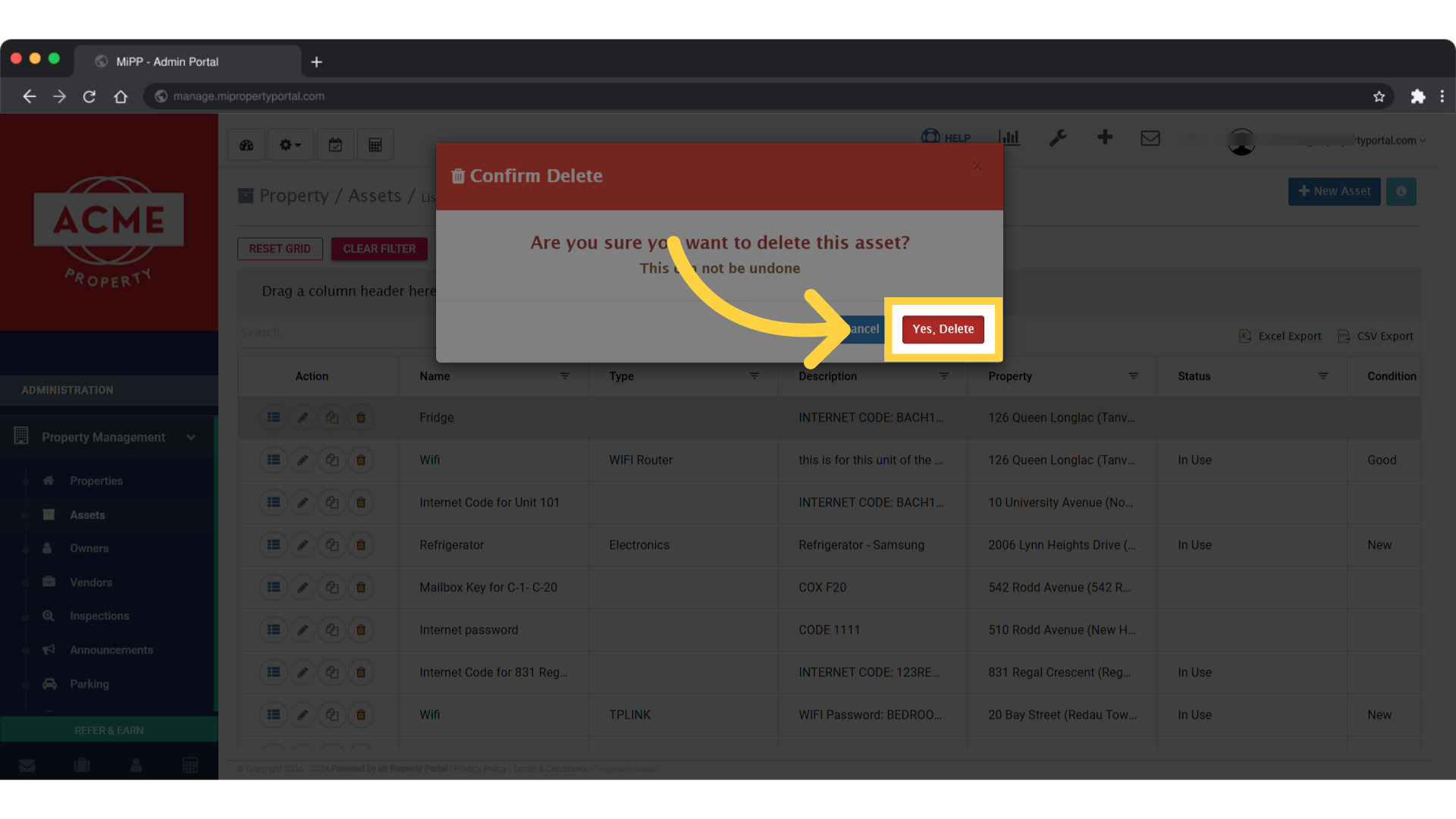
4. Click Yes, Delete to complete
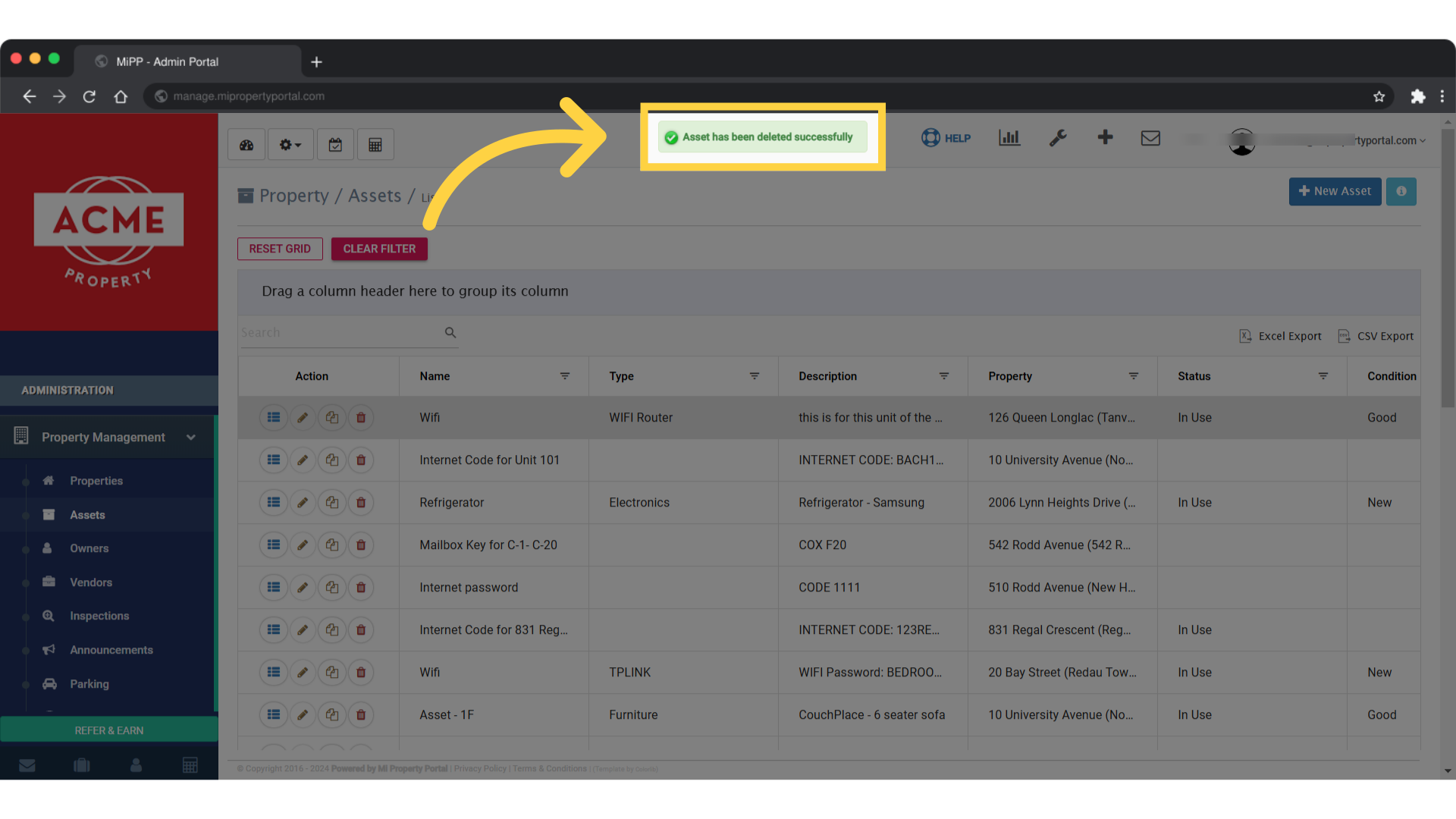
5. Once deleted a notification will pop up in the screen as Asset has been deleted successfully