How to Send SMS to Vendors?
57 views 0 January 7, 2024 Updated on August 22, 2025 mippsupportadmin
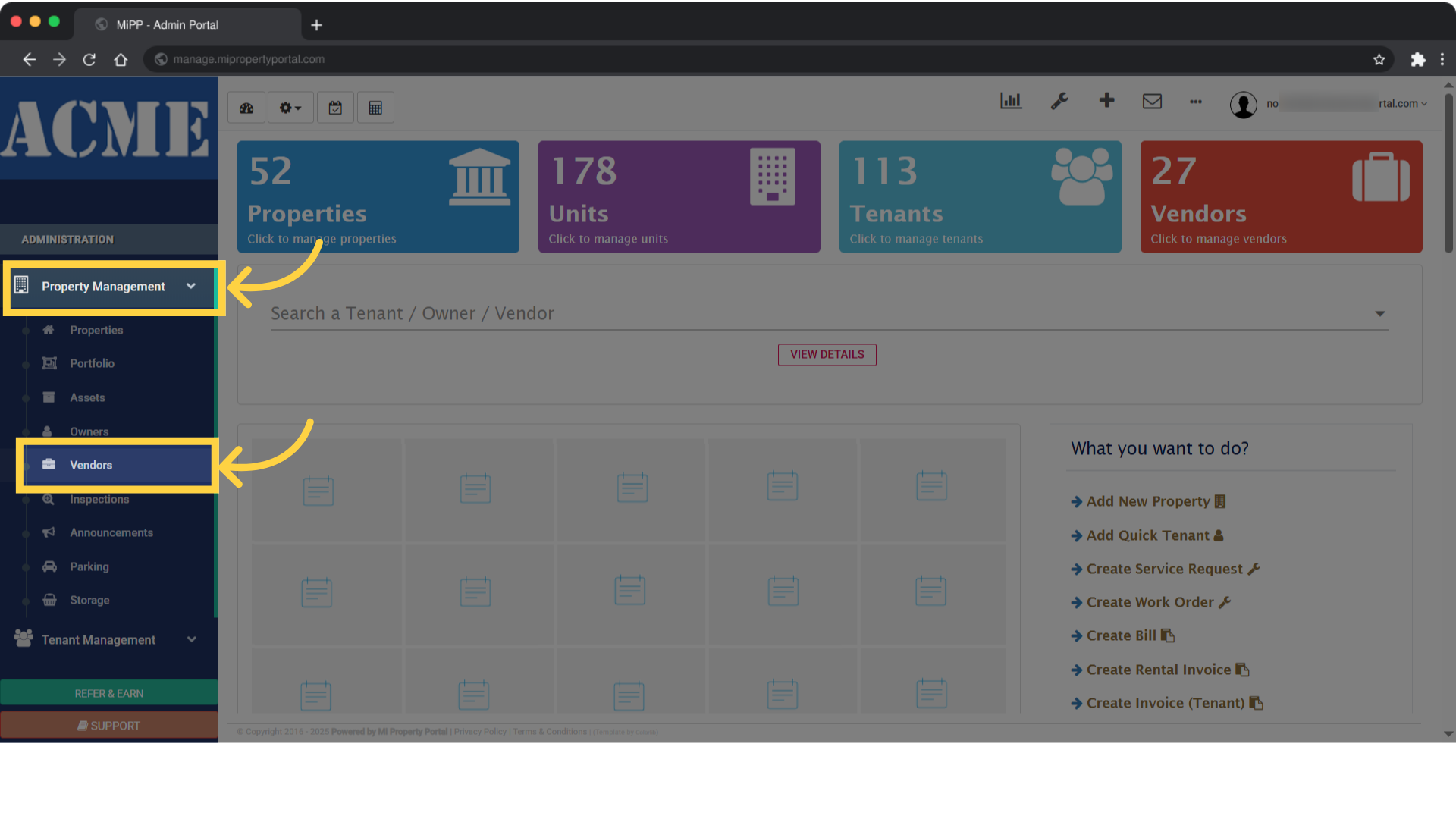
1. In the left navigation panel, go to ‘Administration,’ then click on the ‘Property Management’ dropdown. From there, select ‘Vendors’
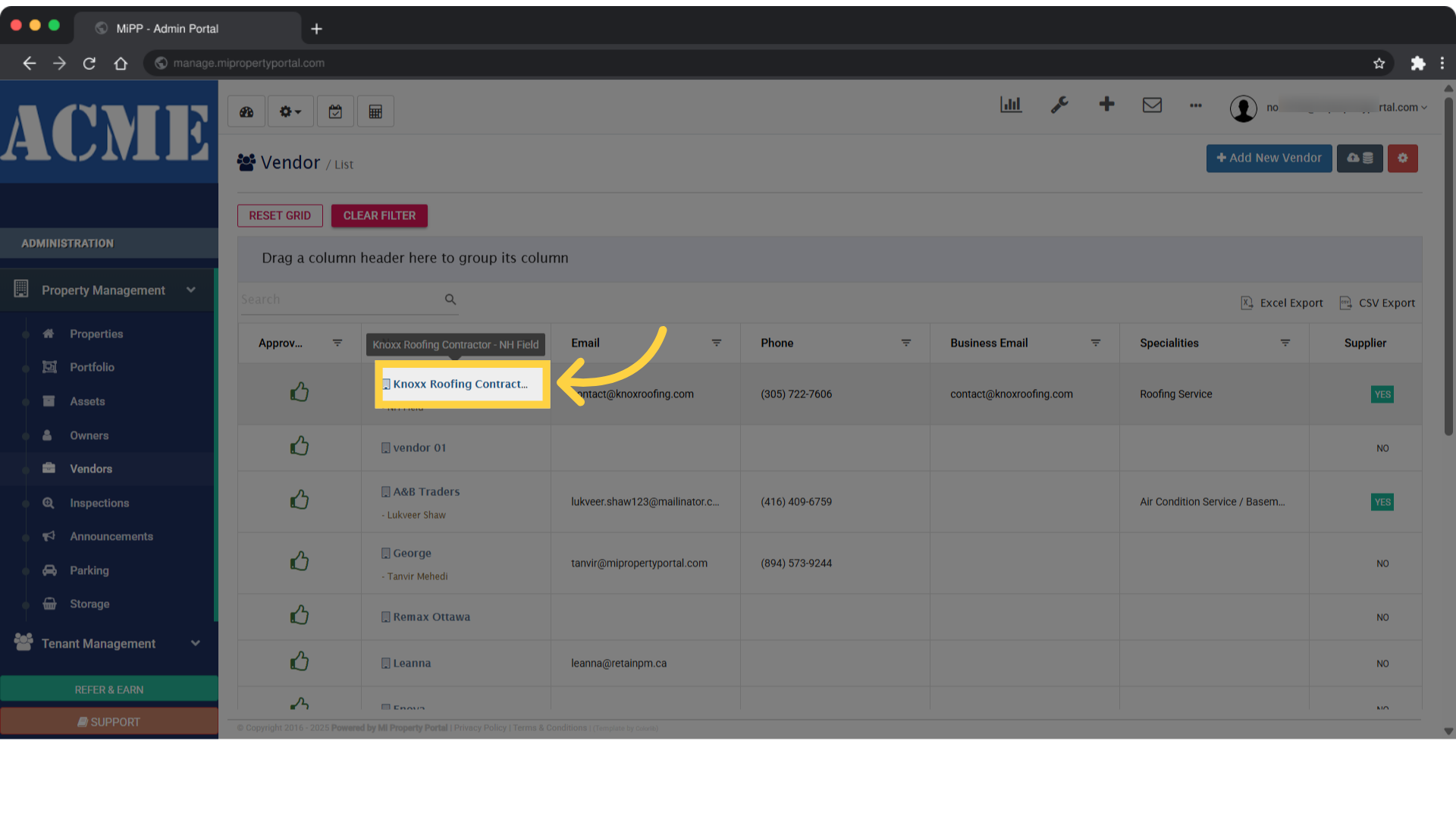
2. Inside the ‘Vendor List’ section, select the vendor you’d like to view
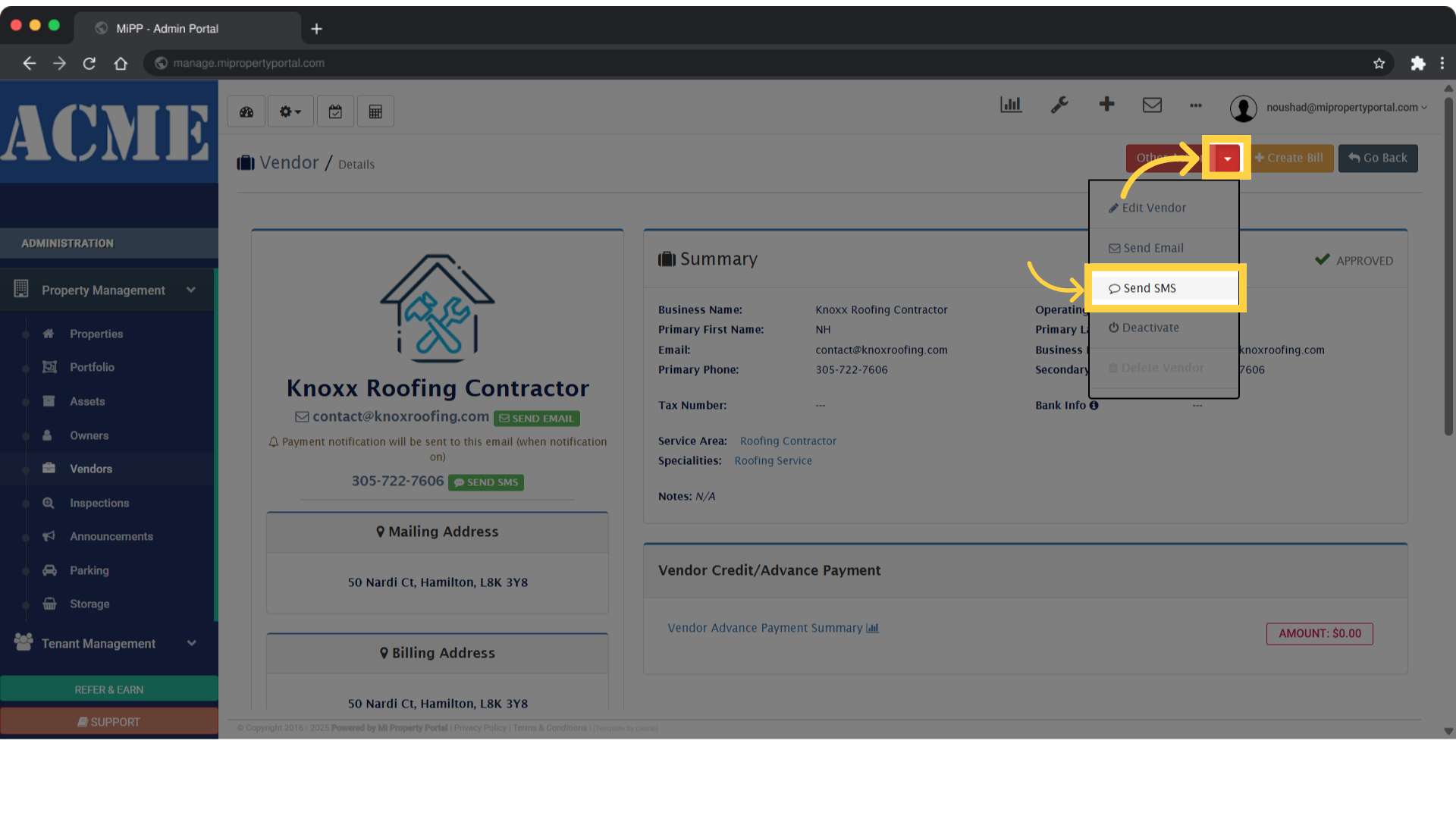
3. On the right side of the screen, open the ‘Other Action’ dropdown and select ‘Send SMS’
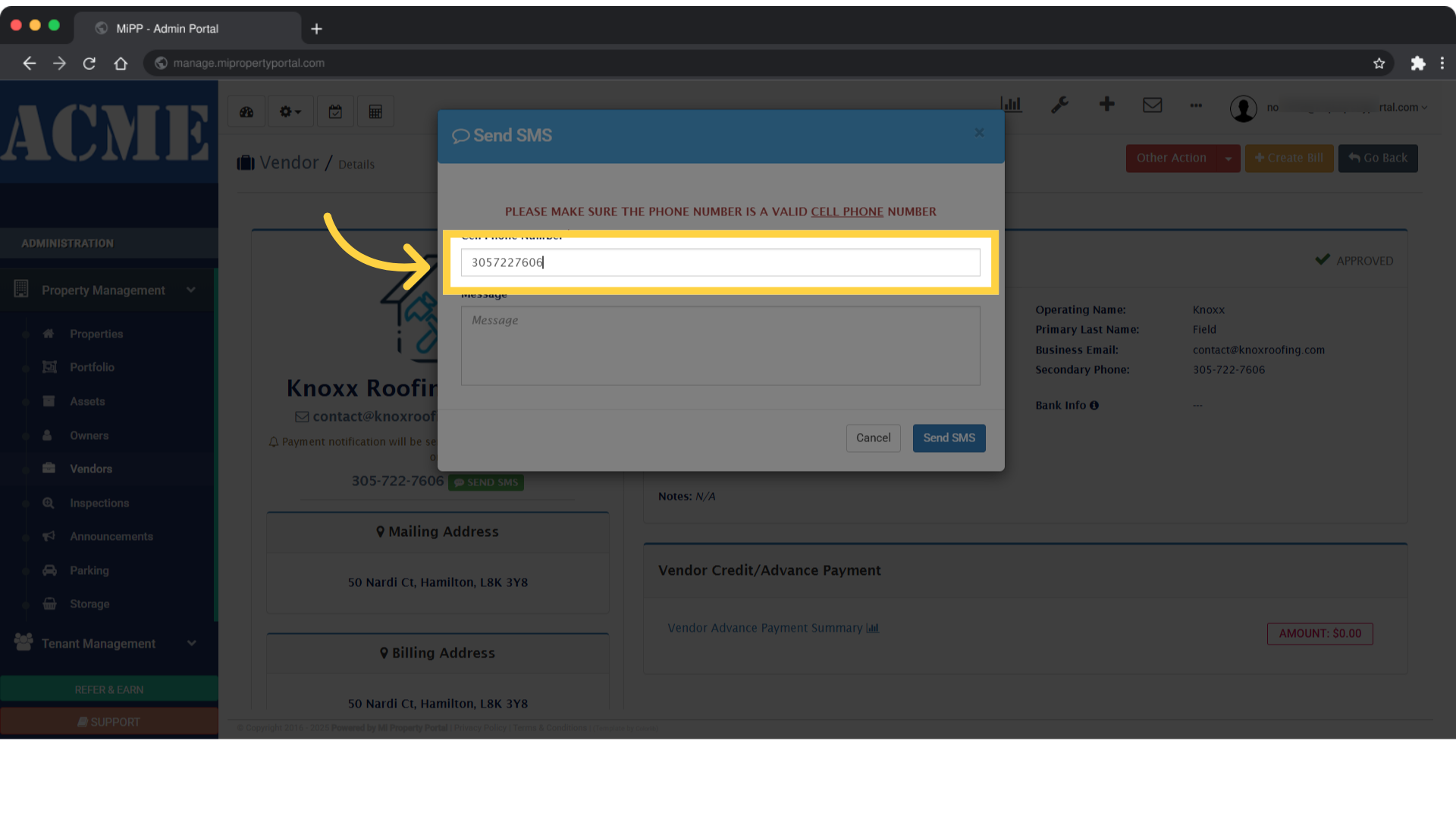
4. Make sure the vendor’s phone number is saved in the system under the ‘Cell Phone Number ‘ field
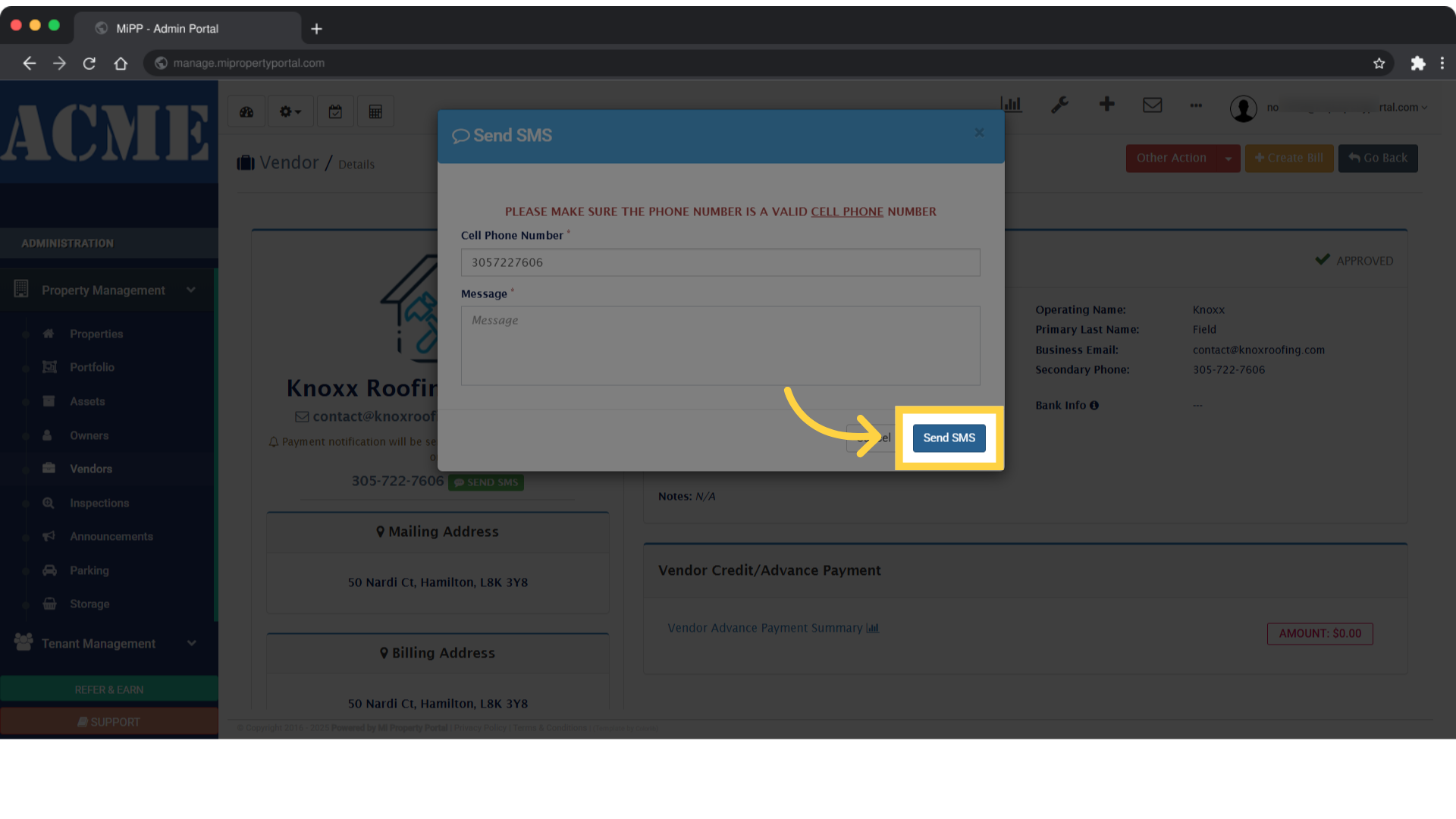
5. Enter your message in the ‘Message’ field
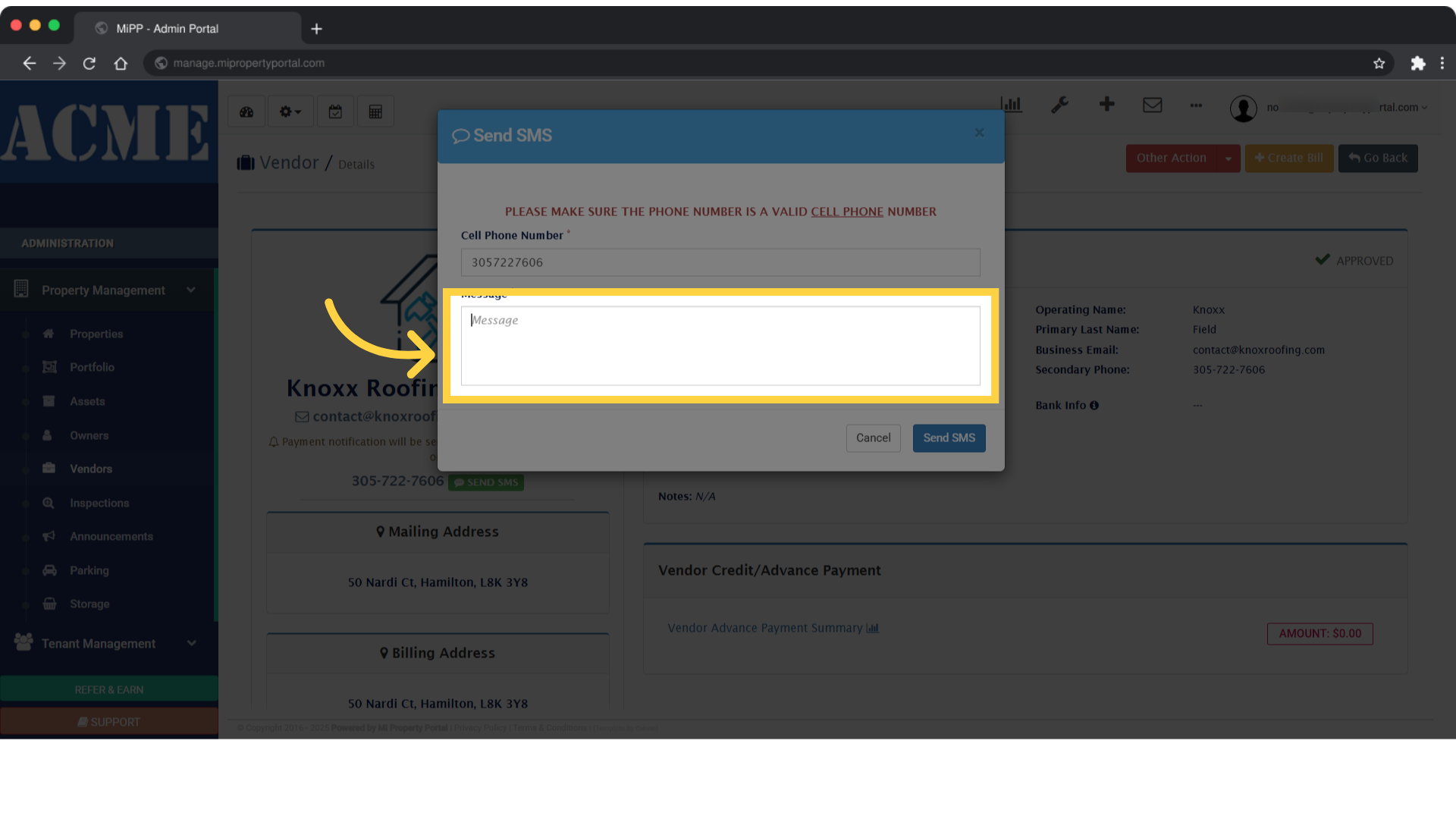
6. To complete the process, click the Send SMS button