• Home
  • Blogs
  • FAQs
  • Login
  • Home
  • Blogs
  • FAQs
  • Login
home/Knowledge Base/Tenant Management/How to Add a Key Deposit?

How to Add a Key Deposit?

182 views 0 November 30, 2022 Updated on May 15, 2025 mippsupportadmin


1. Click “Tenant Management”
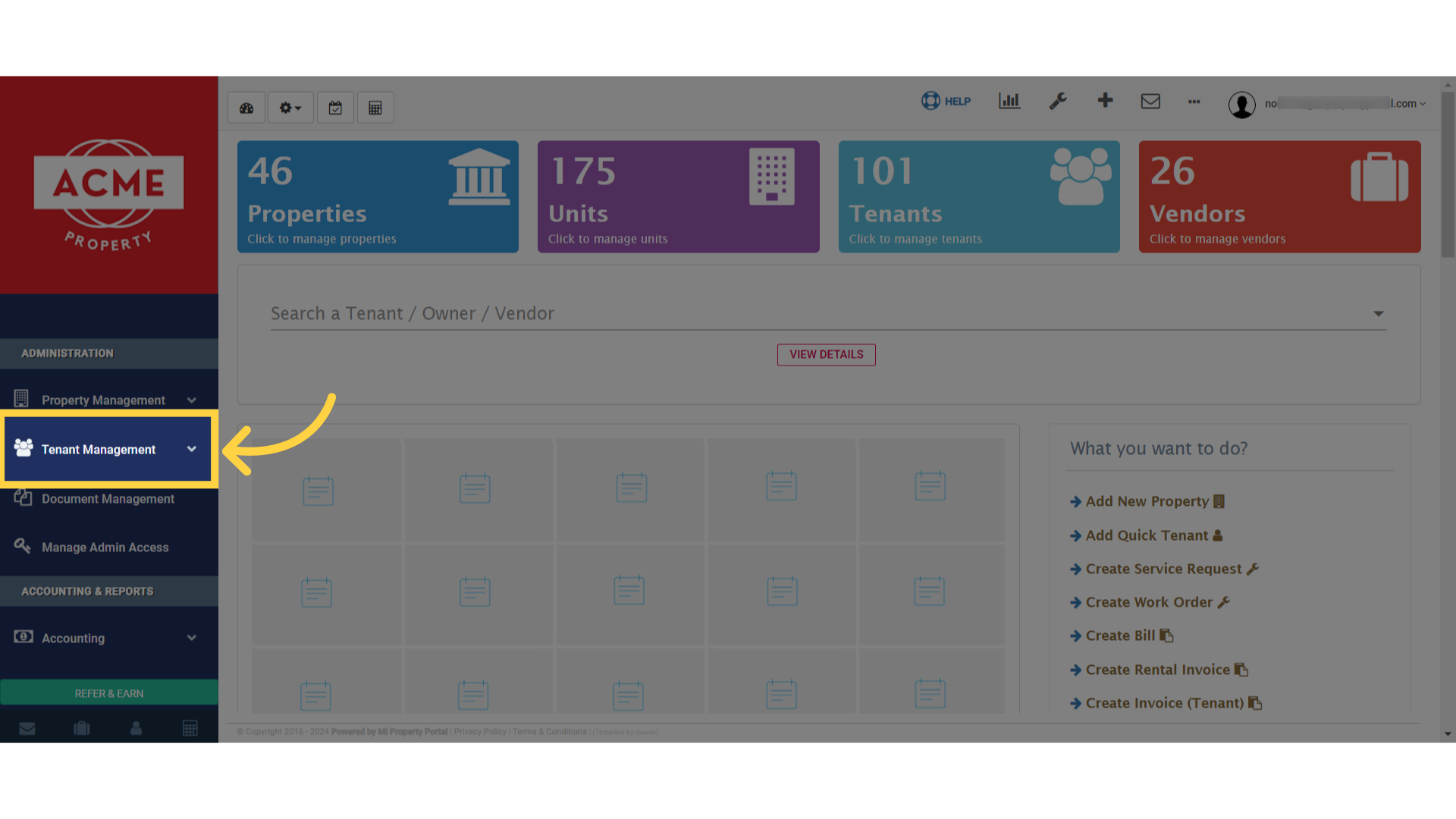
Click 'Tenant Management'

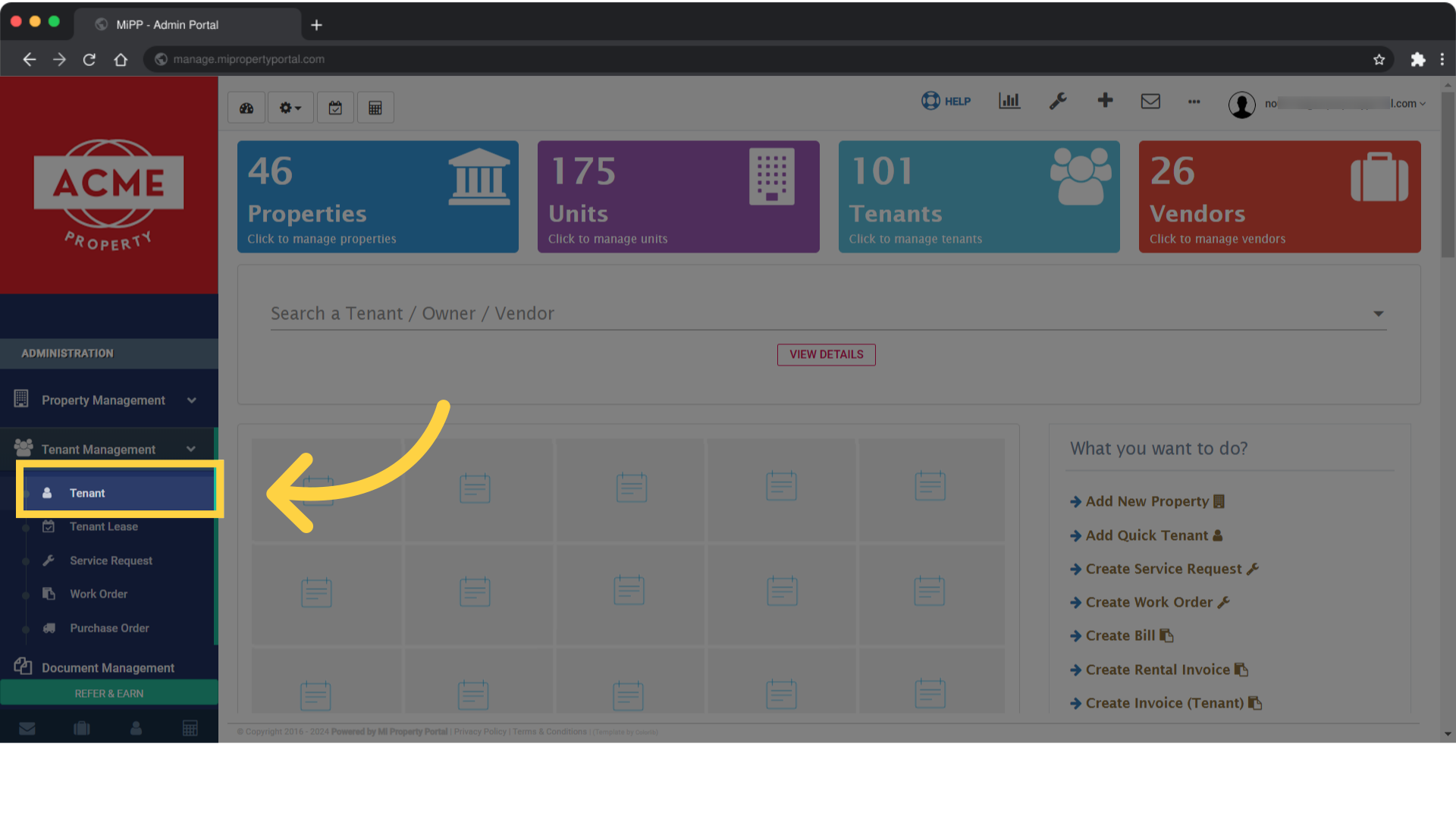
2. Click on Tenant

Click on Tenant

3. Click on a Tenant to open the Tenant Details page
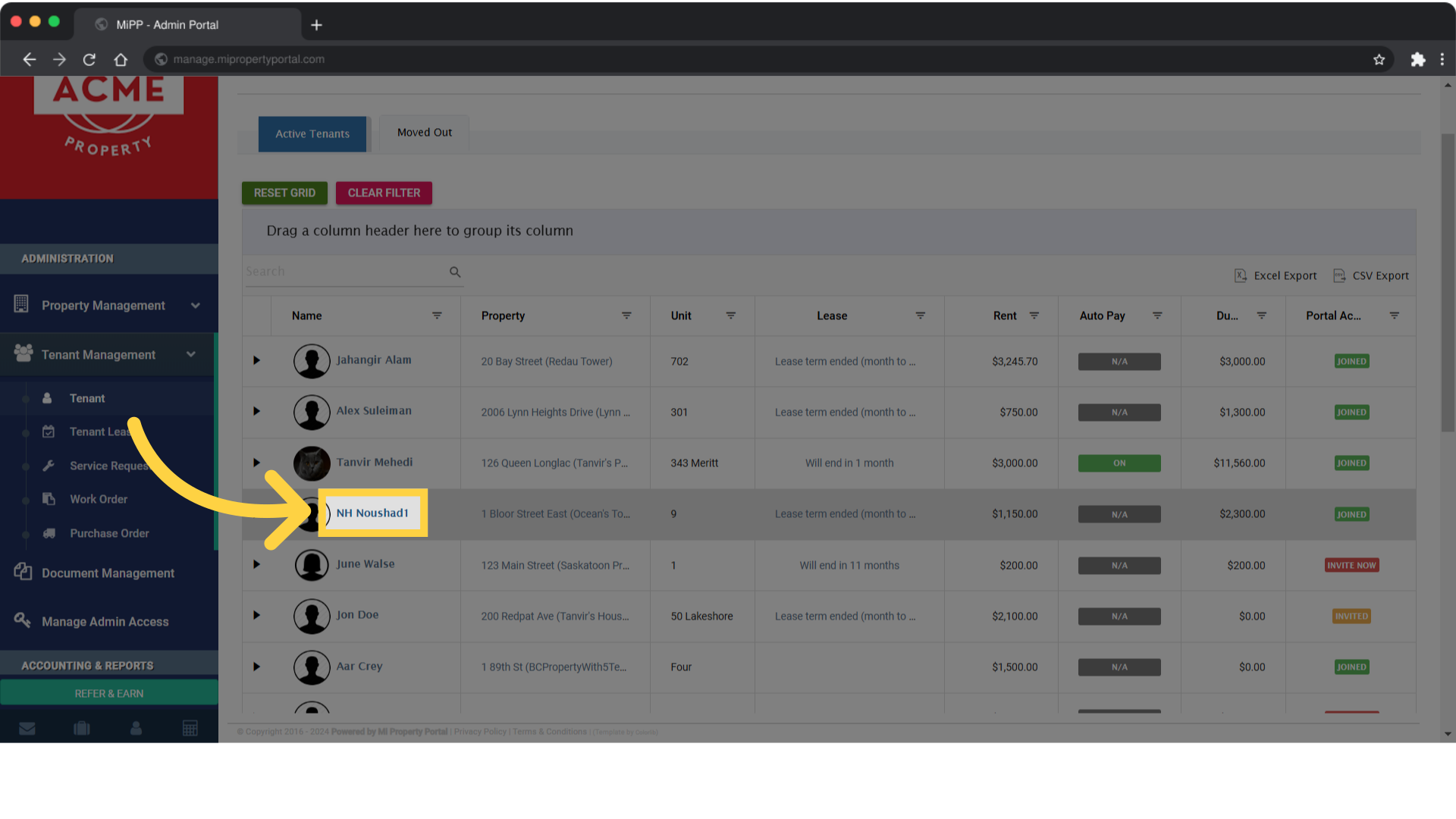
Click on a Tenant to open the Tenant Details page

4. Click “Add Deposit”
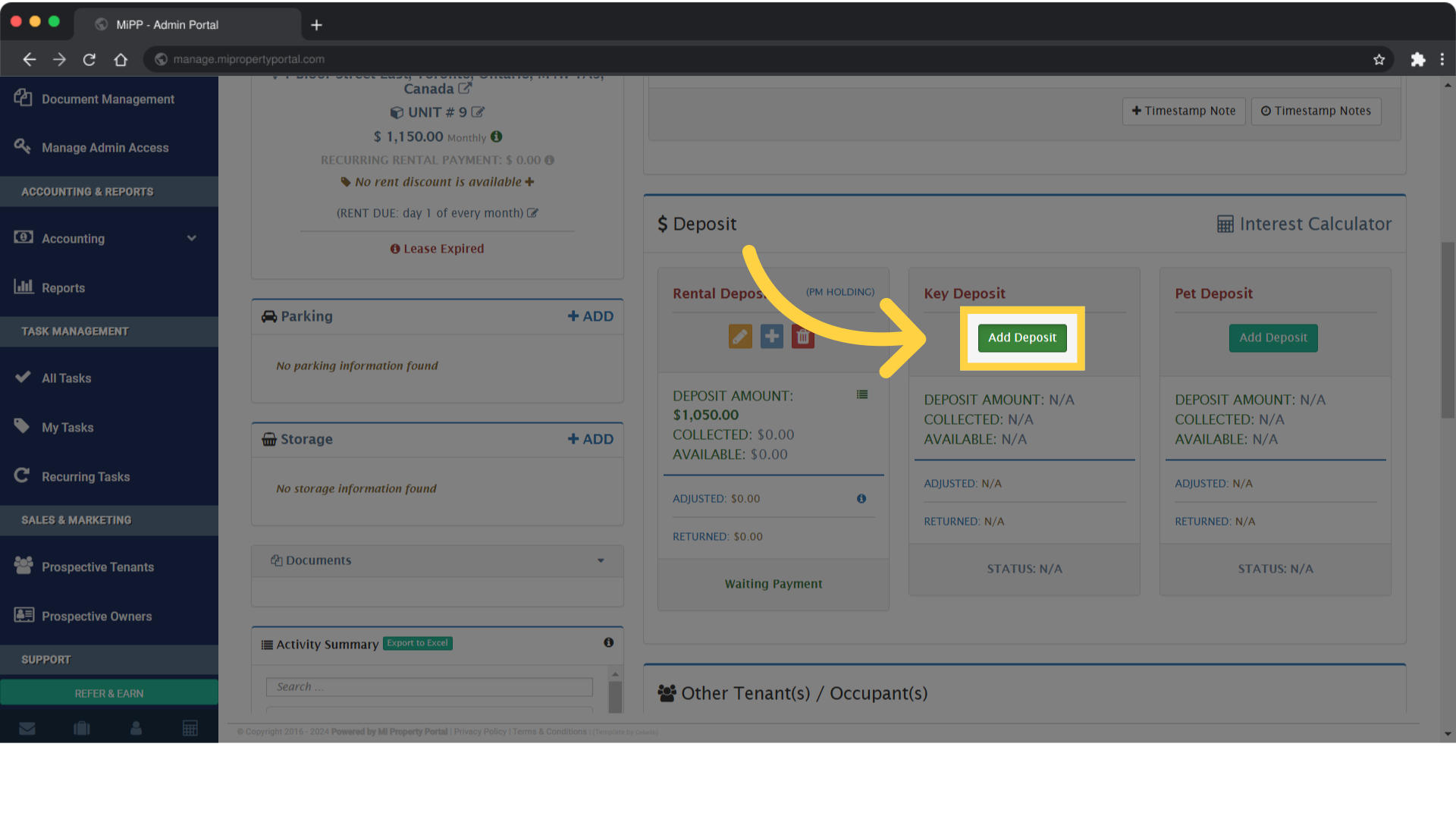
Click 'Add Deposit'

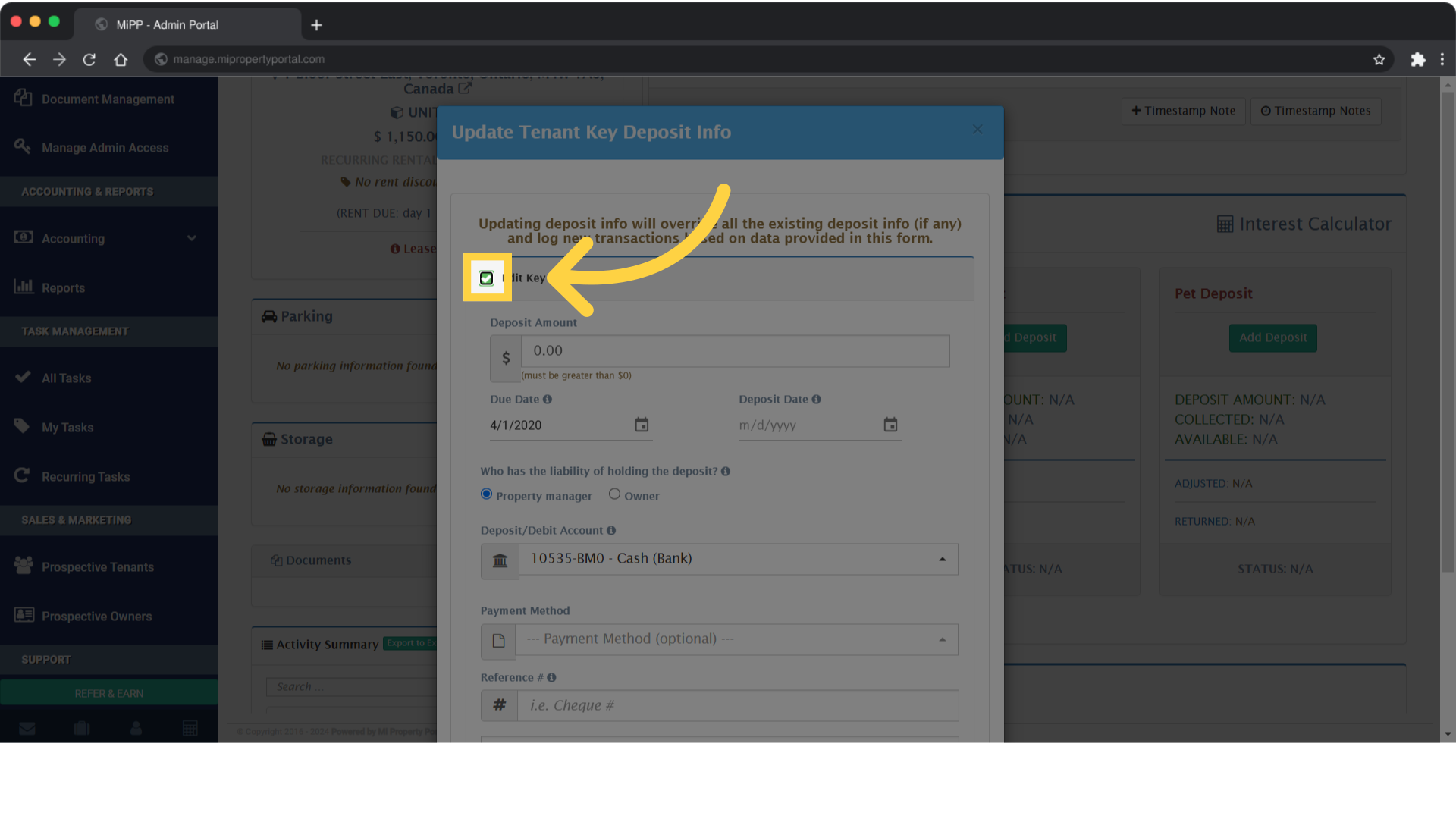
5. Tick the – Edit Key Deposit box

Tick the - Edit Key Deposit box

6. Put the amount under “Deposit Amount”
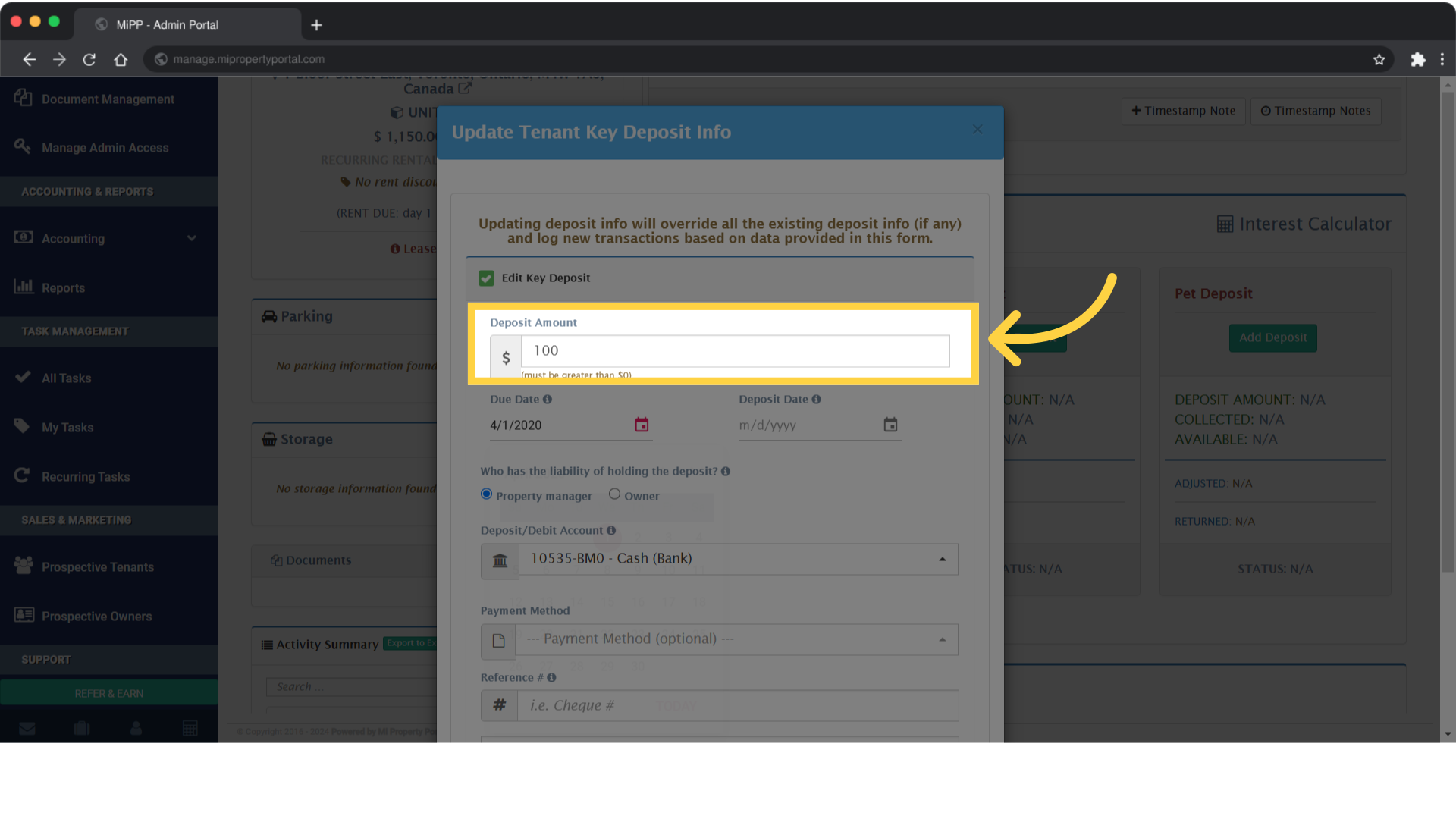
Put the amount under 'Deposit Amount'

7. Choose the bank account from the dropdown menu labeled Deposit Account
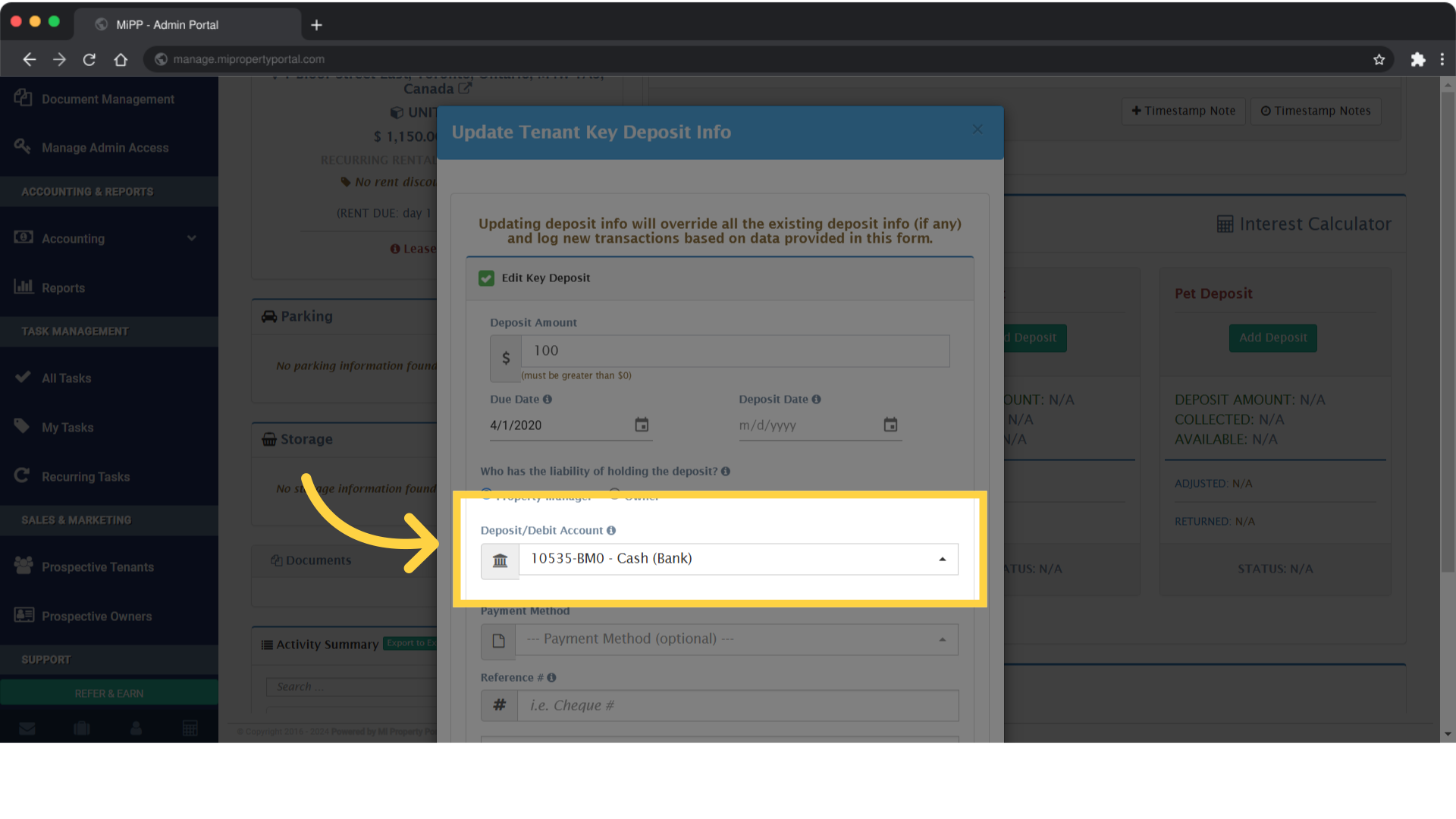
Choose the bank account from the dropdown menu labeled Deposit Account

8. Edit the other fields as required
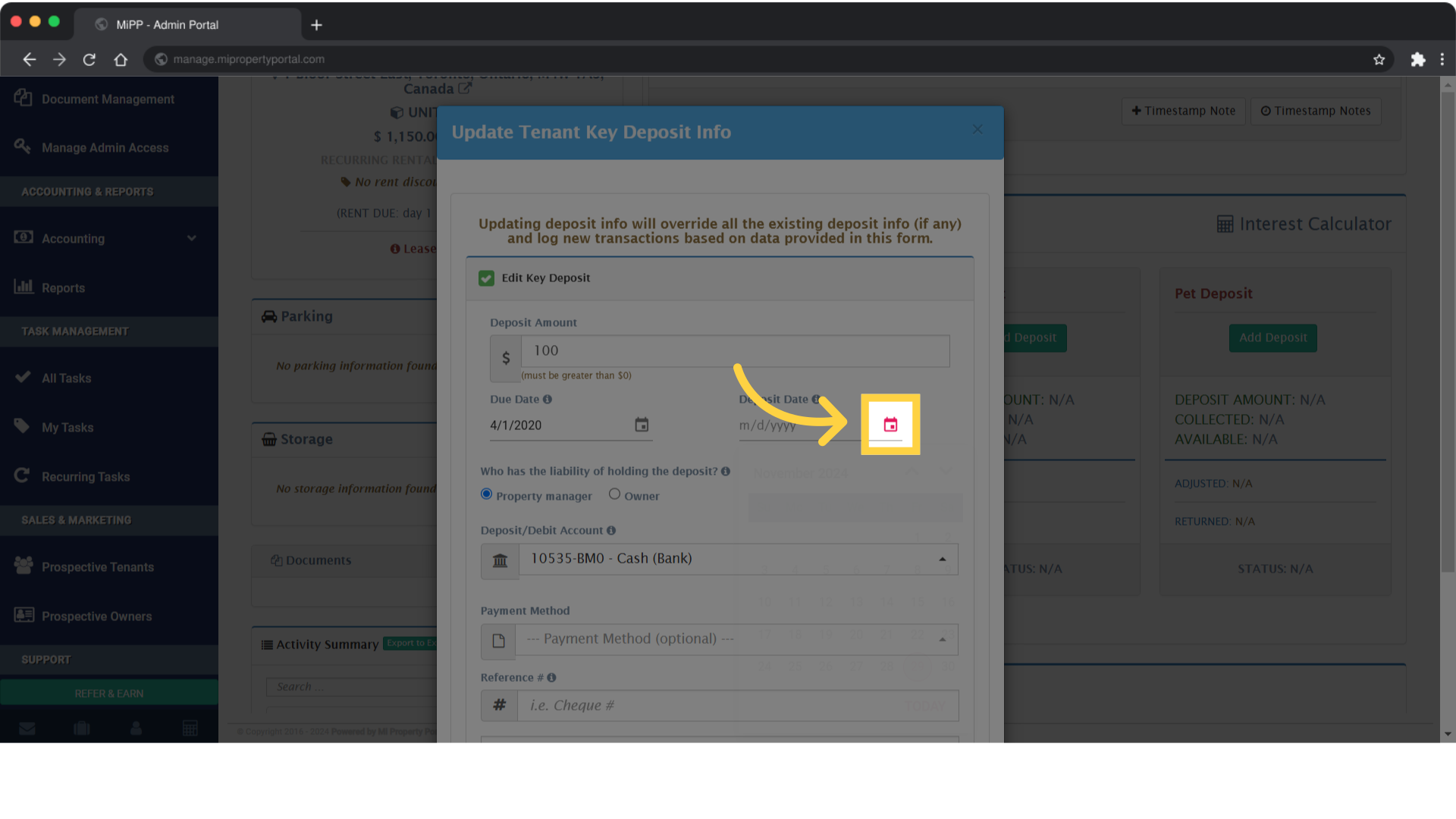
Edit the other fields as required

9. Click “Deposit/Debit Account
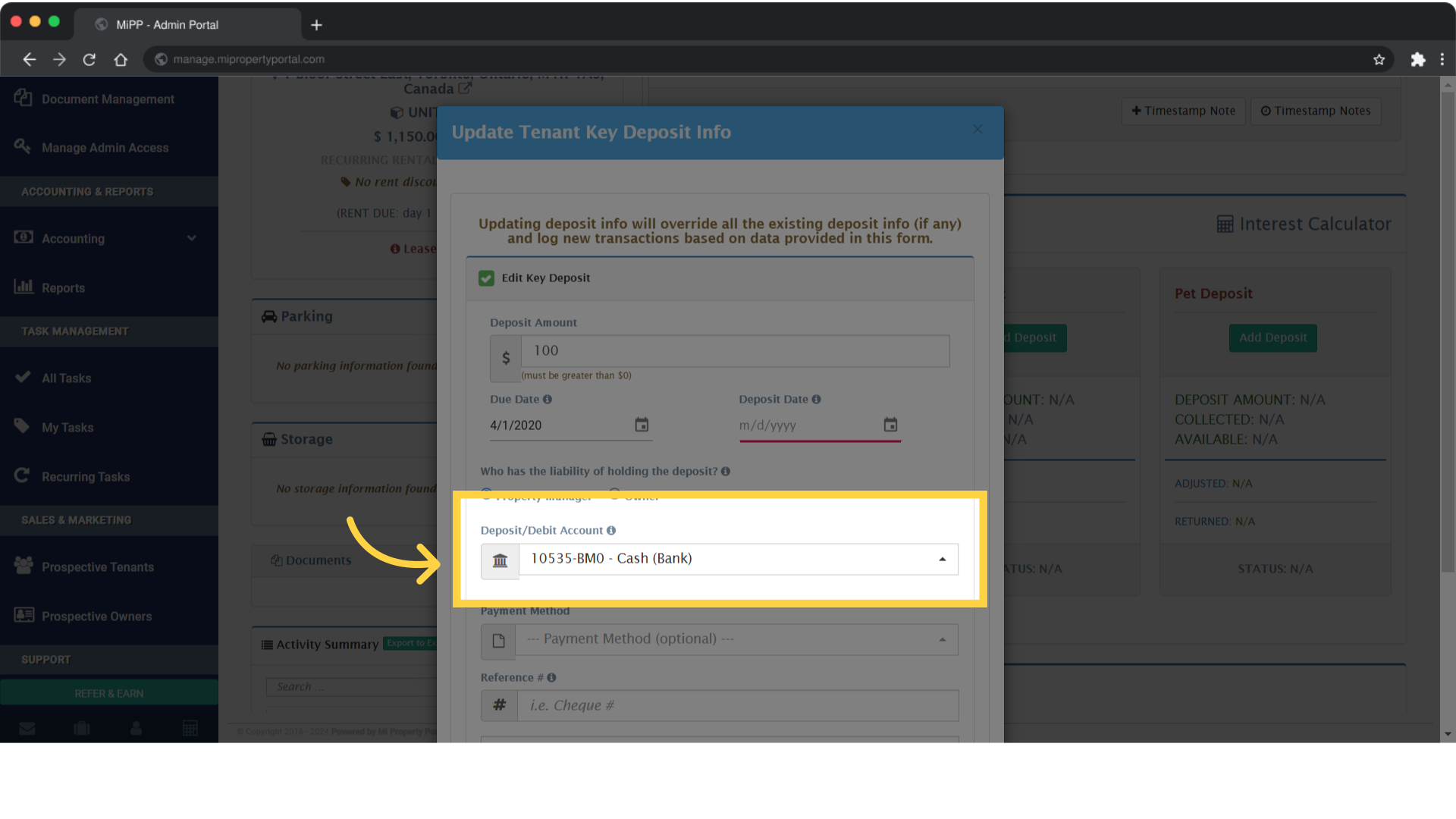
Click 'Deposit/Debit Account ...'

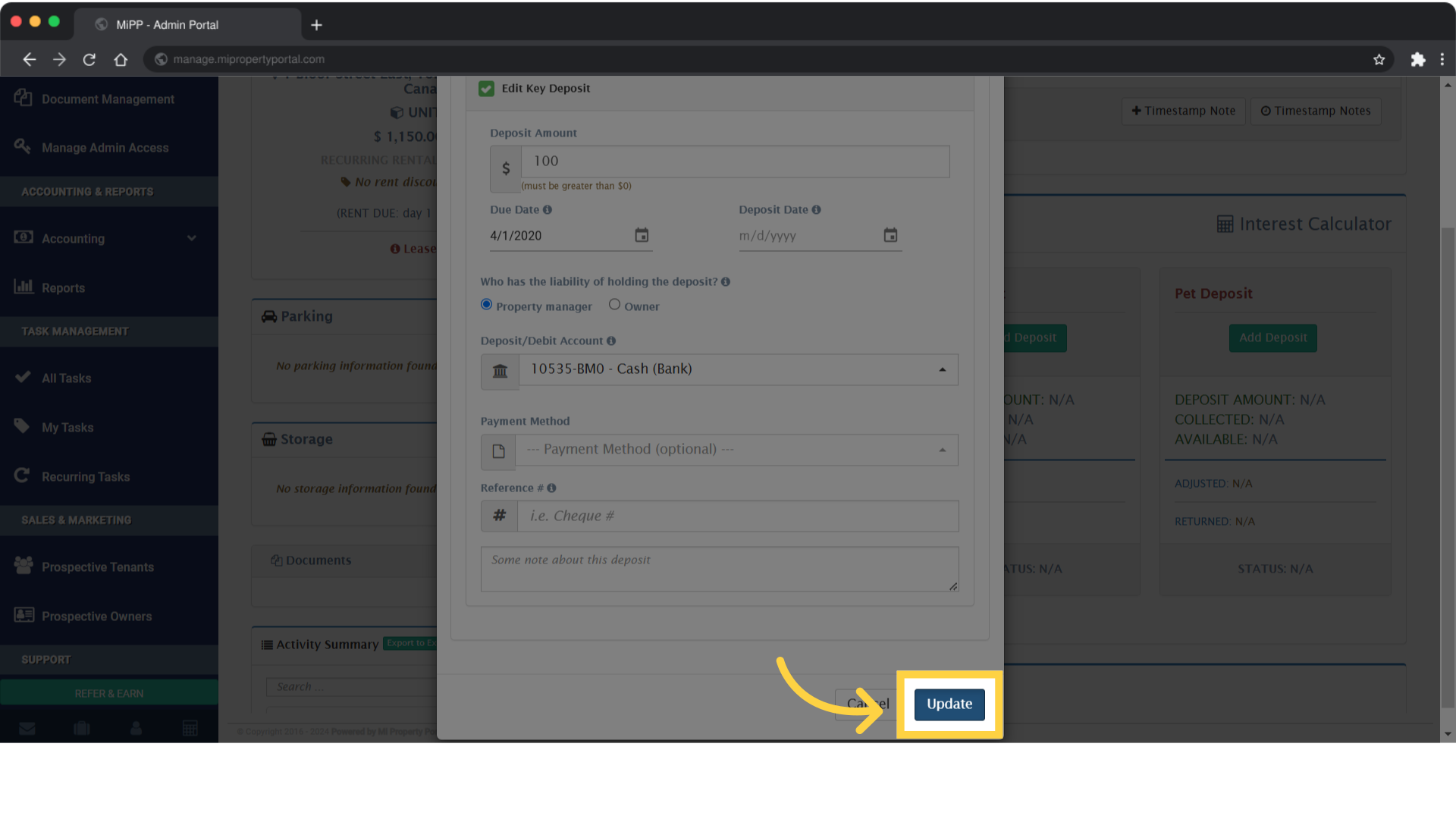
10. Click on Update to finish up

Click on Update to finish up

Tags:add security depositHow to Add Security/RentalKey and Pet Deposits?add rental depositadd pet depositadd key deposithow to add security deposithow to add rental deposithow to add pet deposithow to add key depositHow to Add a Key Deposit?

Was this helpful?

Yes  No
Related Articles
  • How to Create Profiles for Multiple Tenants on One Lease
  • Send Email Notification After Lease Document Upload
  • New Feature – Create Lease Quickly Using Prospect List
  • How to Add Markup to Vendor Bills
  • How to Rent a Parking Spot in Mi Property Portal
  • How to Configure Bill Settings for a Property

Didn't find your answer? Contact Us

Leave A Comment Cancel reply

You must be logged in to post a comment.

Popular Articles
  • Can I log rental income for ‘Unpaid’ invoices for ‘Moved-out’ tenants?
  • Email notification sent to tenant on Other document upload
  • How to Automatically Adjust Tenant Credits to Rental Invoices
  • How to Enable Tenants to Submit LTB Forms from the Tenant Portal
  • New Feature – Trust Liability Report
KB Category
  • Service Request
  • Subscription
  • Bulk Data Upload
  • Owner Portal
  • MiPropertyPortal Admins Training Workshop
  • MiPropertyPortal New Features/Improvements Monthly Webinar
  • Task Management
  • Prospective Tenants
  • Setup
  • Vendor Management
  • Tenant Screening
  • Tenant Portal
  • Tenant Management
  • Accounting
  • Security Deposit
  • Reporting
  • Rental Tax
  • Rental Listing
  • Property Owner Related
  • Property
  • Other
  • Asset Management
  • Online Payment
  • Lease Management
  • General
  • Form Management

  How to create an Owner Invoice?

How to record HST Payment to CRA?  

MiPP
MiProperty Portal is Canadian-made for
Canadian landlords and property managers.
COMPANY
  • About Us
  • Why MiPP?
  • Features
SUPPORT
  • Knowledge Base
  • Get Email Help
SOCIAL
  • Linkedin
  • Facebook
  • Twitter
  • Privacy Policy
  • Terms of Use
  • © 2025 mipropertyportal.com. All Rights Reserved.