• Home
  • Blogs
  • FAQs
  • Login
  • Home
  • Blogs
  • FAQs
  • Login
home/Knowledge Base/Setup/How to Configure Bill Settings for a Property

How to Configure Bill Settings for a Property

60 views 0 August 22, 2025 mippsupportadmin


This guide explains how to configure bill settings for a property in the portal.

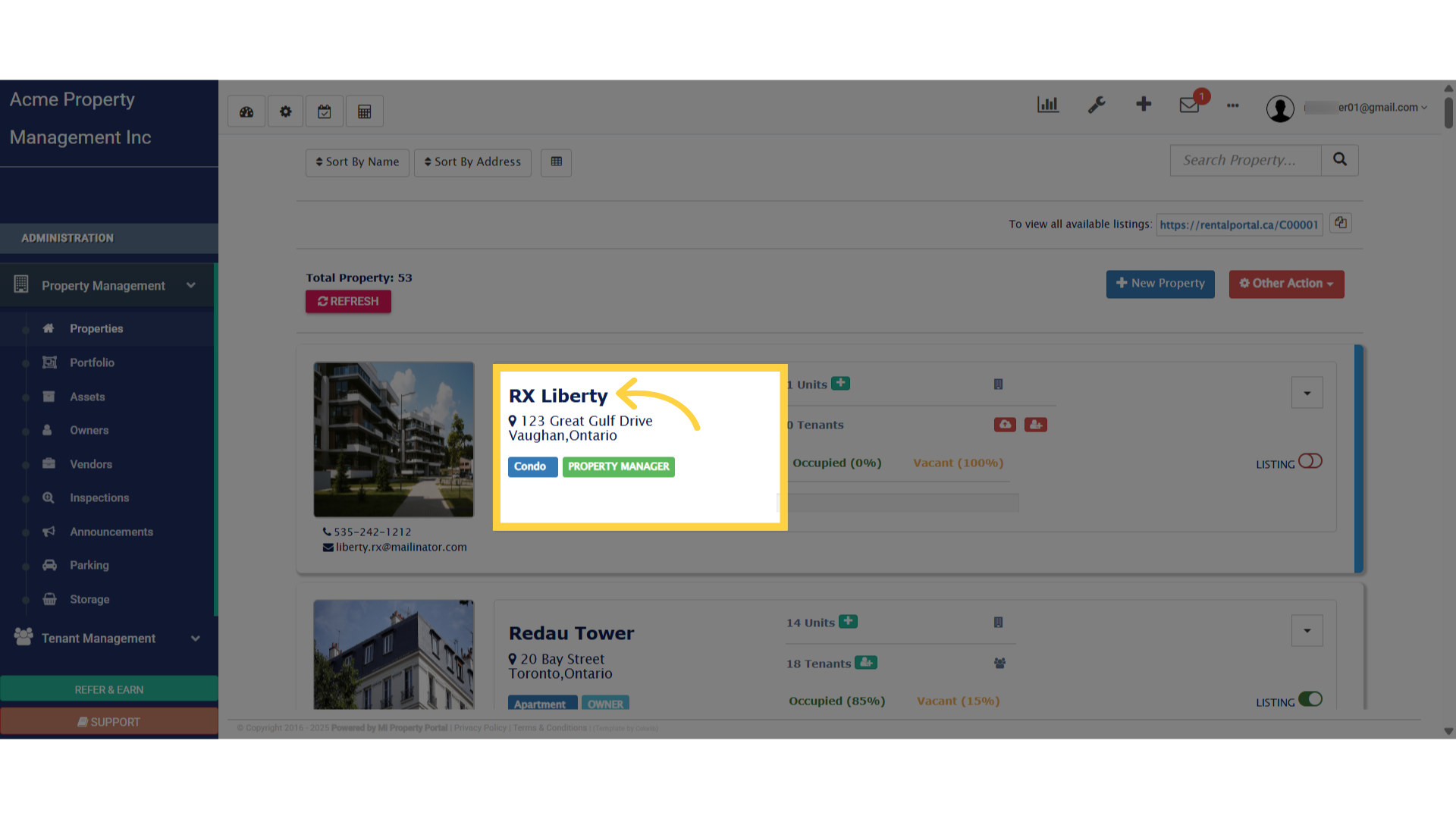
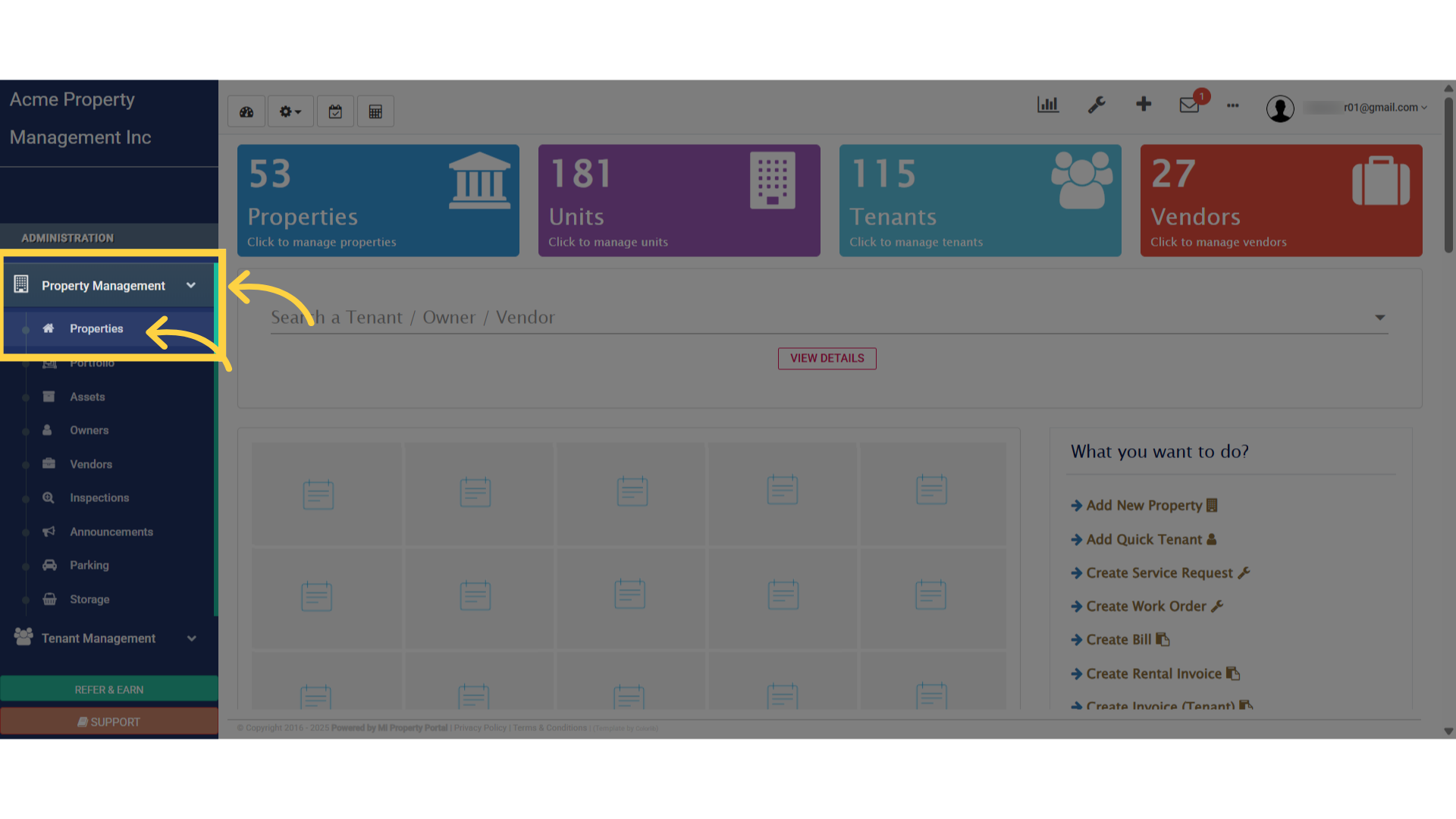
1. Select “Properties” from under “Property Management” dropdownSelect 'Properties' from under 'Property Management' dropdown

2. Click on the “Property Name” to get into the “Property Details” pageClick on the Property Name to get into the property Details page

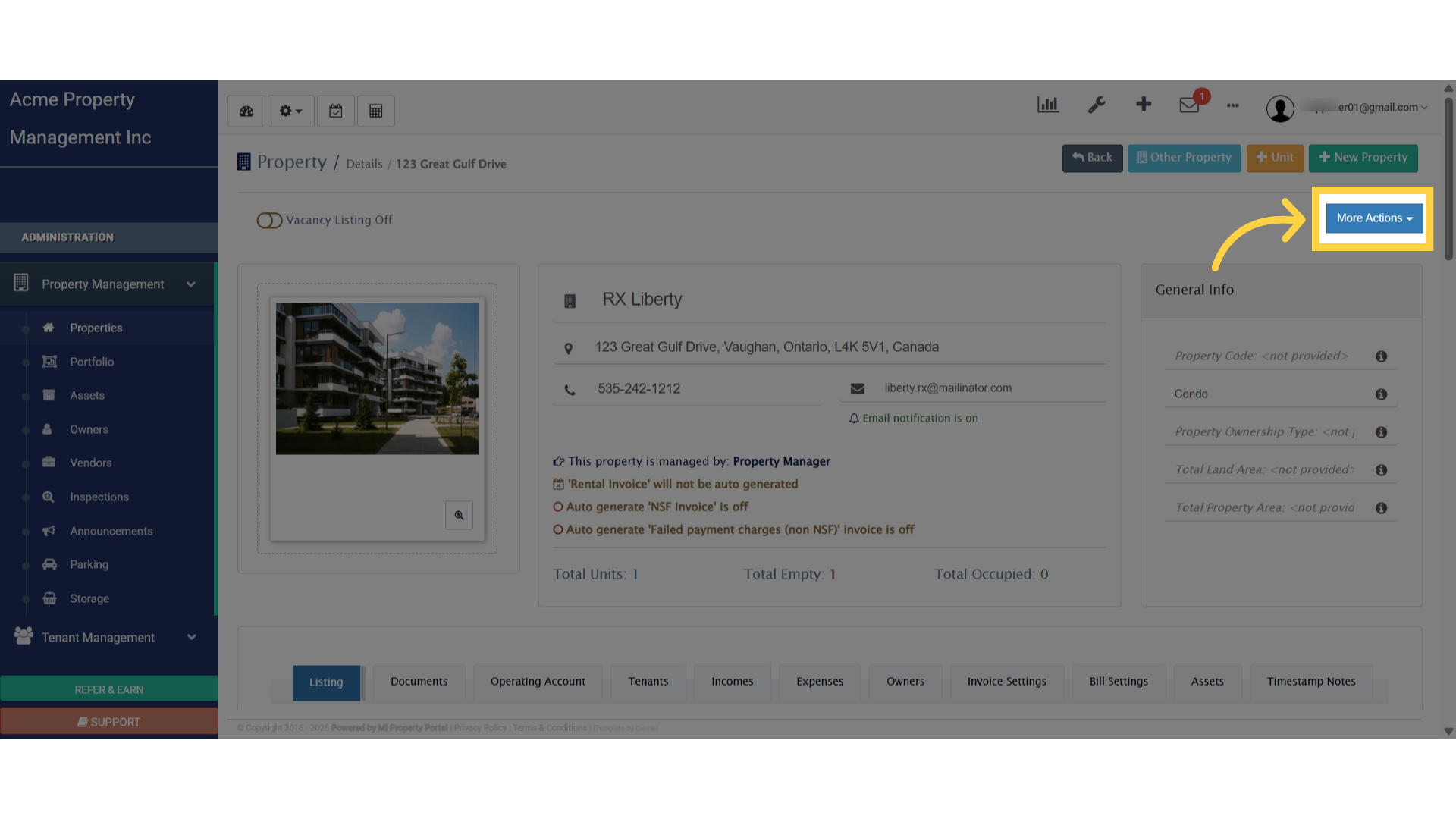
3. Click on the “More Action” dropdown to view the optionsClick on the 'More Action' dropdown to view the options

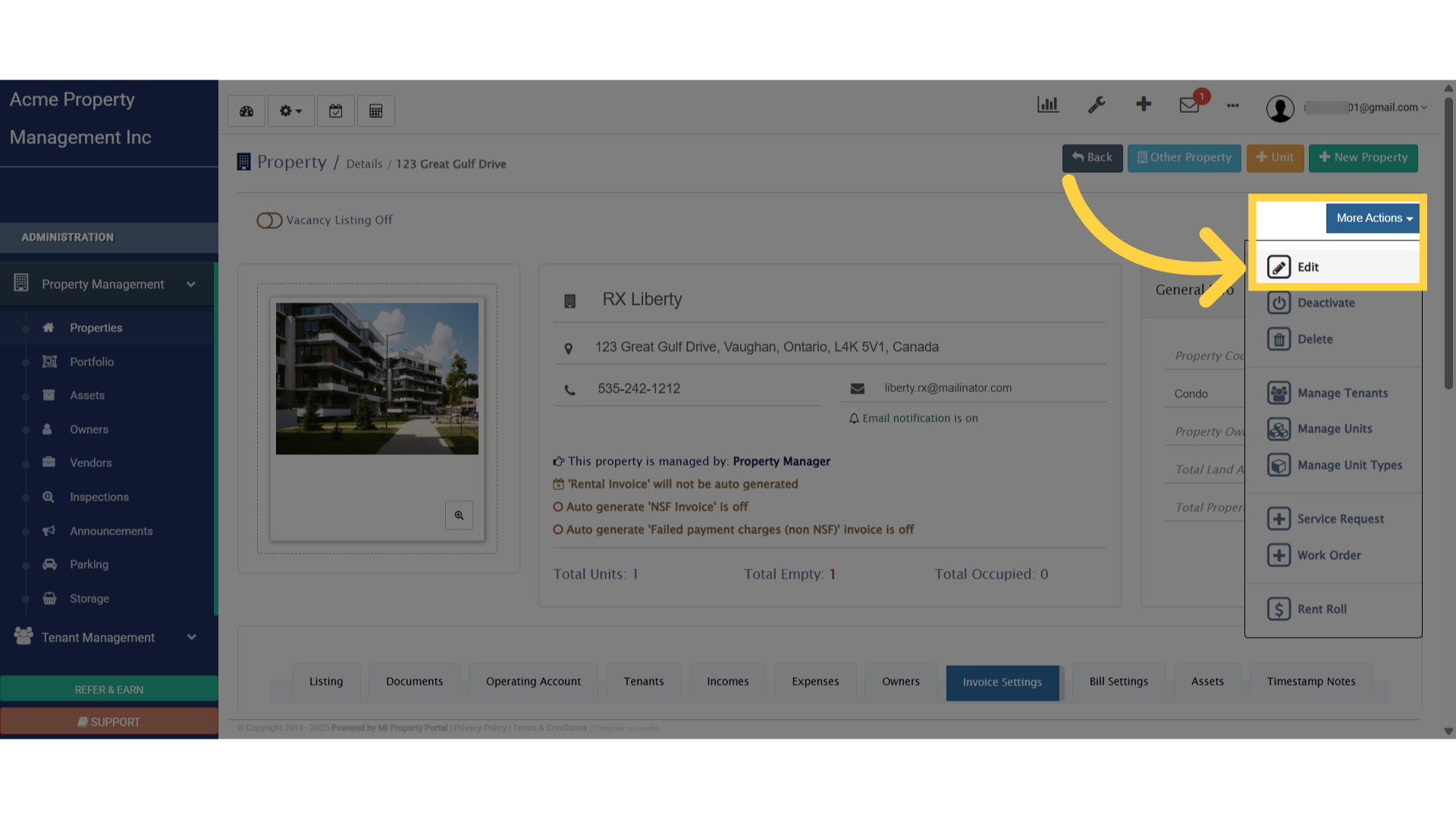
4. Select “Edit”Select 'Edit'

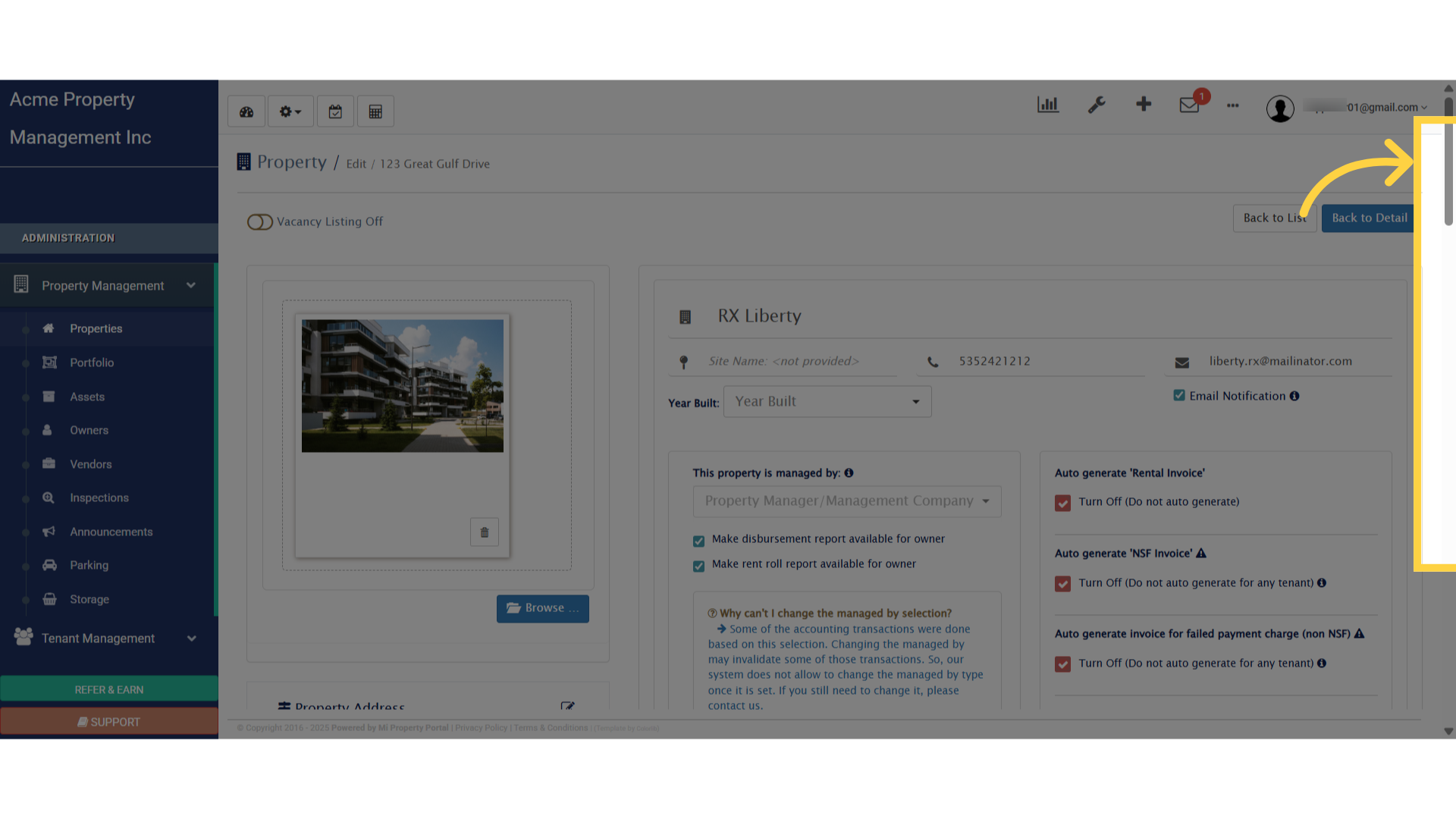
5. Scroll DownScroll Down

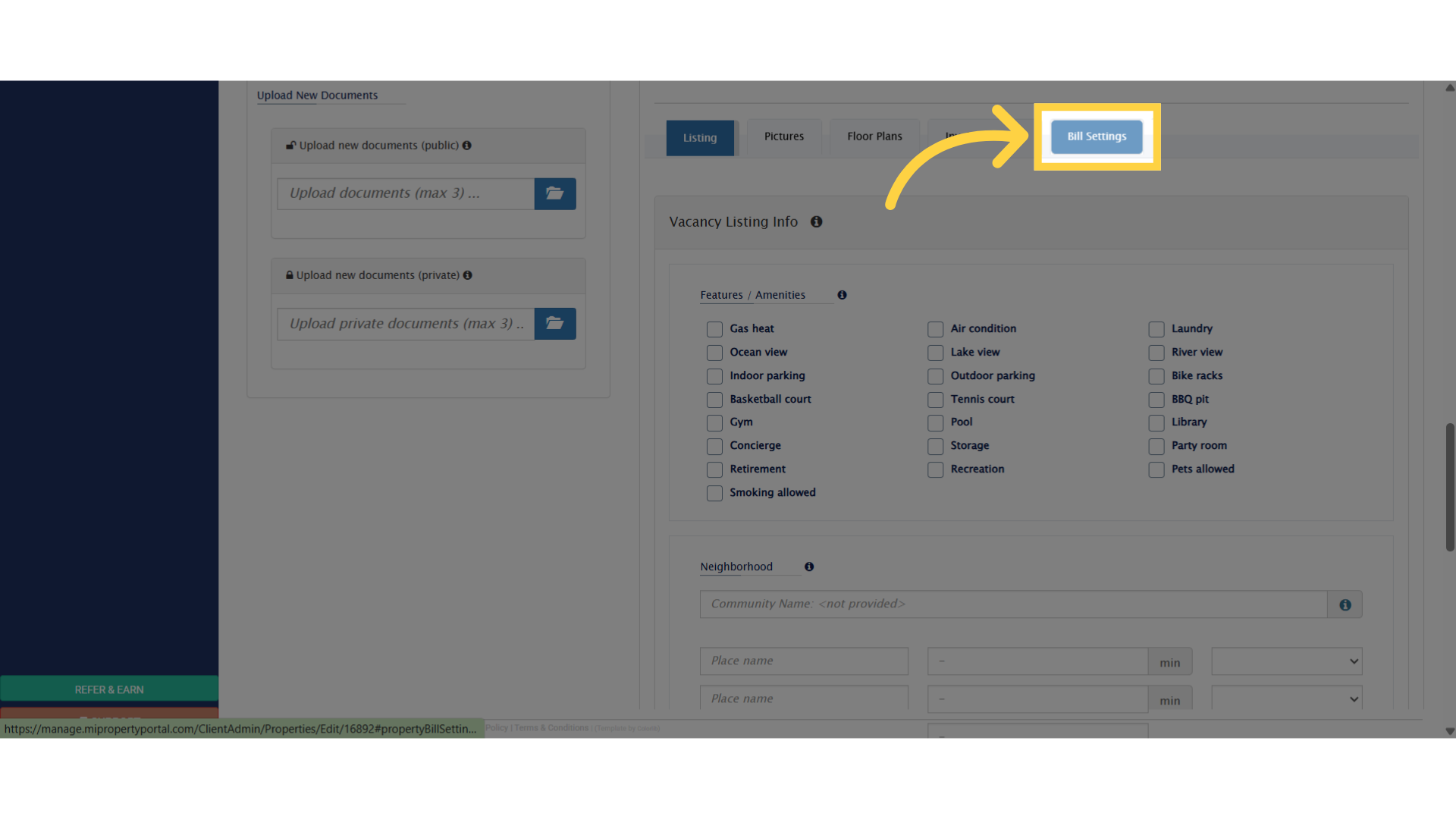
6. Click on “Bill Settings” to edit the bill detailsClick 'Bill Settings'

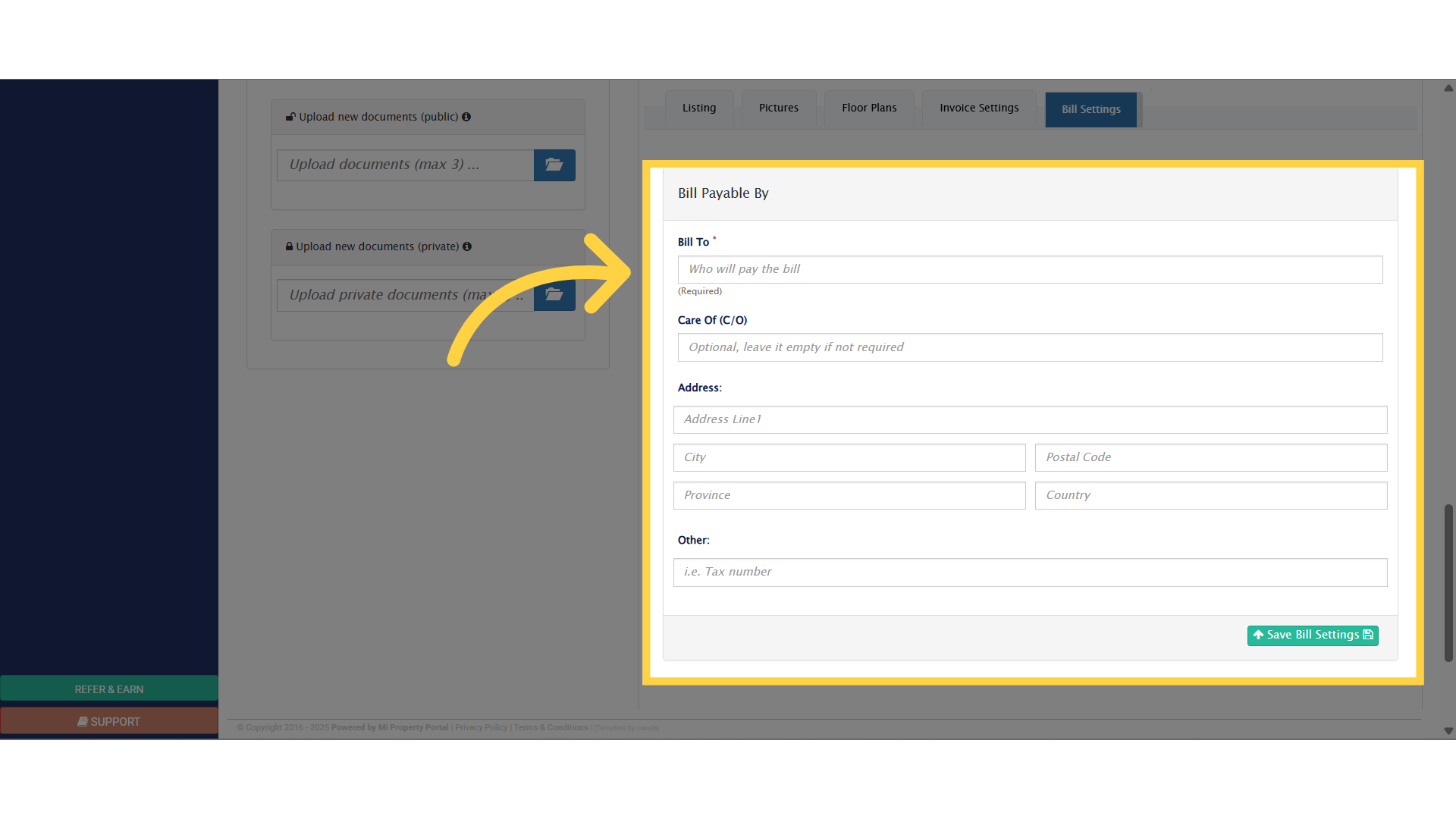
7. Enter correct information below to setup the “Bill To” settingsEnter Correct Information Below

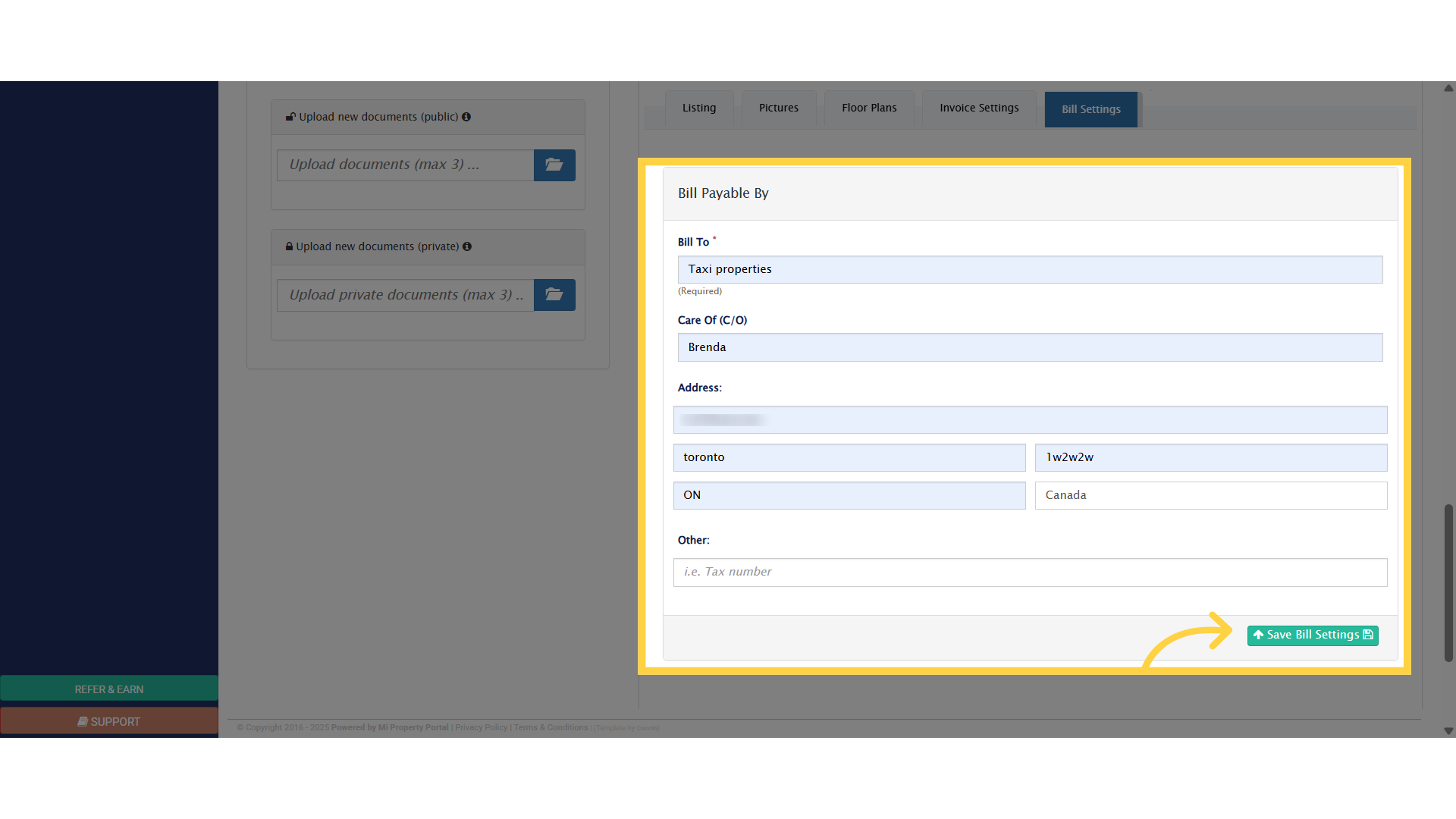
8. Click “Save Bill Settings” button to Save the infoClick 'Save Bill Settings' button to Save the info

Tags:How to Configure Bill Settings for a PropertyConfigure Bill Settings for a Propertybill settings for a propertyproperty bill settingsproperty bill setupbill setup for propertyproperty related bill setup

Was this helpful?

Yes  No
Related Articles
  • How to Automatically Adjust Tenant Credits to Rental Invoices
  • Notify to Owner if service request flag is enabled from notification settings
  • How to Add Markup to Vendor Bills
  • How to Download Mi Property Portal Mobile App
  • How to Apply For VoPay Merchant Account
  • How Commercial Property Management Works

Didn't find your answer? Contact Us

Leave A Comment Cancel reply

You must be logged in to post a comment.
Popular Articles
  • Can I log rental income for ‘Unpaid’ invoices for ‘Moved-out’ tenants?
  • New Feature – Trust Liability Report
  • New Feature – Bell Notification Sent to Admin on Tenant Document Upload via Tenant Portal
  • Send Email Notification After Lease Document Upload
  • Notify to Owner if service request flag is enabled from notification settings
KB Category
  • Service Request
  • Subscription
  • Bulk Data Upload
  • Owner Portal
  • MiPropertyPortal Admins Training Workshop
  • MiPropertyPortal New Features/Improvements Monthly Webinar
  • Task Management
  • Prospective Tenants
  • Setup
  • Vendor Management
  • Tenant Screening
  • Tenant Portal
  • Tenant Management
  • Accounting
  • Security Deposit
  • Reporting
  • Rental Tax
  • Rental Listing
  • Property Owner Related
  • Property
  • Other
  • Asset Management
  • Online Payment
  • Lease Management
  • General
  • Form Management

  How to Apply Rent Discount on Invoice

How to Configure Invoice Settings for a Property  

MiPP
MiProperty Portal is Canadian-made for
Canadian landlords and property managers.
COMPANY
  • About Us
  • Why MiPP?
  • Features
SUPPORT
  • Knowledge Base
  • Get Email Help
SOCIAL
  • Linkedin
  • Facebook
  • Twitter
  • Privacy Policy
  • Terms of Use
  • © 2026 mipropertyportal.com. All Rights Reserved.