• Home
  • Blogs
  • FAQs
  • Login
  • Home
  • Blogs
  • FAQs
  • Login
home/Knowledge Base/Setup/How to Configure Invoice Settings for a Property

How to Configure Invoice Settings for a Property

37 views 0 August 22, 2025 mippsupportadmin


This guide explains how to configure invoice settings for a property in the portal.

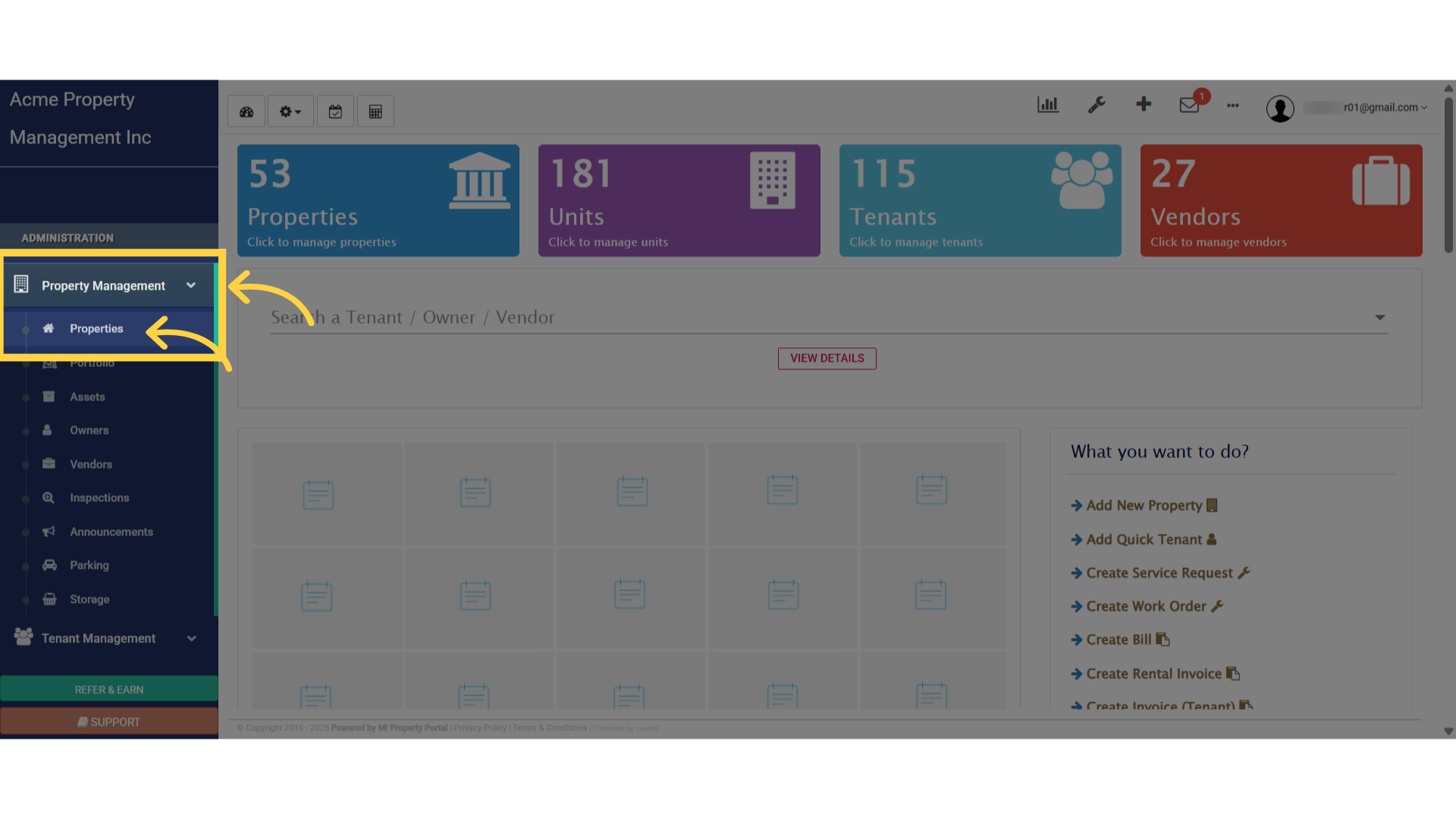
1. Select “Properties” from under “Property Management” dropdownSelect 'Properties' from under 'Property Management' dropdown
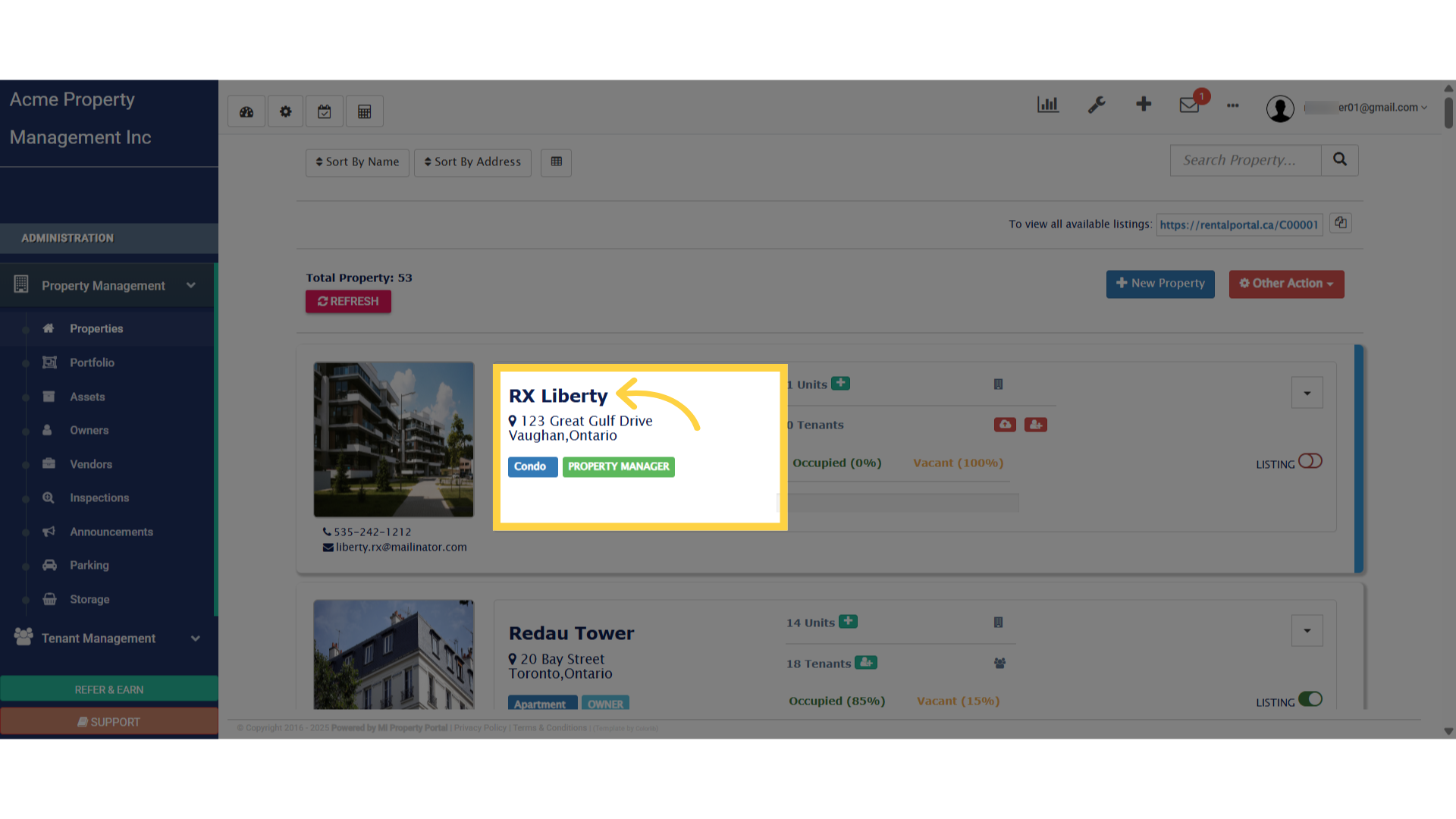
2. Click on the “Property Name” to get into the “Property Details” pageClick on the Property Name to get into the property Details page
3. Click on the “More Action” dropdown to view the optionsClick on the 'More Action' dropdown to view the options
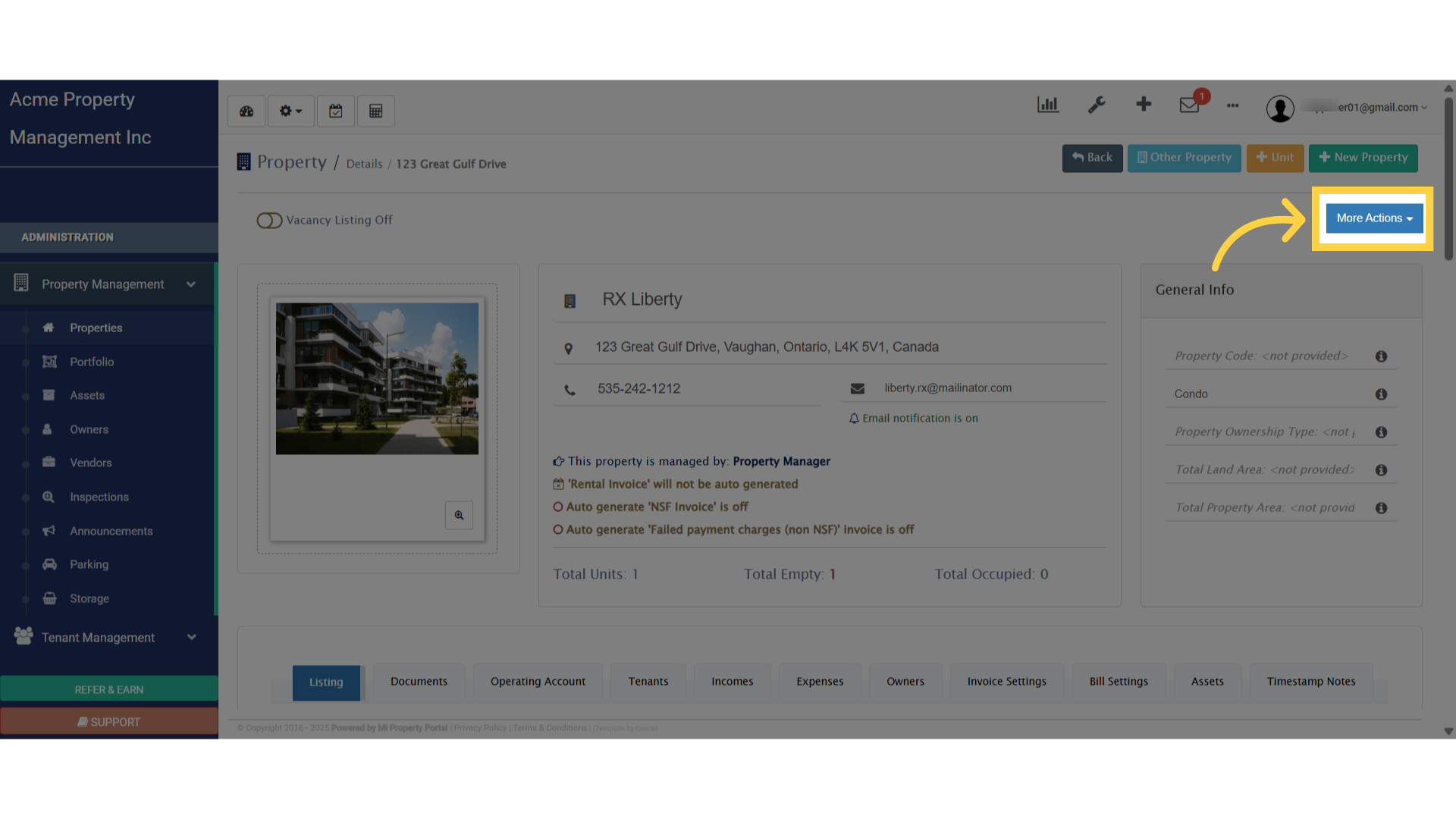
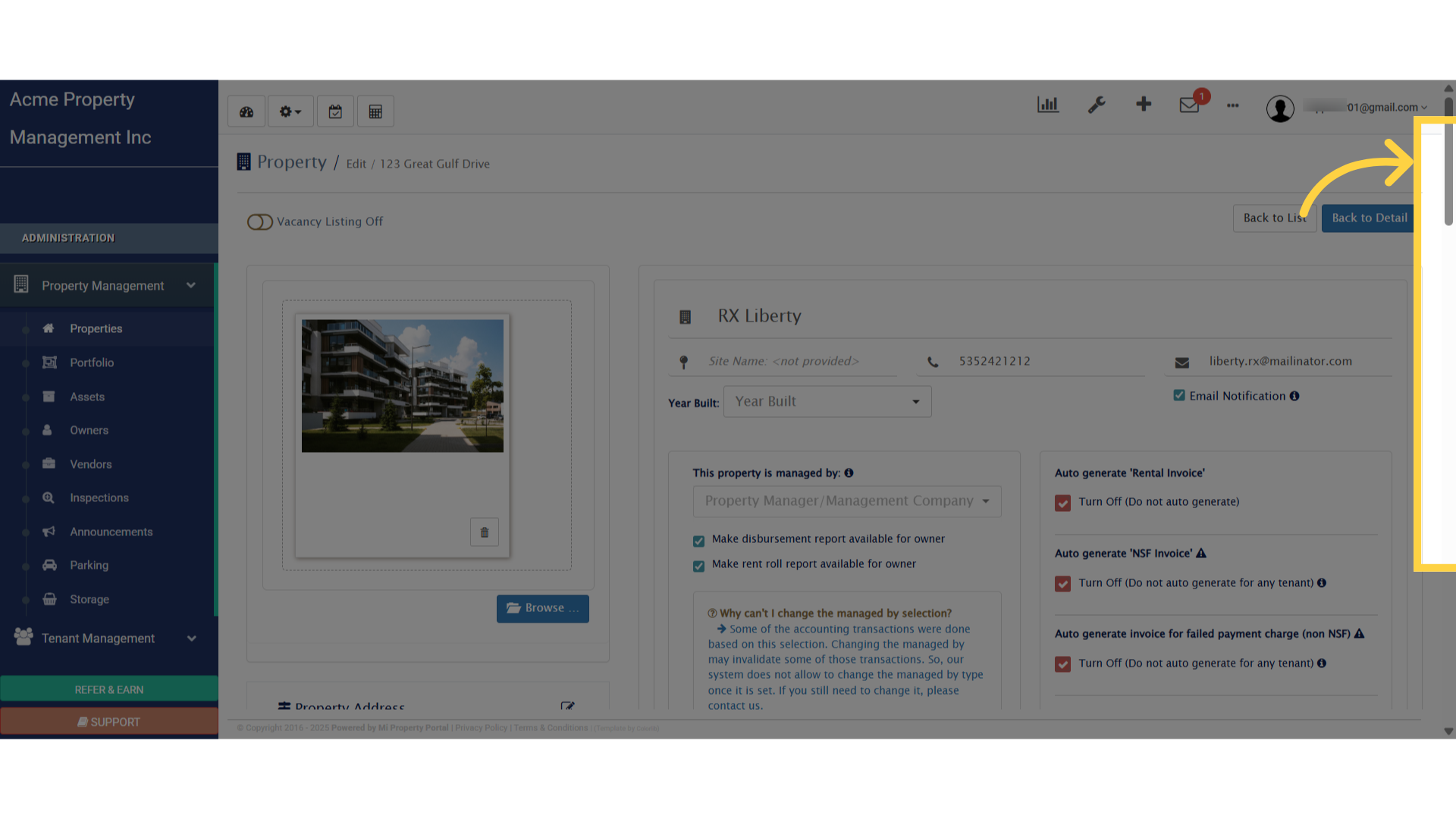
4. Select “Edit”Select 'Edit'
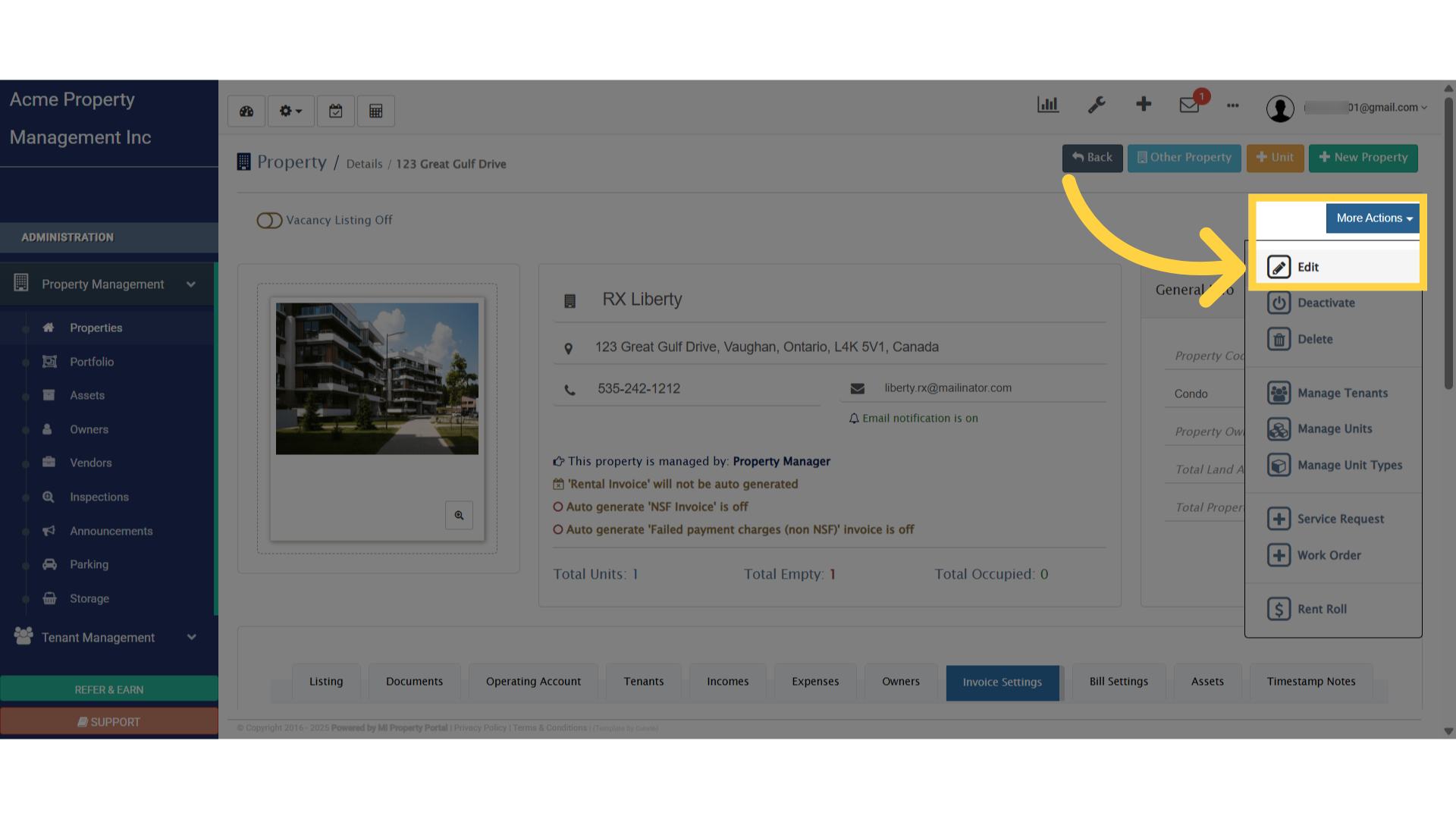
5. Scroll DownScroll Down

6. Click on “Invoice Settings” to edit the invoice detailsClick 'Invoice Settings'
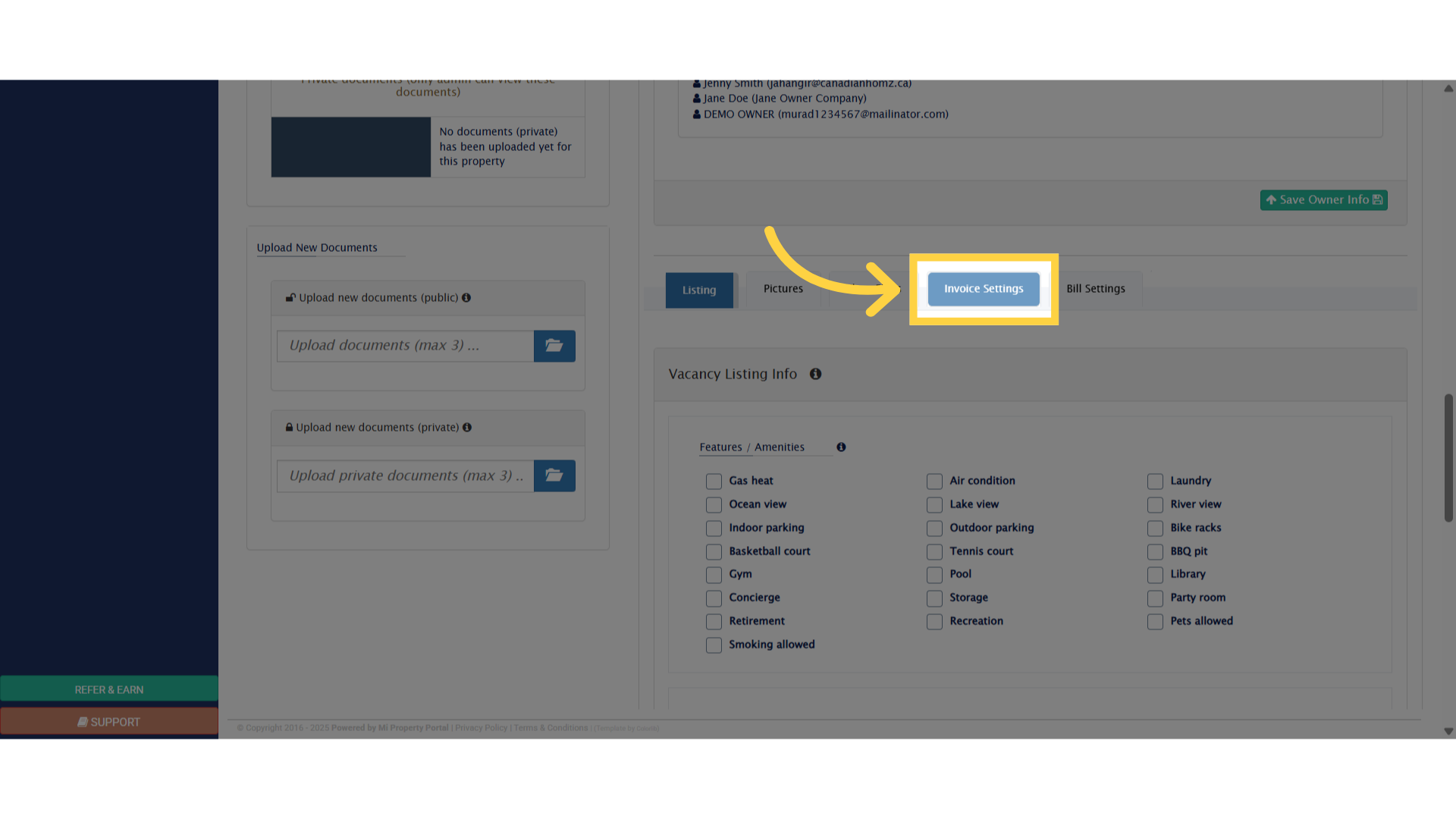
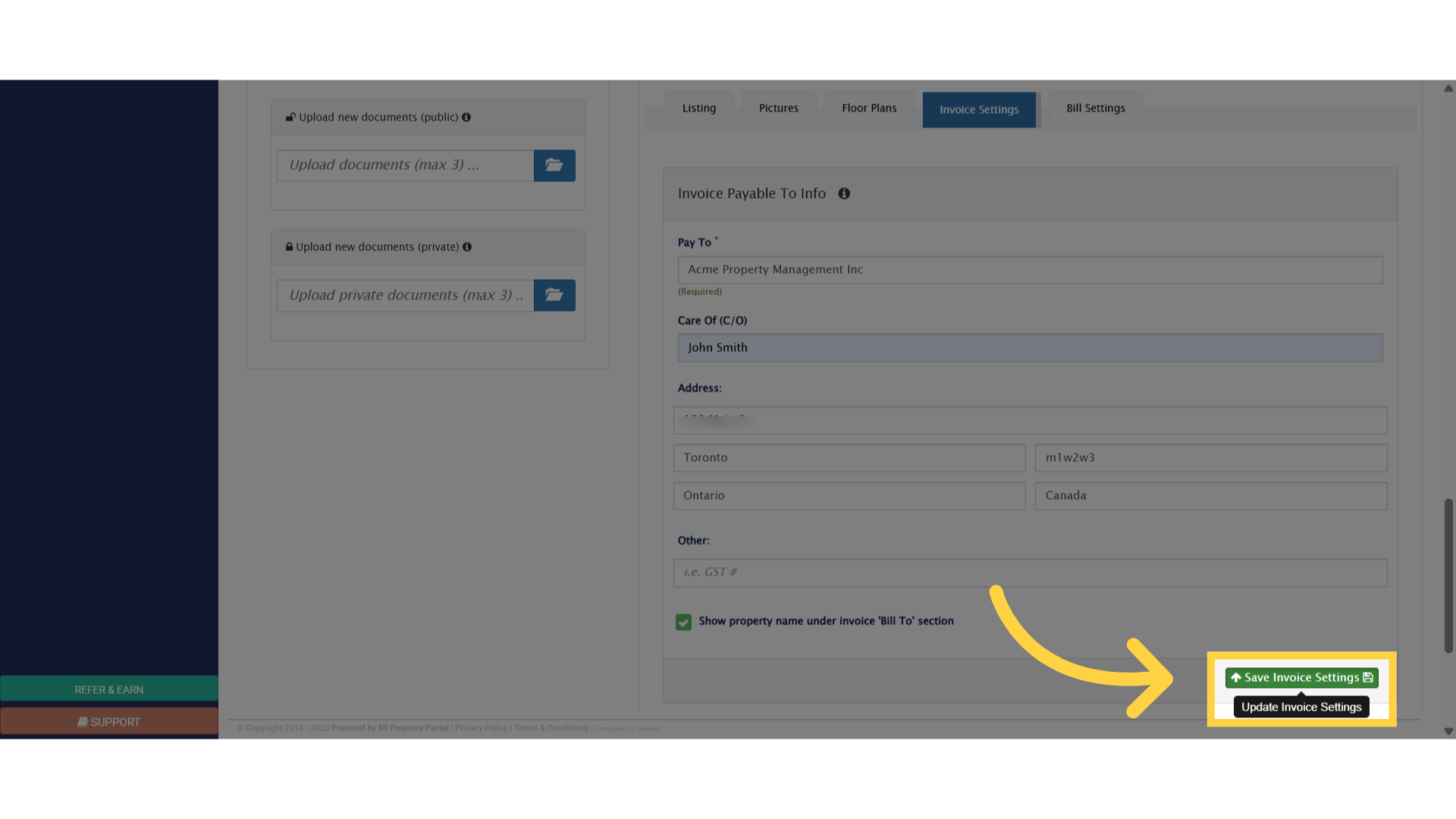
7. Click on each field, enter the appropriate details to make the necessary modificationsClick 'Pay To *'
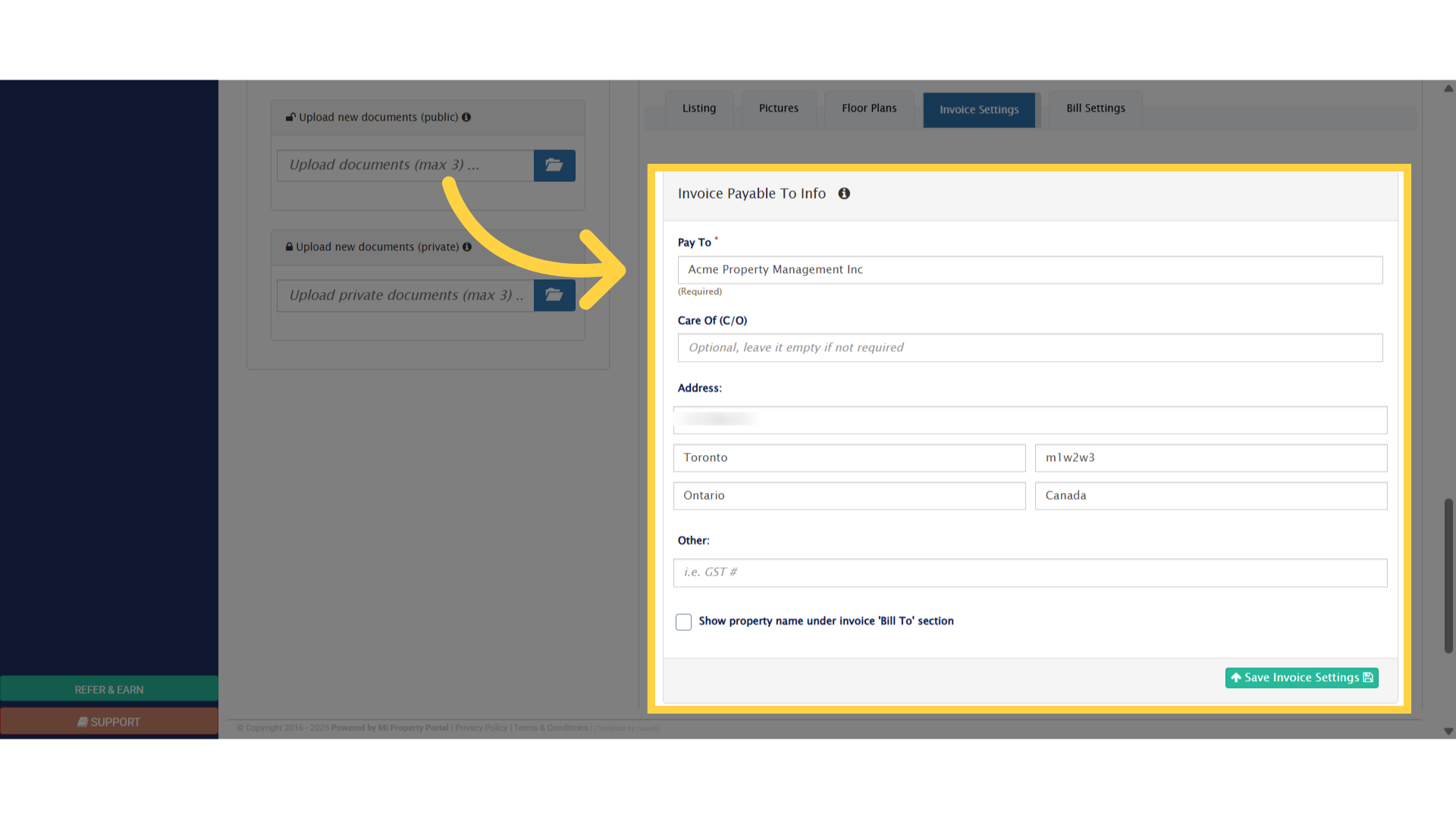
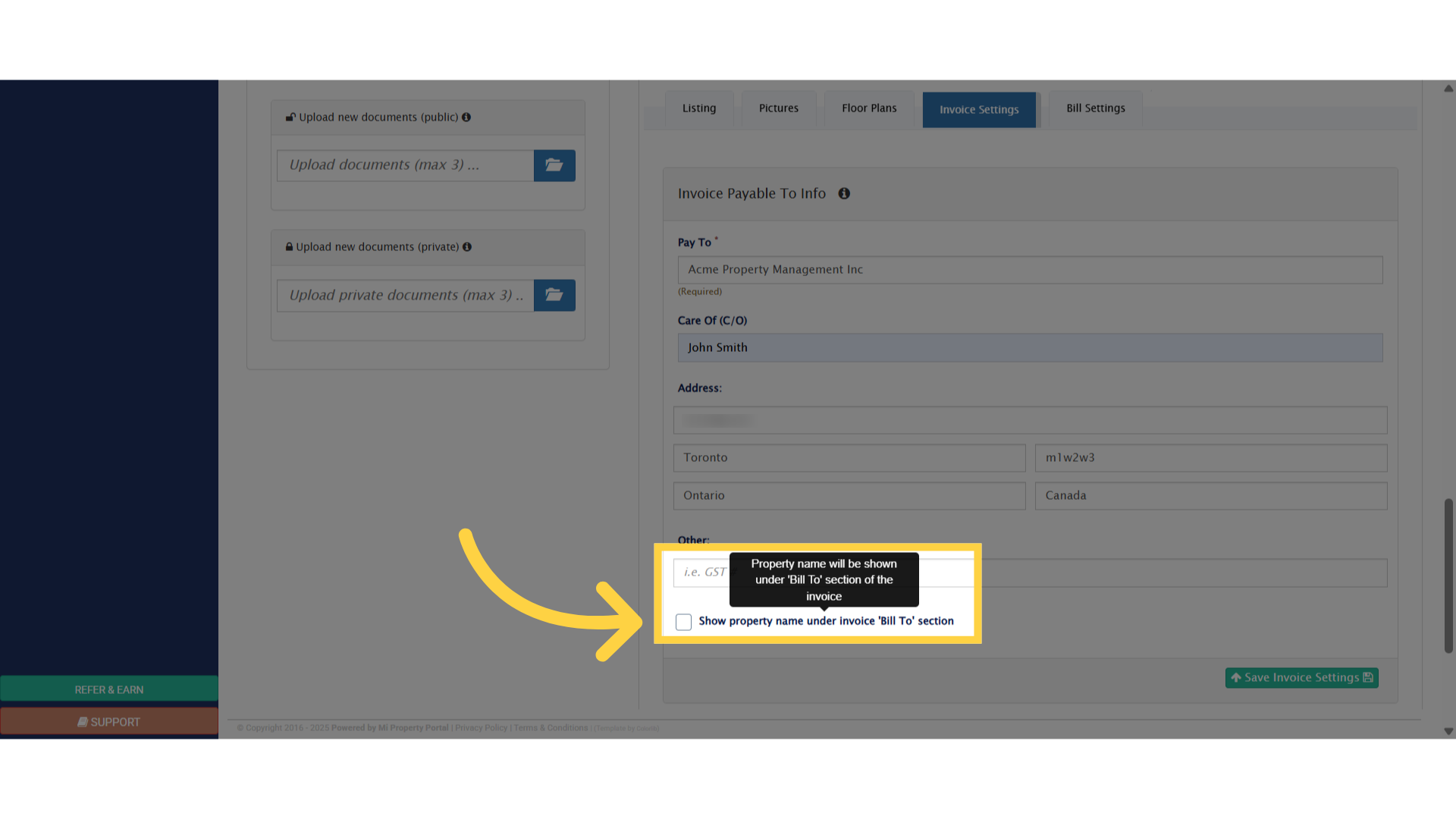
8. Check this box if you would like the Property Name to be displayed, in the “Bill To” section of the invoiceClick 'Show property name under invoice 'Bill To' section'
9. Click “Save Invoice Settings”Click 'Save Invoice Settings'


Tags:How to Configure Invoice Settings for a PropertyInvoice setup for propertyproperty invoiceproperty invoice settingsproperty invoice setup

Was this helpful?

Yes  No
Related Articles
  • How to Download Mi Property Portal Mobile App
  • How to Apply For VoPay Merchant Account
  • How Commercial Property Management Works
  • How to add a Commercial Property
  • How to Configure Bill Settings for a Property
  • How to Add an Operating Account

Didn't find your answer? Contact Us

Leave A Comment Cancel reply

You must be logged in to post a comment.

Popular Articles
  • Can I log rental income for ‘Unpaid’ invoices for ‘Moved-out’ tenants?
  • How to Rent a Parking Spot in Mi Property Portal
  • How to View Bulk Payment History Report
  • How to add a line item category for invoice and bill?
  • How to View Tenant Invoice Payment Report
KB Category
  • Service Request
  • Subscription
  • Bulk Data Upload
  • Owner Portal
  • MiPropertyPortal Admins Training Workshop
  • MiPropertyPortal New Features/Improvements Monthly Webinar
  • Task Management
  • Prospective Tenants
  • Setup
  • Vendor Management
  • Tenant Screening
  • Tenant Portal
  • Tenant Management
  • Accounting
  • Security Deposit
  • Reporting
  • Rental Tax
  • Rental Listing
  • Property Owner Related
  • Property
  • Other
  • Asset Management
  • Online Payment
  • Lease Management
  • General
  • Form Management

  How to Configure Bill Settings for a Property

How Tenant can Save a Payment Profile?  

MiPP
MiProperty Portal is Canadian-made for
Canadian landlords and property managers.
COMPANY
  • About Us
  • Why MiPP?
  • Features
SUPPORT
  • Knowledge Base
  • Get Email Help
SOCIAL
  • Linkedin
  • Facebook
  • Twitter
  • Privacy Policy
  • Terms of Use
  • © 2025 mipropertyportal.com. All Rights Reserved.