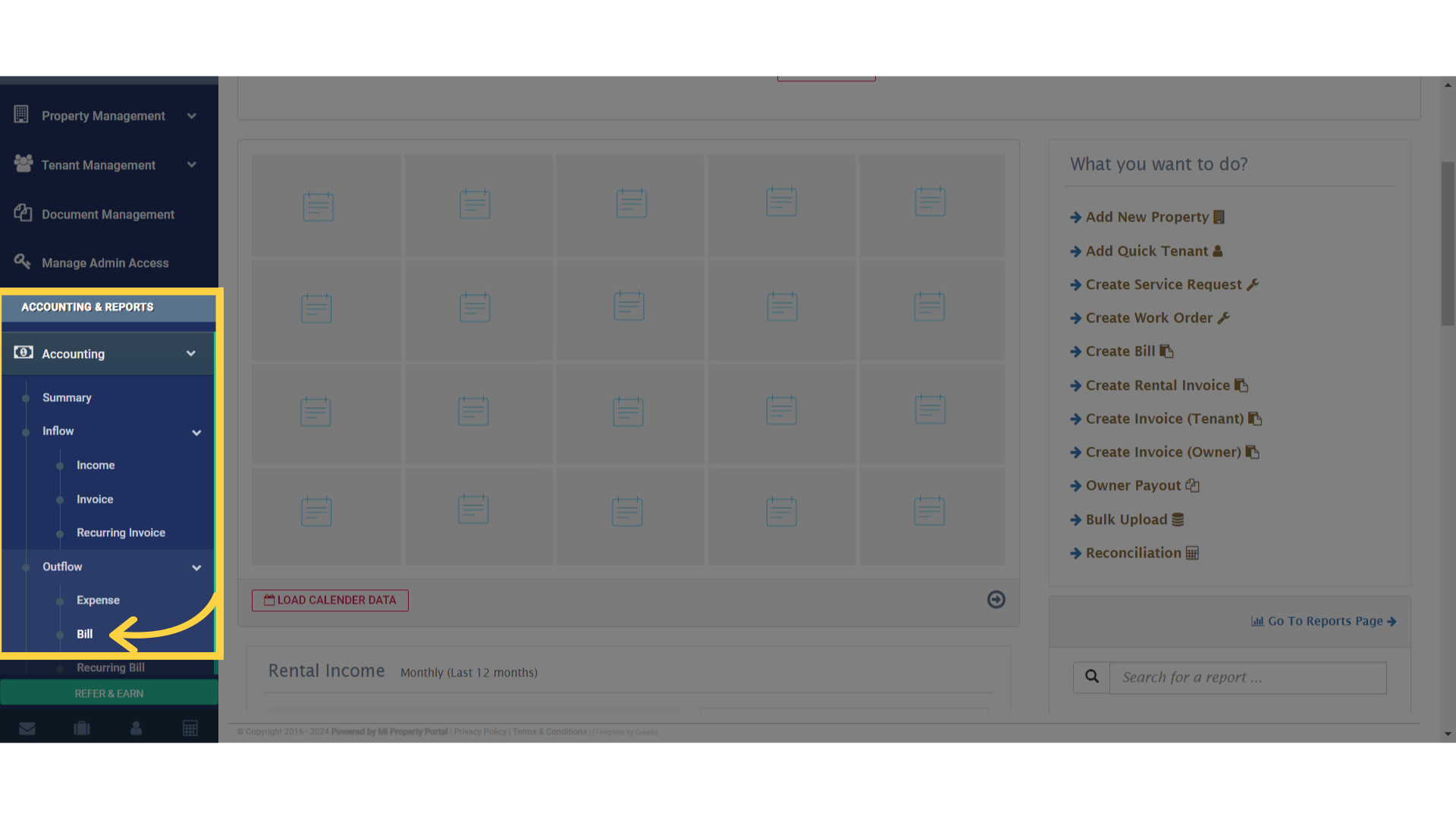
1. Simply, go to the Accounting dropdown, under Accounting & Reports and click on Bill
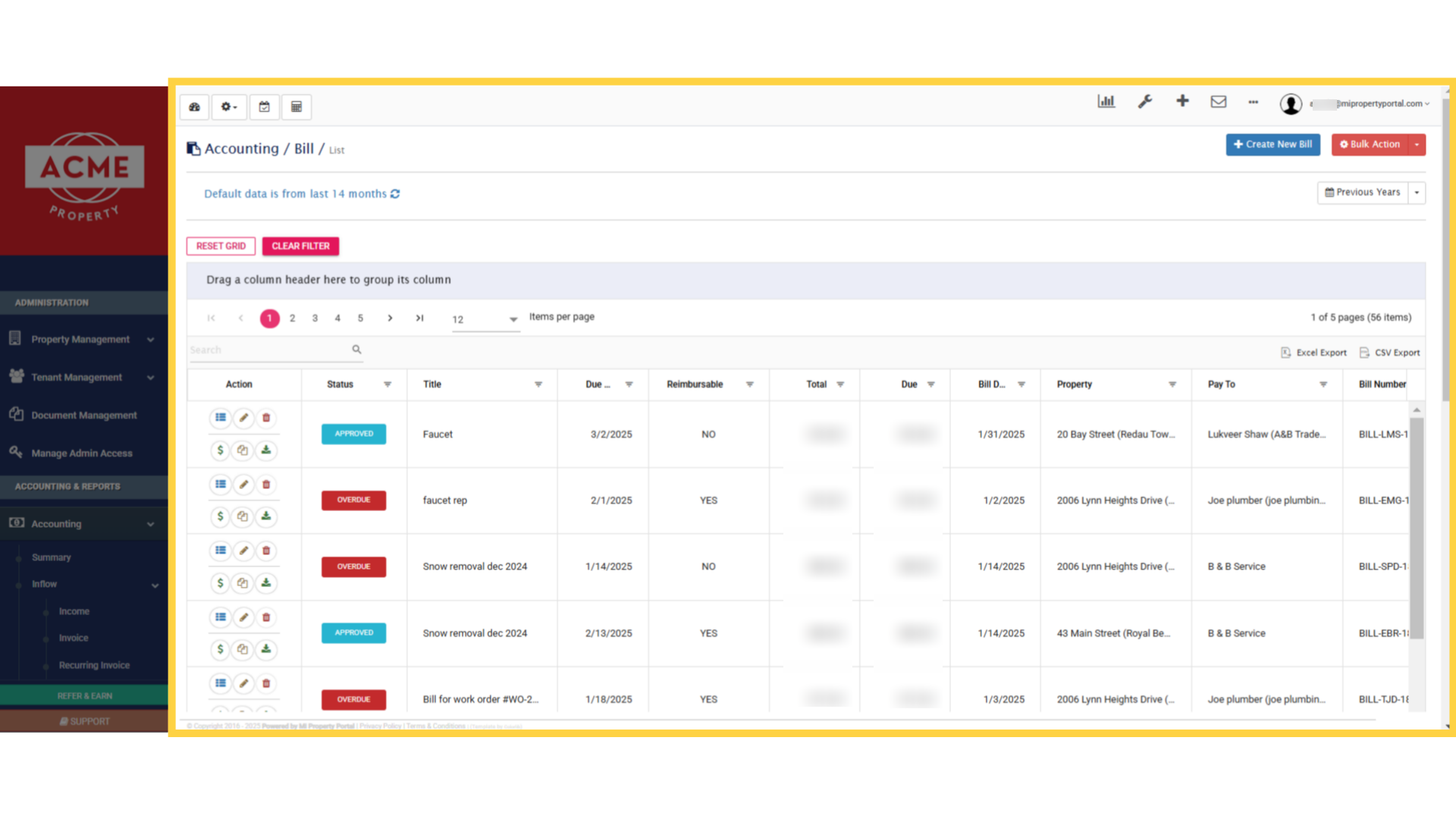
2. This is your Bill Management Dashboard, where all the bills you created earlier will appear
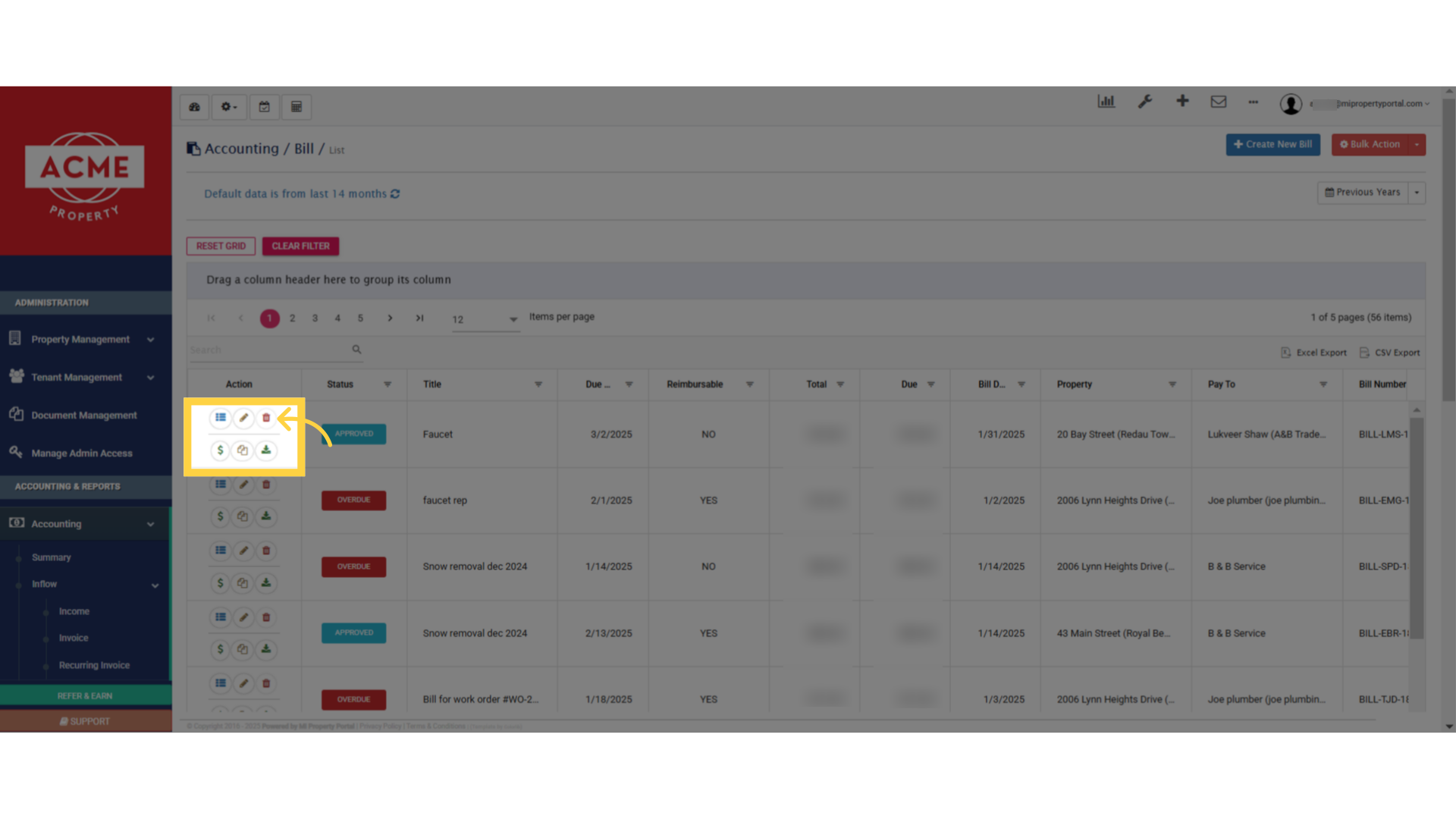
3. Next to each bill, you’ll see several icons. Simply click on the trash icon to delete a bill
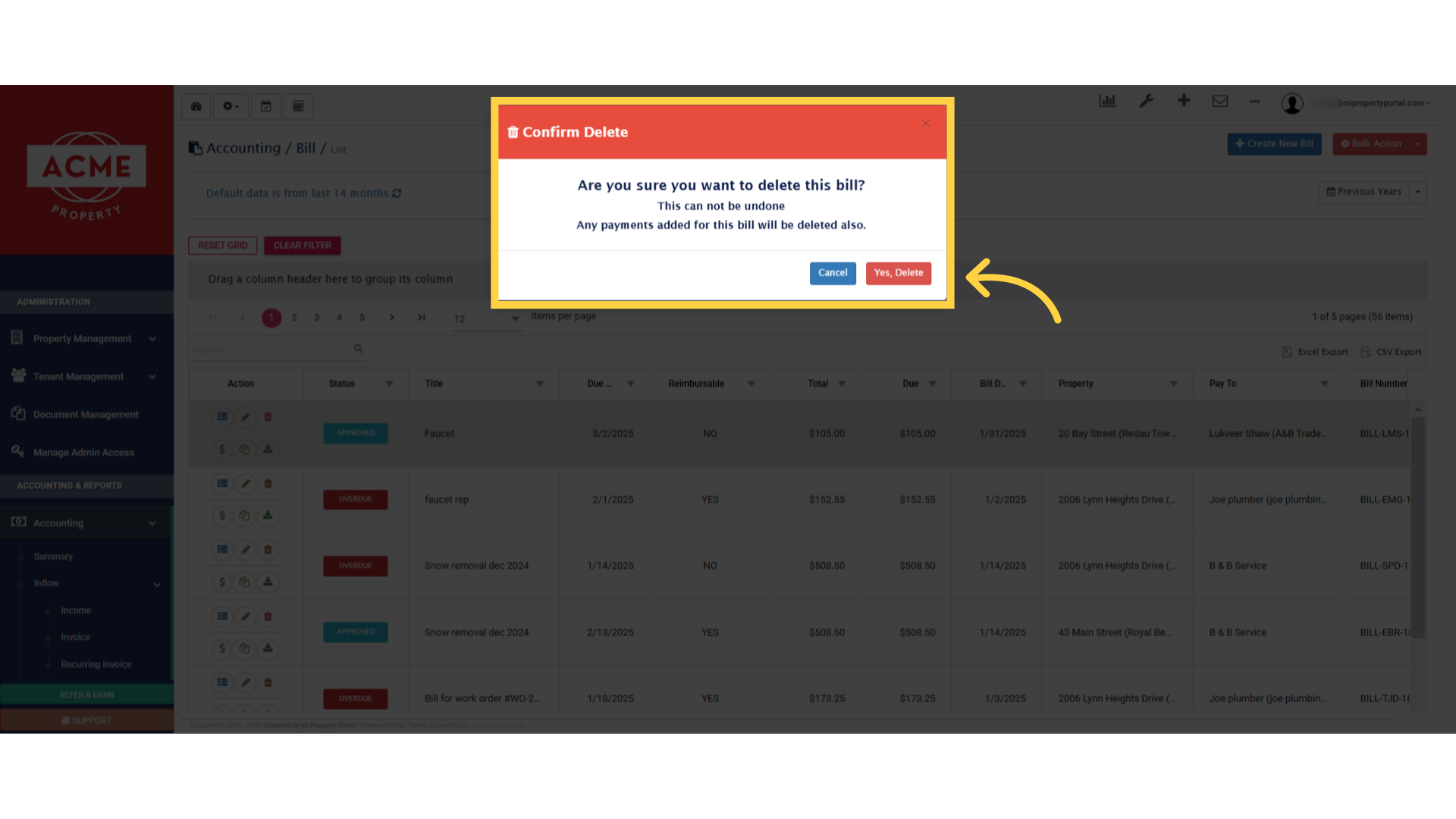
4. Click on the “Yes, Delete” button, and the bill will be successfully removed from the portal