• Home
  • Blogs
  • FAQs
  • Login
  • Home
  • Blogs
  • FAQs
  • Login
home/Knowledge Base/Reporting/How to Generate Bill Markup Record Report?

How to Generate Bill Markup Record Report?

87 views 0 March 13, 2024 Updated on December 10, 2024 mippsupportadmin

1. After logging in, Go to Reports under ACCOUNTING & REPORTS
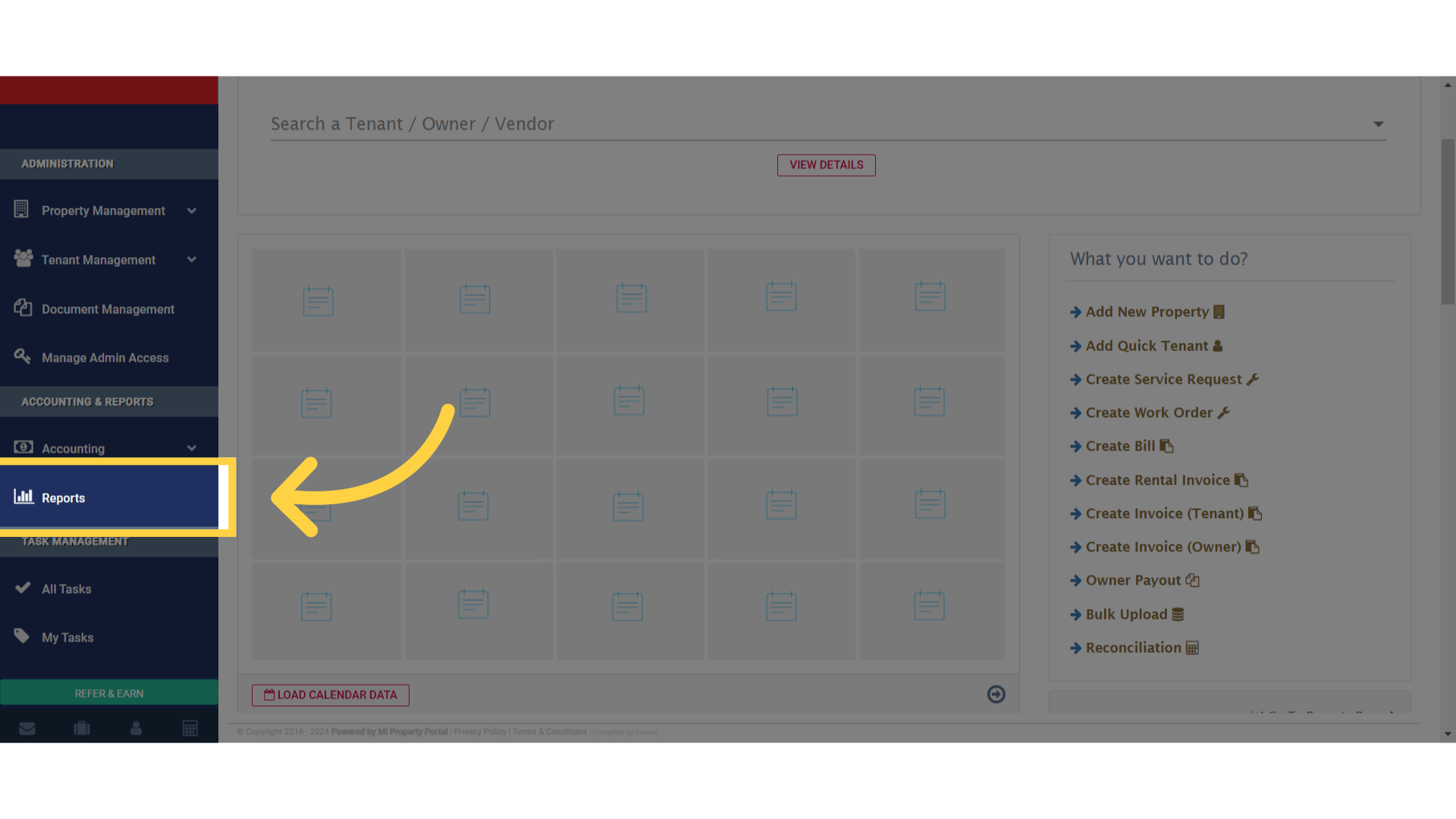
Click 'Reports'

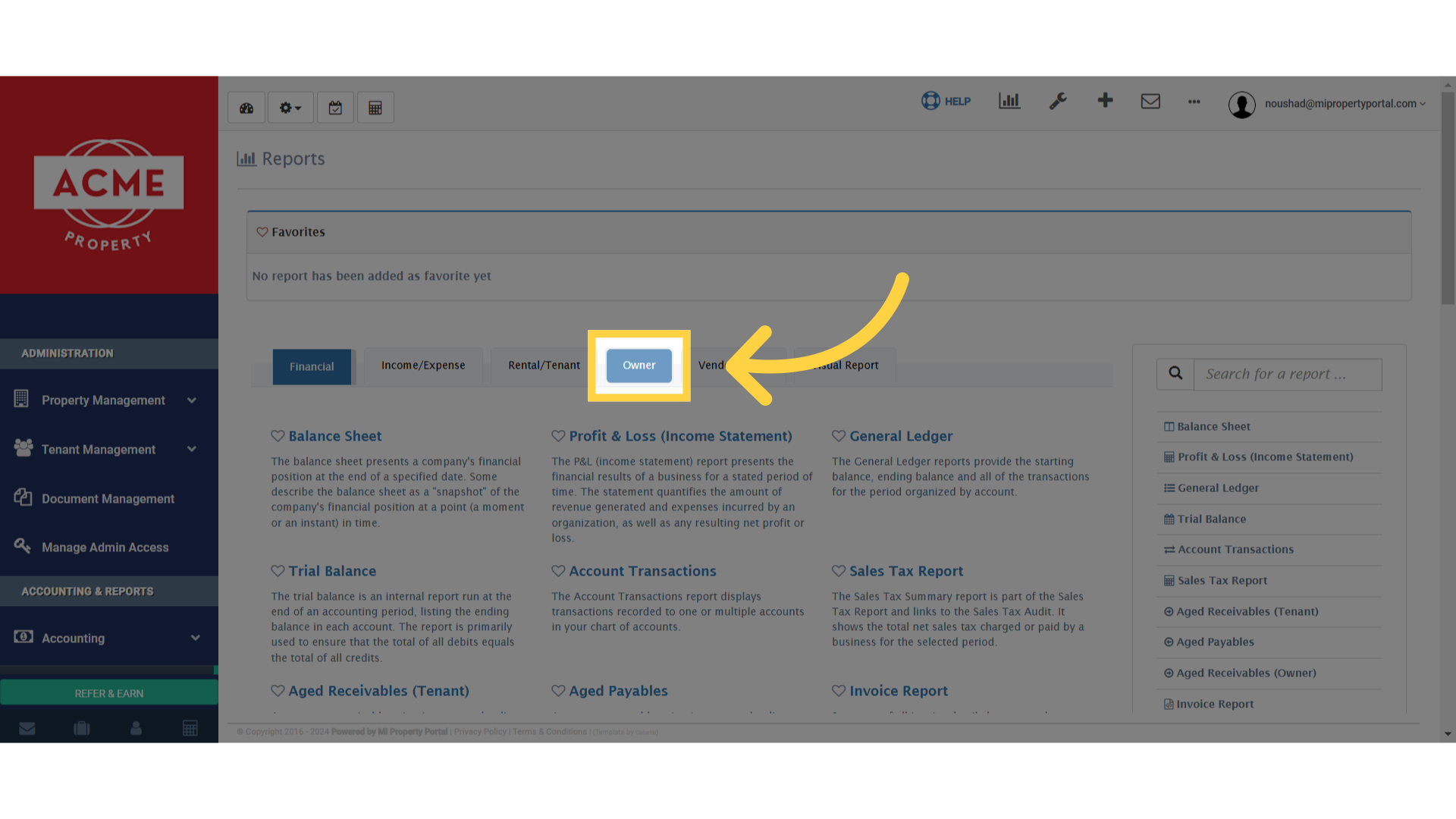
2. Click on Owner tab

Click 'Owner'

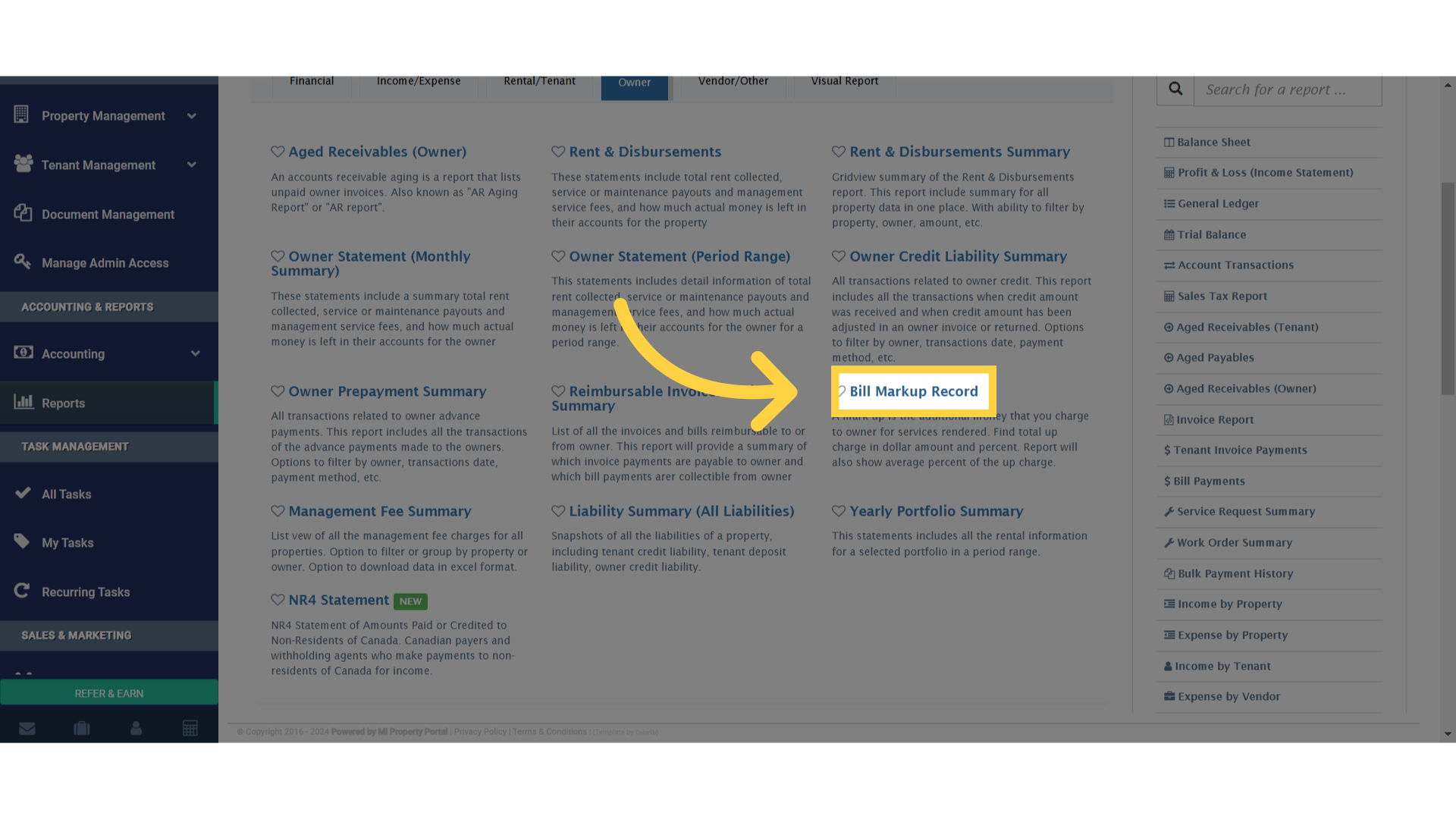
3. Click on Bill Markup Record

Click 'Bill Markup Record'

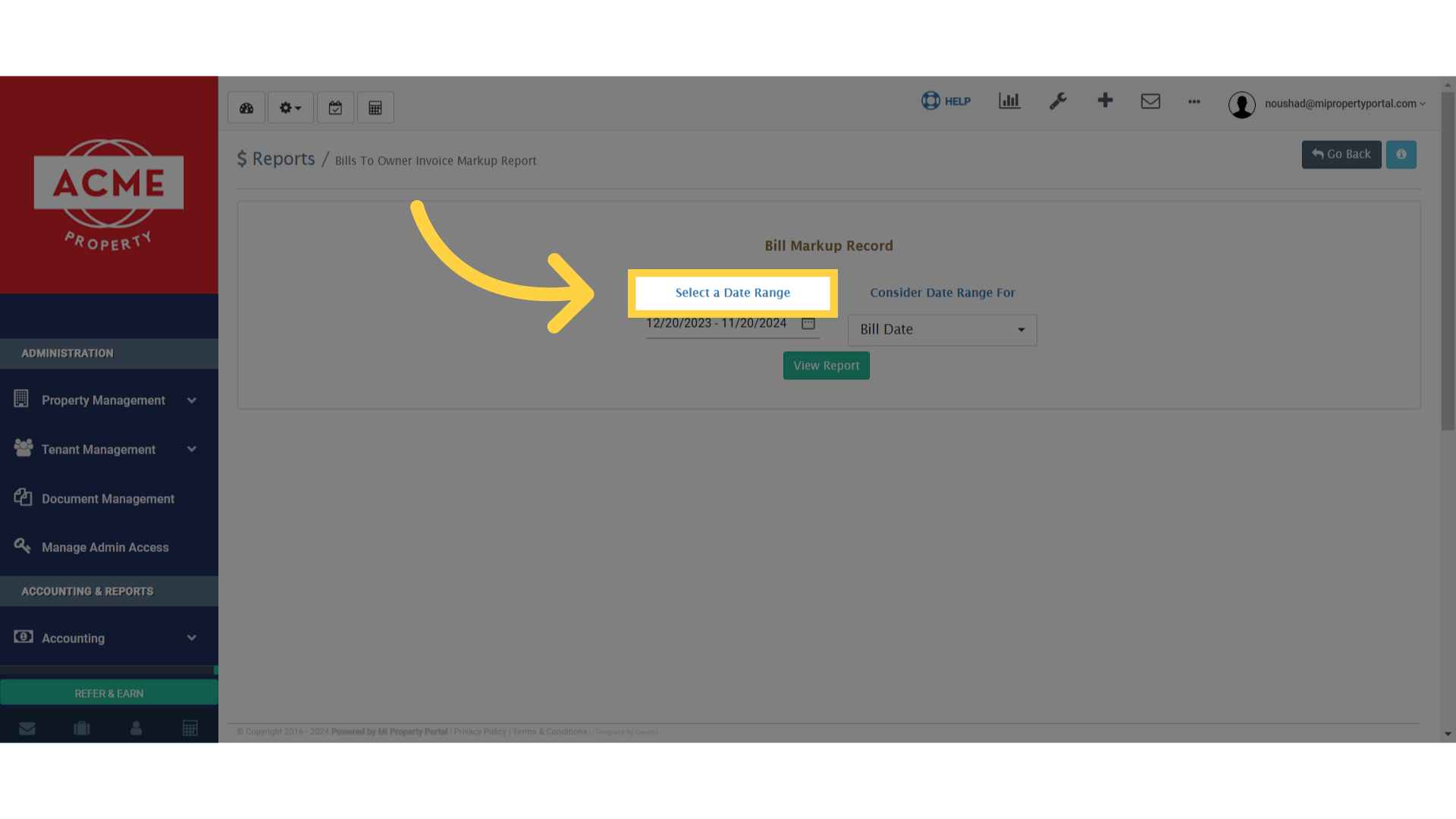
4. Click on – Select a Date Range

Click 'Select a Date Range'

5. You can also select any timeline as per your choosing
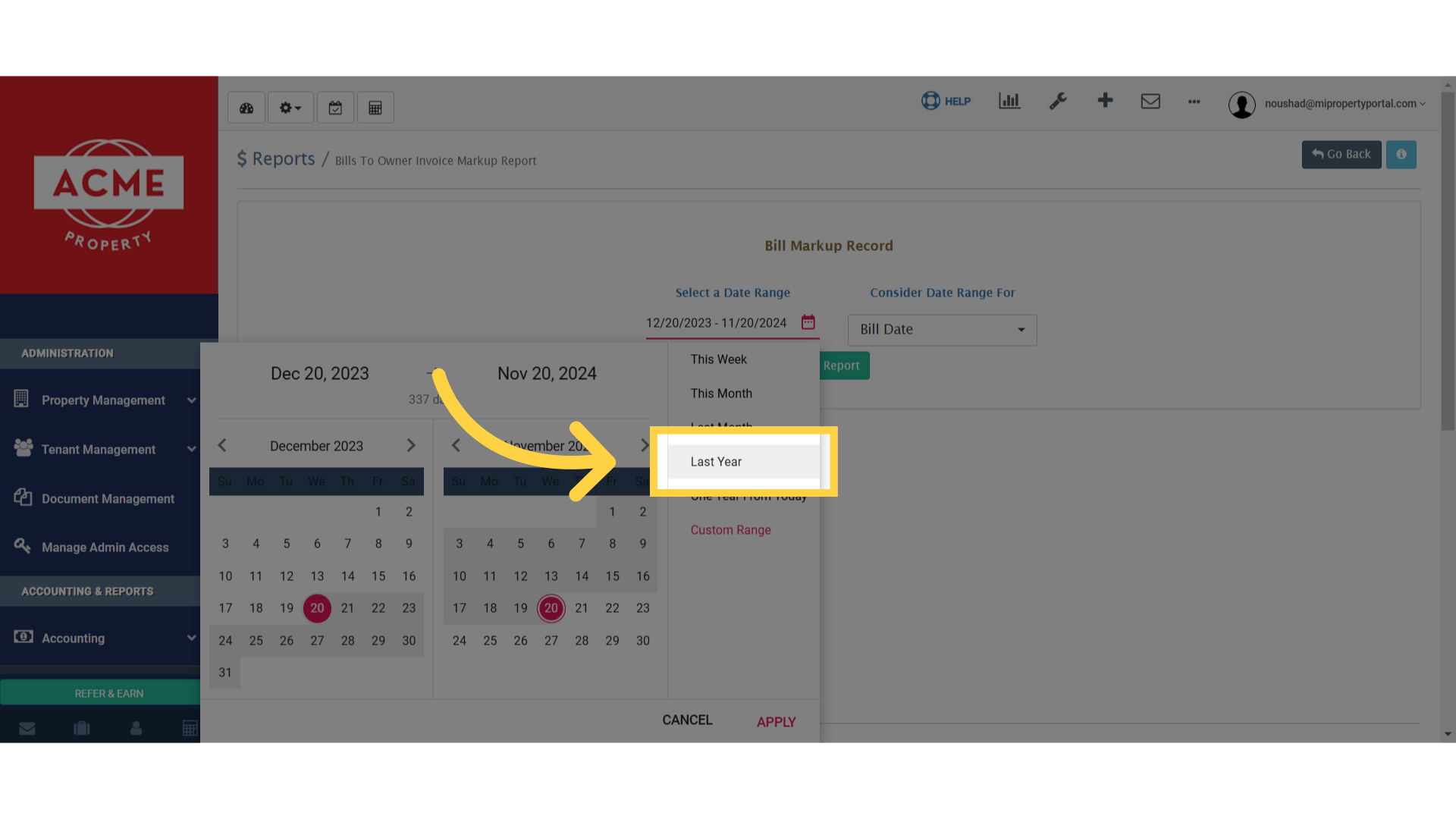
Click 'Last Year'

6. Click on – Consider Date Range For
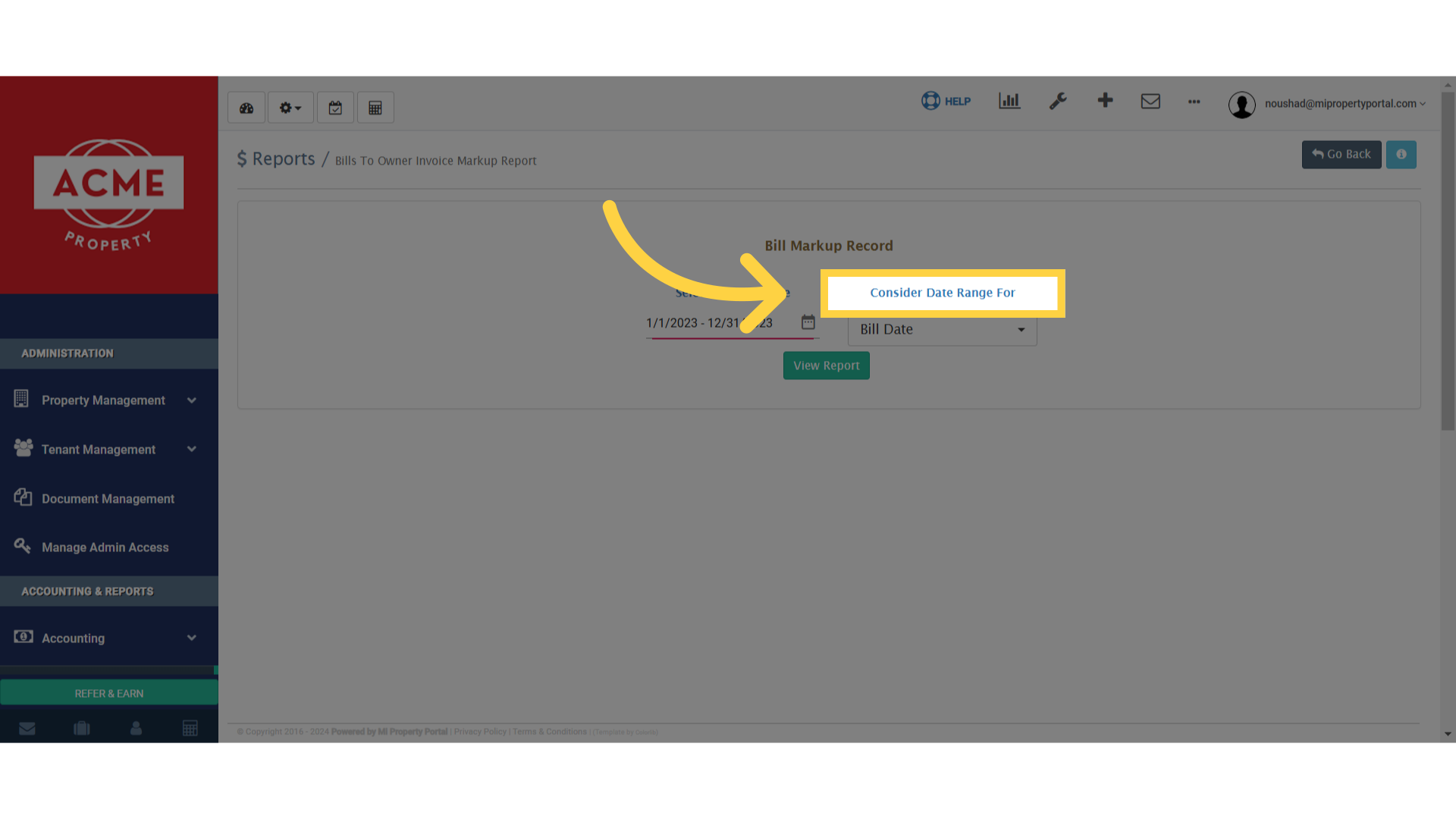
 

Click 'Consider Date Range For'

7. Choose the any option from Owner Invoice Date & Bill Date
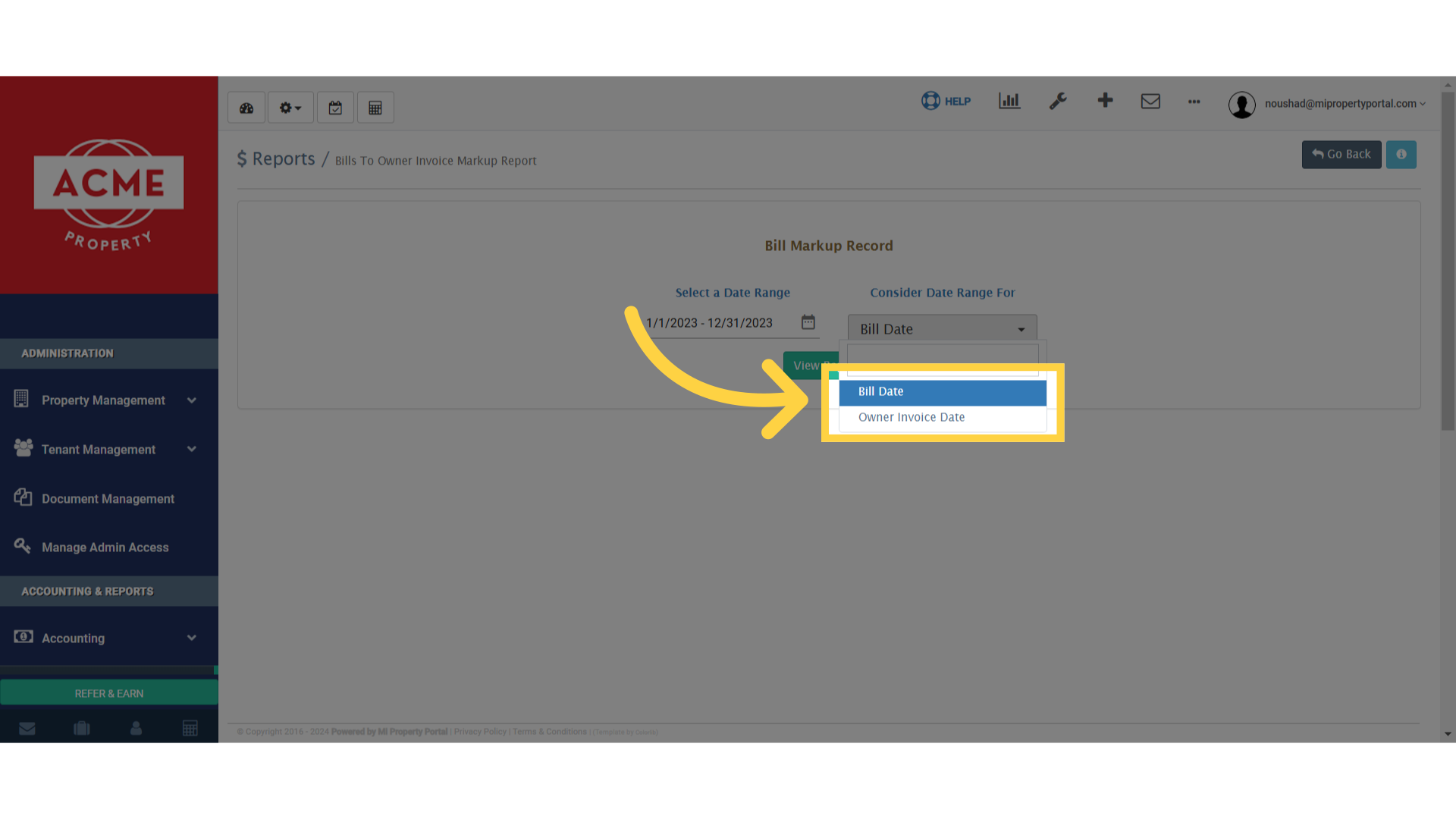
Click 'Bill Date'

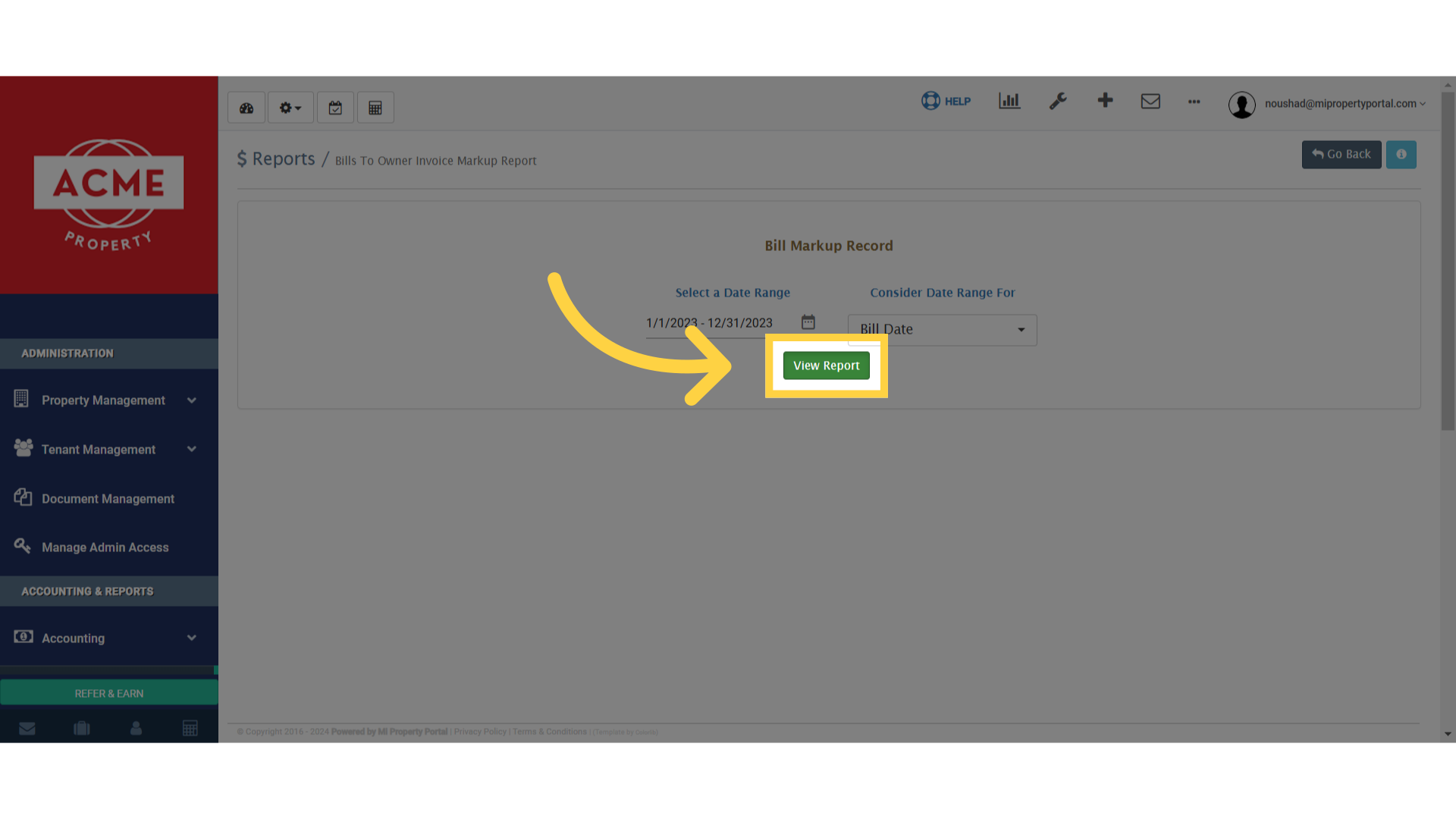
8. Click on View Report

Click 'View Report'

9. Drag column headers into the square space to group them in “Drag a column header here to group its column”
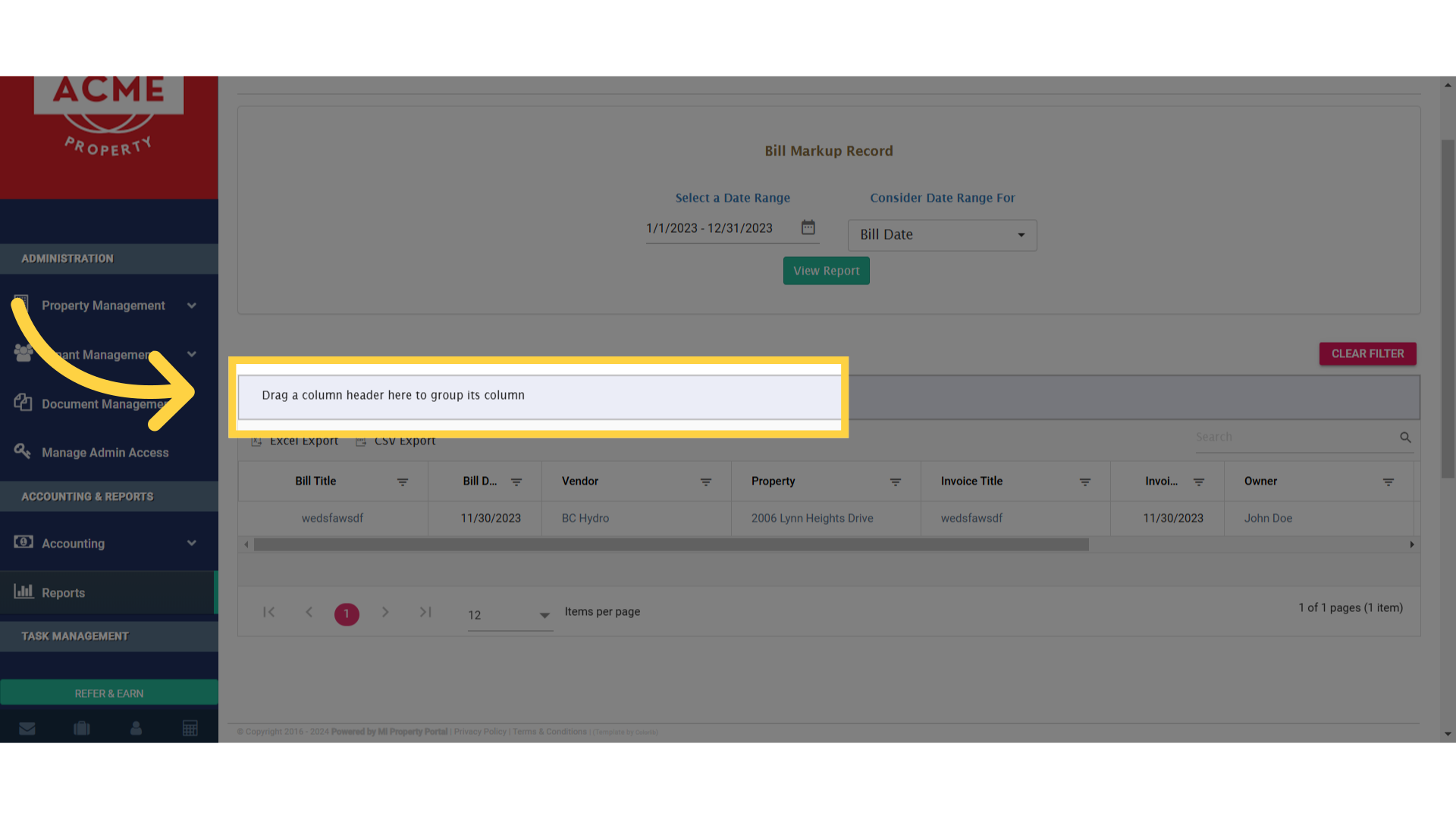
Click 'Drag a column header here to group its column'

10. Once dragged, it will represent like this. Click on CLEAR FILTER to reset
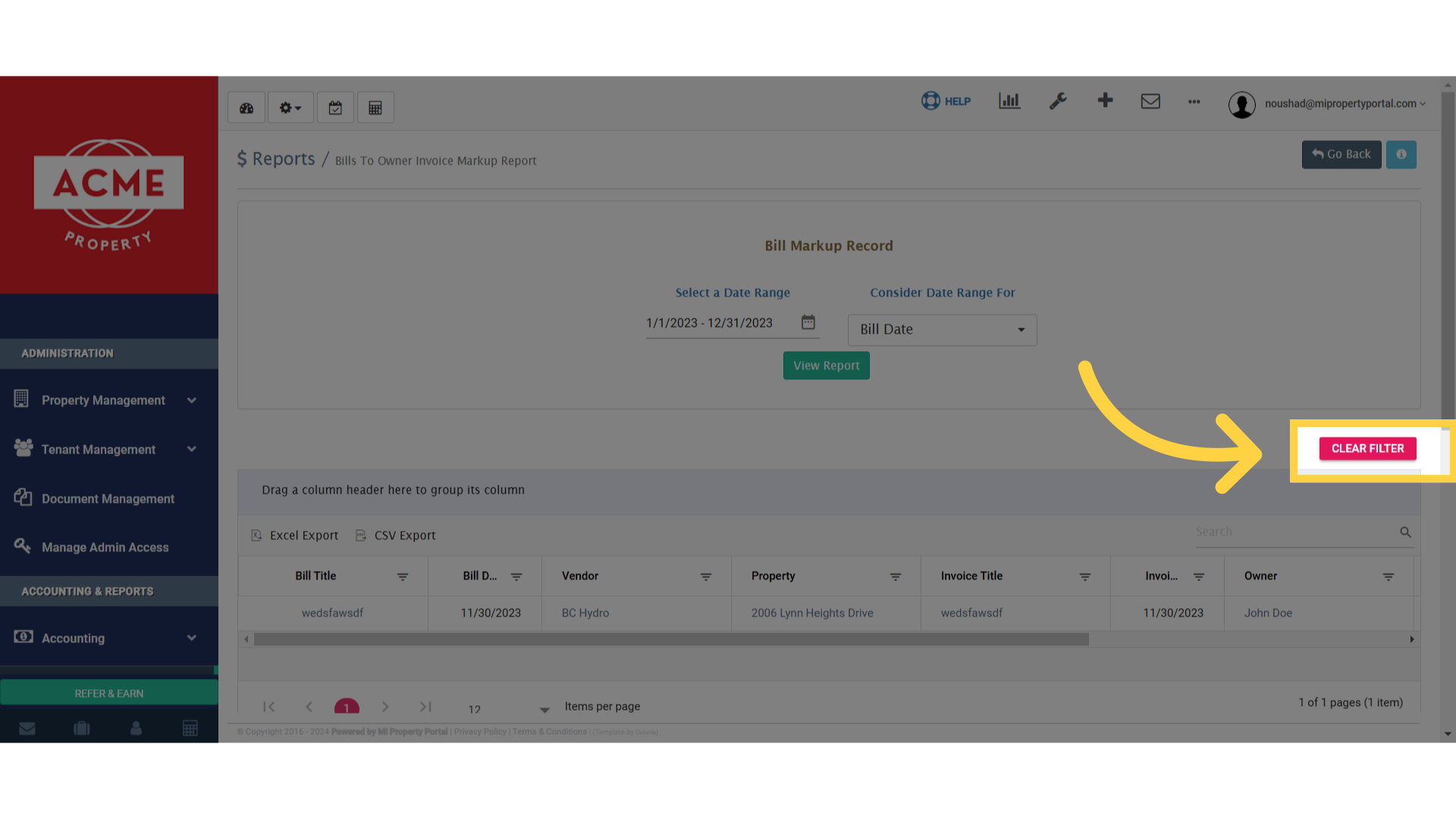
Click 'CLEAR FILTER'

11. Export your report for use in Excel or CSV format
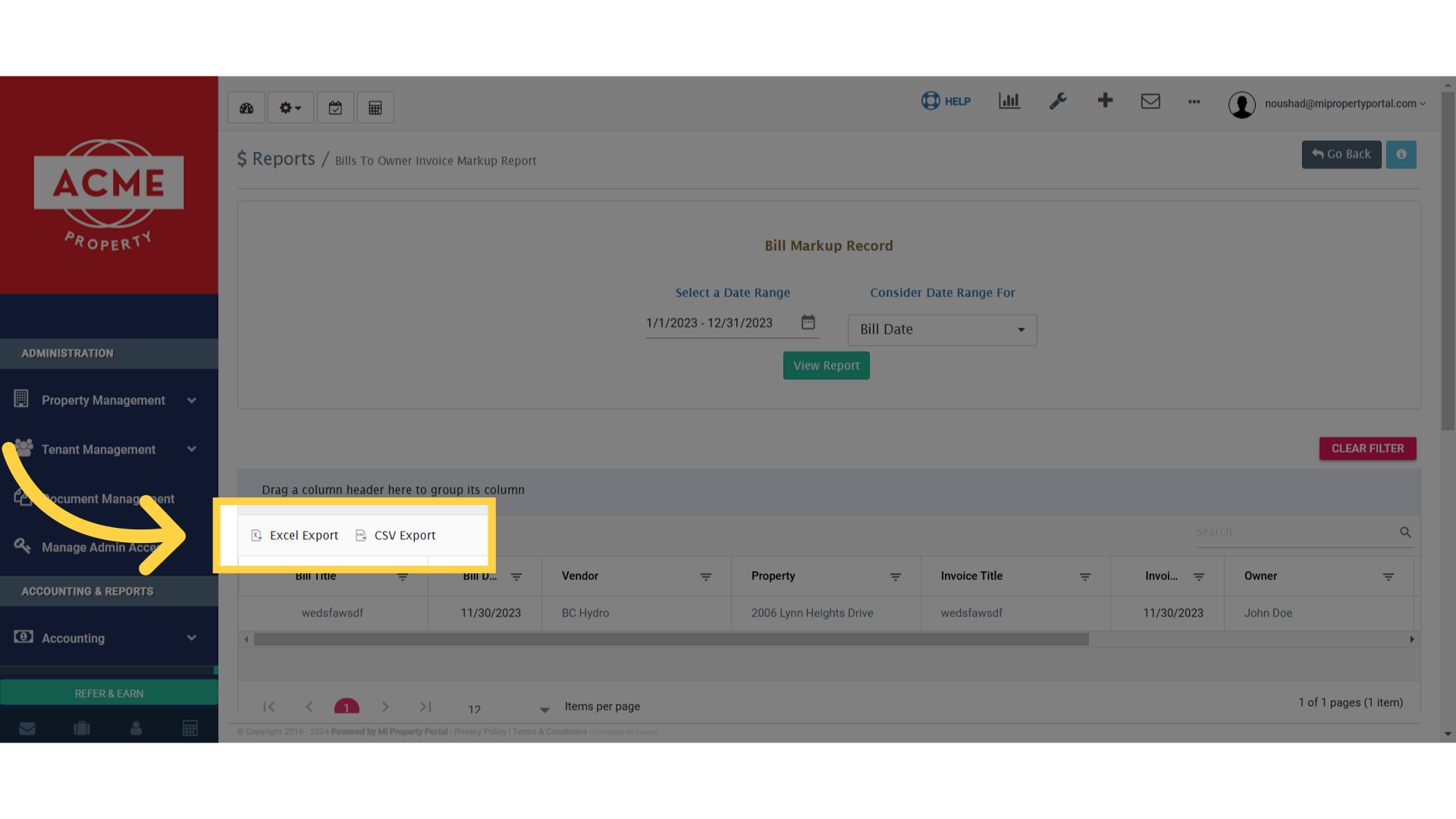
Click 'Excel ExportCSV Export'

Tags:How to Generate Bill Markup Record Report?Generate bill markup summaryTrack bill markup recordsBill markup report generation guideHow to get bill markup detailsCreate report for bill markupsBill markup tracking reportSteps to generate bill markup recordHow to create a bill markup reportBill markup record creationGenerate bill markup reportBill Markup Records ReportDownload Bill Markup report in csvDownload Bill Markup report in excelgenerate a Record Report for Bill Markup Analysis.how to generate a Record Report for Bill Markup Analysis.Produce a Report outlining Bill Markup Records.how to create a Record Report for Bill Markups.how to produce a Report for Bill Markup Records.Owner Tab

Was this helpful?

Yes  No
Related Articles
  • New Feature – Trust Liability Report
  • How to Add Markup to Vendor Bills
  • How to Delete Tenant Credit
  • How to Configure Bill Settings for a Property
  • How to Configure Invoice Settings for a Property
  • How to Adjust Invoice from Tenant Deposit?

Didn't find your answer? Contact Us

Leave A Comment Cancel reply

You must be logged in to post a comment.

Popular Articles
  • Can I log rental income for ‘Unpaid’ invoices for ‘Moved-out’ tenants?
  • Email notification sent to tenant on Other document upload
  • Send Email Notification After Lease Document Upload
  • New Feature – Trust Liability Report
  • New Feature – Bell Notification Sent to Admin on Tenant Document Upload via Tenant Portal
KB Category
  • Service Request
  • Subscription
  • Bulk Data Upload
  • Owner Portal
  • MiPropertyPortal Admins Training Workshop
  • MiPropertyPortal New Features/Improvements Monthly Webinar
  • Task Management
  • Prospective Tenants
  • Setup
  • Vendor Management
  • Tenant Screening
  • Tenant Portal
  • Tenant Management
  • Accounting
  • Security Deposit
  • Reporting
  • Rental Tax
  • Rental Listing
  • Property Owner Related
  • Property
  • Other
  • Asset Management
  • Online Payment
  • Lease Management
  • General
  • Form Management

  How to Generate Owner Prepayment Summary Report?

How to Generate Yearly Portfolio Summary Report?  

MiPP
MiProperty Portal is Canadian-made for
Canadian landlords and property managers.
COMPANY
  • About Us
  • Why MiPP?
  • Features
SUPPORT
  • Knowledge Base
  • Get Email Help
SOCIAL
  • Linkedin
  • Facebook
  • Twitter
  • Privacy Policy
  • Terms of Use
  • © 2026 mipropertyportal.com. All Rights Reserved.