• Home
  • Blogs
  • FAQs
  • Login
  • Home
  • Blogs
  • FAQs
  • Login
home/Knowledge Base/Service Request/How to Assign a service request Task to a Vendor?

How to Assign a service request Task to a Vendor?

35 views 0 August 22, 2025 mippsupportadmin

1. Click Tenant Management under Administration, then select Service Requests
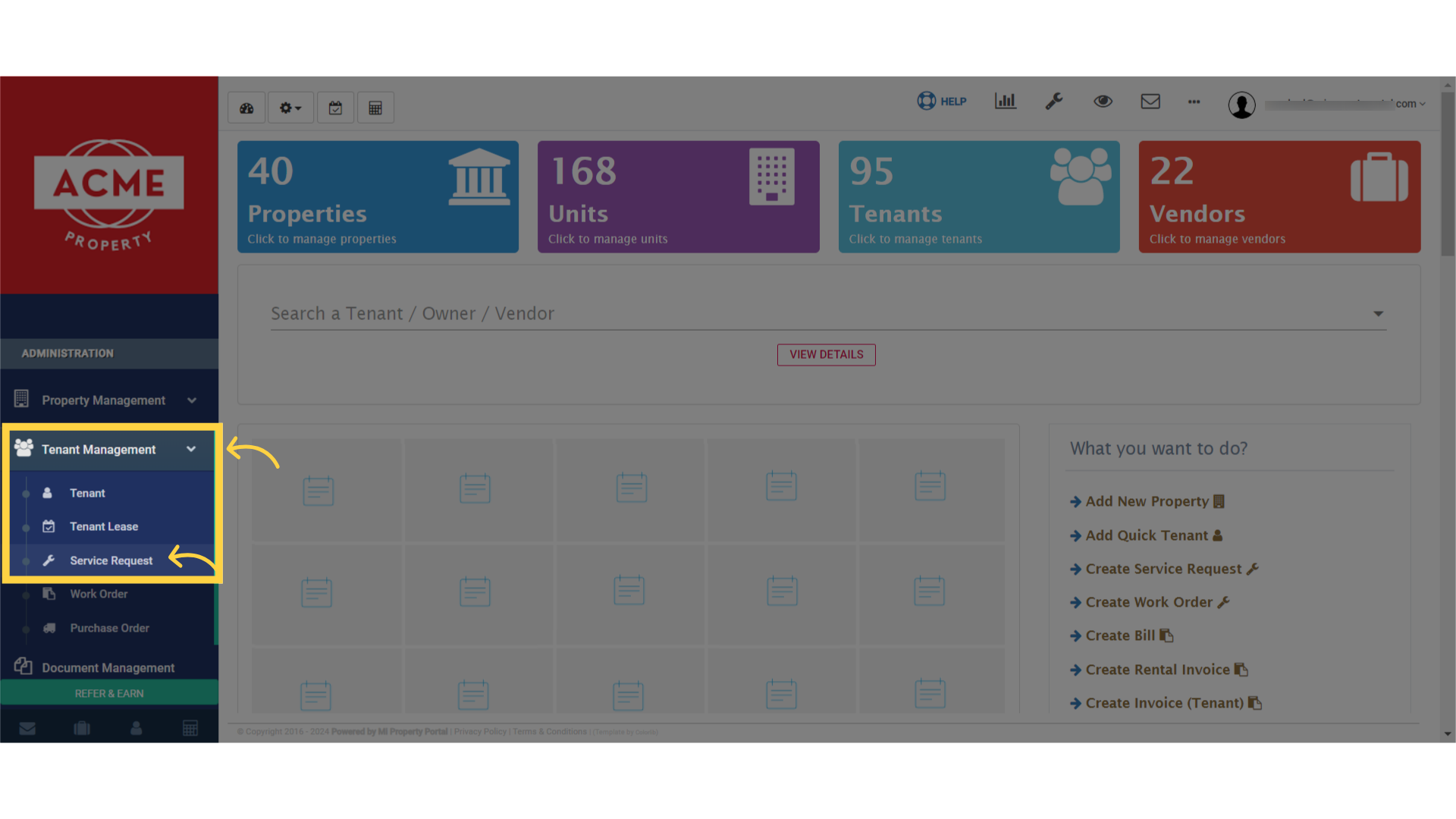
Select 'Service Request' under the 'Tenant Management' dropdown.

2. Find the request needing approval and click on the reference number
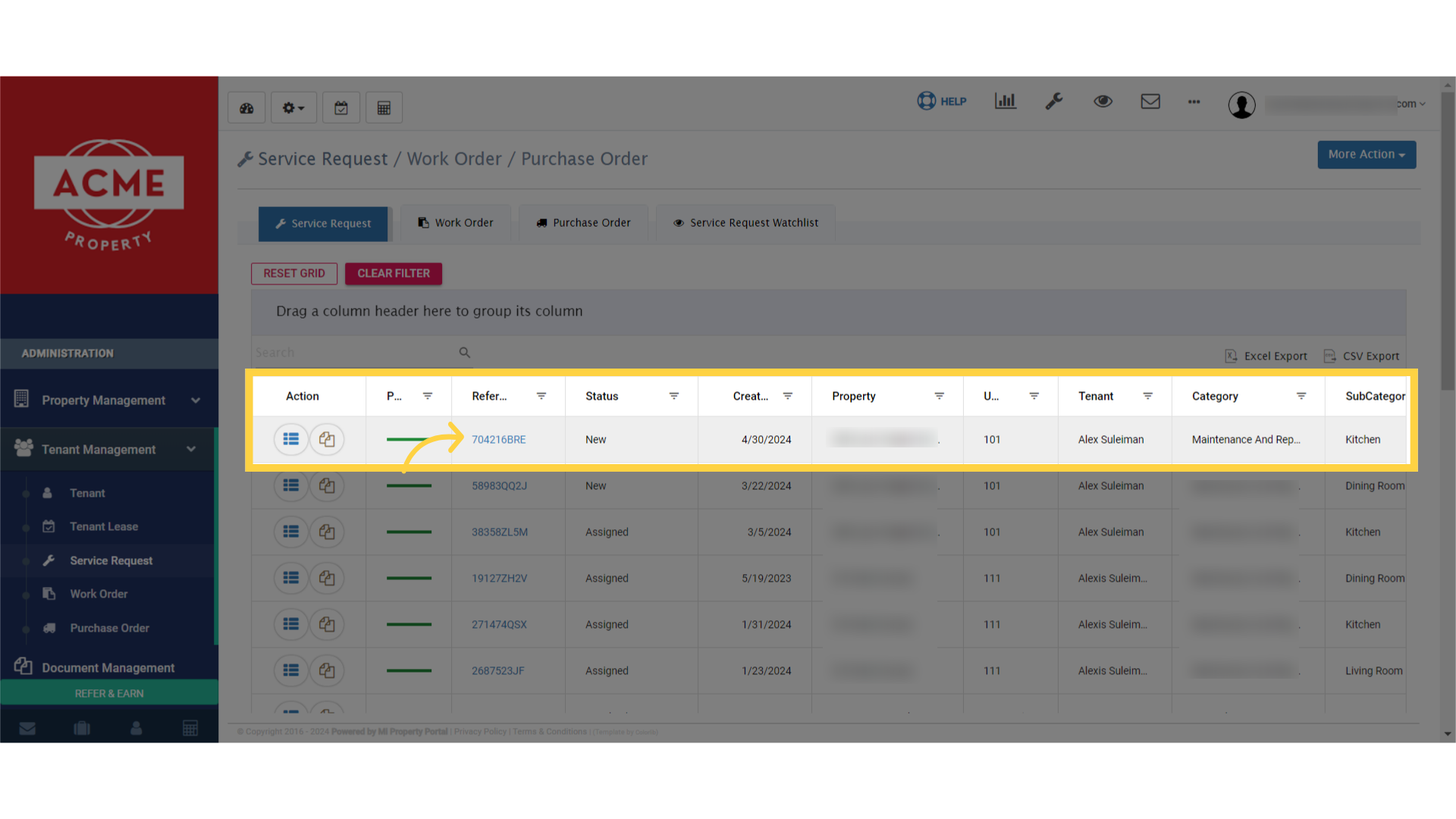
click on the 'View Details' icon.

3. On the Service Request Details page, click Assign Vendor
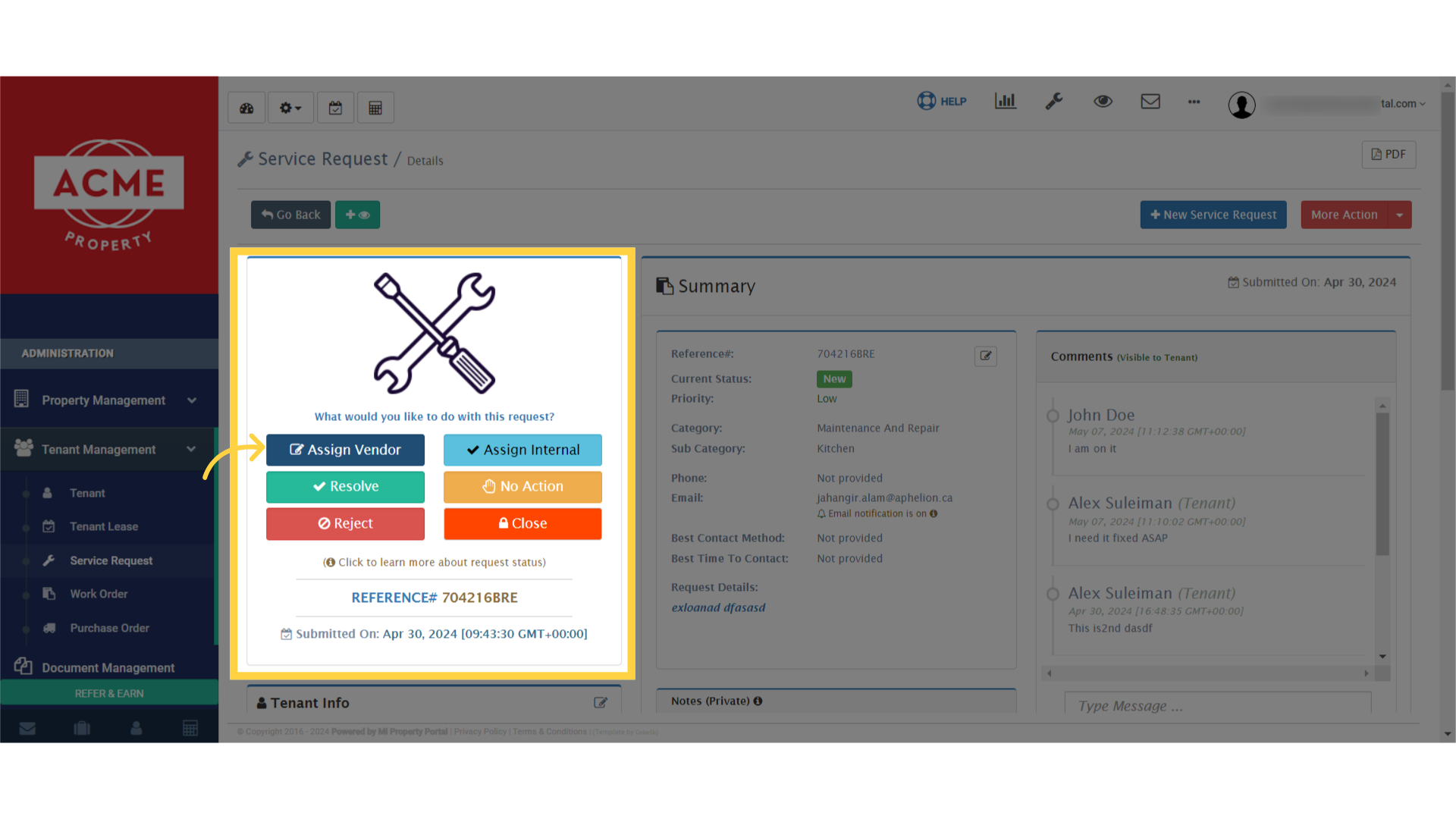
Within the Service Request/Details page, click on 'Assign Vendor'

4. To assign the Service Request to a Vendor, choose “Create Work OrderTo assign the Service Request to a Vendor, choose 'Create Work Order.'
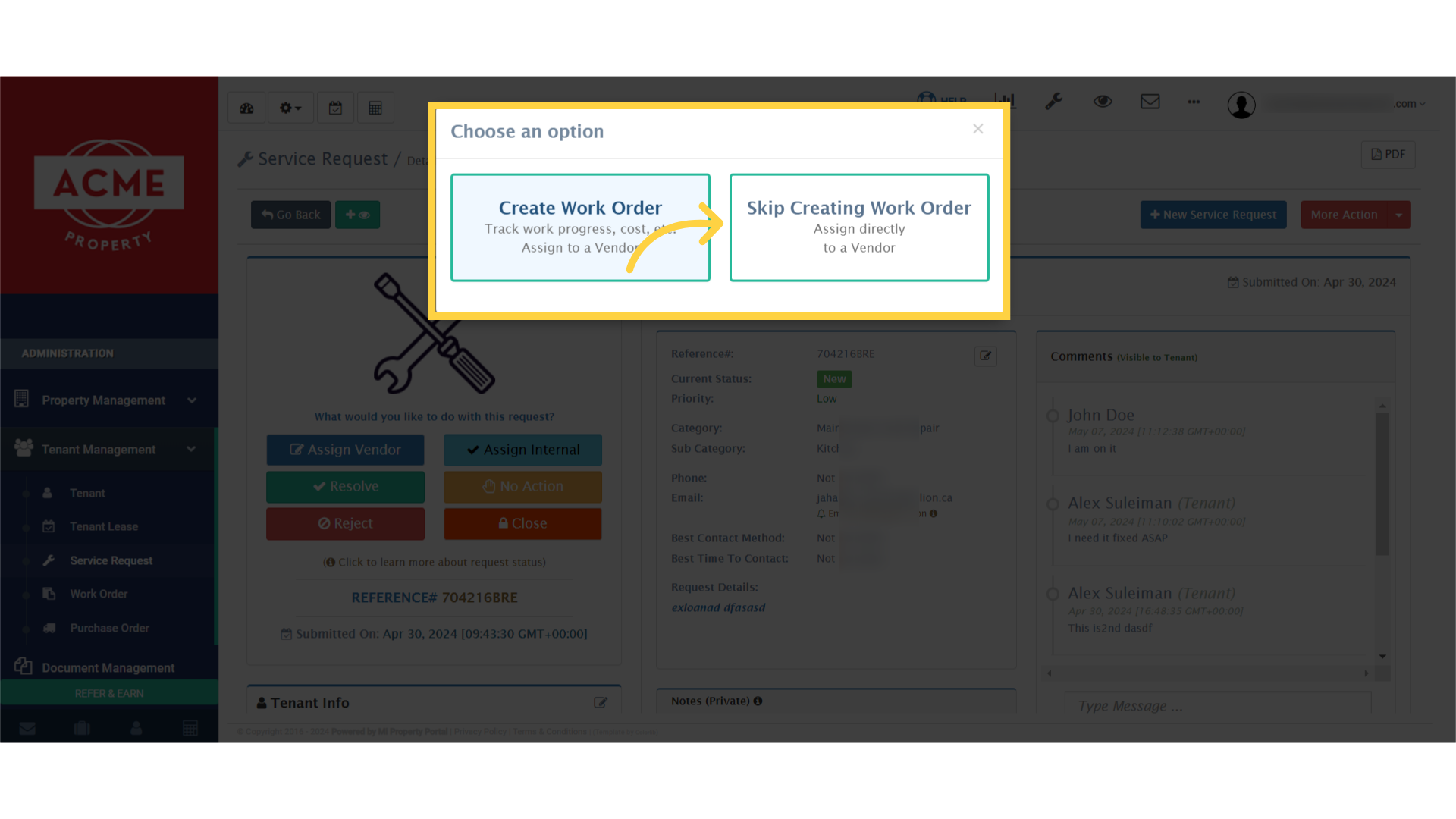
5. Select the vendor you want to assign
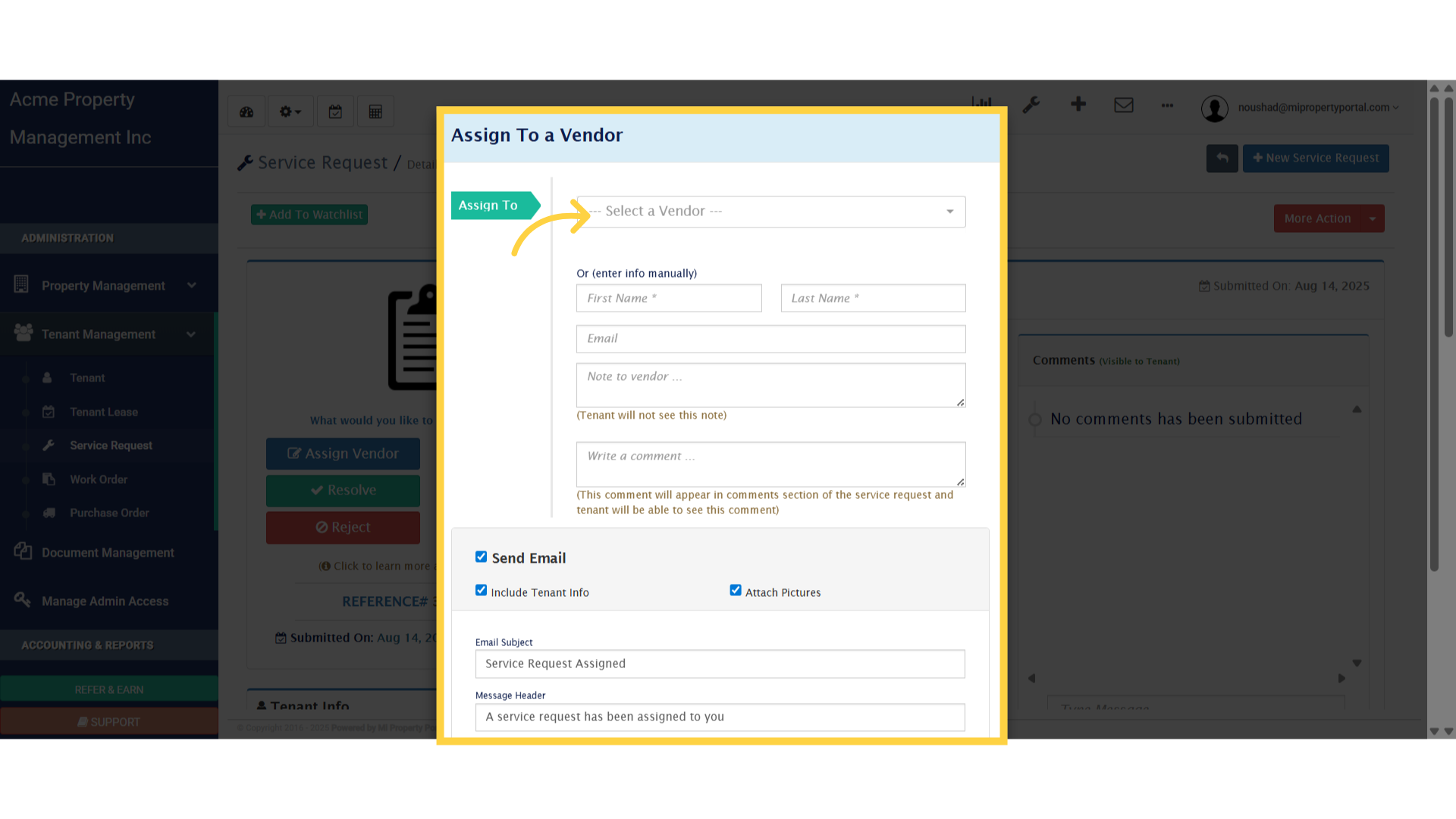
Click 'Assign To a Vendor'

6. Let’s add a quick note to your vendor
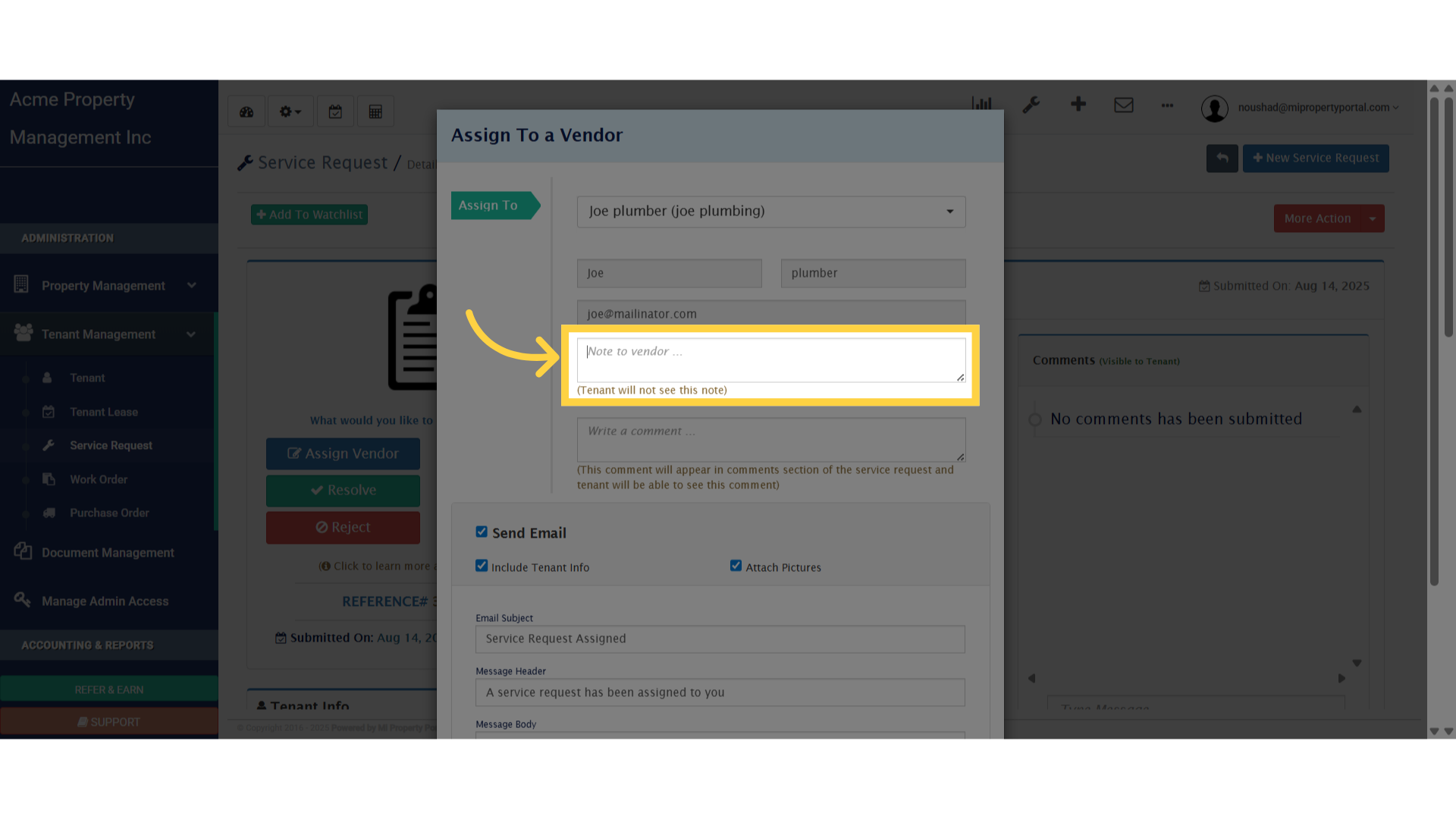
Click 'Note to vendor ...'

7. Write a comment to give the vendor extra details or instructions
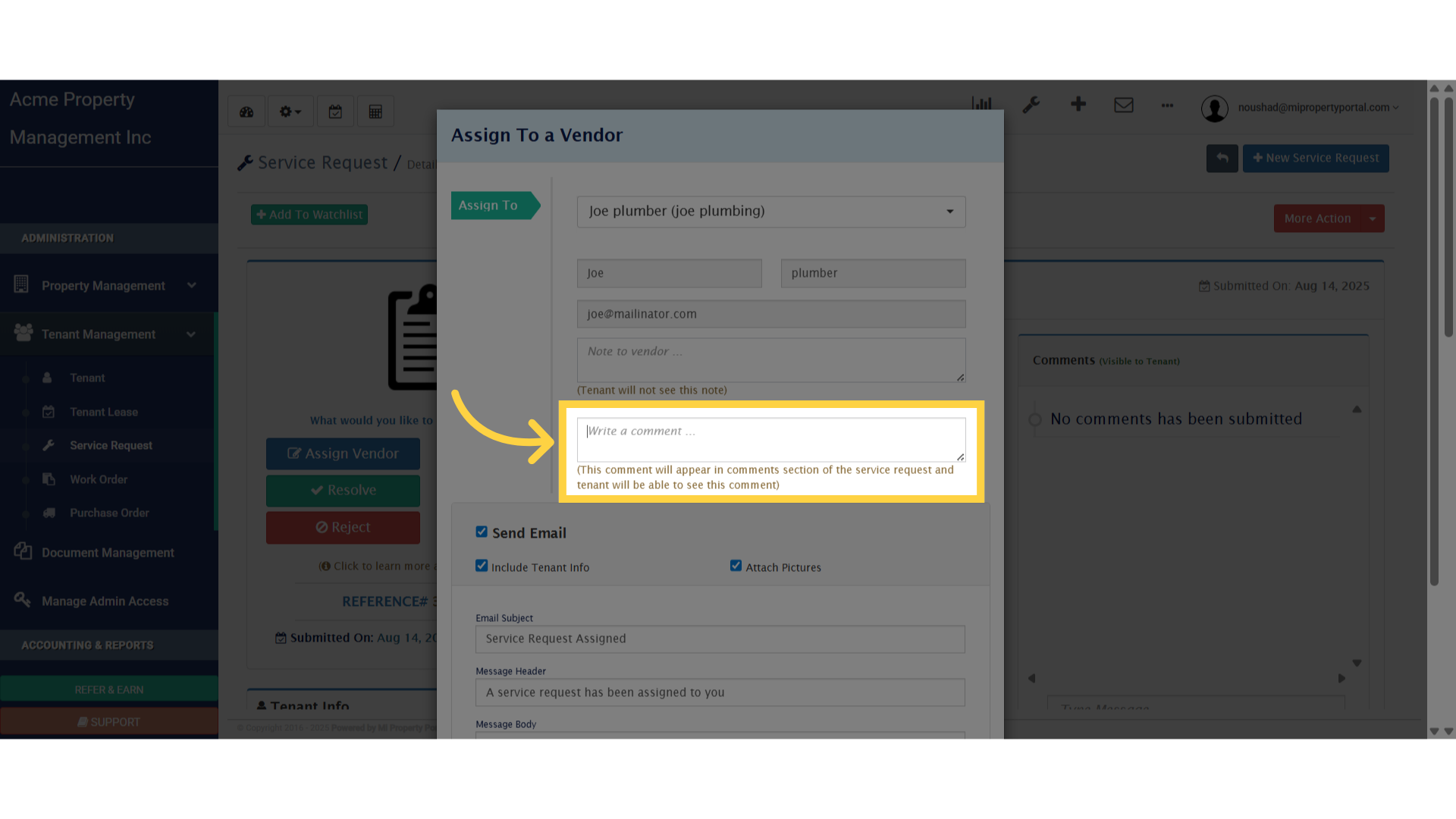
Click 'Write a comment ...'

8. If you want the vendor to receive this by email, just check the box. You can also select options to include tenant info or attach a picture
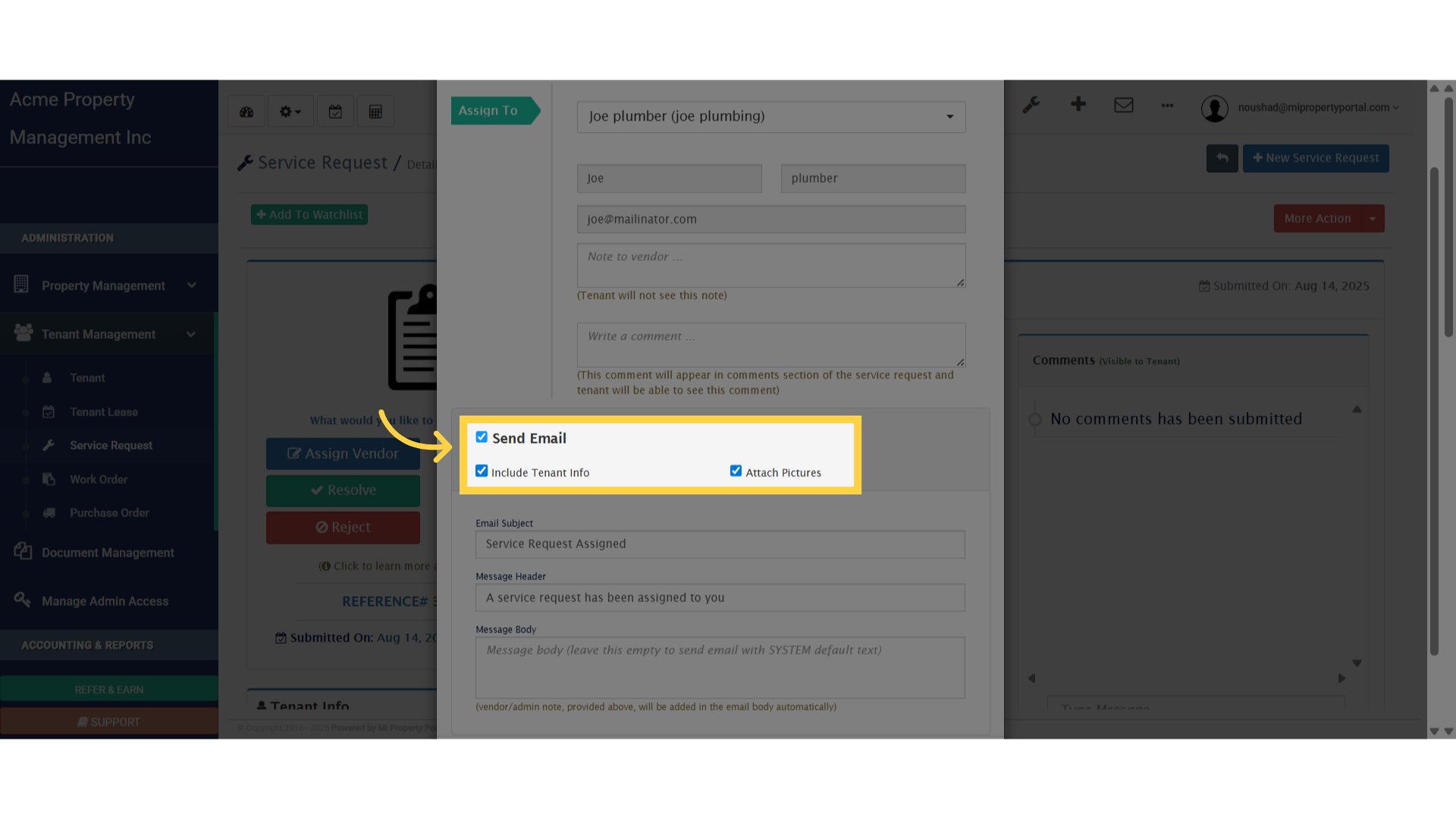
Click 'true'

9. Next, enter email’s subject, header, and body into the boxes
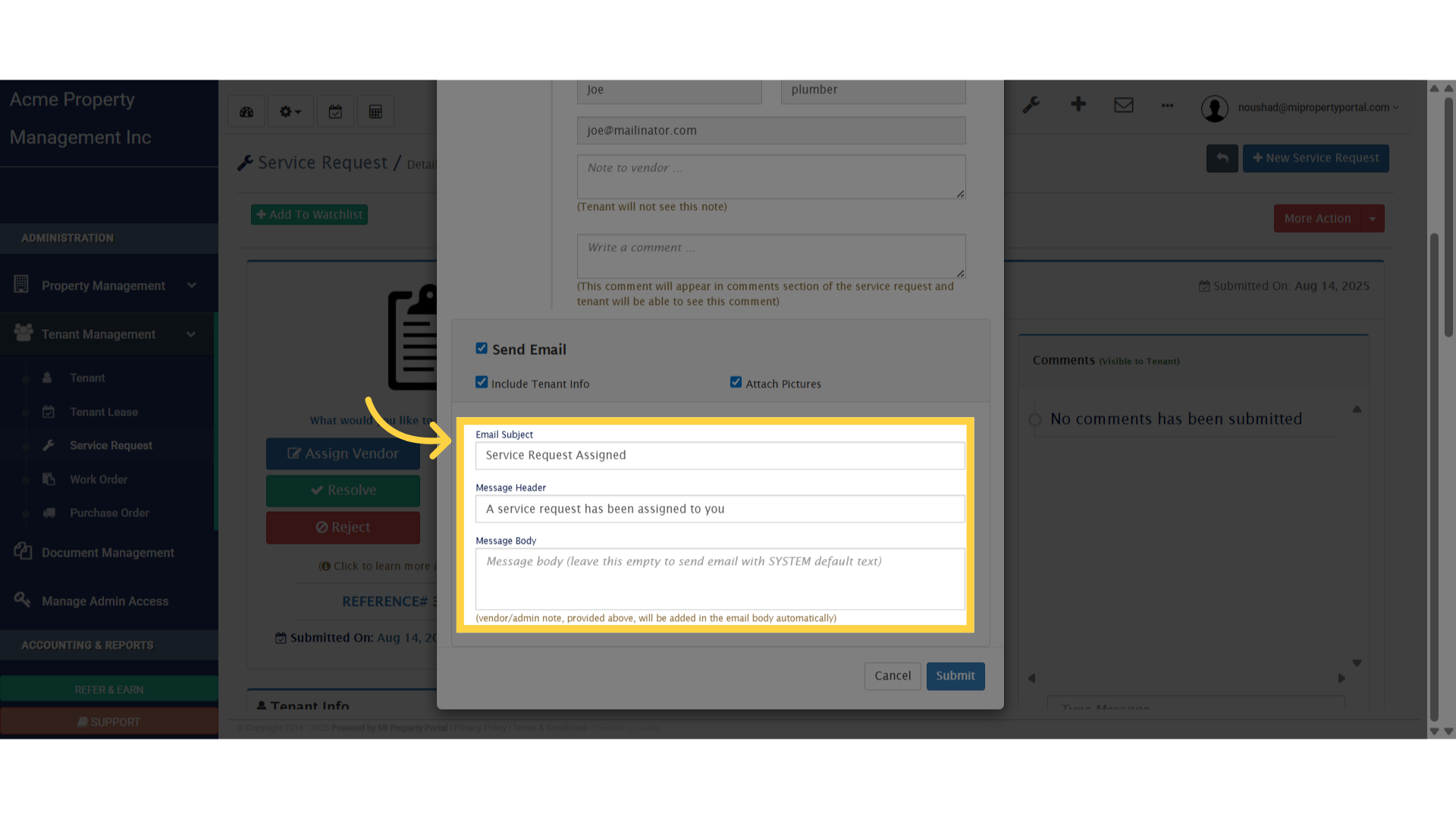
Click 'Email Subject'

10. Click Submit to wrap up the process
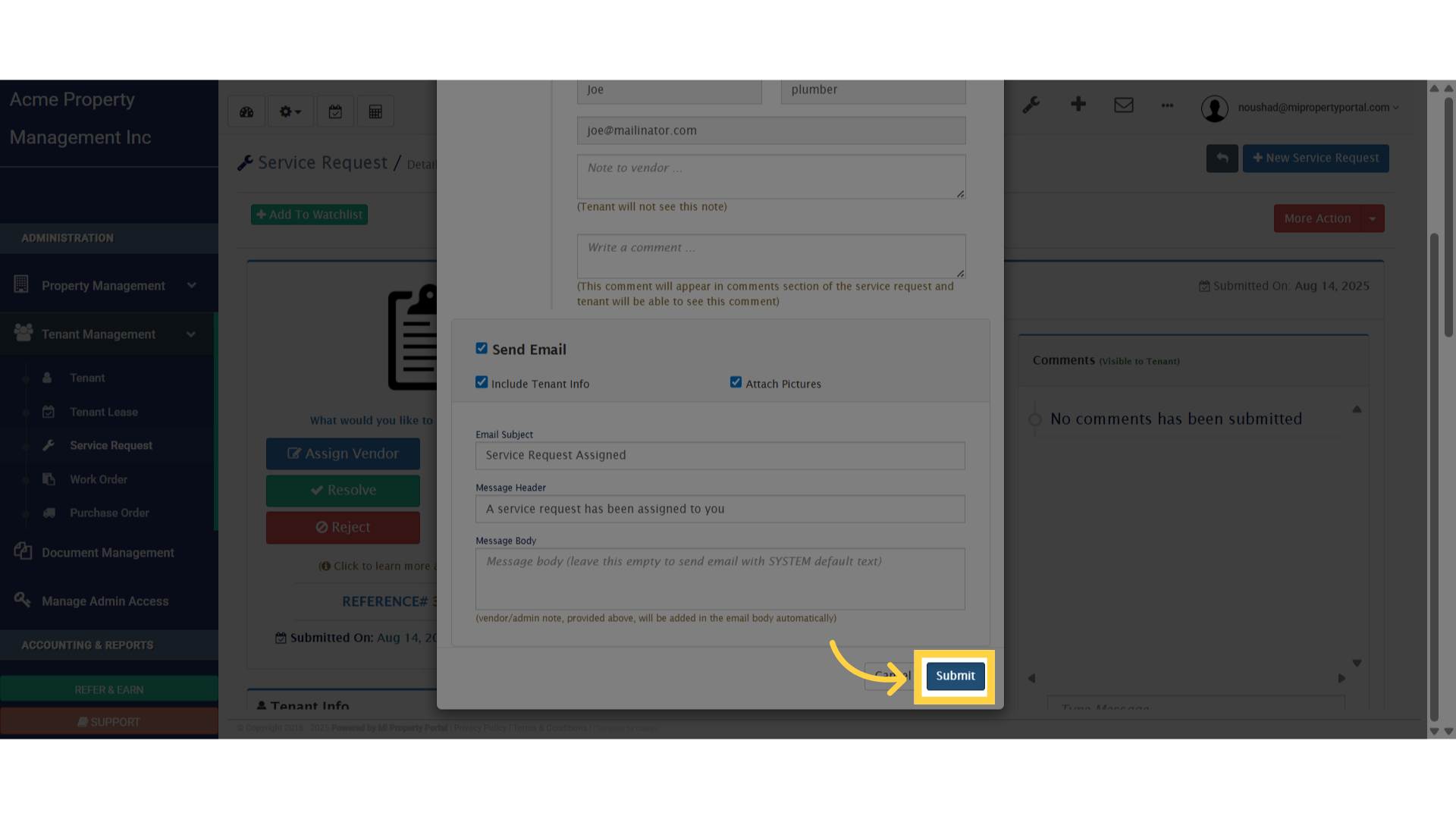
Click 'Submit'

Tags:How to Assign a service request Task to a Vendor?

Was this helpful?

Yes  No
Related Articles
  • How to Set Up Email Alerts for Service Requests?
  • How can I Locate and View Service Requests on the Tenant Details Page?(Tenant Management)
  • How to Delete a Work Order?
  • How to Filter the Priority level in of Work Order in List View?
  • How to Assign a Task to a Team Member from Service Request?
  • How to Remove Service Request from Watchlist?

Didn't find your answer? Contact Us

Leave A Comment Cancel reply

You must be logged in to post a comment.

Popular Articles
  • New Feature – Trust Liability Report
  • New Feature – Bell Notification Sent to Admin on Tenant Document Upload via Tenant Portal
  • Notify to Owner if service request flag is enabled from notification settings
  • Email notification sent to tenant on Other document upload
  • New Feature – Create Lease Quickly Using Prospect List
KB Category
  • Service Request
  • Subscription
  • Bulk Data Upload
  • Owner Portal
  • MiPropertyPortal Admins Training Workshop
  • MiPropertyPortal New Features/Improvements Monthly Webinar
  • Task Management
  • Prospective Tenants
  • Setup
  • Vendor Management
  • Tenant Screening
  • Tenant Portal
  • Tenant Management
  • Accounting
  • Security Deposit
  • Reporting
  • Rental Tax
  • Rental Listing
  • Property Owner Related
  • Property
  • Other
  • Asset Management
  • Online Payment
  • Lease Management
  • General
  • Form Management

How to Create a Service Request from the Admin Portal?  

MiPP
MiProperty Portal is Canadian-made for
Canadian landlords and property managers.
COMPANY
  • About Us
  • Why MiPP?
  • Features
SUPPORT
  • Knowledge Base
  • Get Email Help
SOCIAL
  • Linkedin
  • Facebook
  • Twitter
  • Privacy Policy
  • Terms of Use
  • © 2025 mipropertyportal.com. All Rights Reserved.