Learn how to efficiently cancel your subscription within the platform
1. Click on User Email dropdown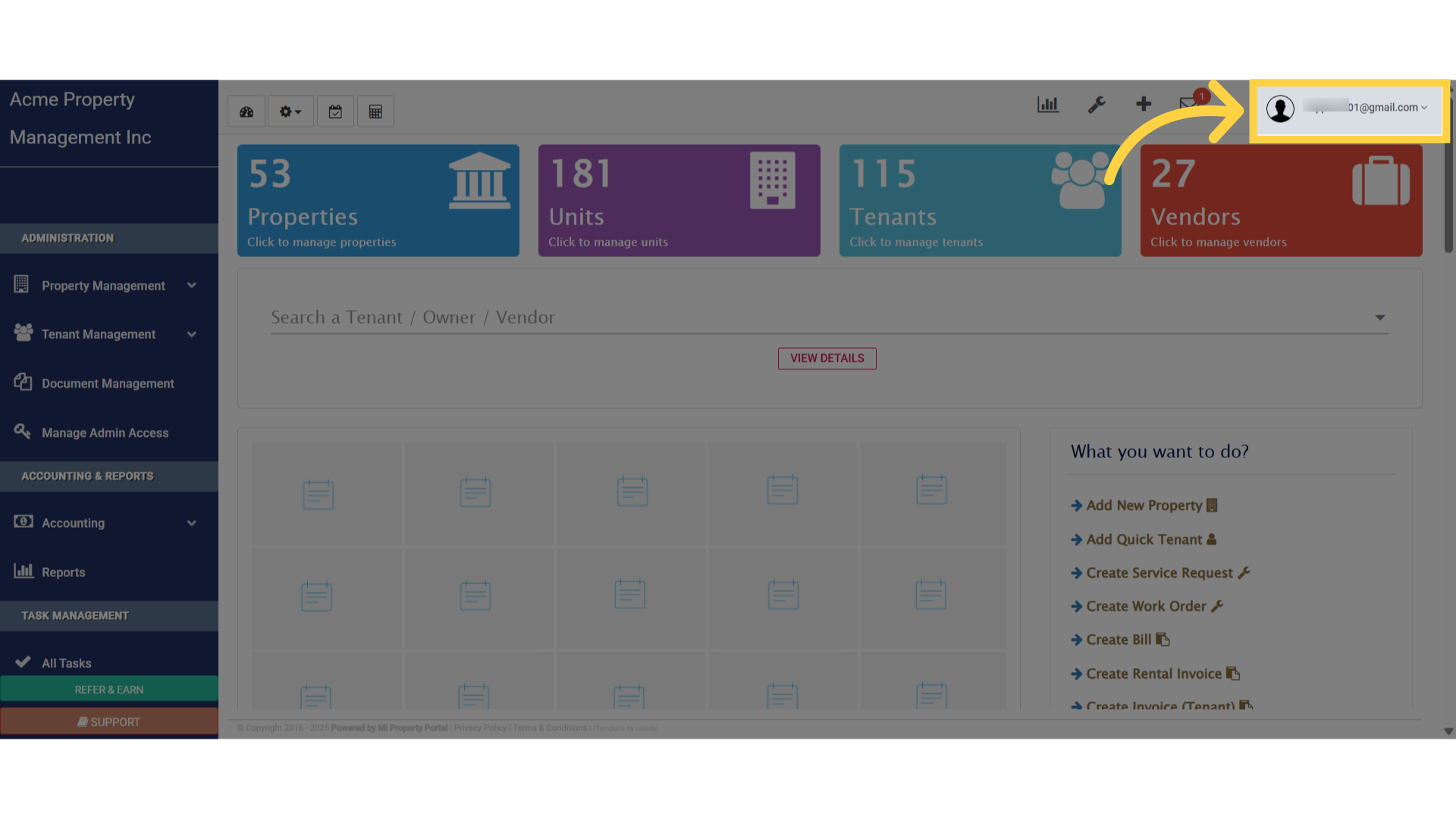
2. Select “Subscriptions”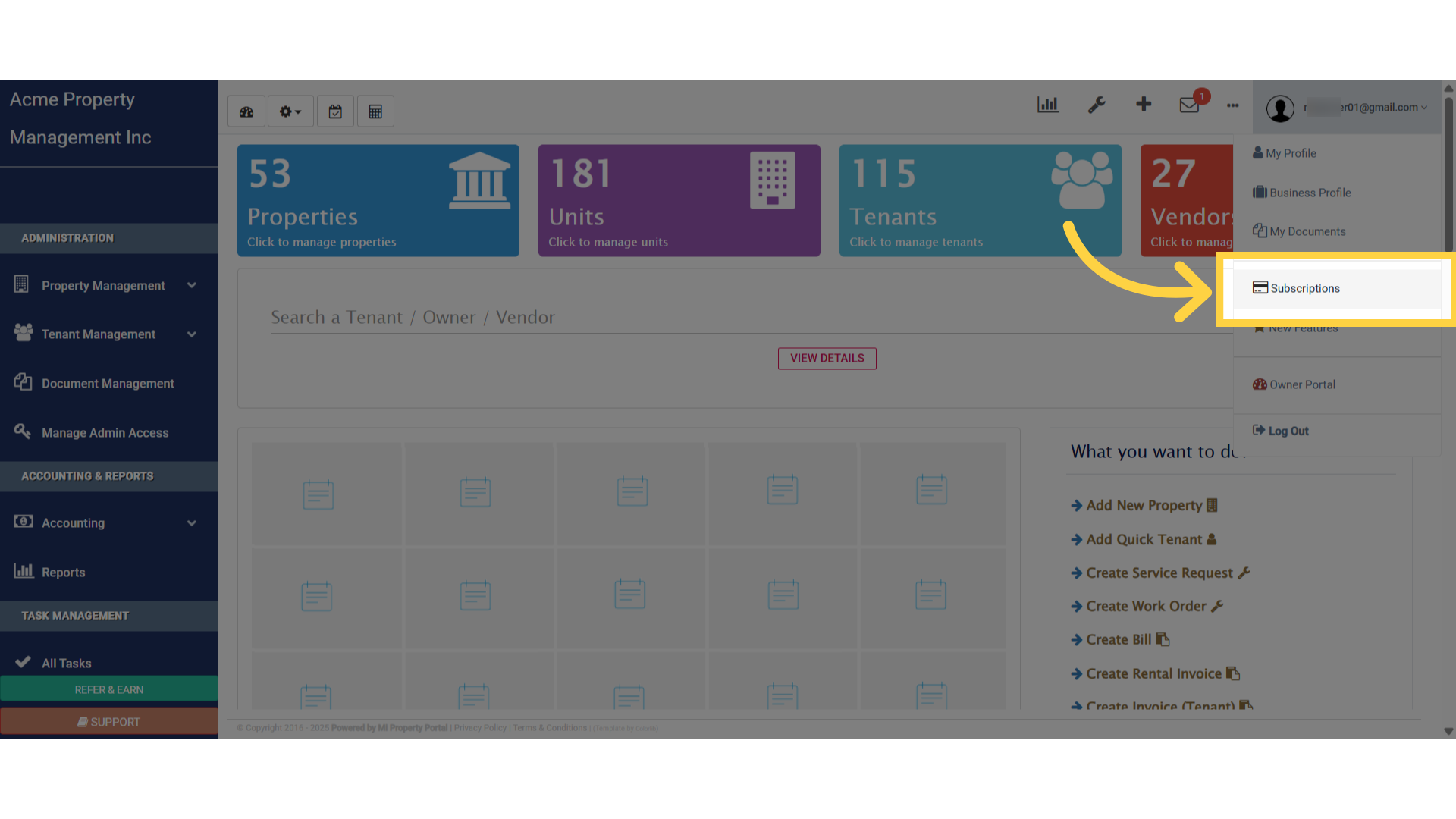
3. Initiate the cancellation process by selecting the ‘UNSUBSCRIBE’ button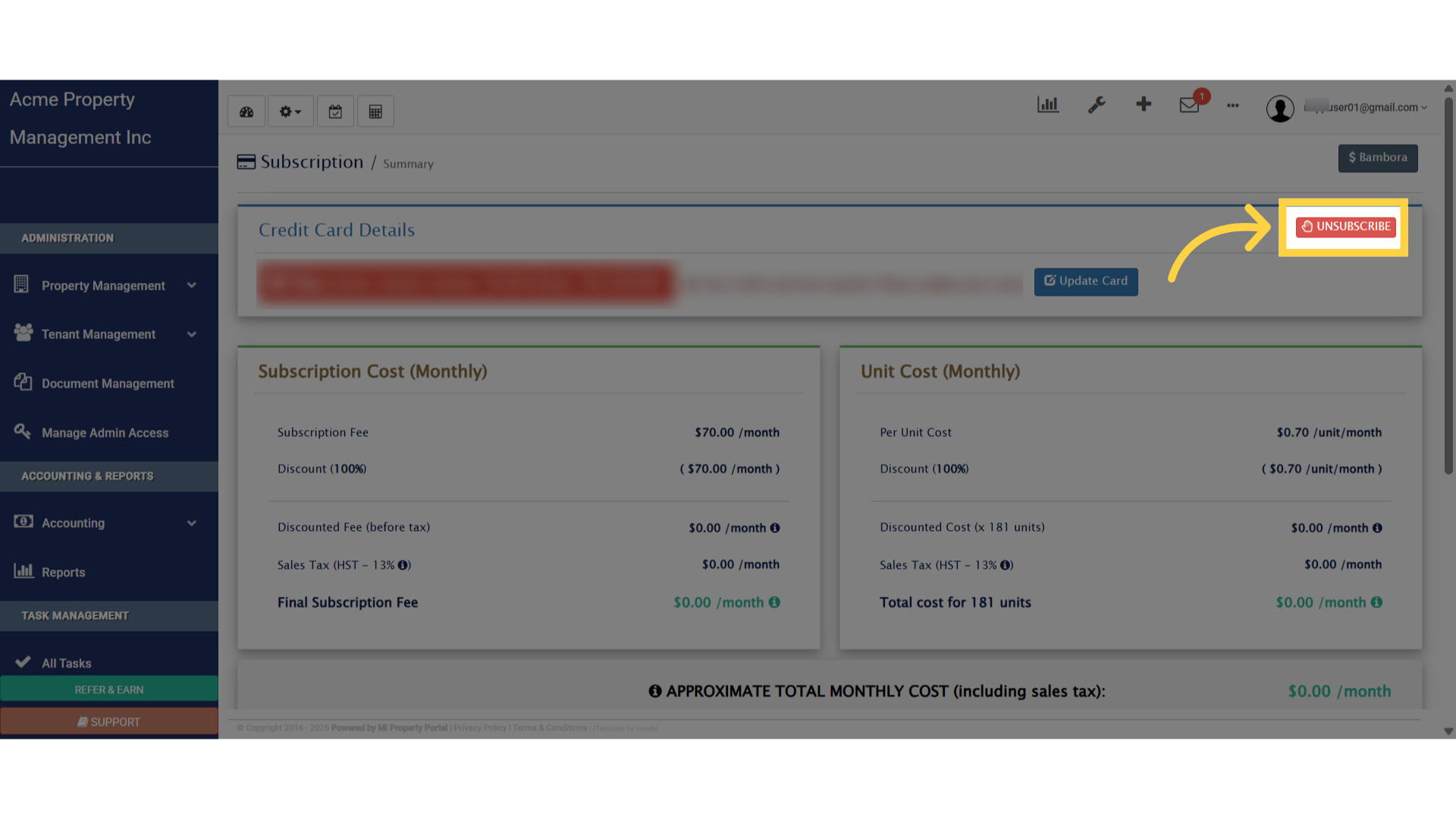
4. Confirm “Yes, Unsubscribe” or “Cancel”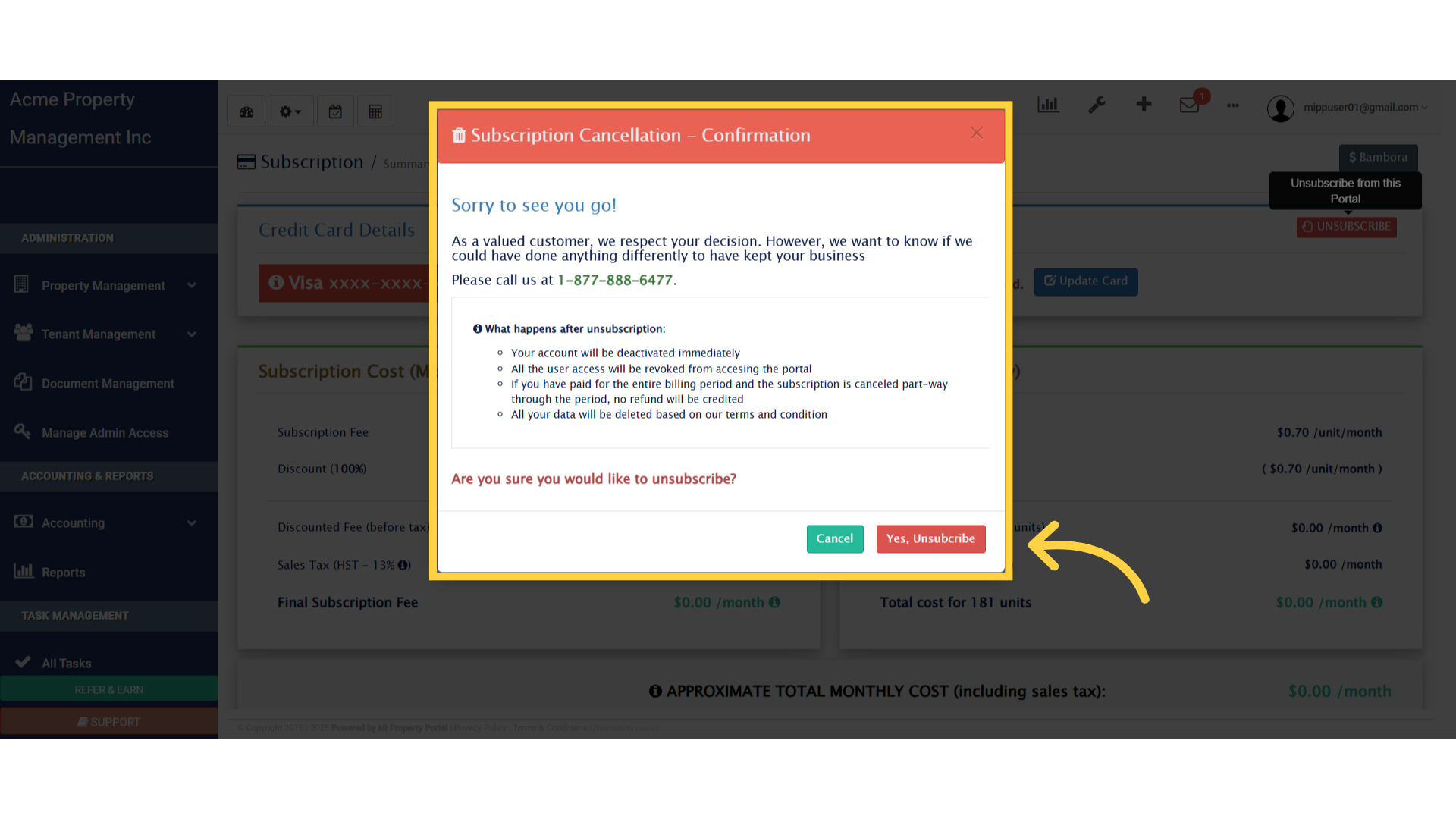
This guide walked you through how to initiate a cancellation, including how to abort the process and exit the subscription management area. Thanks for Watching