• Home
  • Blogs
  • FAQs
  • Login
  • Home
  • Blogs
  • FAQs
  • Login
home/Knowledge Base/Tenant Management/How to Generate Tenant Account History Report?

How to Generate Tenant Account History Report?

45 views 0 November 13, 2023 Updated on October 14, 2024 mippsupportadmin

1. Go to “Tenant Management” dropdown on the Left Navigation
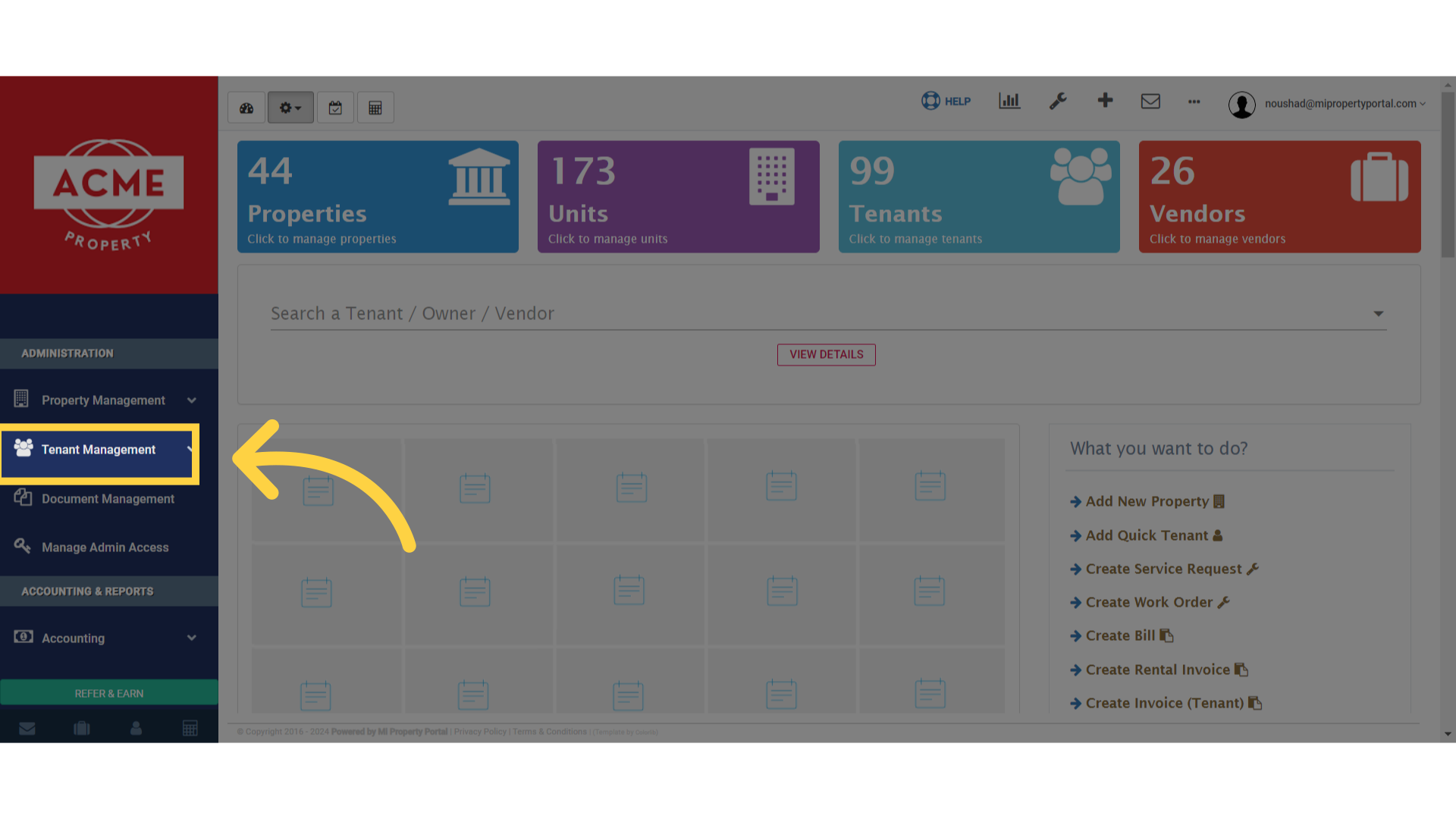
Click here

2. Select ‘Tenant’ from the options available in the dropdown menu”
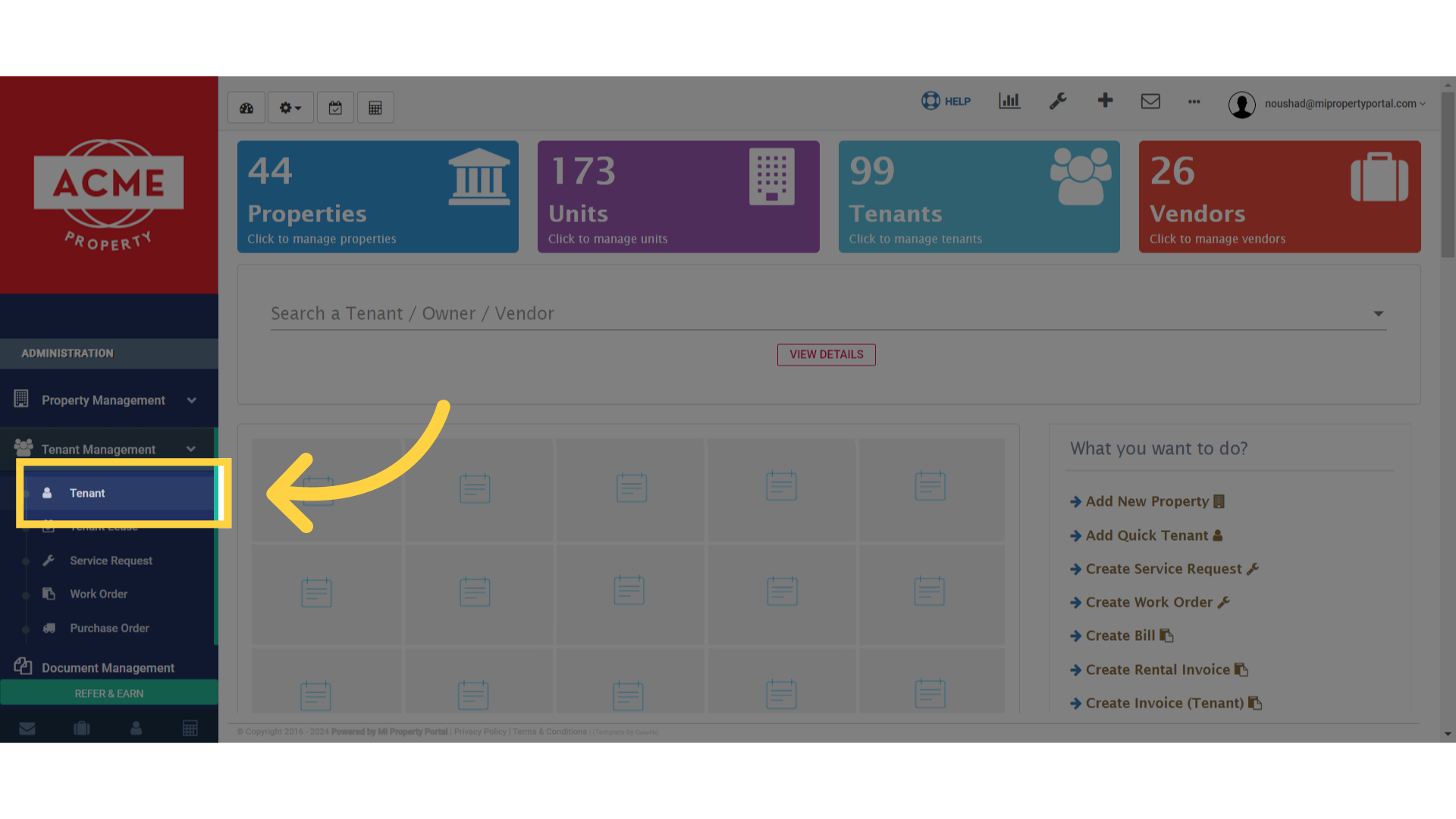
Click 'Tenant'

3. Click on the tenant’s name to navigate to the ‘View Details’ page
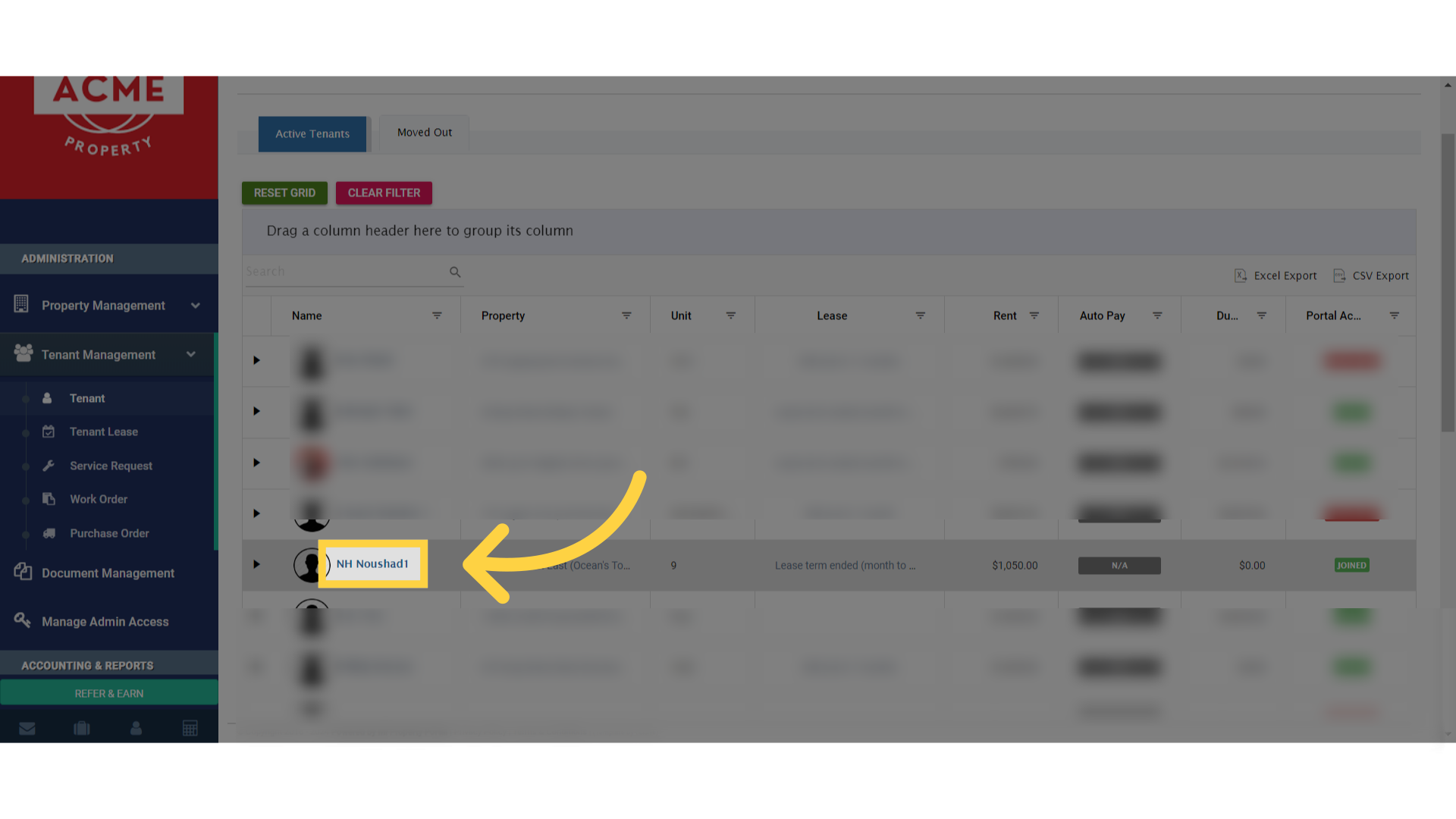
Click 'NH Noushad1'

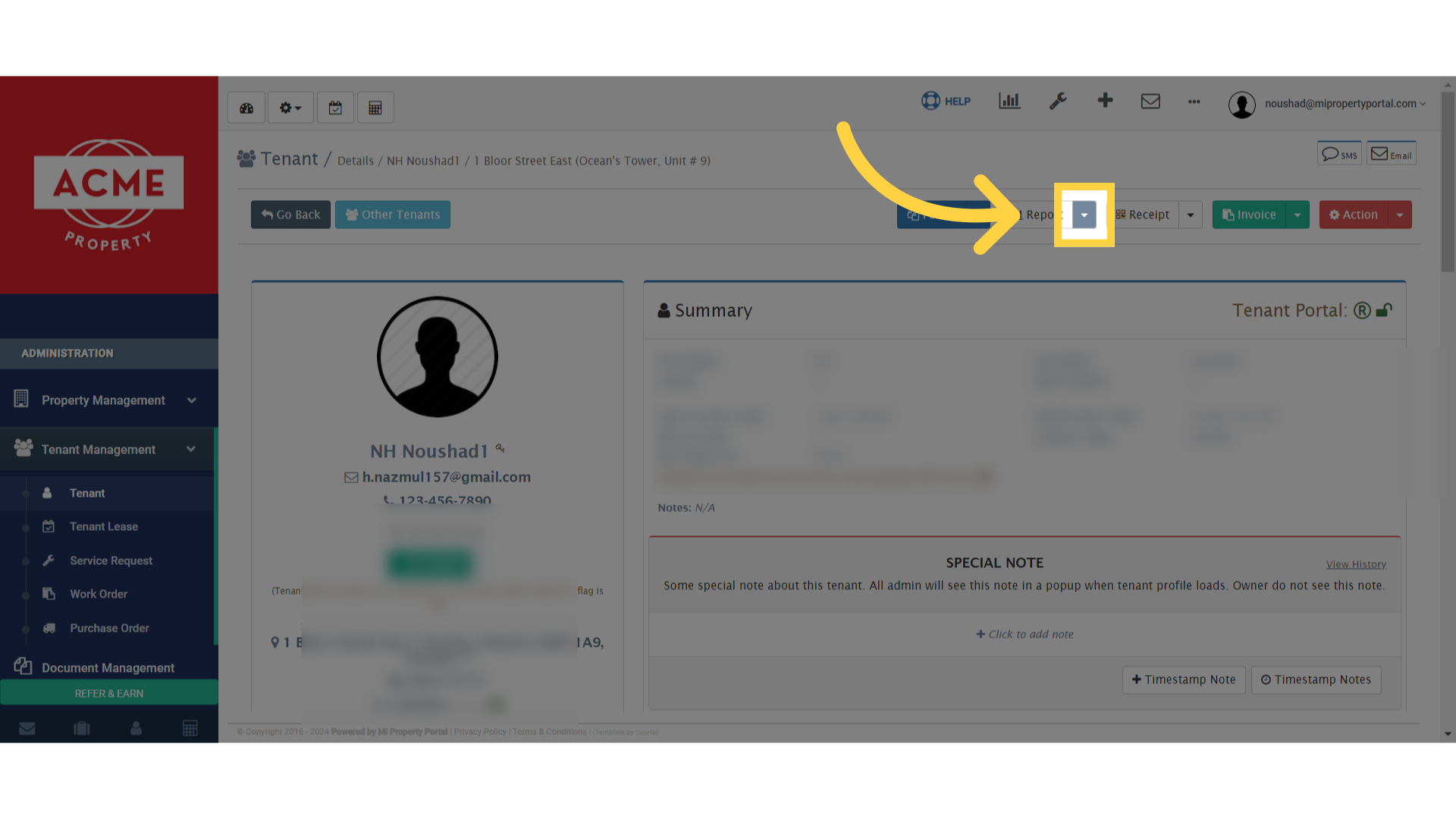
4. Click “Toggle Dropdown”

Click 'Toggle Dropdown'

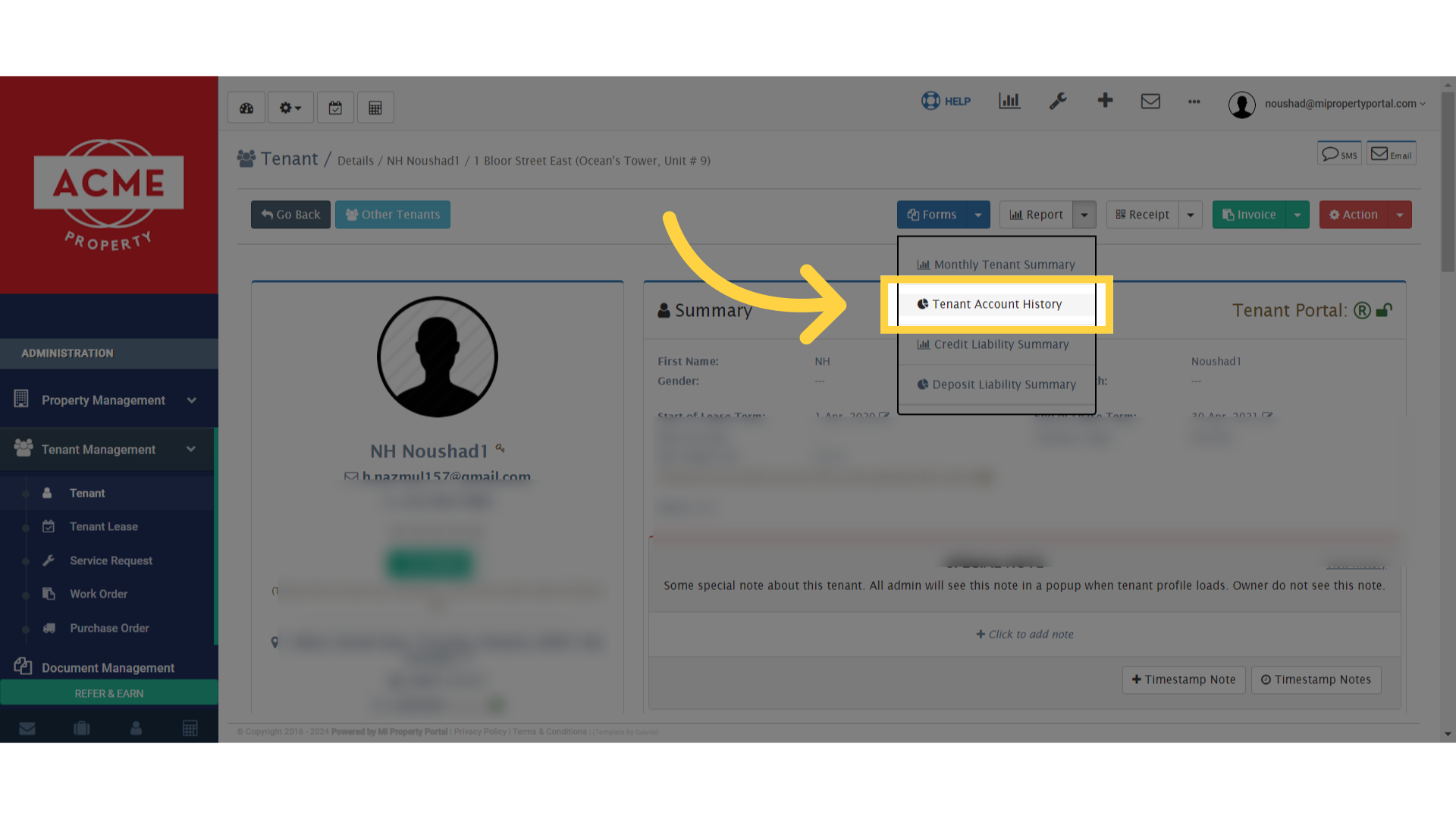
5. Click “Tenant Account History”

Click 'Tenant Account History'

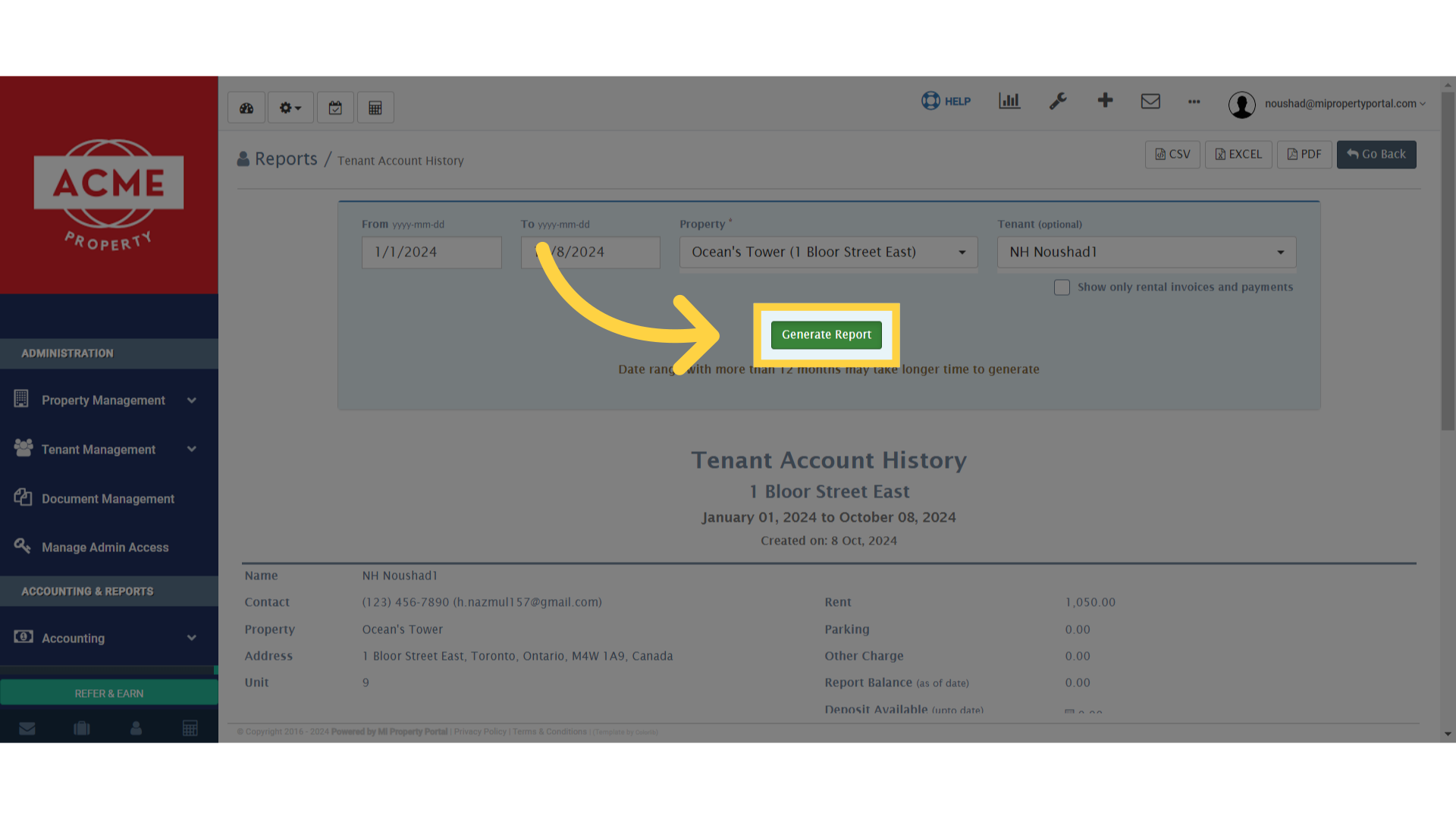
6. Select the timeline for the report you want to generate by choosing the ‘From Date’ or starting date
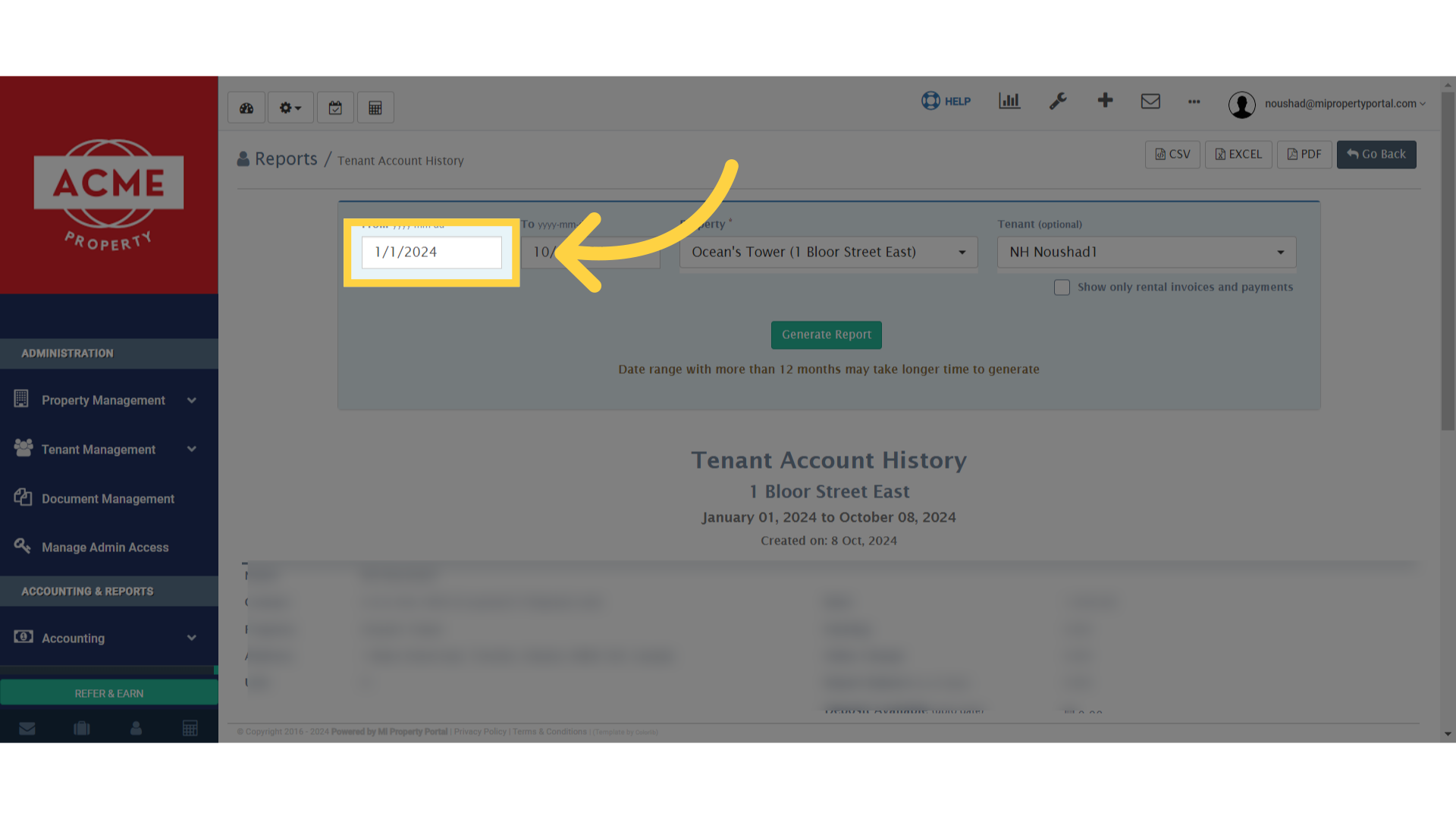
Click '1/1/2024'

7. Select the timeline for when you want the report to end by clicking on the ‘To Date’ field
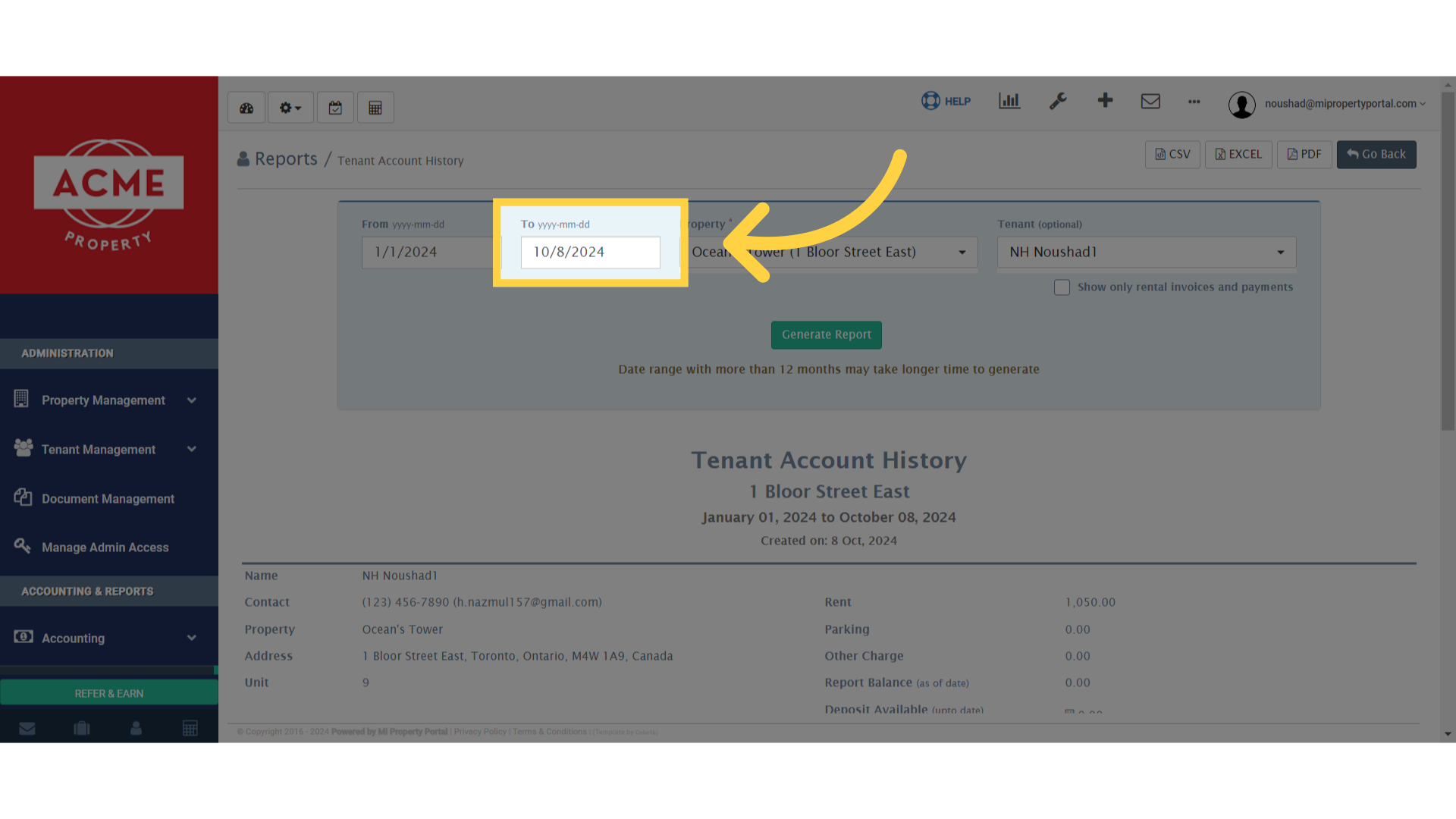
Click 'To yyyy-mm-dd'

8. Click “Generate Report”

Click 'Generate Report'

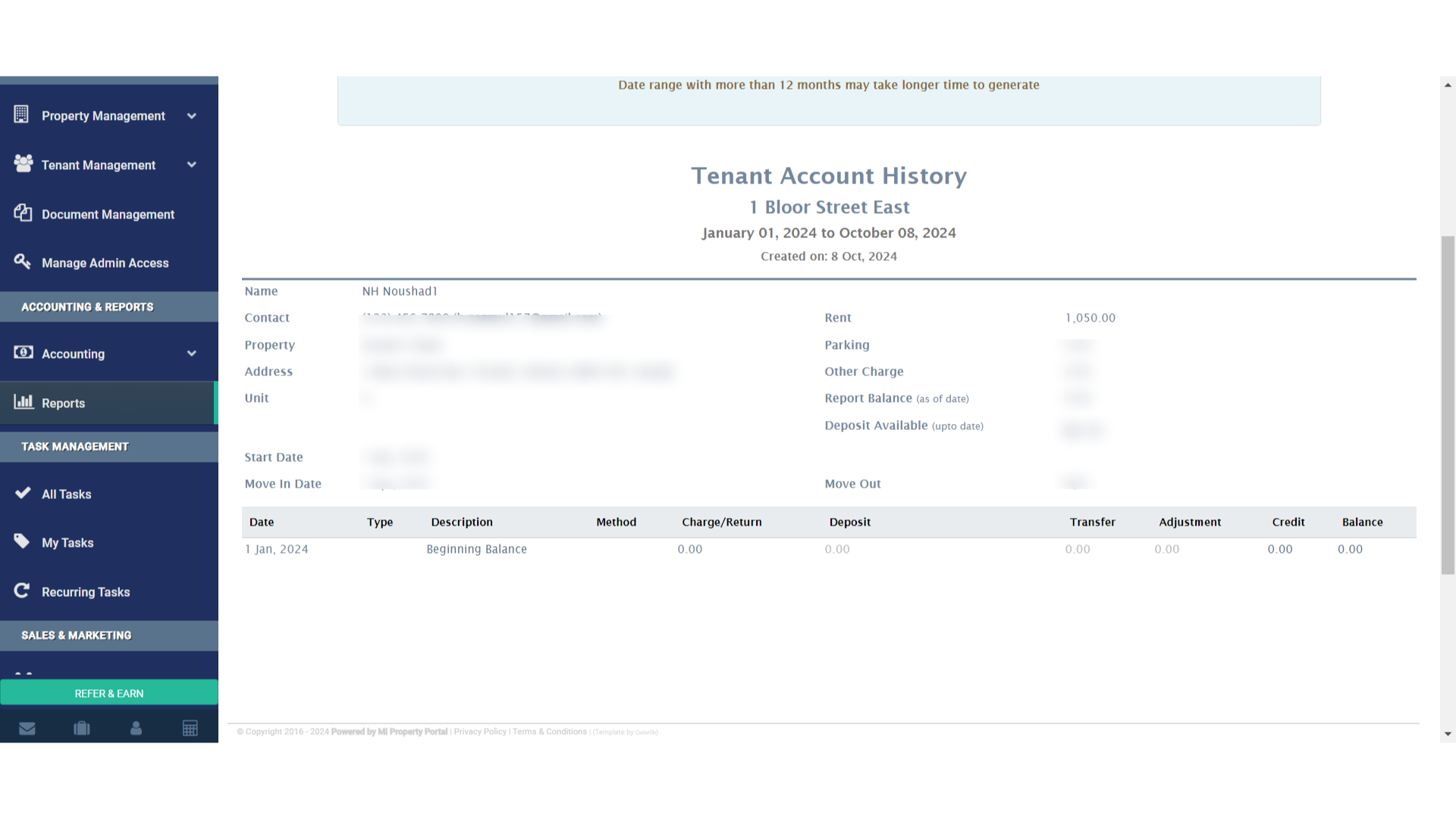
9. Check the report

Click 'Tenant Account History 1 Bloor Street East January 01, 2024 to October 08, 2024 Created on: 8 Oct, 2024'

Tags:generateTenant Account HistoryTenant Account History ReportGenerate Tenant Account History ReportHow to Generate Tenant Account History Report?How to generate tenant account history report in MiPropertyPortalSteps to create a tenant account history reportHow to view tenant payment historyGuide to generating tenant account activity reportHow to access tenant account historyHow to track tenant financial recordsHow to run a tenant account statement reportBest practices for generating tenant account reportsHow to export tenant account history reportHow to review tenant financial activity and payments

Was this helpful?

Yes  No
Related Articles
  • How to Rent a Parking Spot in Mi Property Portal
  • How to Communicate with Tenants?
  • How to start a Tenant Background Check?
  • How to Split Rent Among Multiple Tenants?
  • How to add parking in a tenant profile?
  • How to Transfer Management Fee to Another Business Property or Account?

Didn't find your answer? Contact Us

Leave A Comment Cancel reply

You must be logged in to post a comment.

Popular Articles
  • New Feature – Trust Liability Report
  • New Feature – Enable All Property Permissions For Regular Admins
  • Can I log rental income for ‘Unpaid’ invoices for ‘Moved-out’ tenants?
  • How to Add Markup to Vendor Bills
  • How to Rent a Parking Spot in Mi Property Portal
KB Category
  • Service Request
  • Subscription
  • Bulk Data Upload
  • Owner Portal
  • MiPropertyPortal Admins Training Workshop
  • MiPropertyPortal New Features/Improvements Monthly Webinar
  • Task Management
  • Prospective Tenants
  • Setup
  • Vendor Management
  • Tenant Screening
  • Tenant Portal
  • Tenant Management
  • Accounting
  • Security Deposit
  • Reporting
  • Rental Tax
  • Rental Listing
  • Property Owner Related
  • Property
  • Other
  • Asset Management
  • Online Payment
  • Lease Management
  • General
  • Form Management

  How to Update previous line items Rent Amount for a Tenant?

How to Cancel Move Out from a Tenant Profile?  

MiPP
MiProperty Portal is Canadian-made for
Canadian landlords and property managers.
COMPANY
  • About Us
  • Why MiPP?
  • Features
SUPPORT
  • Knowledge Base
  • Get Email Help
SOCIAL
  • Linkedin
  • Facebook
  • Twitter
  • Privacy Policy
  • Terms of Use
  • © 2025 mipropertyportal.com. All Rights Reserved.