• Home
  • Blogs
  • FAQs
  • Login
  • Home
  • Blogs
  • FAQs
  • Login
home/Knowledge Base/Property/How to Add/Remove Property Features on the Vacancy Listing Page?

How to Add/Remove Property Features on the Vacancy Listing Page?

106 views 0 December 1, 2022 Updated on May 13, 2025 mippsupportadmin

1. Click on “Property Management” dropdown
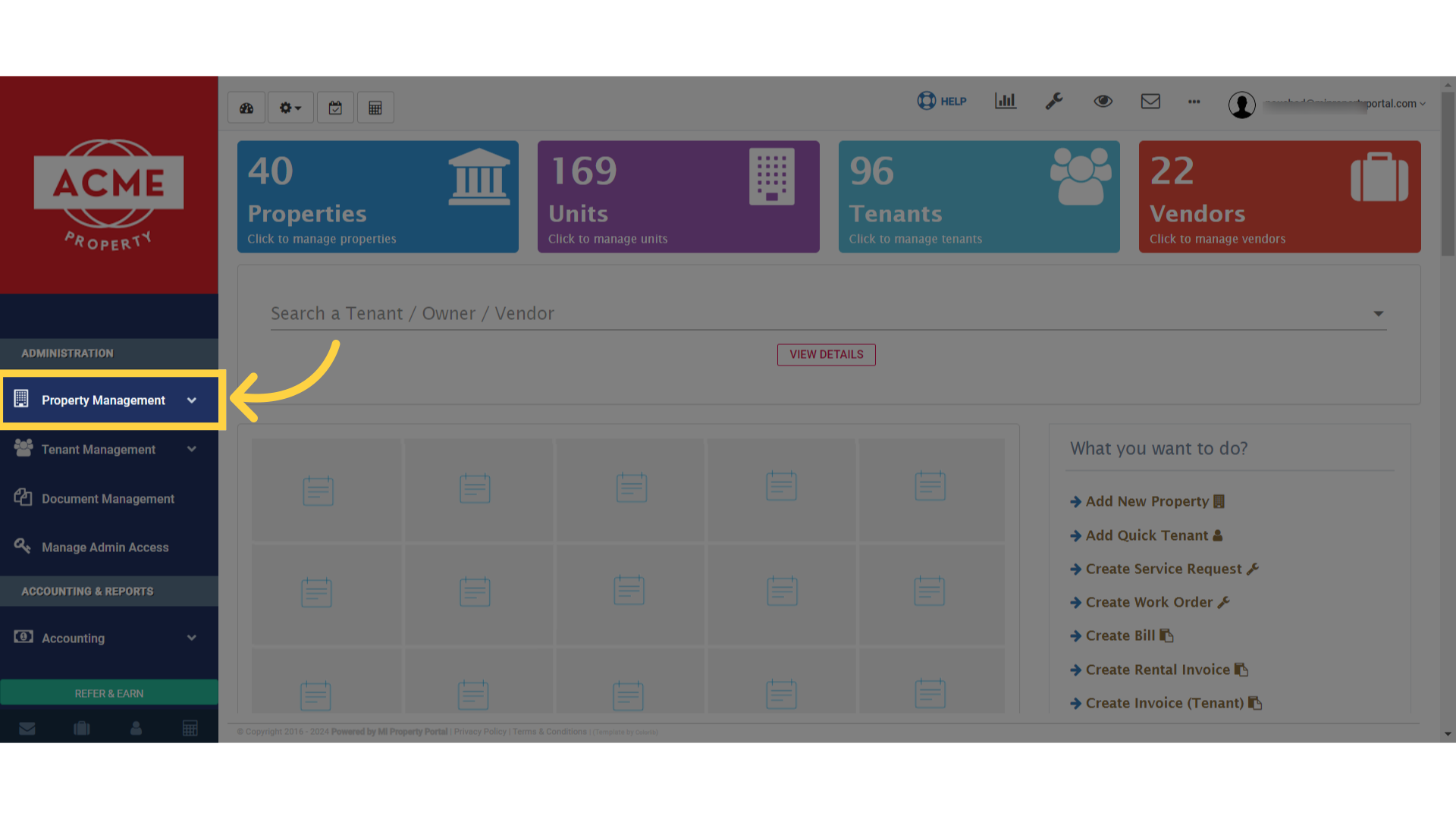
Click on 'Property Management' dropdown

2. Select “Properties” from the available options
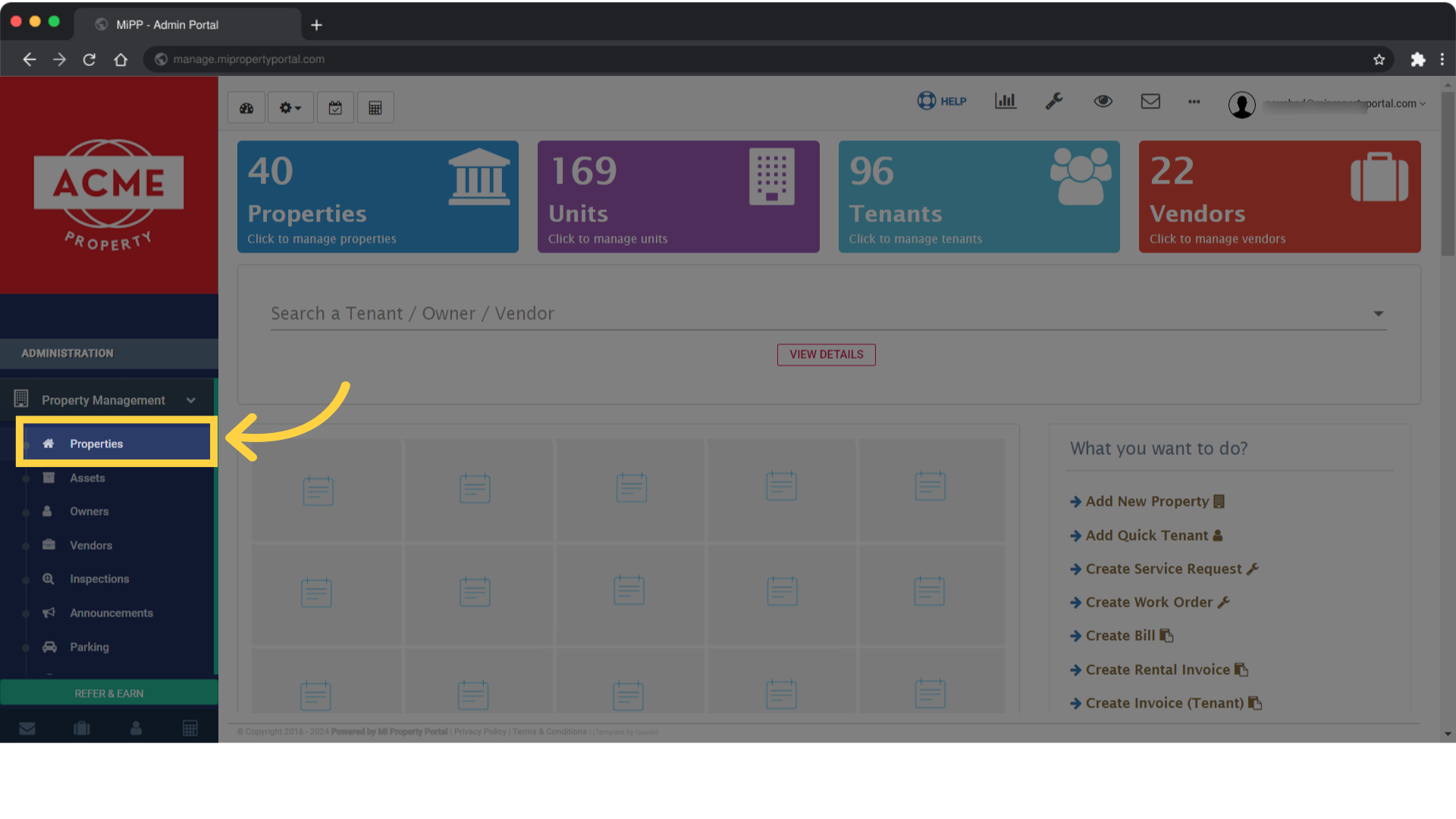
Select 'Properties' from the available options

3. Next, use the Search Property field at the top of the page to find the property you want to update
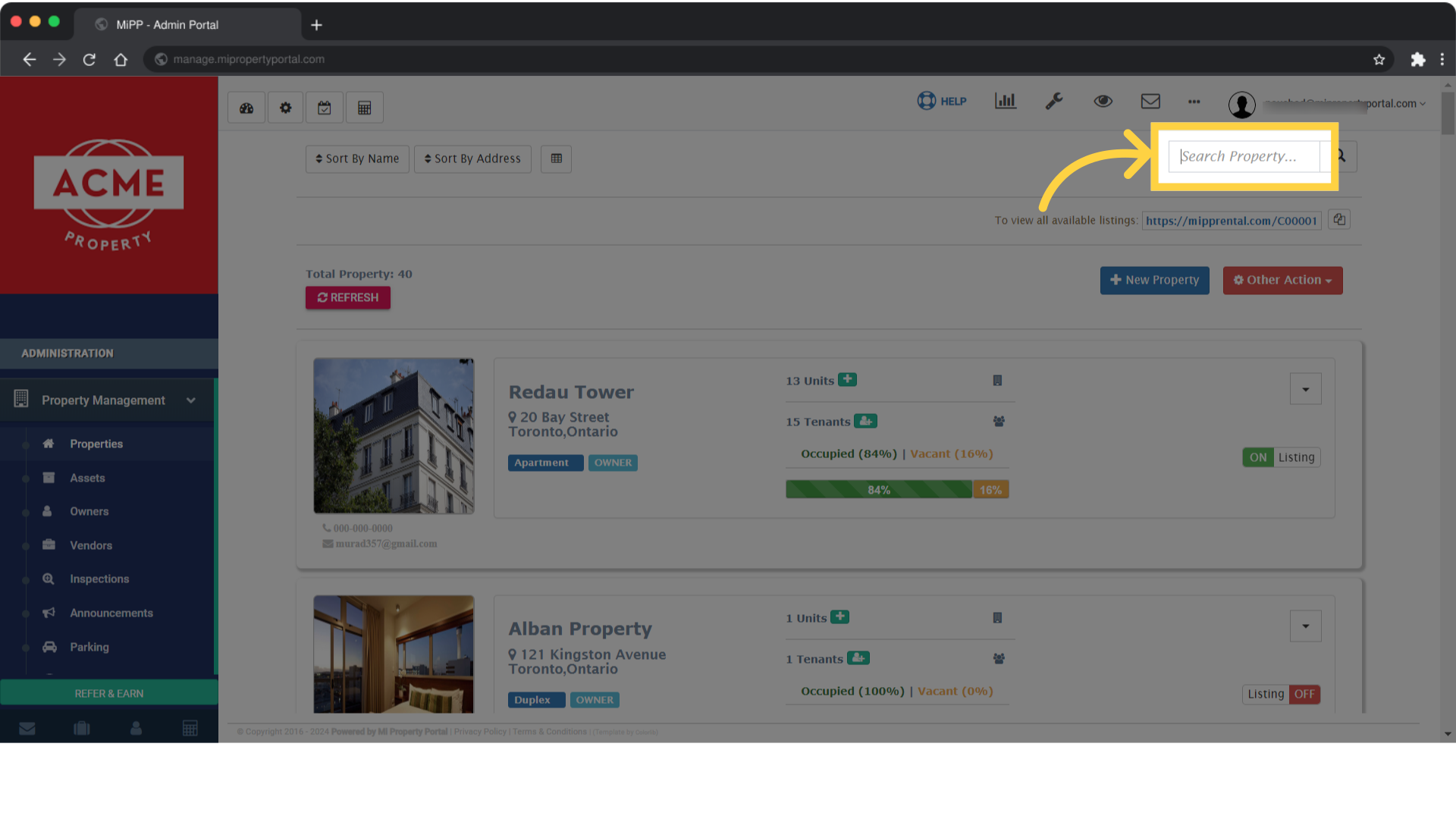
Next, use the Search Property field at the top of the page to find the property you want to update

4. Once you’ve located the property, click the dropdown menu next to its name
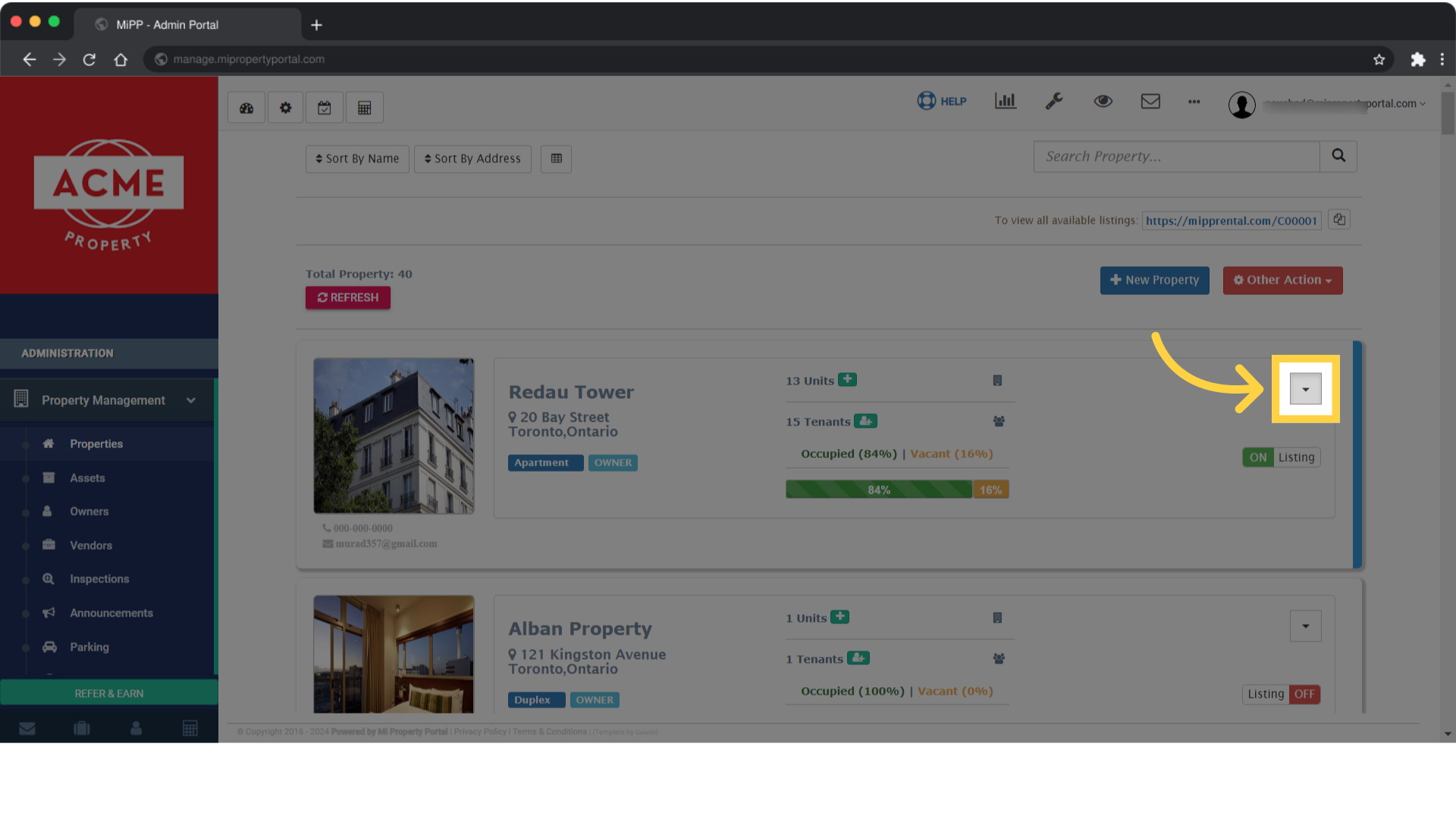
Once you’ve located the property, click the dropdown menu next to its name

5. Choose “Edit” from the options provided
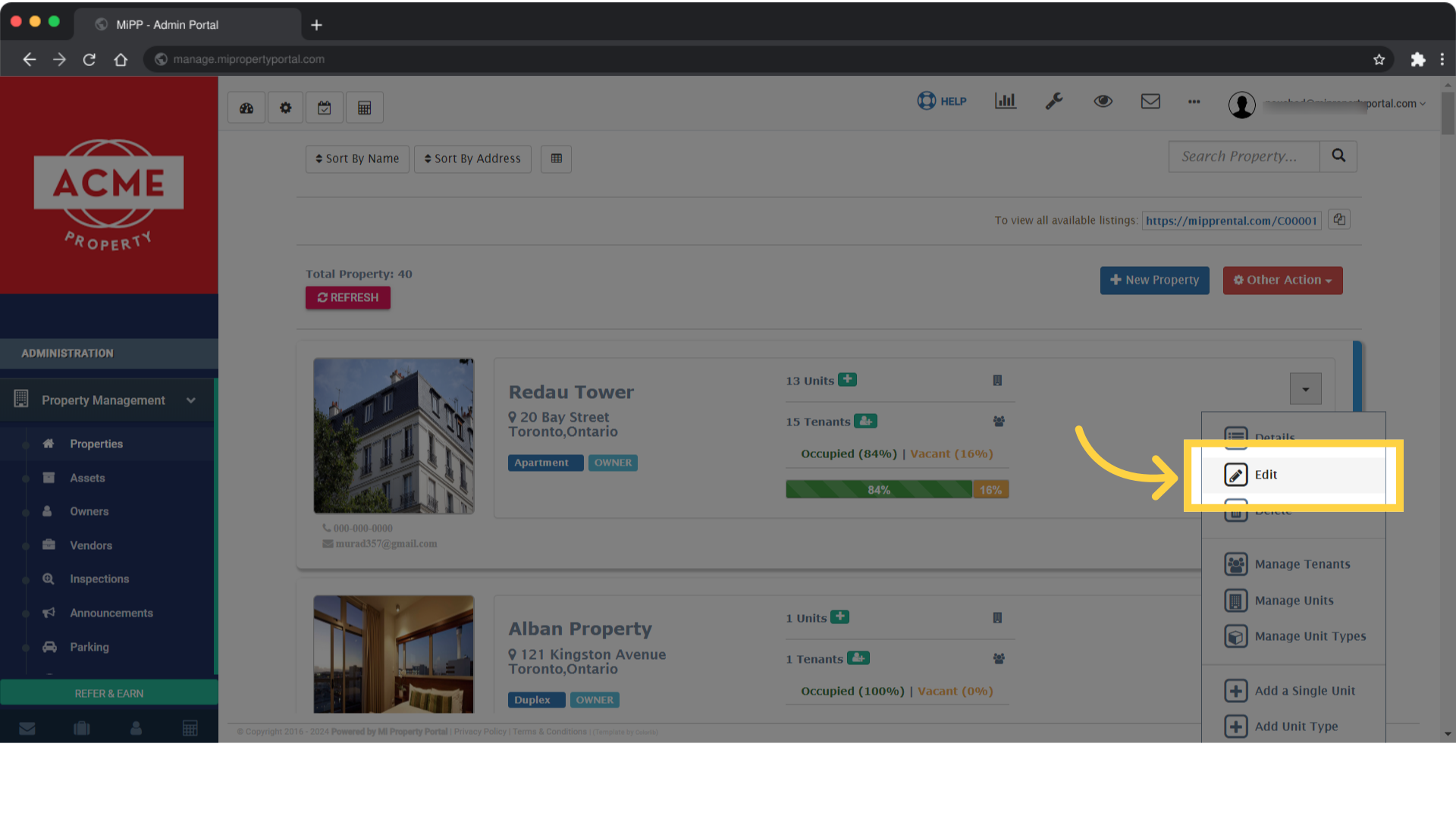
Choose 'Edit' from the options provided

6. You will be redirected to the “Property / Edit” page for the selected property
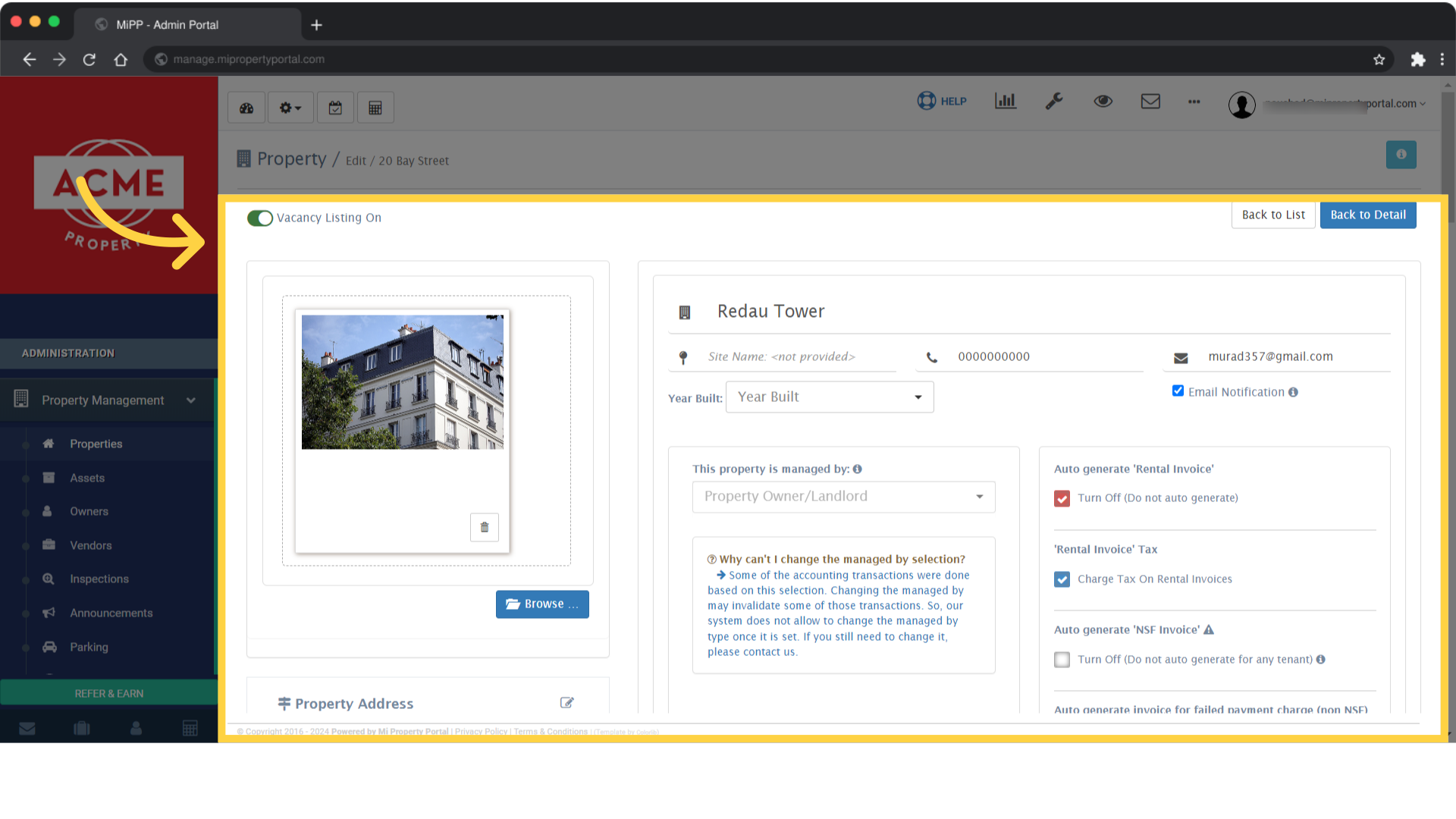
You will be redirected to the 'Property / Edit' page for the selected property

7. Scroll down on the “Property/Edit” page and find the “Vacancy Listing Info” section
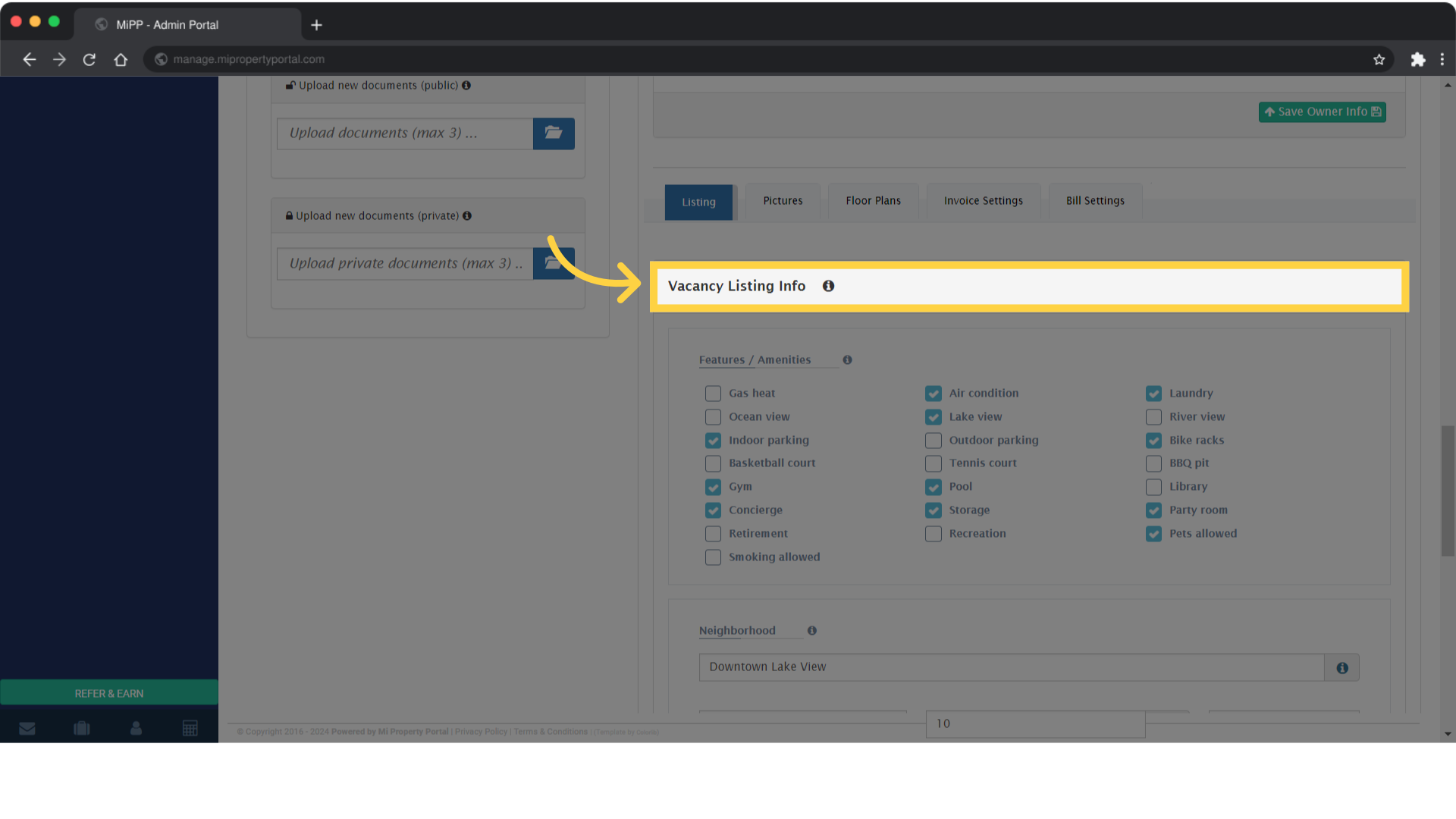
Scroll down on the 'Property/Edit' page and find the 'Vacancy Listing Info' section

8. Add or remove features and amenities as necessary in this section
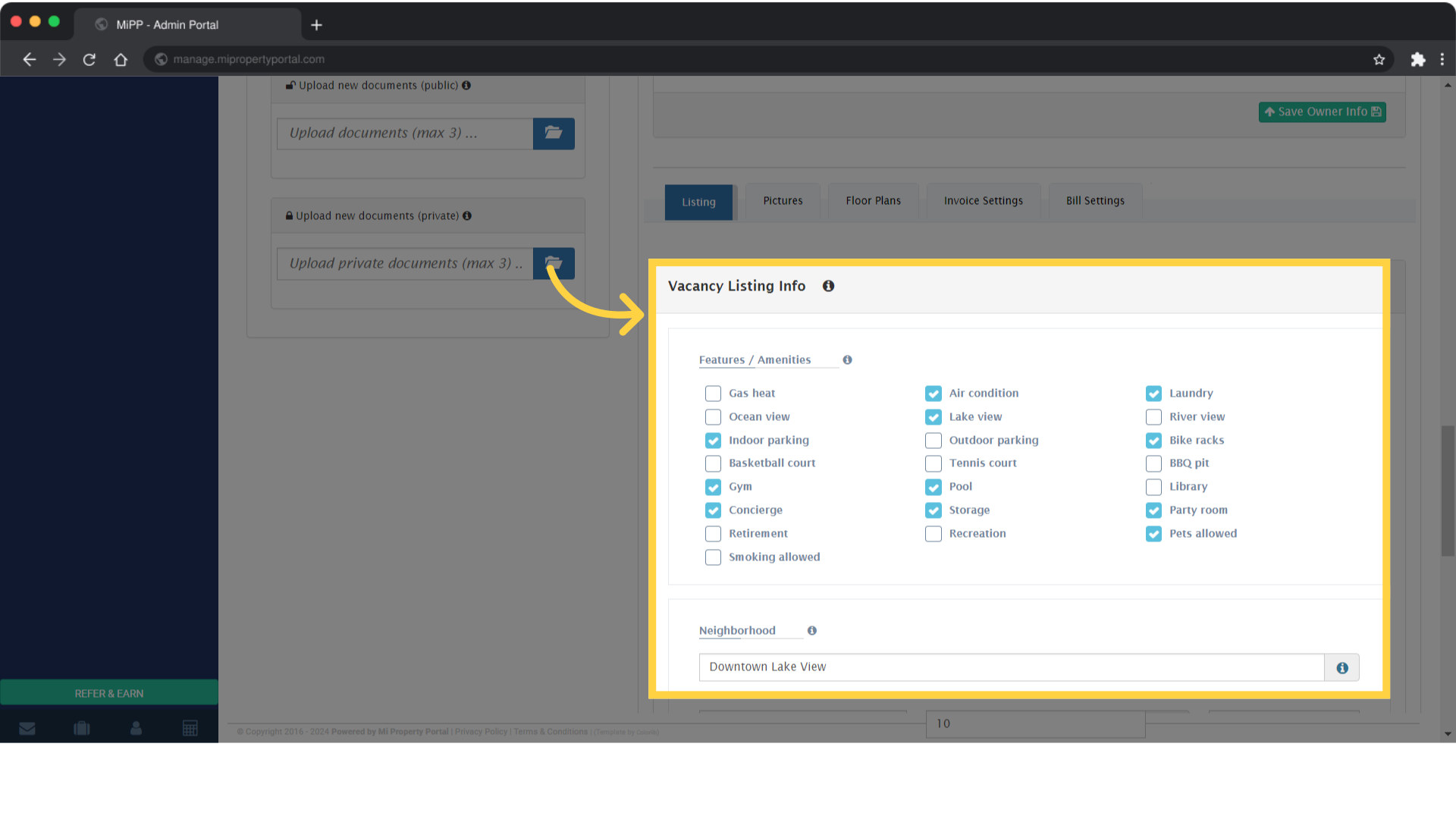
Add or remove features and amenities as necessary in this section

9. Click on “Save Listing Info” to update the property’s features on the Vacancy Listing Page
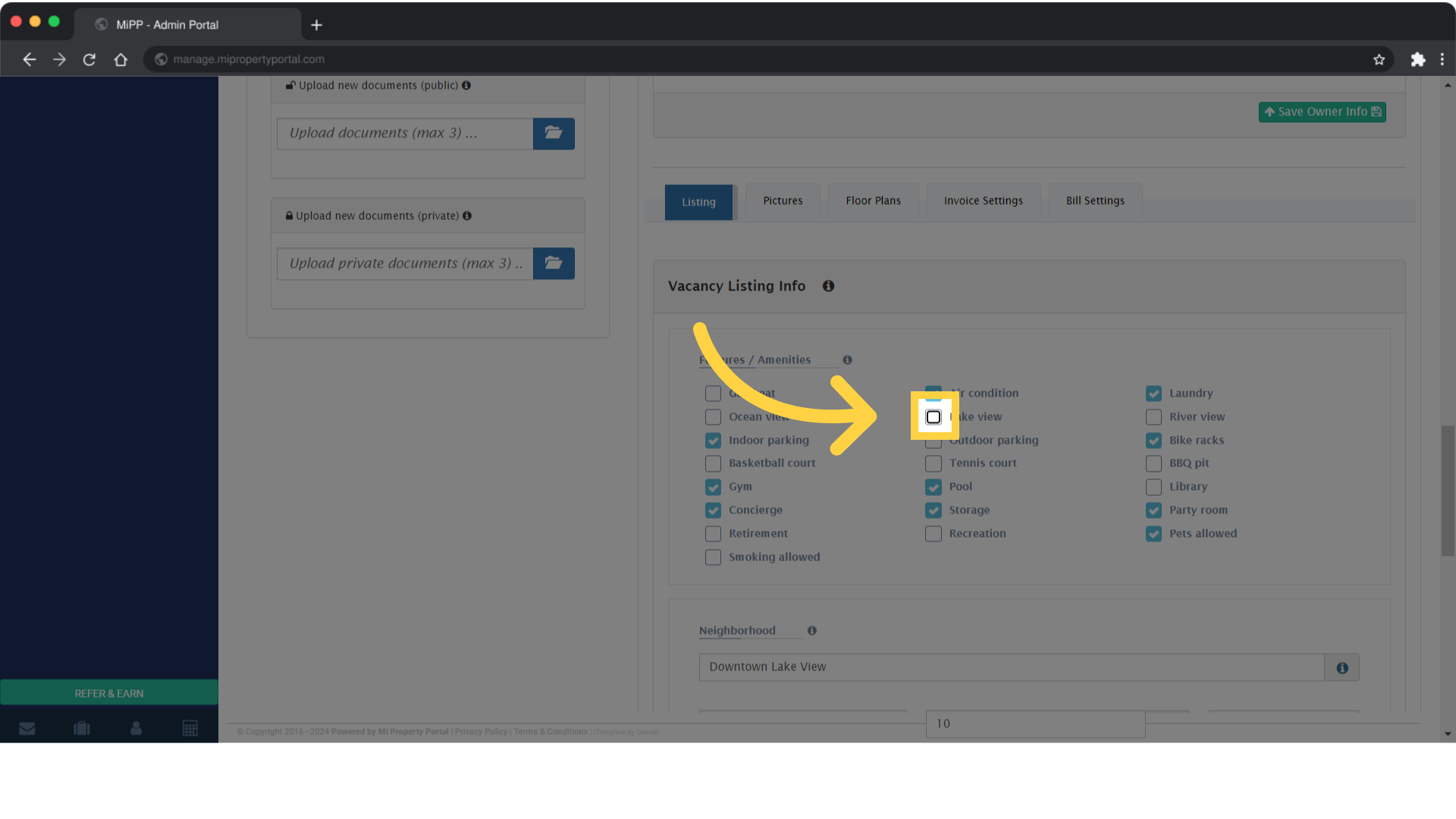
Click on 'Save Listing Info' to update the property's features on the Vacancy Listing Page

10. Once you’ve made your updates, click on the Save Listing Info button to apply your changes
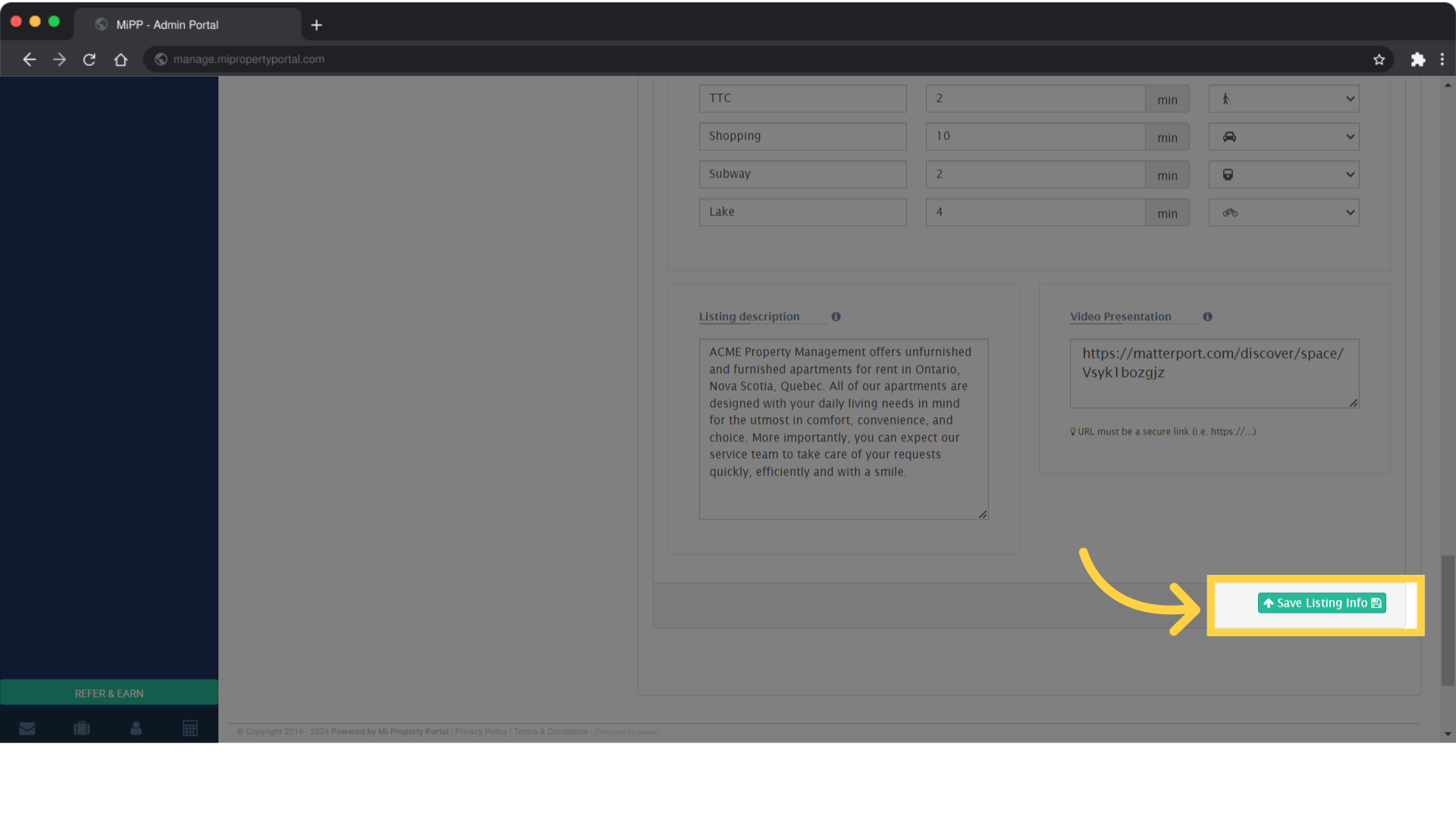
Once you’ve made your updates, click on the Save Listing Info button to apply your changes

11. Close the pop-up confirmation
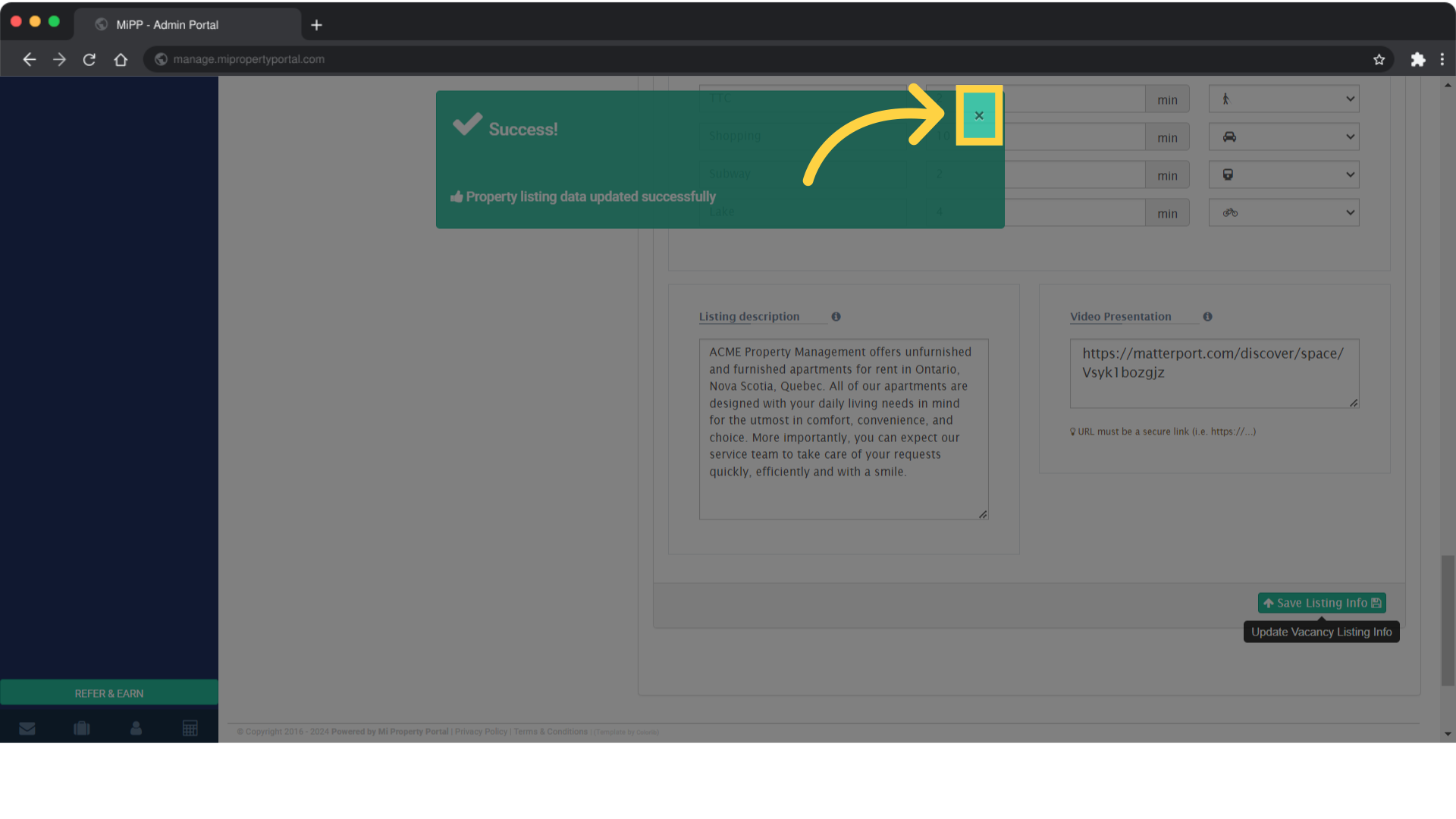
Close the pop-up confirmation

Tags:How to show additional features on vacancy listingsHow to update property descriptions and features in MiPropertyPortalTroubleshooting issues with adding/removing property featuresHow to enhance vacancy listings with property featuresHow to control feature display on vacancy listings in the portalHow to modify property details on the vacancy listing pageSteps to add or delete features on vacancy listingsHow to adjust property features visibility in MIPPHow to highlight specific features in property listingsBest practices for managing property features on listingsHow to update property amenities on the vacancy pageHow to hide property features from vacancy listingsHow to display property features on the vacancy listingHow to customize property features on the vacancy pageSupport for adding or removing property features on listingsHow to edit features for properties in vacancy listingsHow to manage property features on the vacancy listing pageGuide to updating property features on vacancy listings in MIPPSteps to remove property features from the vacancy listing pageHow to add property features to vacancy listings in MiPropertyPortalHow to Add/Remove Property Features on the Vacancy Listing Page?

Was this helpful?

Yes  No
Related Articles
  • Notify to Owner if service request flag is enabled from notification settings
  • How Commercial Property Management Works
  • How to add a Commercial Property
  • How to Configure Bill Settings for a Property
  • How to Configure Invoice Settings for a Property
  • How to Add an Operating Account

Didn't find your answer? Contact Us

Leave A Comment Cancel reply

You must be logged in to post a comment.

Popular Articles
  • How to Enable Tenants to Submit LTB Forms from the Tenant Portal
  • New Feature – Trust Liability Report
  • New Feature – Bell Notification Sent to Admin on Tenant Document Upload via Tenant Portal
  • Email notification sent to tenant on Other document upload
  • Can I log rental income for ‘Unpaid’ invoices for ‘Moved-out’ tenants?
KB Category
  • Service Request
  • Subscription
  • Bulk Data Upload
  • Owner Portal
  • MiPropertyPortal Admins Training Workshop
  • MiPropertyPortal New Features/Improvements Monthly Webinar
  • Task Management
  • Prospective Tenants
  • Setup
  • Vendor Management
  • Tenant Screening
  • Tenant Portal
  • Tenant Management
  • Accounting
  • Security Deposit
  • Reporting
  • Rental Tax
  • Rental Listing
  • Property Owner Related
  • Property
  • Other
  • Asset Management
  • Online Payment
  • Lease Management
  • General
  • Form Management

  How to Change the Unit Type of a Unit?

How to Add Unit Type?  

MiPP
MiProperty Portal is Canadian-made for
Canadian landlords and property managers.
COMPANY
  • About Us
  • Why MiPP?
  • Features
SUPPORT
  • Knowledge Base
  • Get Email Help
SOCIAL
  • Linkedin
  • Facebook
  • Twitter
  • Privacy Policy
  • Terms of Use
  • © 2025 mipropertyportal.com. All Rights Reserved.