• Home
  • Blogs
  • FAQs
  • Login
  • Home
  • Blogs
  • FAQs
  • Login
home/Knowledge Base/Tenant Management/How to Move Out a Tenant?

How to Move Out a Tenant?

156 views 0 December 5, 2022 Updated on May 14, 2025 mippsupportadmin


Let’s proceed to watching step-by-step on how to efficiently move out a tenant. Let’s get started!

Go to manage.mipropertyportal.com

1. Go to the “Tenant Management” dropdown under “Administration on left navigation
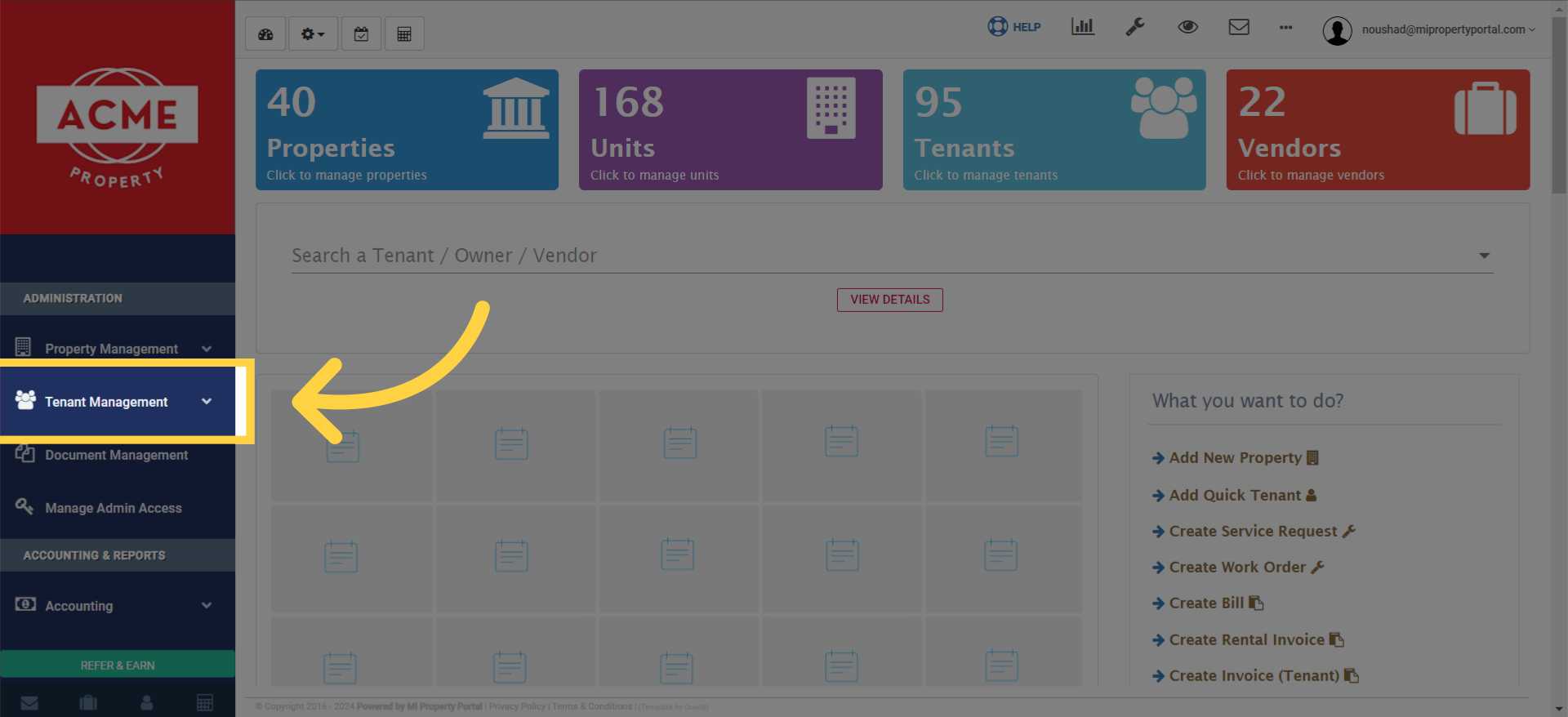
Go to the 'Tenant Management' dropdown under 'Administration on left navigation.

2. Click on “Tenant” to proceed to the tenant management page
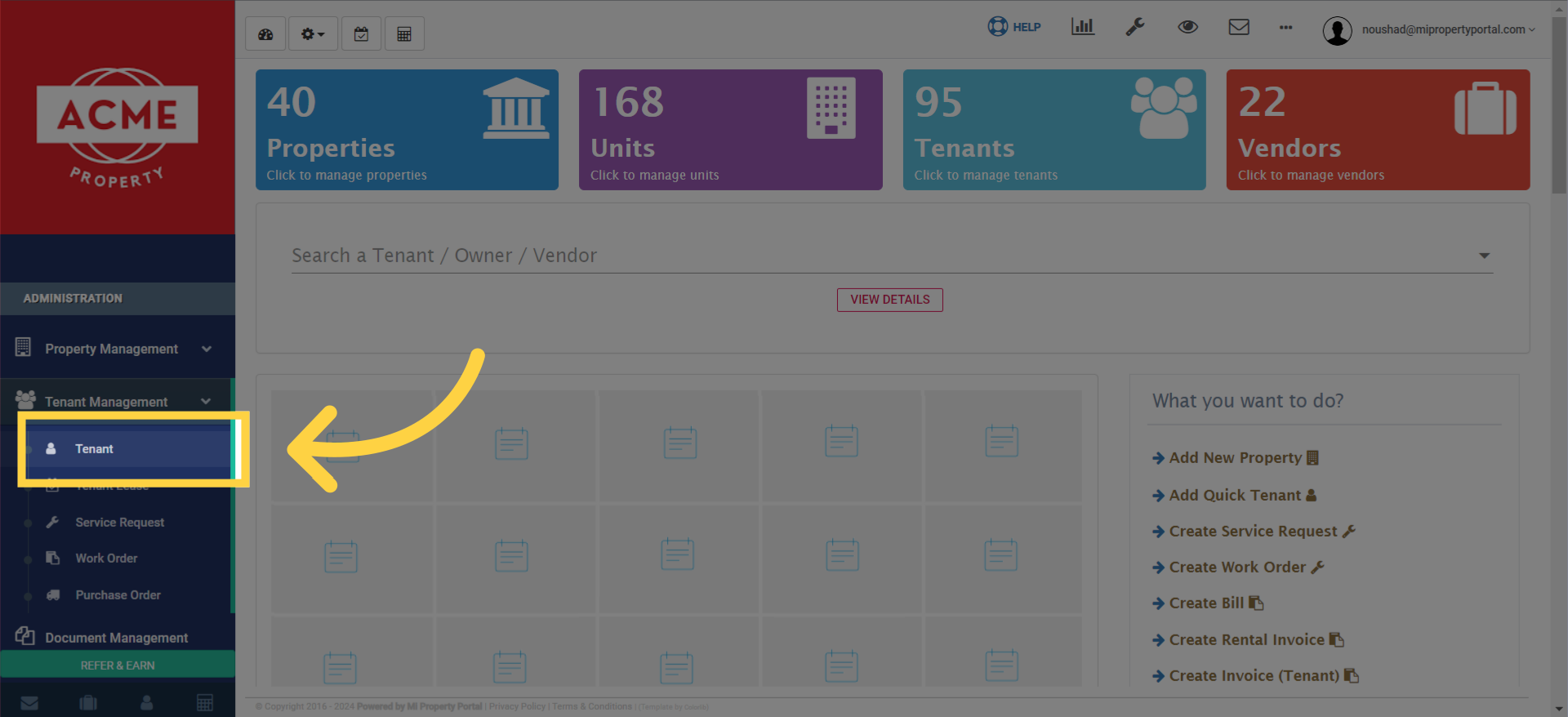
click on 'Tenant' to proceed to the tenant management page.

3. Search for the tenant you wish to move out and click on the selected Tenant name to access their tenant profile
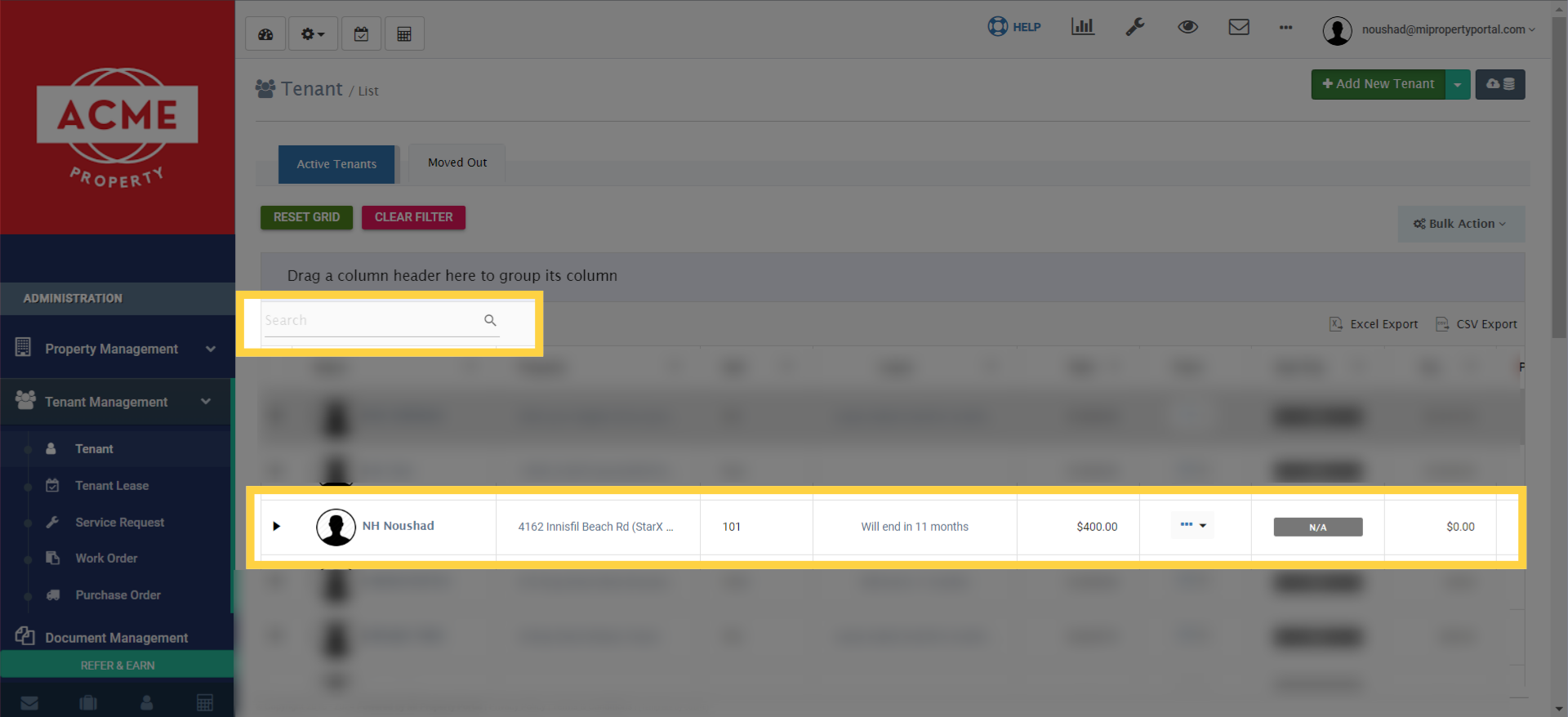
search for the tenant you wish to move out and click on the selected Tenant name to access their tenant profile.

4. Within the tenant profile, click on the “Action” button dropdown menu
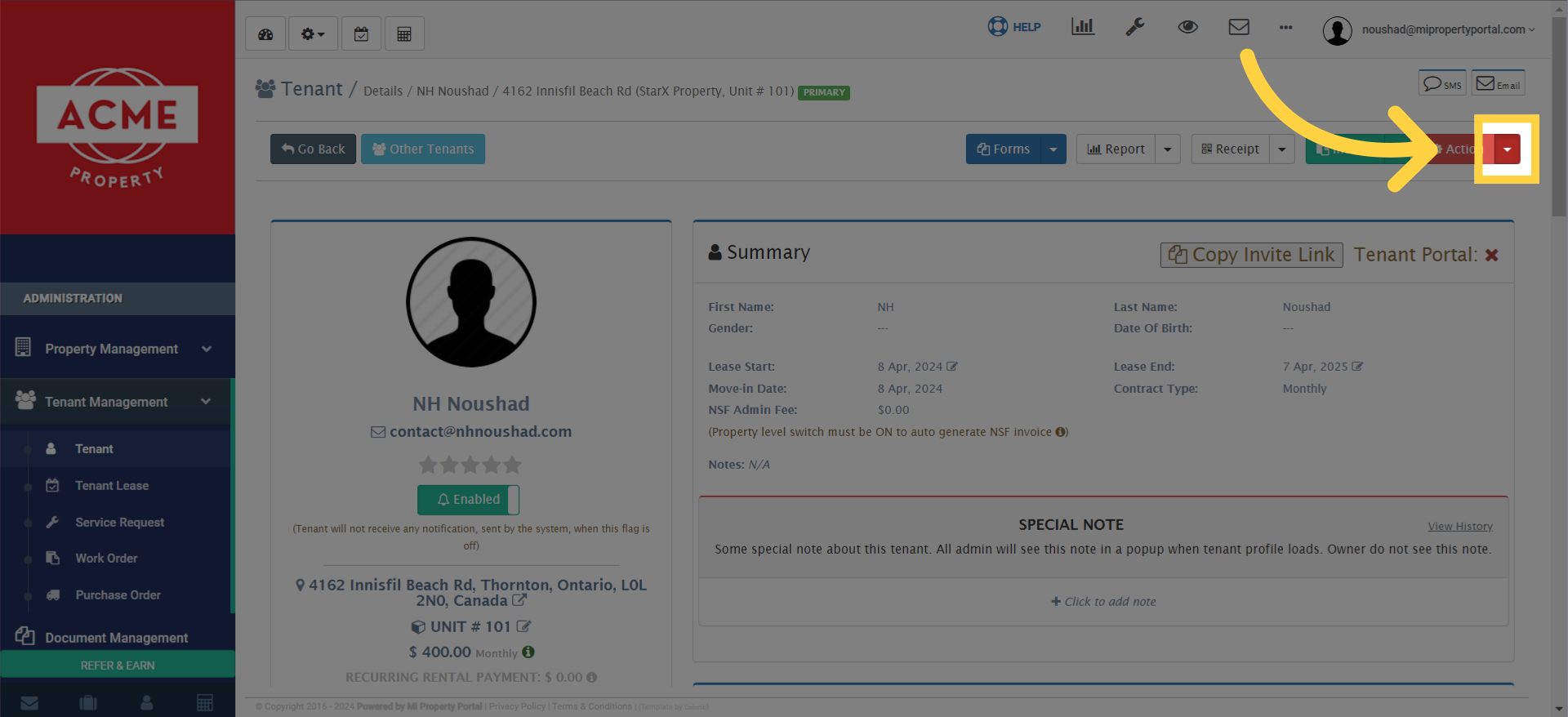
Within the tenant profile, click on the 'Action' button dropdown menu.

5. Select “Move Out Tenant” to initiate the move-out process
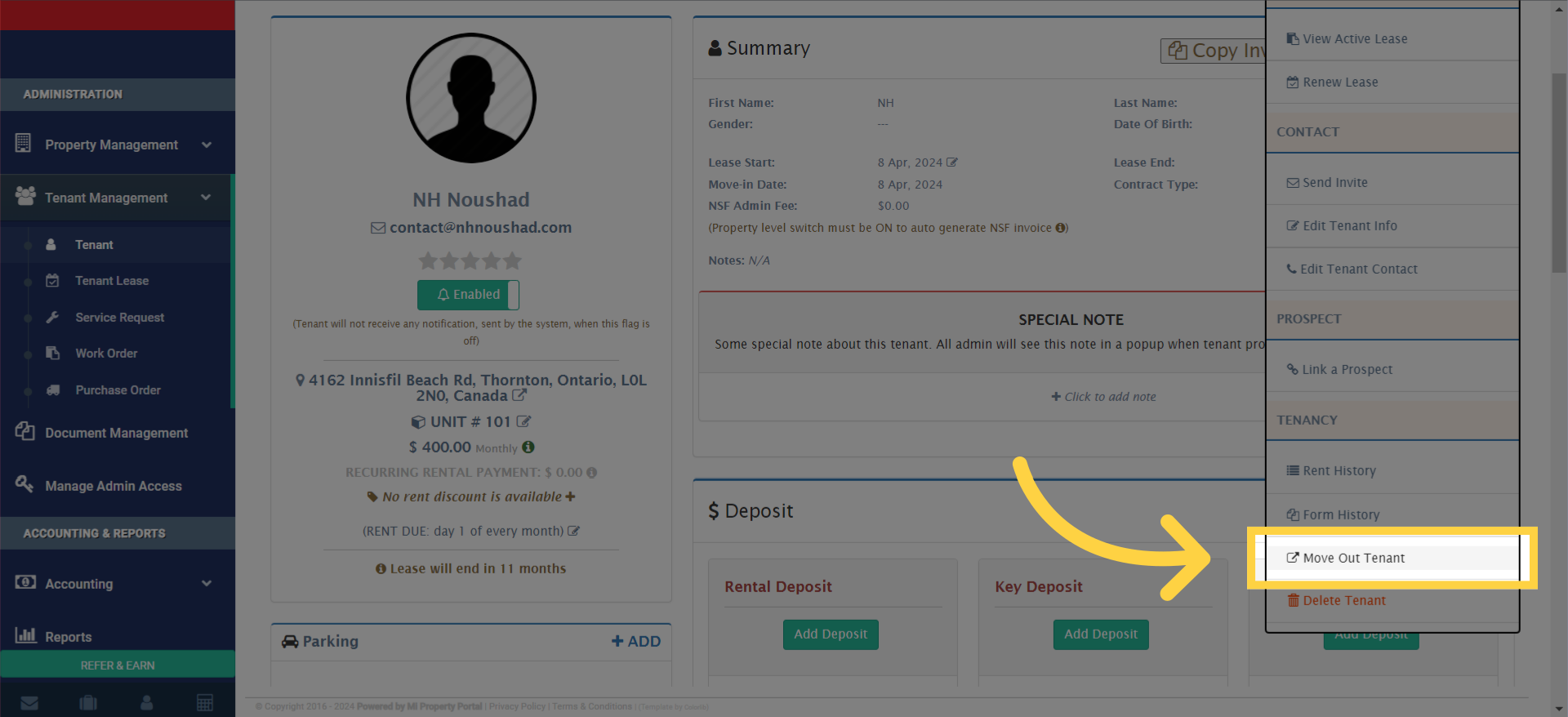
select 'Move Out Tenant' to initiate the move-out process.

6. Carefully fill in all the required fields
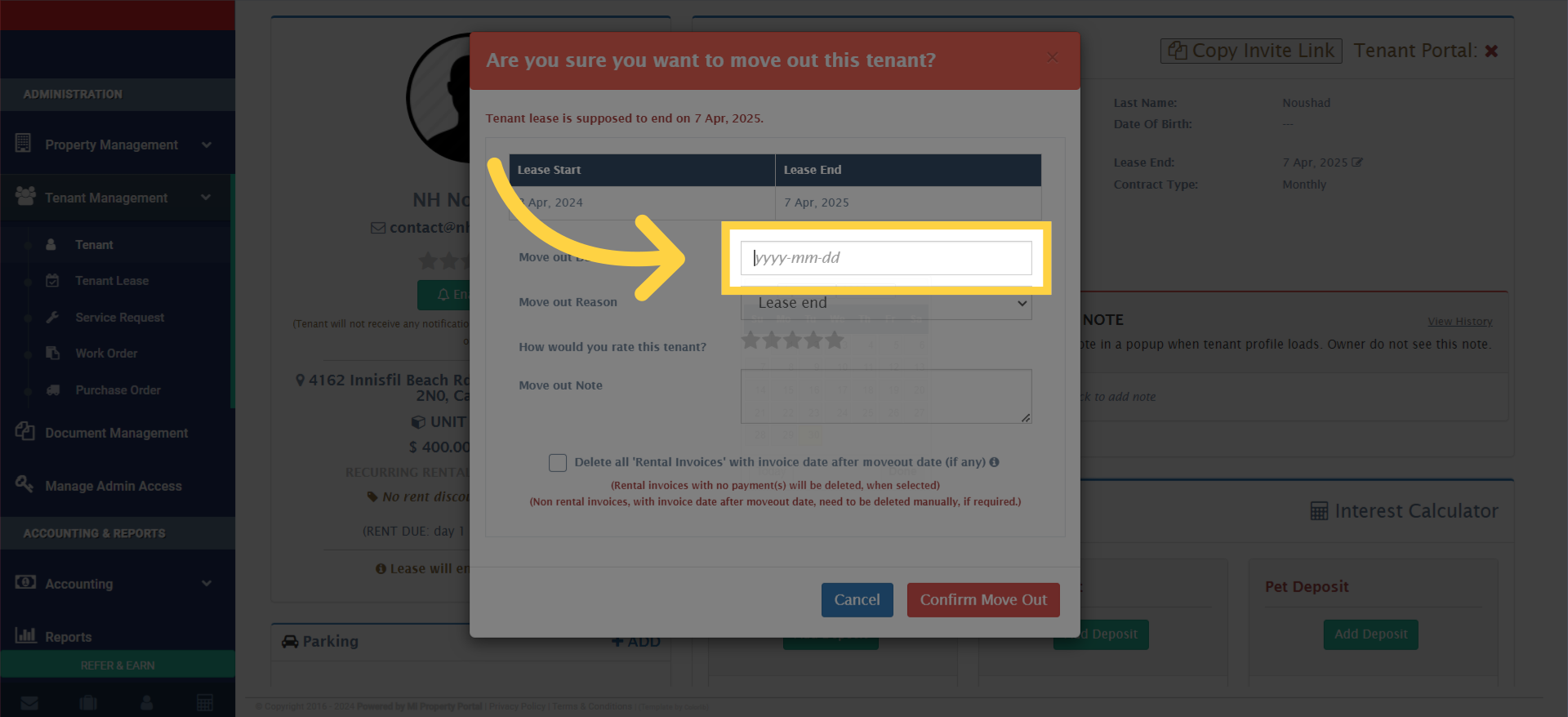
Carefully fill in all the required fields

7. Tick mark here
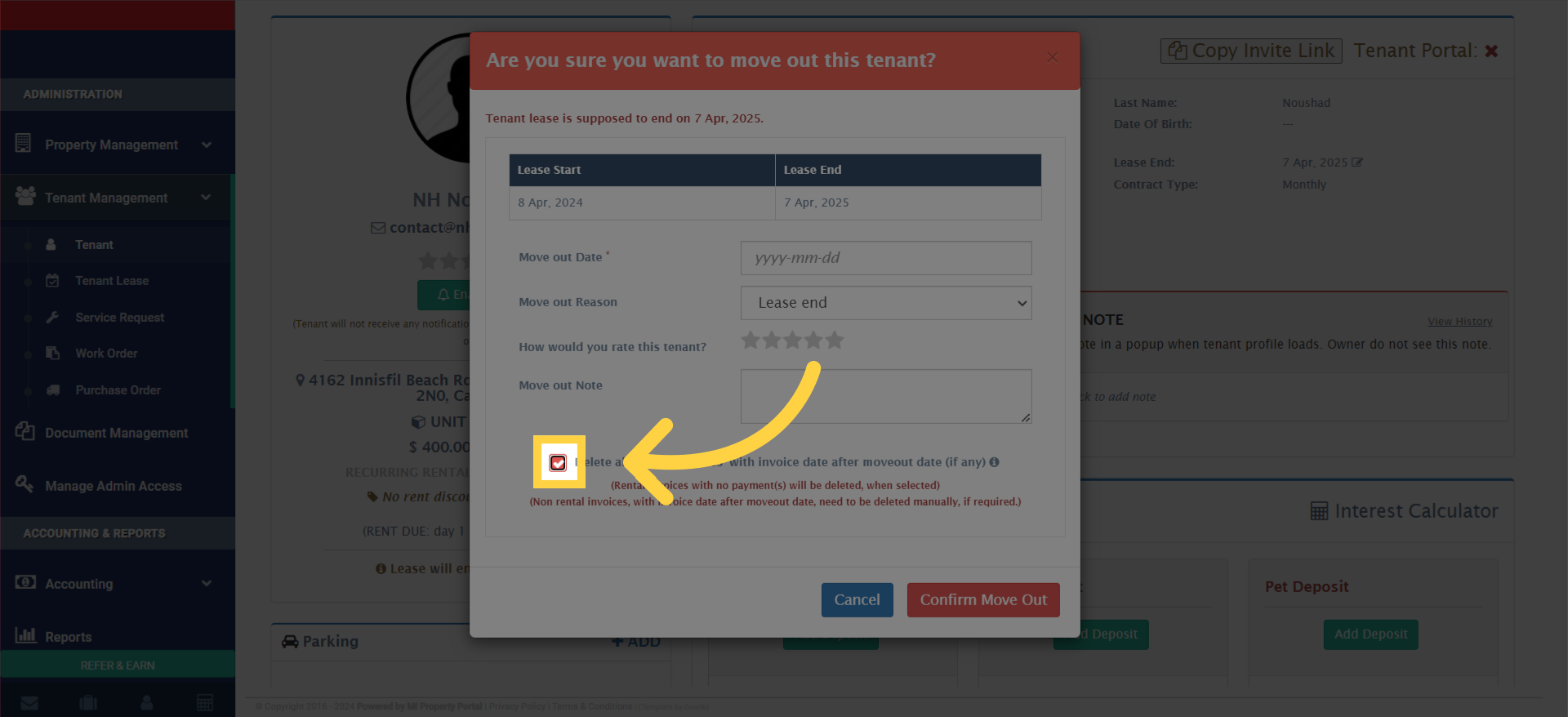
Fill 'true'

8. Click “Tenant lease is supposed to end on 7 Apr, 2025
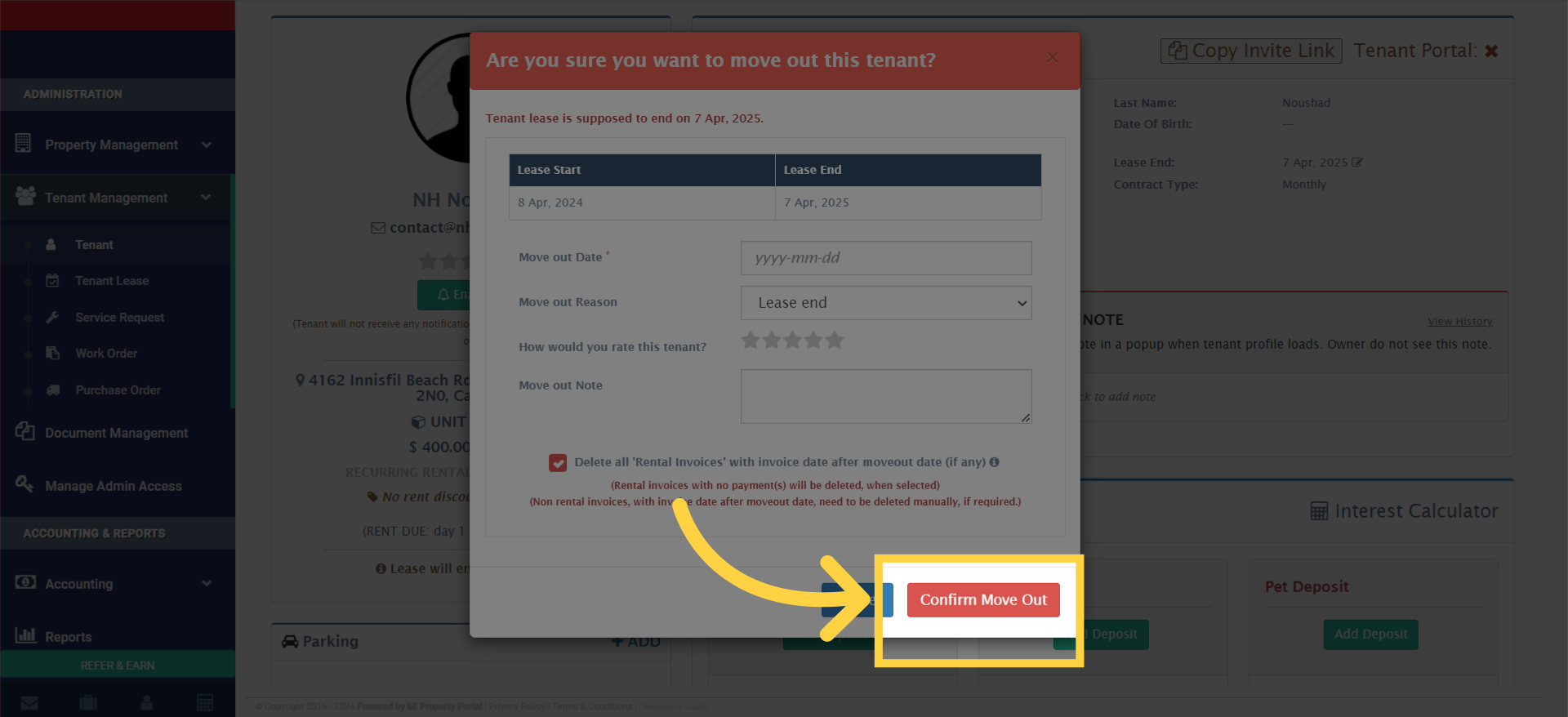
Click 'Tenant lease is supposed to end on 7 Apr, 2025. ...'

And there you have it! By following these simple yet effective steps, you can smoothly move out a tenant from your property hassle-free. Thank you for watching, and until next time, happy managing!


Tags:how to move out tenantmove out tenantHow to process a tenant move-out in MiPropertyPortalSteps to move out a tenantGuide to managing tenant move-out proceduresHow to document tenant move-out in MIPPSupport for handling tenant move-outsHow to update tenant status to moved out in MiPropertyPortalBest practices for moving out tenantsHow to conduct a tenant move-out inspectionTroubleshooting tenant move-out issuesHow to communicate with tenants during the move-out process

Was this helpful?

Yes  No
Related Articles
  • How to Create Profiles for Multiple Tenants on One Lease
  • Send Email Notification After Lease Document Upload
  • New Feature – Create Lease Quickly Using Prospect List
  • How to Rent a Parking Spot in Mi Property Portal
  • How to Communicate with Tenants?
  • How to start a Tenant Background Check?

Didn't find your answer? Contact Us

Leave A Comment Cancel reply

You must be logged in to post a comment.

Popular Articles
  • Can I log rental income for ‘Unpaid’ invoices for ‘Moved-out’ tenants?
  • New Feature – Bell Notification Sent to Admin on Tenant Document Upload via Tenant Portal
  • New Feature – Trust Liability Report
  • Email notification sent to tenant on Other document upload
  • New Feature – Enable All Property Permissions For Regular Admins
KB Category
  • Service Request
  • Subscription
  • Bulk Data Upload
  • Owner Portal
  • MiPropertyPortal Admins Training Workshop
  • MiPropertyPortal New Features/Improvements Monthly Webinar
  • Task Management
  • Prospective Tenants
  • Setup
  • Vendor Management
  • Tenant Screening
  • Tenant Portal
  • Tenant Management
  • Accounting
  • Security Deposit
  • Reporting
  • Rental Tax
  • Rental Listing
  • Property Owner Related
  • Property
  • Other
  • Asset Management
  • Online Payment
  • Lease Management
  • General
  • Form Management

  How to Activate a Tenant?

How to Bulk Invite Tenants to Access the Tenant Portal?  

MiPP
MiProperty Portal is Canadian-made for
Canadian landlords and property managers.
COMPANY
  • About Us
  • Why MiPP?
  • Features
SUPPORT
  • Knowledge Base
  • Get Email Help
SOCIAL
  • Linkedin
  • Facebook
  • Twitter
  • Privacy Policy
  • Terms of Use
  • © 2026 mipropertyportal.com. All Rights Reserved.