• Home
  • Blogs
  • FAQs
  • Login
  • Home
  • Blogs
  • FAQs
  • Login
home/Knowledge Base/Property/How to Create a task from an Inspection (inspection details view) & Assign it to a Internal Team member?

How to Create a task from an Inspection (inspection details view) & Assign it to a Internal Team member?

59 views 0 November 15, 2023 Updated on September 22, 2025 mippsupportadmin

1. From the Action menu, select the View Details option
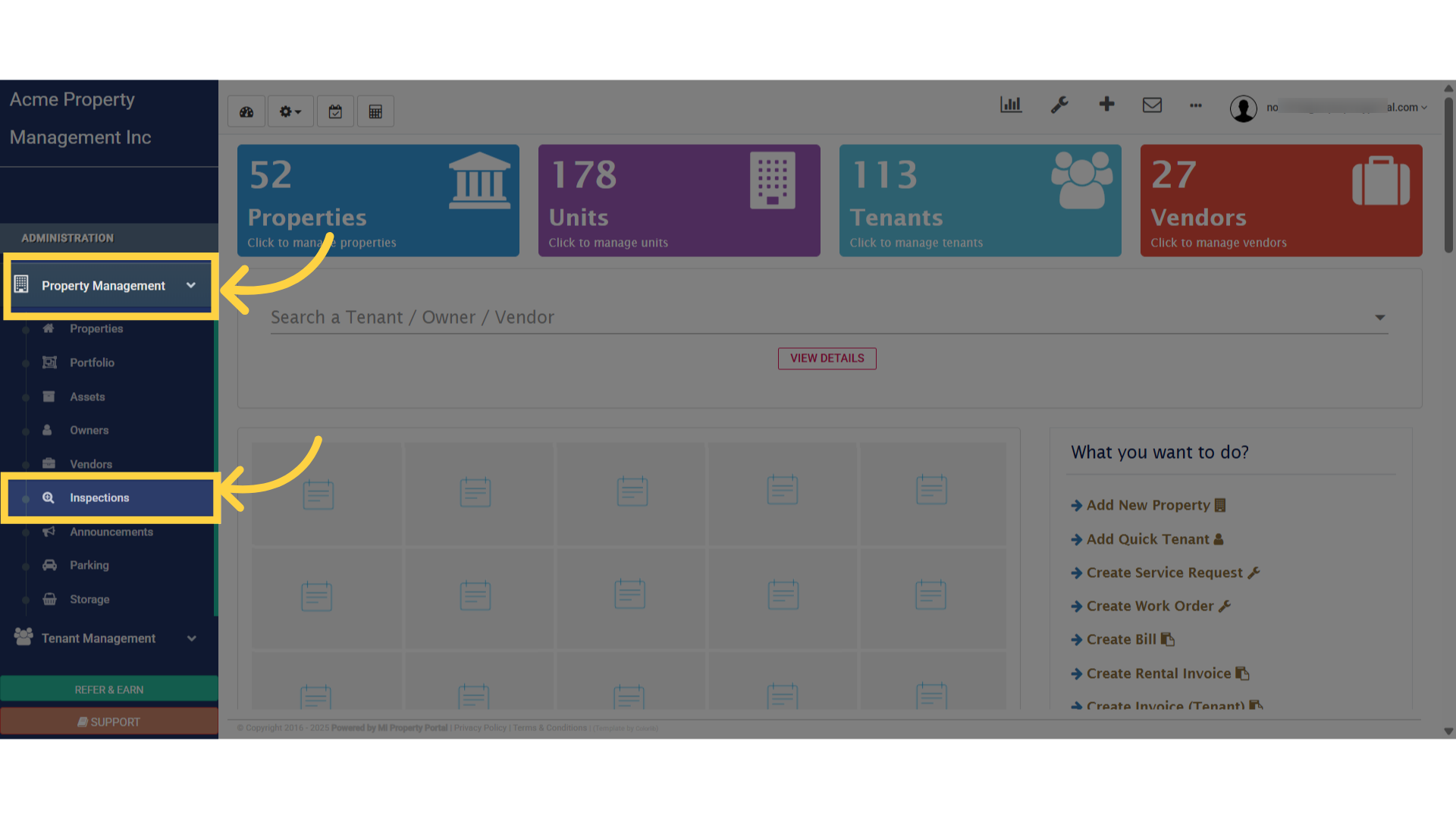
Click 'Inspections'

2. From the Action menu, select the View Details option
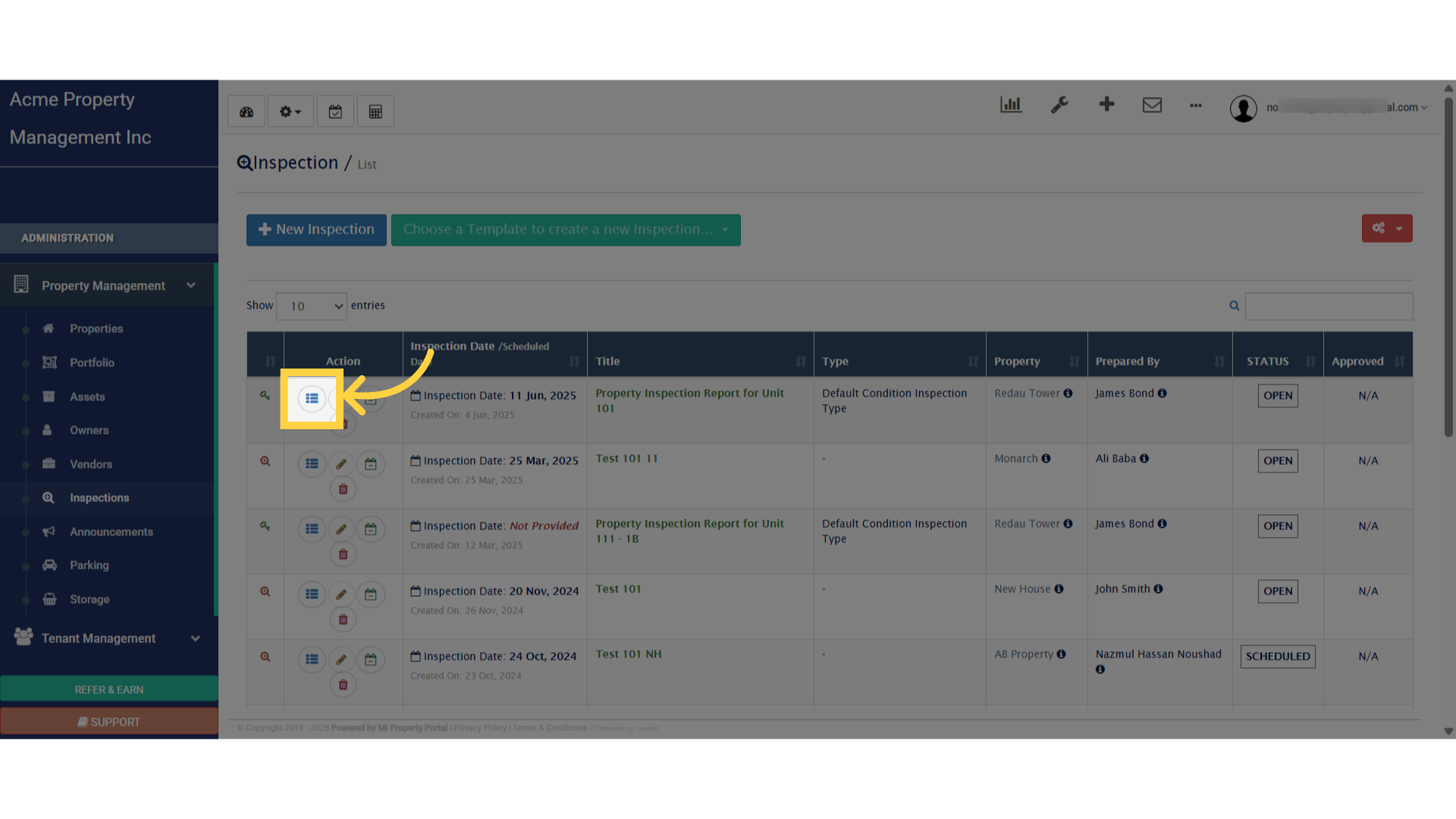
Click here

3. Under the Inspection/Details section, click the plus Task icon to create a new task
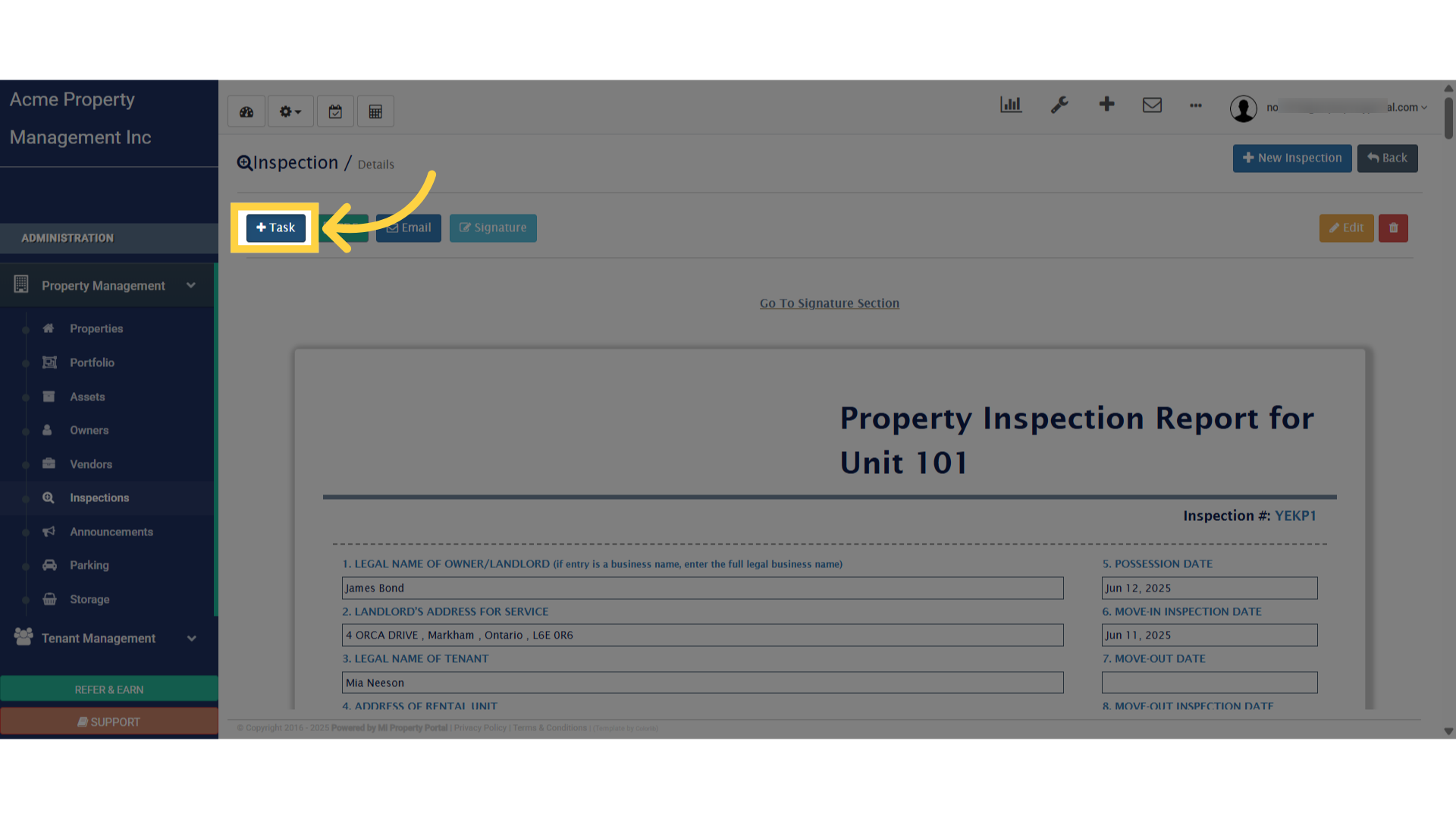
Click 'Task'

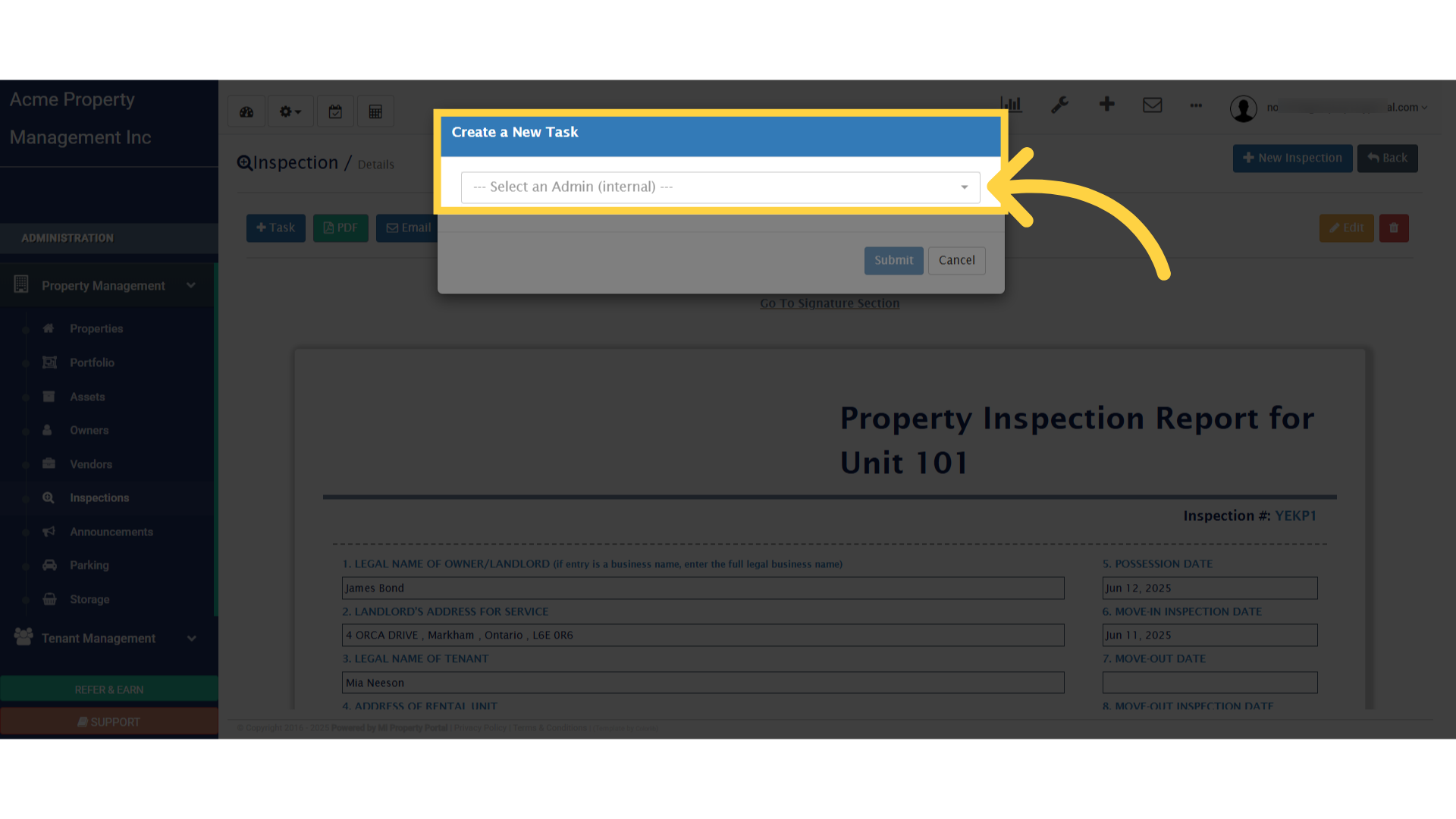
4. Click “Create a New Task”

Click 'Create a New Task'

5. To finalize the task, click Submit and complete the process
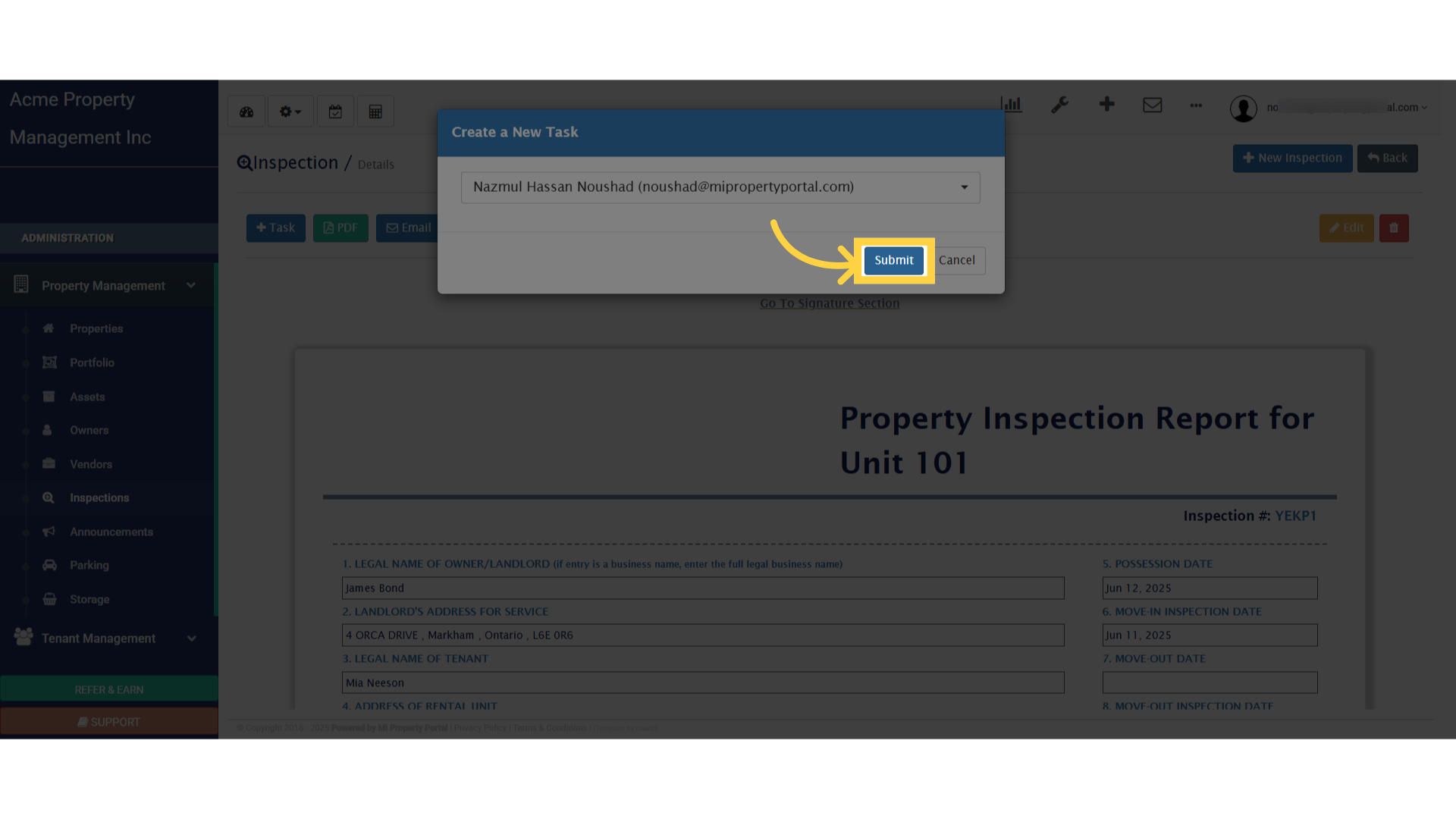
Click 'Submit'

Tags:create a Taskinspectioninspection details viewassigninternal team membera taskHow to Create a task from an Inspection (inspection details view) & Assign it to a Internal Team member?How to Create a task from an Inspectionassign taskcreate task from inspection

Was this helpful?

Yes  No
Related Articles
  • Notify to Owner if service request flag is enabled from notification settings
  • How Commercial Property Management Works
  • How to add a Commercial Property
  • How to Configure Bill Settings for a Property
  • How to Configure Invoice Settings for a Property
  • How to Add an Operating Account

Didn't find your answer? Contact Us

Leave A Comment Cancel reply

You must be logged in to post a comment.

Popular Articles
  • How to Enable Tenants to Submit LTB Forms from the Tenant Portal
  • New Feature – Trust Liability Report
  • New Feature – Bell Notification Sent to Admin on Tenant Document Upload via Tenant Portal
  • Email notification sent to tenant on Other document upload
  • How to Automatically Adjust Tenant Credits to Rental Invoices
KB Category
  • Service Request
  • Subscription
  • Bulk Data Upload
  • Owner Portal
  • MiPropertyPortal Admins Training Workshop
  • MiPropertyPortal New Features/Improvements Monthly Webinar
  • Task Management
  • Prospective Tenants
  • Setup
  • Vendor Management
  • Tenant Screening
  • Tenant Portal
  • Tenant Management
  • Accounting
  • Security Deposit
  • Reporting
  • Rental Tax
  • Rental Listing
  • Property Owner Related
  • Property
  • Other
  • Asset Management
  • Online Payment
  • Lease Management
  • General
  • Form Management

  Relationship between Property, Rental Type and Unit

How to Download Vendor List in Excel  

MiPP
MiProperty Portal is Canadian-made for
Canadian landlords and property managers.
COMPANY
  • About Us
  • Why MiPP?
  • Features
SUPPORT
  • Knowledge Base
  • Get Email Help
SOCIAL
  • Linkedin
  • Facebook
  • Twitter
  • Privacy Policy
  • Terms of Use
  • © 2025 mipropertyportal.com. All Rights Reserved.