• Home
  • Blogs
  • FAQs
  • Login
  • Home
  • Blogs
  • FAQs
  • Login
home/Knowledge Base/Tenant Screening/How to Edit/Update Prospective Tenant Details?

How to Edit/Update Prospective Tenant Details?

144 views 0 December 1, 2022 Updated on June 4, 2025 mippsupportadmin

1. Click on “Prospective Tenants” to access the list of potential tenants
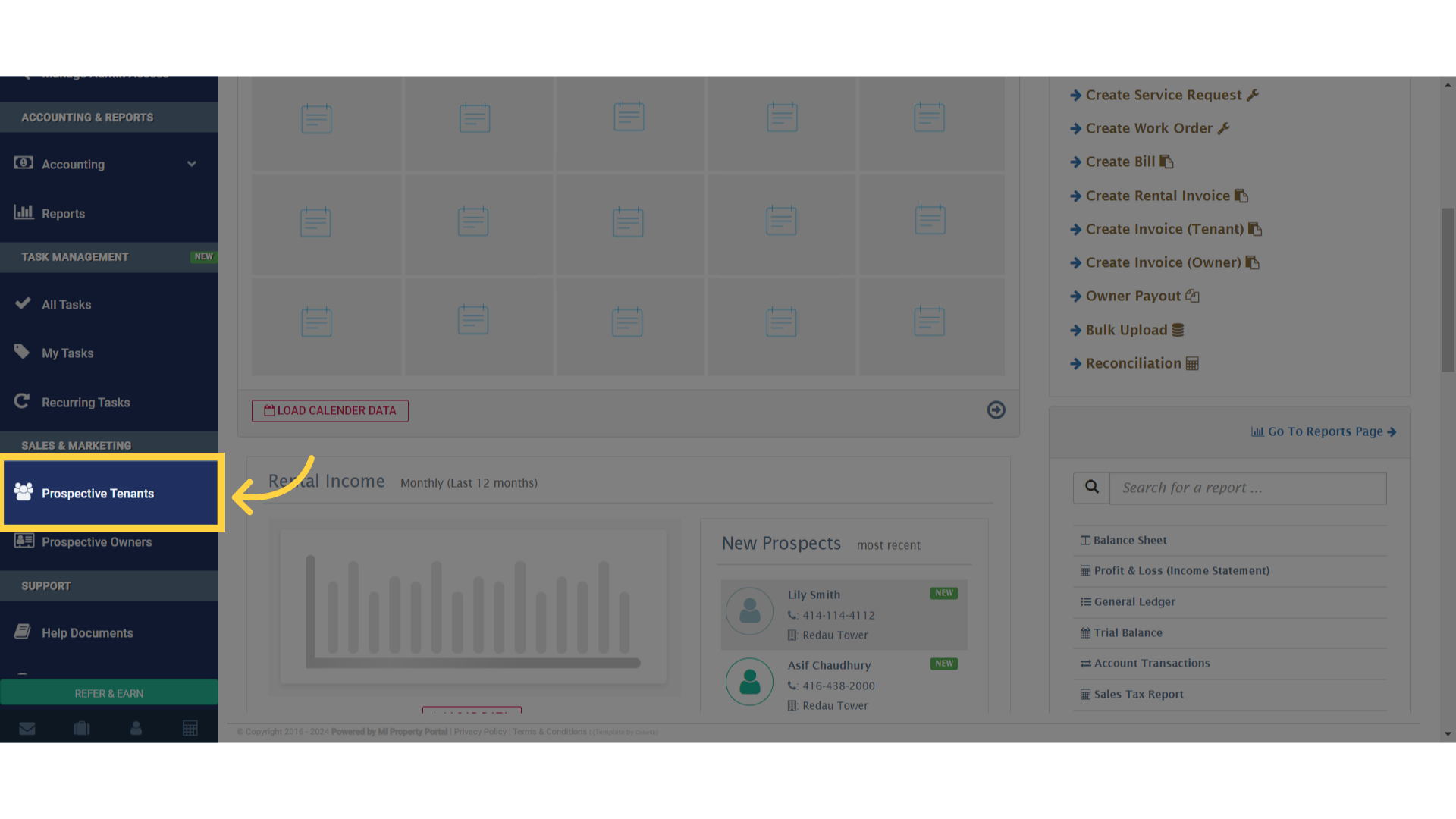
Click on 'Prospective Tenants' to access the list of potential tenants

2. You’ll be directed to the “Prospect/List” page, where you can see all the prospective tenants
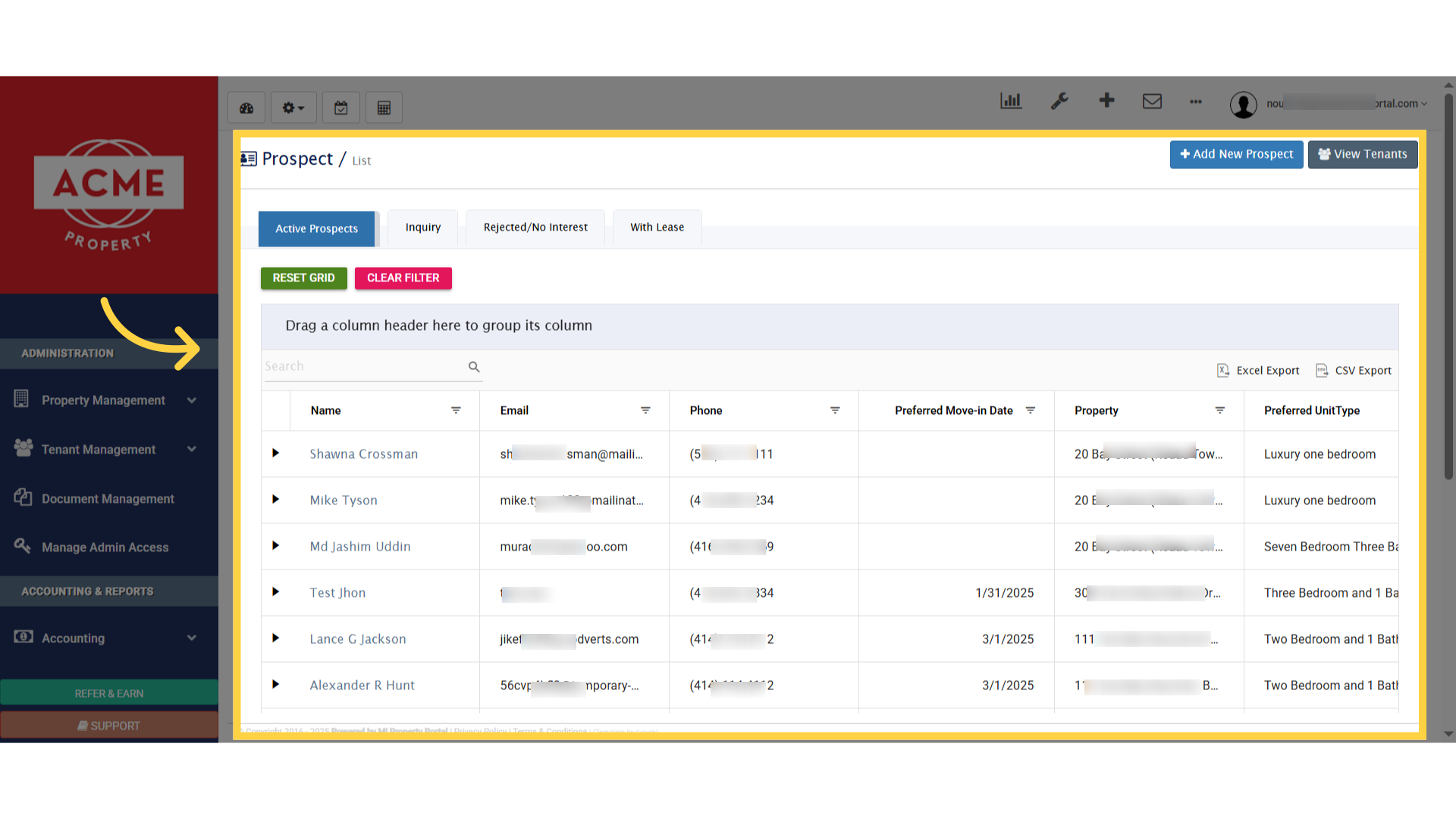
You'll be directed to the 'Prospect/List' page, where you can see all the prospective tenants

3. To edit a tenant’s details, find them on the list and click on their specific name
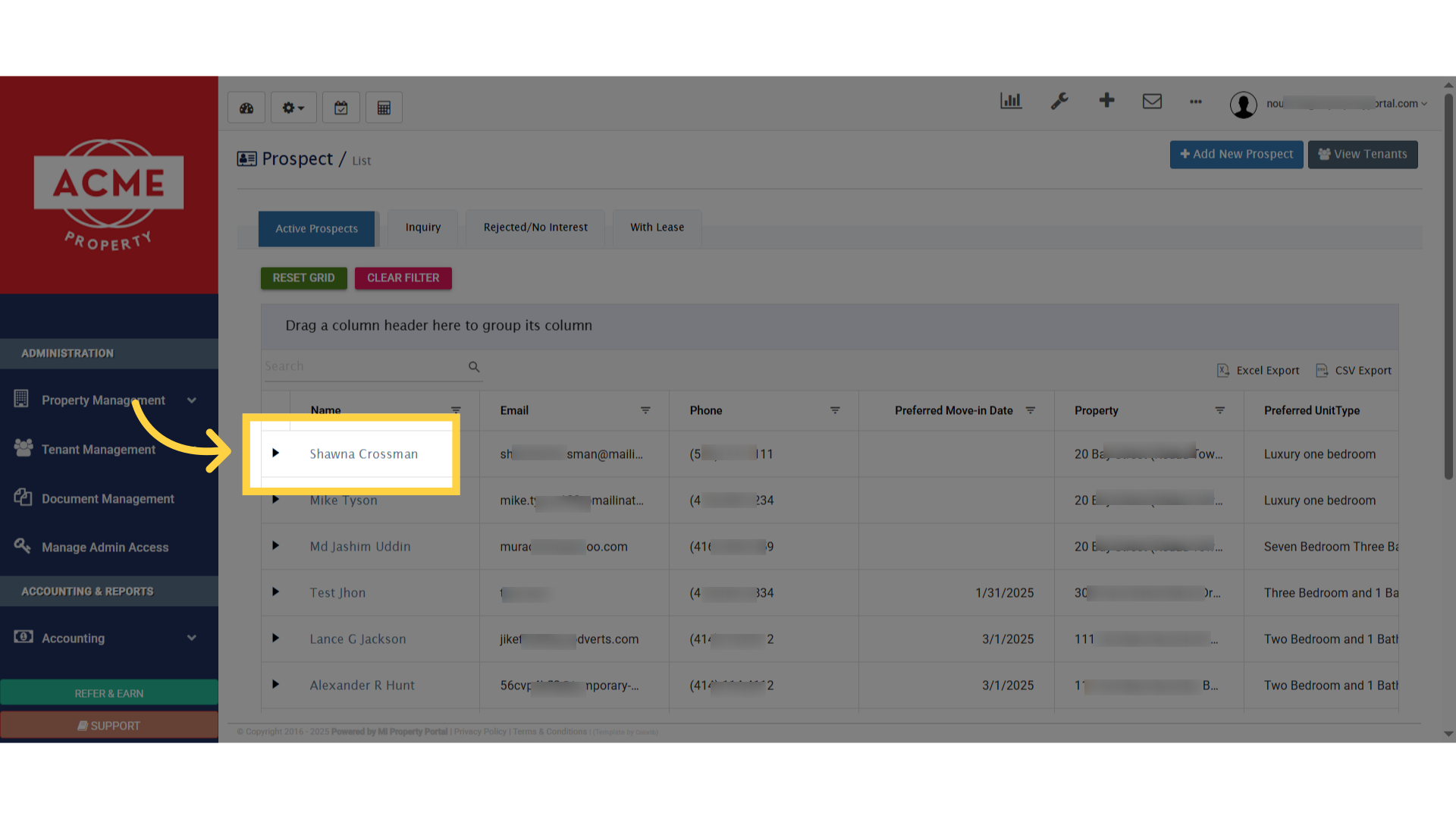
To edit a tenant's details, find them on the list and click on their specific name

4. To edit a tenant’s details, find them on the list and click the ‘Pencil/Edit’ icon next to their name
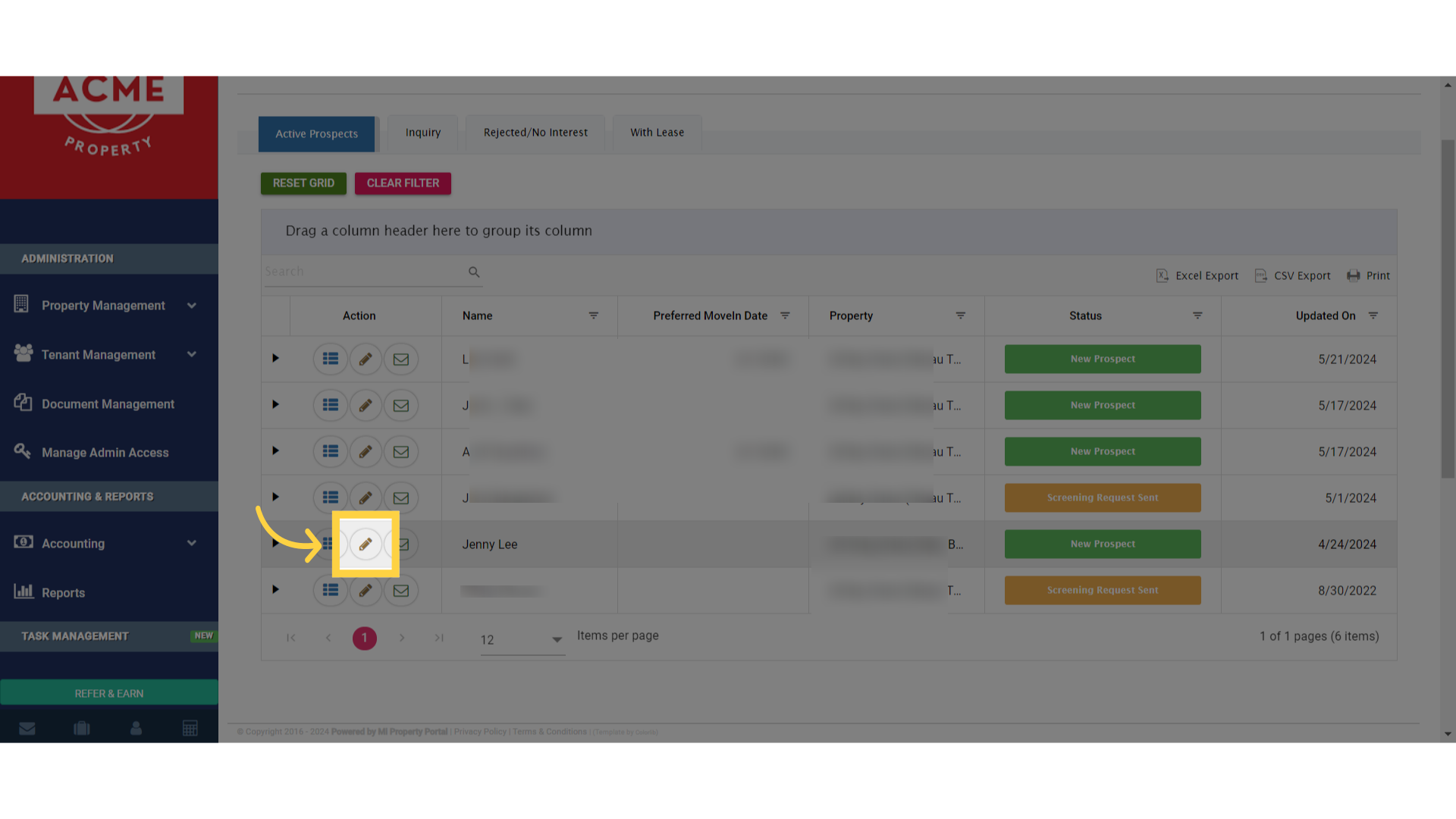
To edit a tenant's details, find them on the list and click the 'Pencil/Edit' icon next to their name

5. On the right side of screen click on action dropdown menu, then select edit button
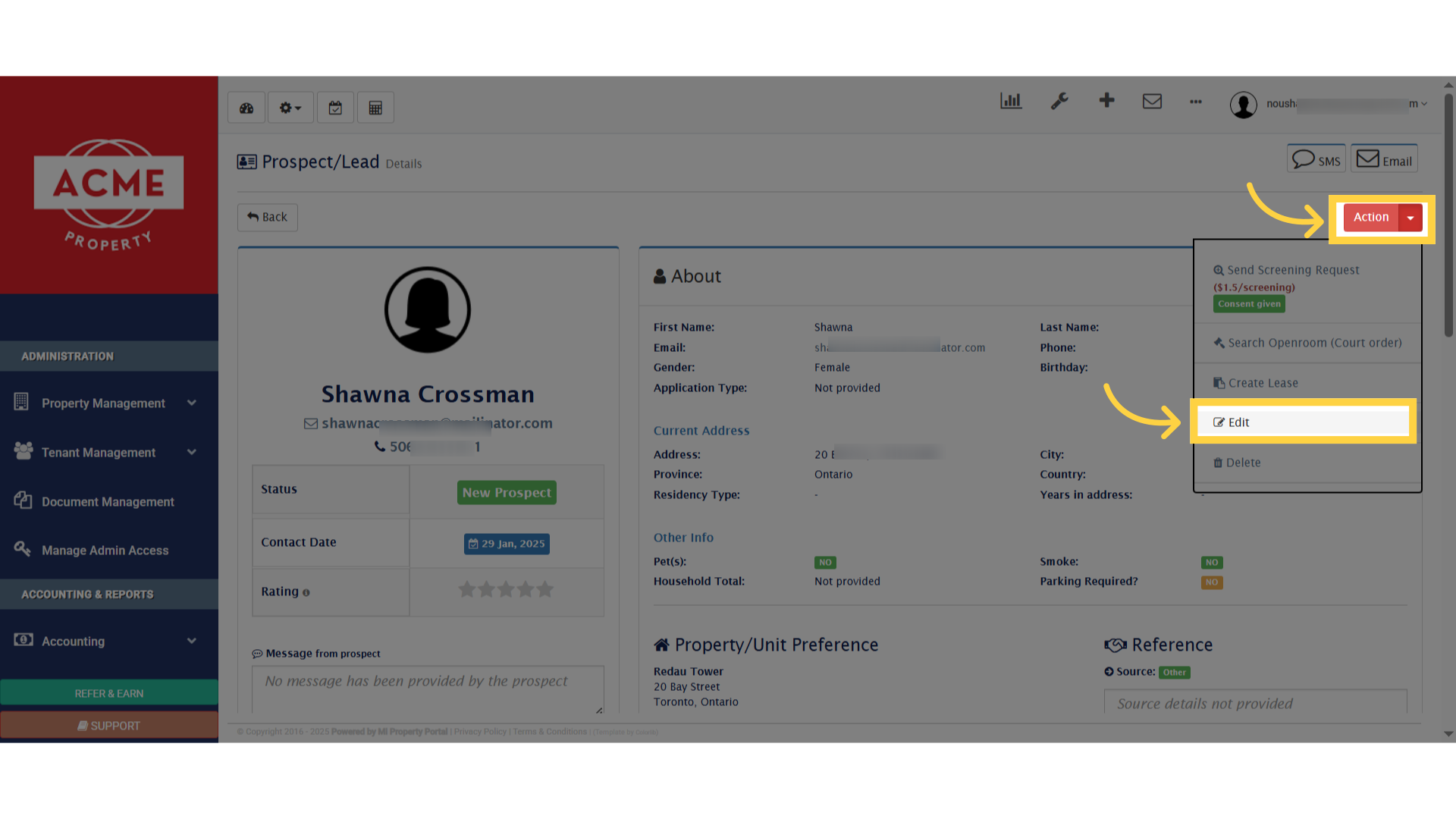
On the right side of screen click on action dropdown menu, then select edit button

6. This will open the Tenant/Edit page, where you can update the tenant’s contact information and more
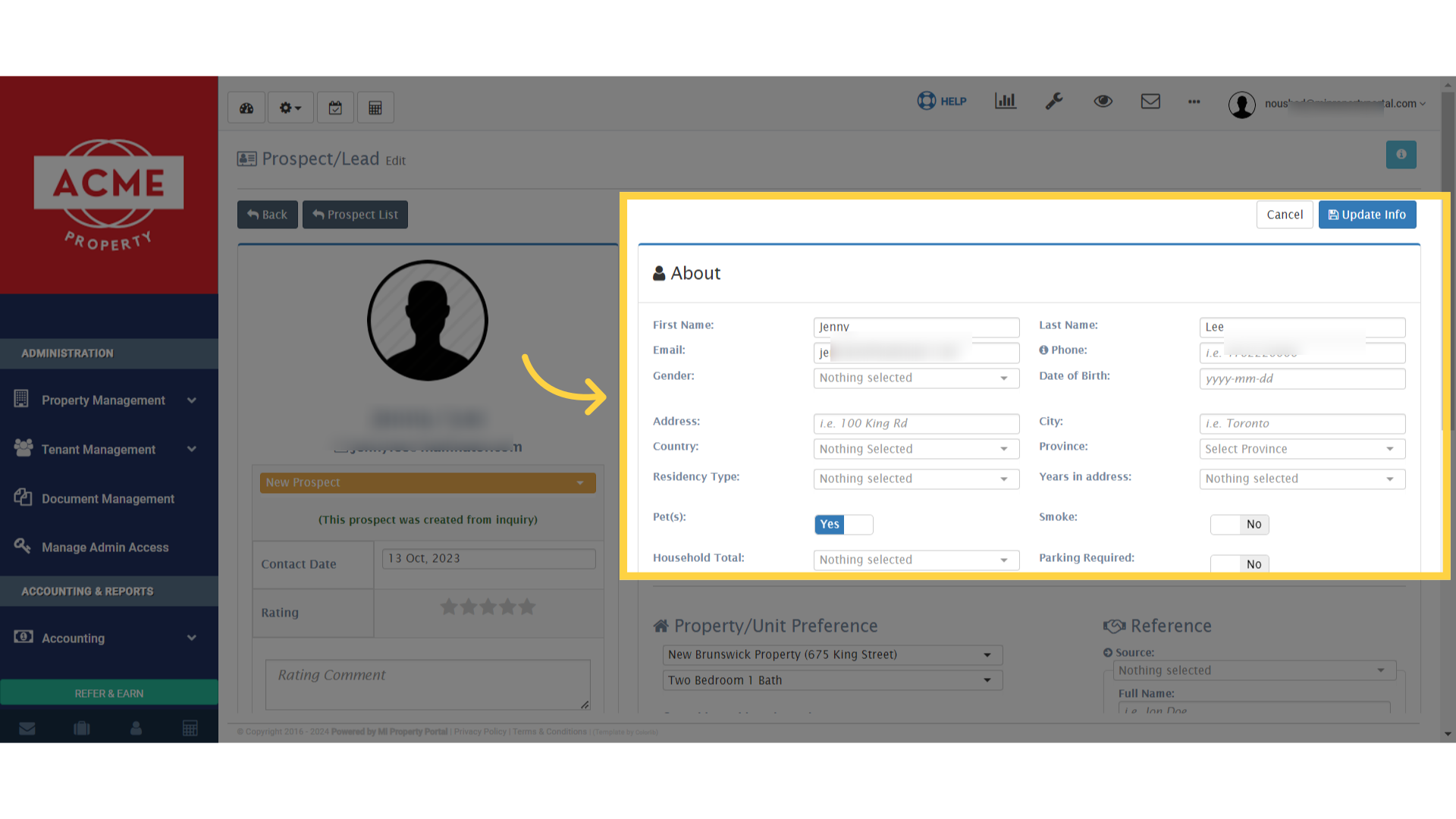
This will open the Tenant/Edit page, where you can update the tenant's contact information and more

7. If needed, you can also update the ‘Property/Unit Preference’ field to match the tenant’s preferences
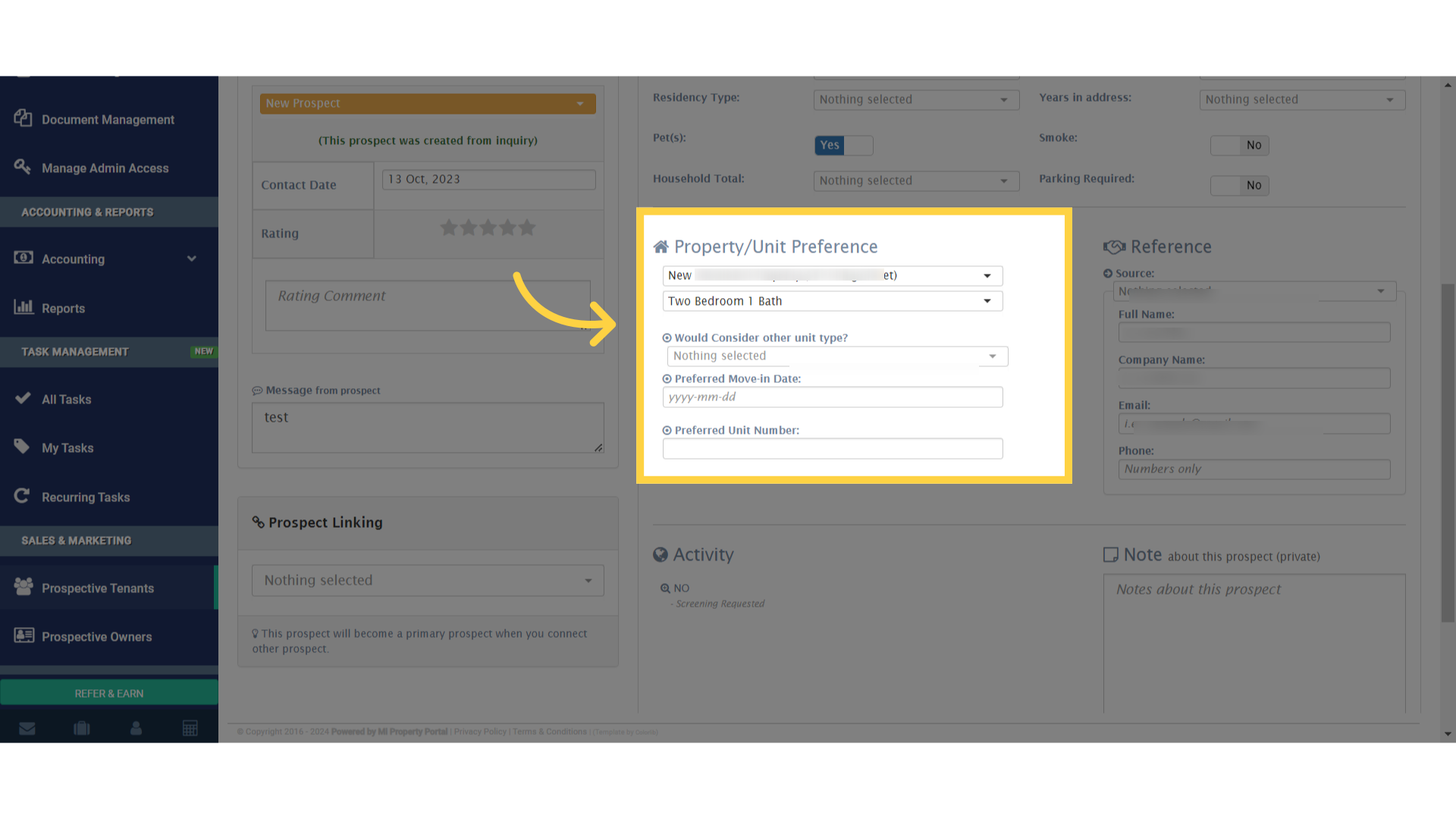
If needed, you can also update the 'Property/Unit Preference' field to match the tenant's preferences

8. Similarly, you can edit or update the “Reference” field as necessary
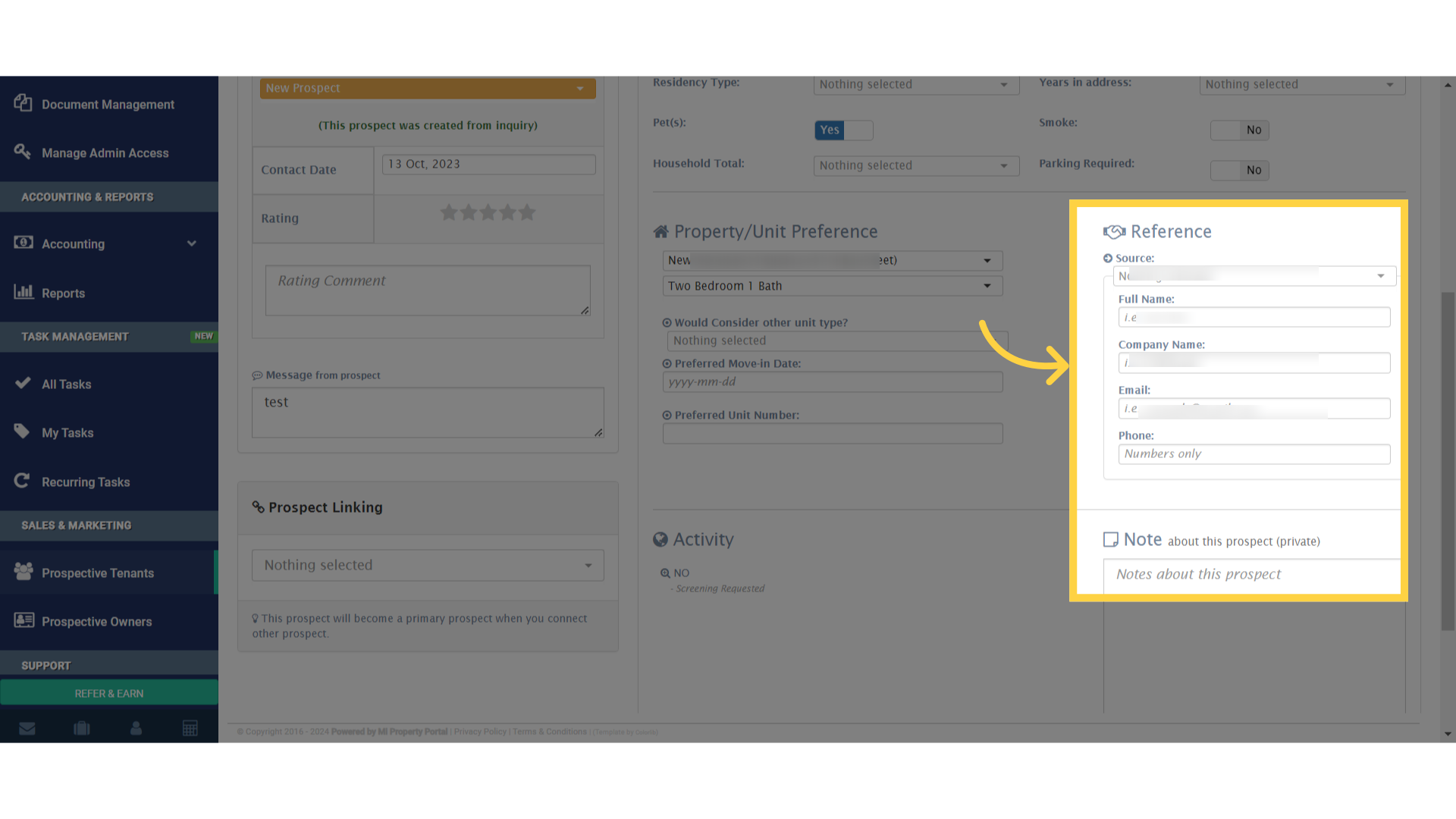
Similarly, you can edit or update the 'Reference' field as necessary

9. After making your changes, scroll down and click ‘Update Info’ to save them
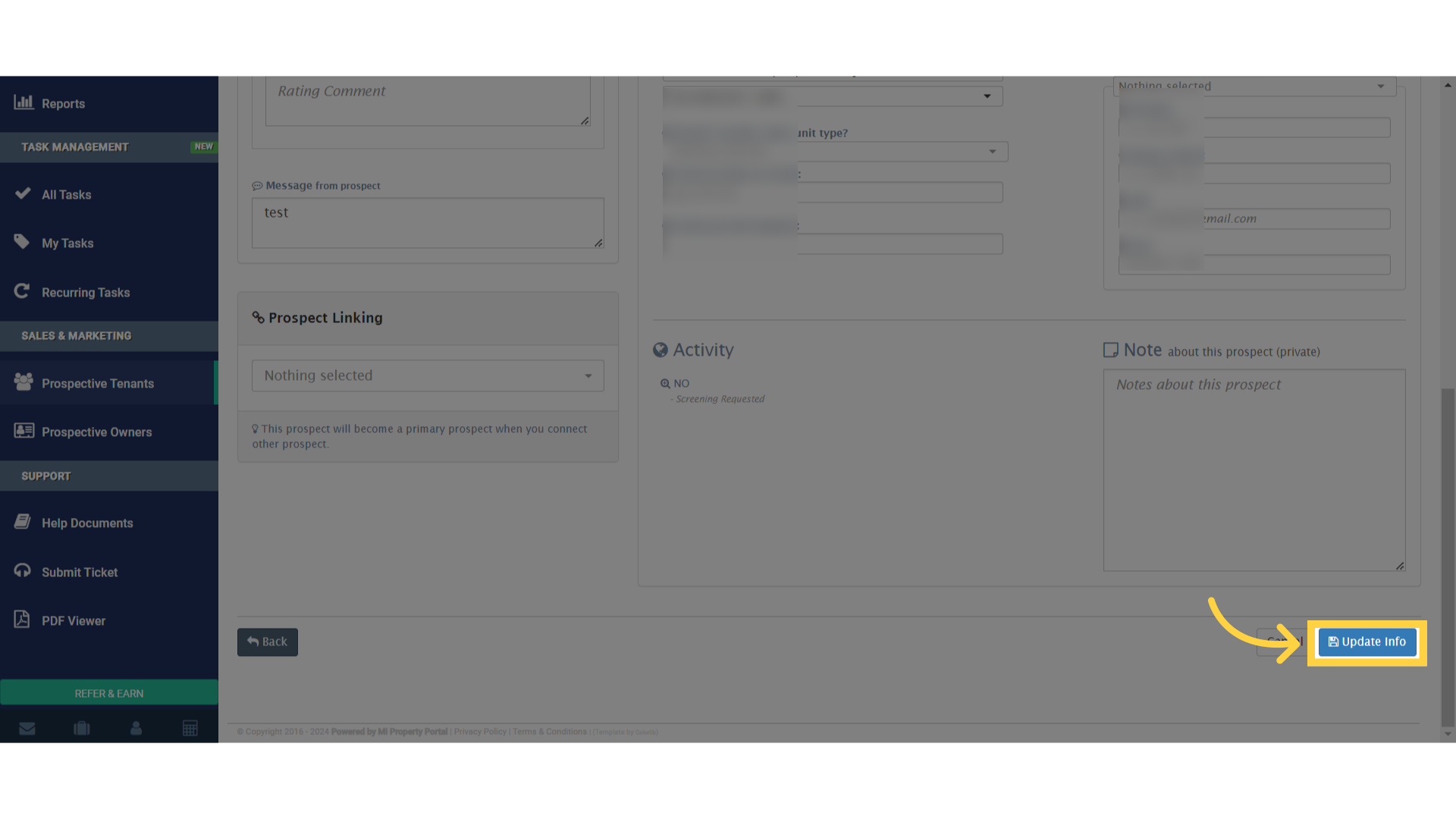
After making your changes, scroll down and click 'Update Info' to save them

Tags:How to revise tenant information for prospectsHow to Edit/Update Prospective Tenant Details?How to amend prospective tenant informationHow to update prospect records in MiPropertyPortalTroubleshooting updates for prospective tenant detailsHow to revise and update prospect tenant infoHow to edit lead details for prospective tenantsHow to update personal details of prospective tenantsHow to manage prospective tenant details in MIPPBest practices for updating prospective tenant dataSteps to modify tenant information for prospectsHow to correct prospective tenant detailsHow to edit prospect tenant records in MiPropertyPortalHow to update contact details of prospective tenantsHow to change prospective tenant details in MIPPSupport for editing prospective tenant informationHow to update tenant details for prospectsHow to modify prospective tenant info in MiPropertyPortalGuide to updating prospective tenant details in MIPPSteps to update prospective tenant informationHow to edit prospective tenant details in MiPropertyPortalprospective tenantprospective tenantsupdate prospective tenantsupdate prospective tenantedit prospective tenantshow to edit prospective tenant details

Was this helpful?

Yes  No
Related Articles
  • How to Screen a Tenant?
  • How to Schedule a Showing of the Property?
  • How to collect prospect’s consent for tenant screening?
  • How Tenant Screening Works in Mi Property Portal
  • How to Invite Prospect to Sign the Covid Screening Form?
  • What happens when a Tenant Profile is Activated?

Didn't find your answer? Contact Us

Leave A Comment Cancel reply

You must be logged in to post a comment.

Popular Articles
  • Can I log rental income for ‘Unpaid’ invoices for ‘Moved-out’ tenants?
  • Email notification sent to tenant on Other document upload
  • FAQ – Property Owner Related
  • How to Receive Lease Expiry Notification in British Columbia(BC) & New Brunswick(NB)?
  • New Feature – Trust Liability Report
KB Category
  • Service Request
  • Subscription
  • Bulk Data Upload
  • Owner Portal
  • MiPropertyPortal Admins Training Workshop
  • MiPropertyPortal New Features/Improvements Monthly Webinar
  • Task Management
  • Prospective Tenants
  • Setup
  • Vendor Management
  • Tenant Screening
  • Tenant Portal
  • Tenant Management
  • Accounting
  • Security Deposit
  • Reporting
  • Rental Tax
  • Rental Listing
  • Property Owner Related
  • Property
  • Other
  • Asset Management
  • Online Payment
  • Lease Management
  • General
  • Form Management

  How to Schedule a Showing of the Property?

How to Collect More Information about a Guarantor?  

MiPP
MiProperty Portal is Canadian-made for
Canadian landlords and property managers.
COMPANY
  • About Us
  • Why MiPP?
  • Features
SUPPORT
  • Knowledge Base
  • Get Email Help
SOCIAL
  • Linkedin
  • Facebook
  • Twitter
  • Privacy Policy
  • Terms of Use
  • © 2026 mipropertyportal.com. All Rights Reserved.