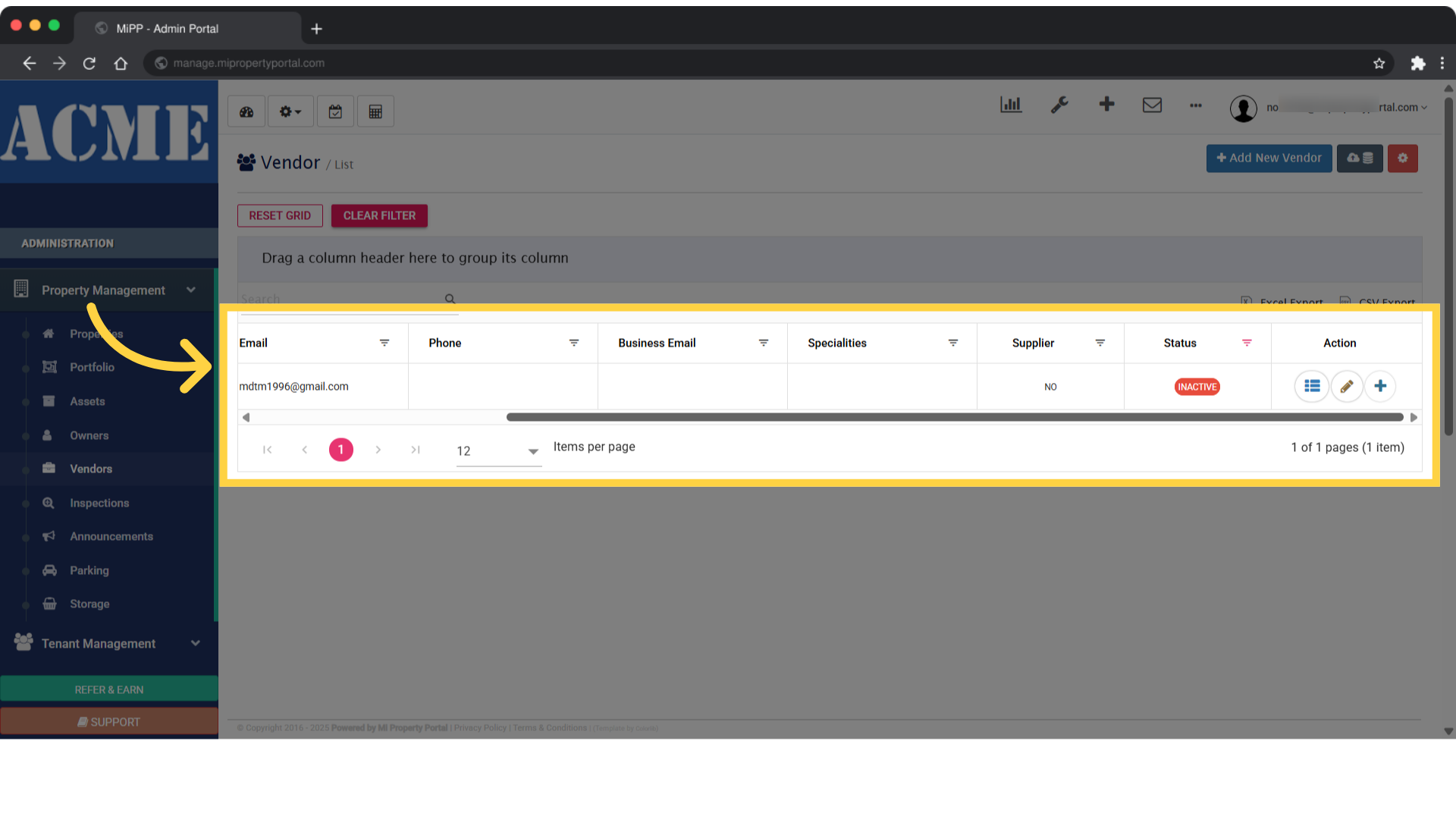
How to Filter Vendors by their Status
118 views 0 January 3, 2024 Updated on August 29, 2025 mippsupportadmin
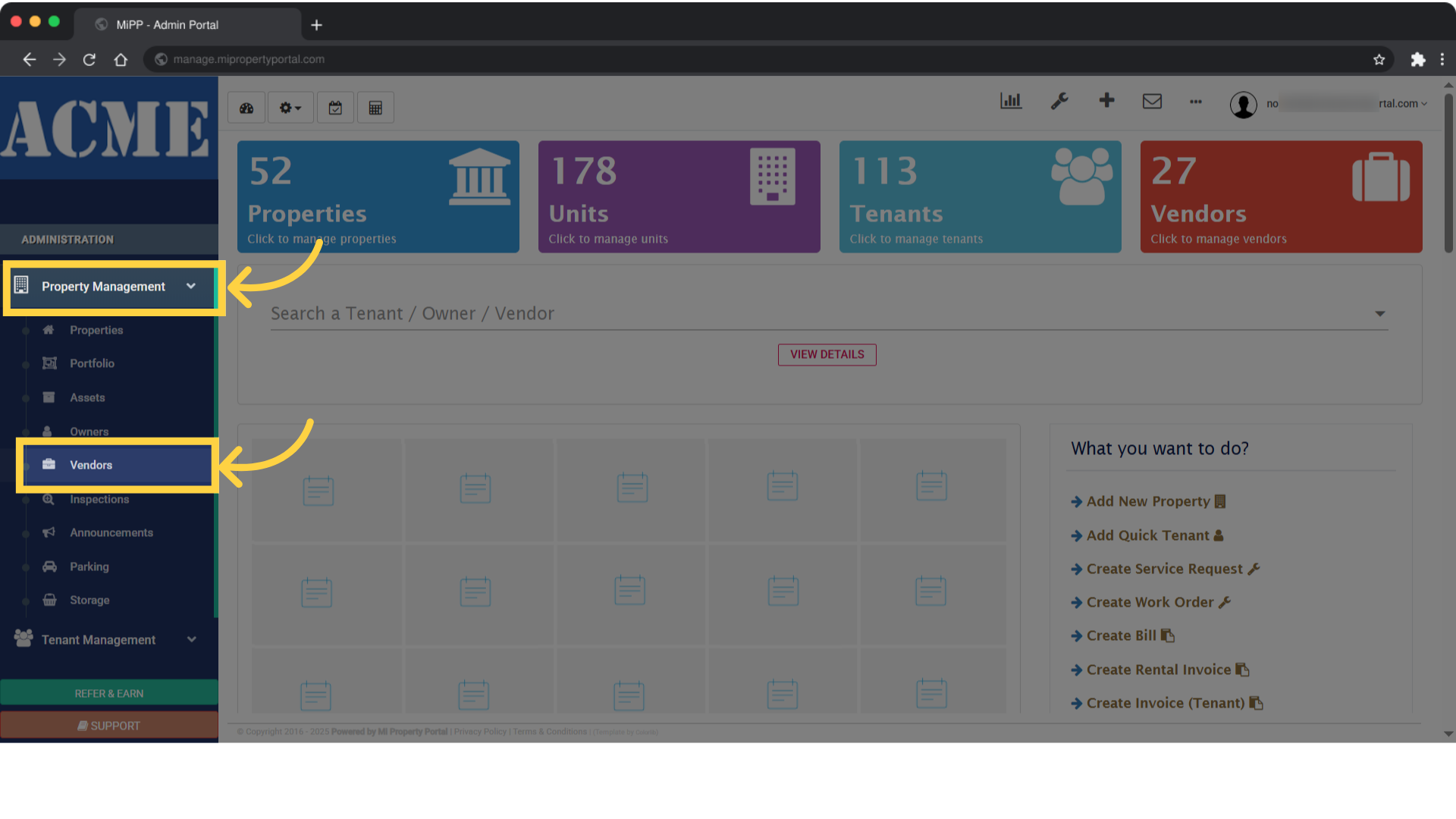
1. From the left-hand navigation menu, open the Property Management dropdown, then click on Vendors
2. Once you’re on the Vendor’s List page, click the downward arrow in the Status column
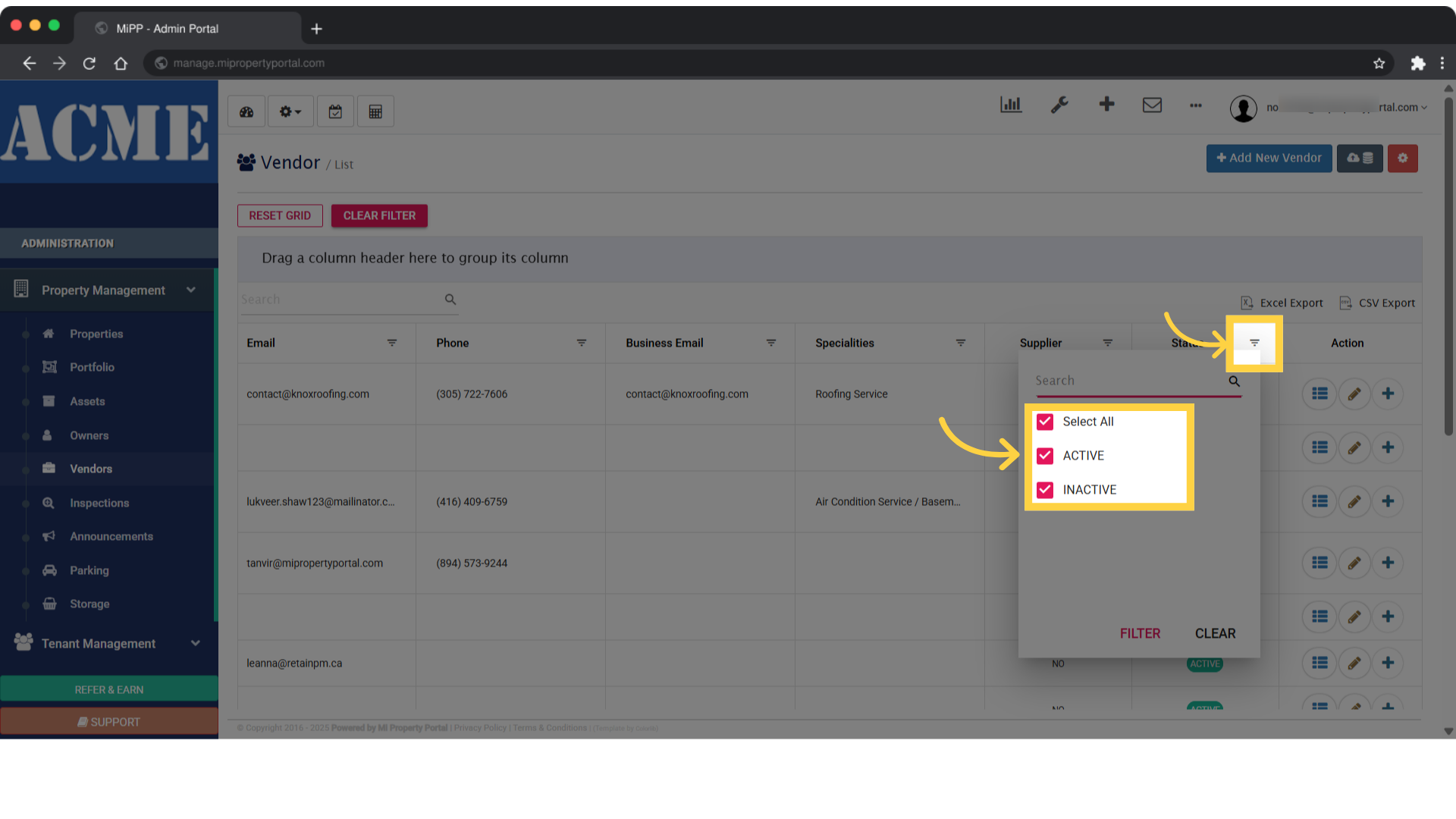
3. Click on Inactive to display the full list of inactive vendors
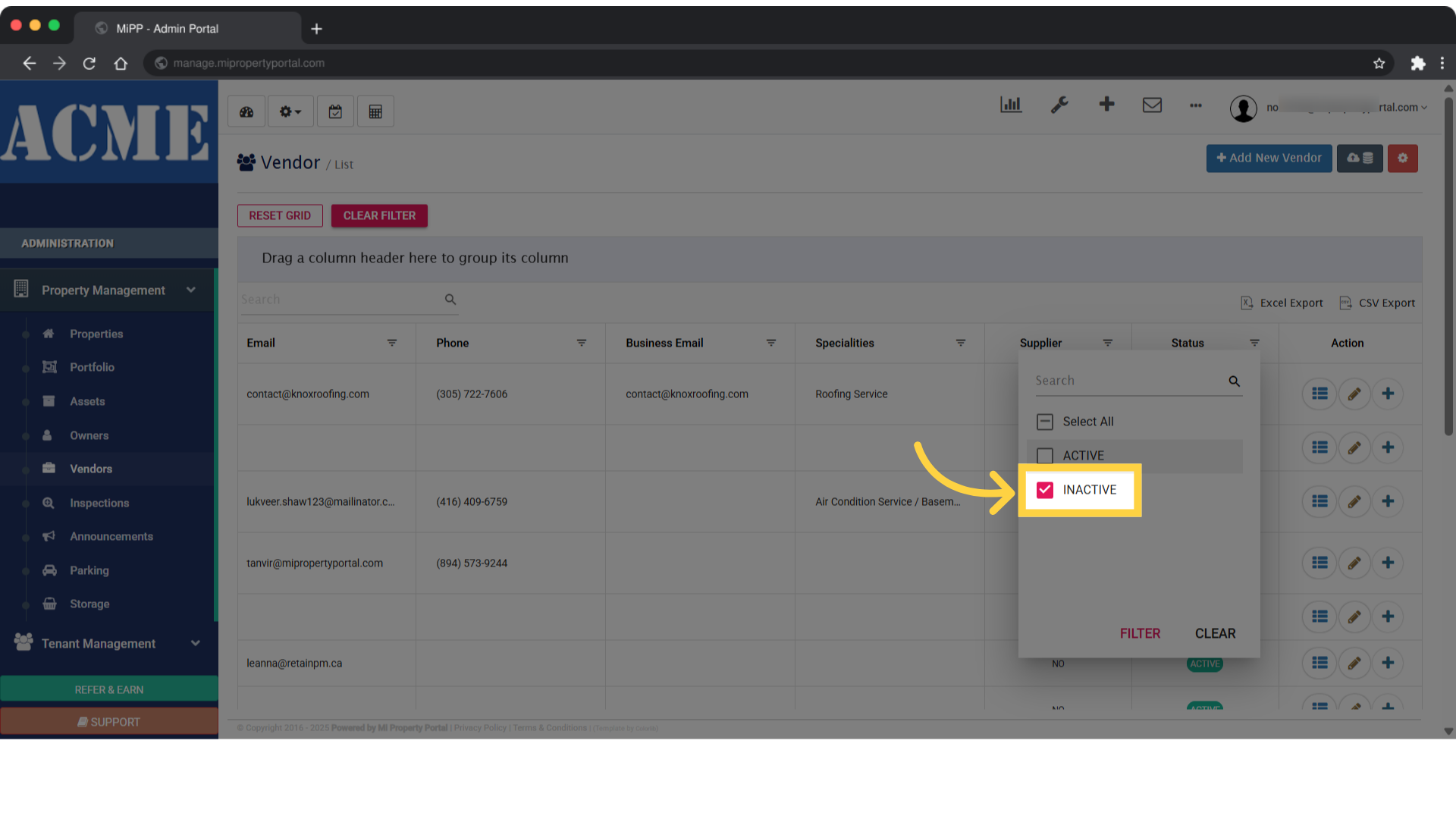
4. Click on active to display the full list of active vendors
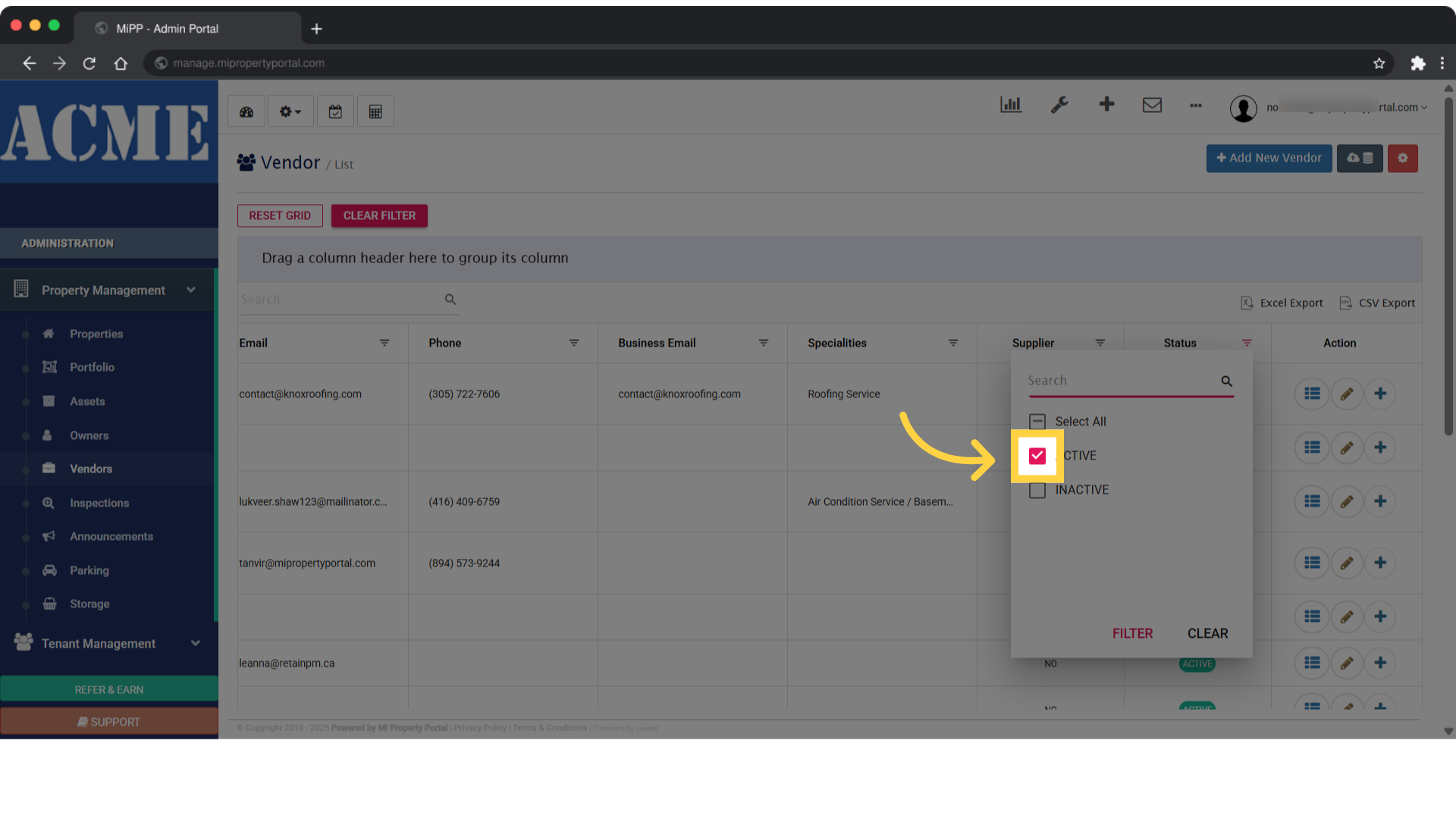
5. Now, click on the Filter menu to sort vendors by their active status
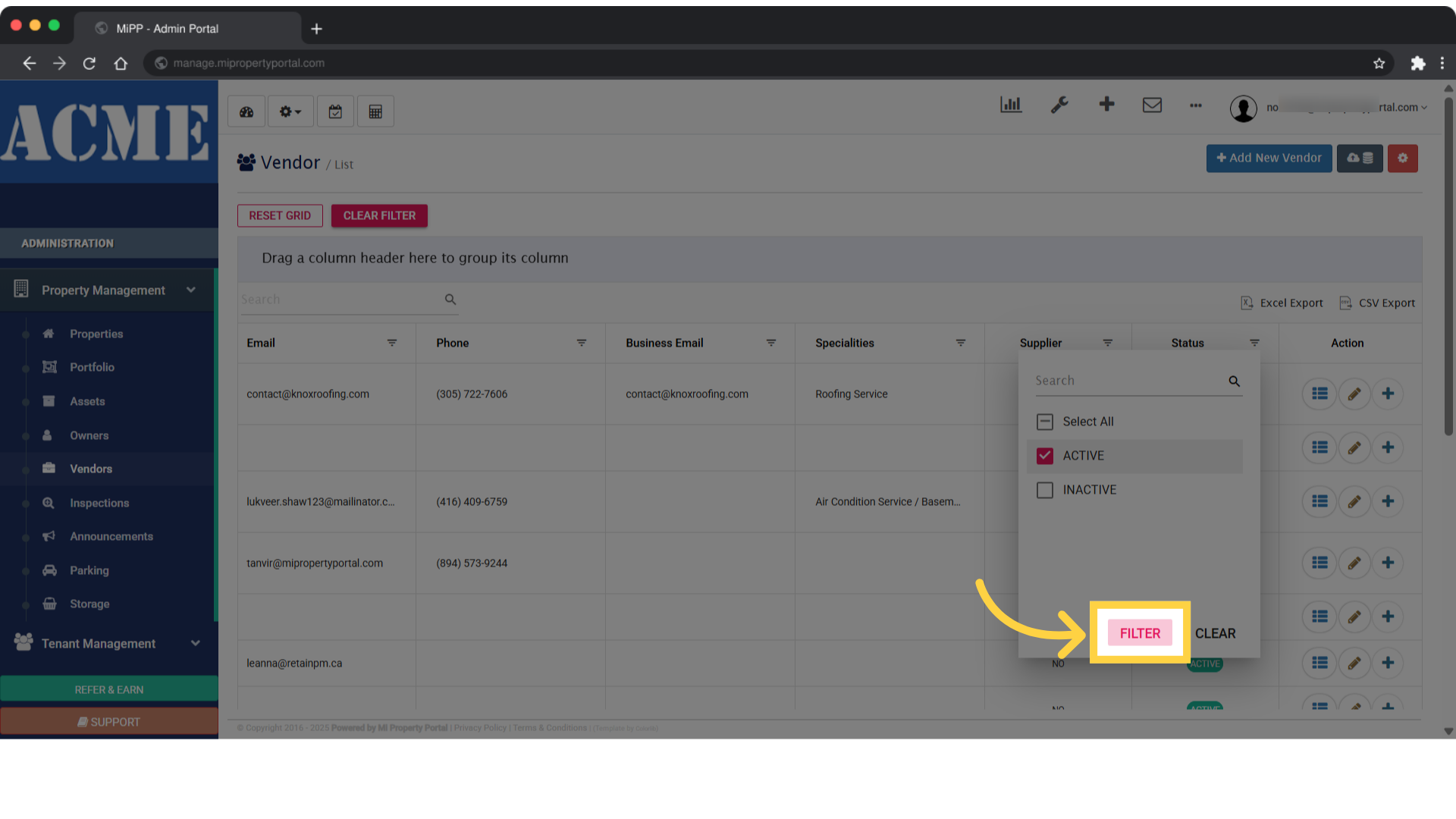
6. Once that’s done, the vendors with an Active status will appear, marked with an eclipse icon in the list
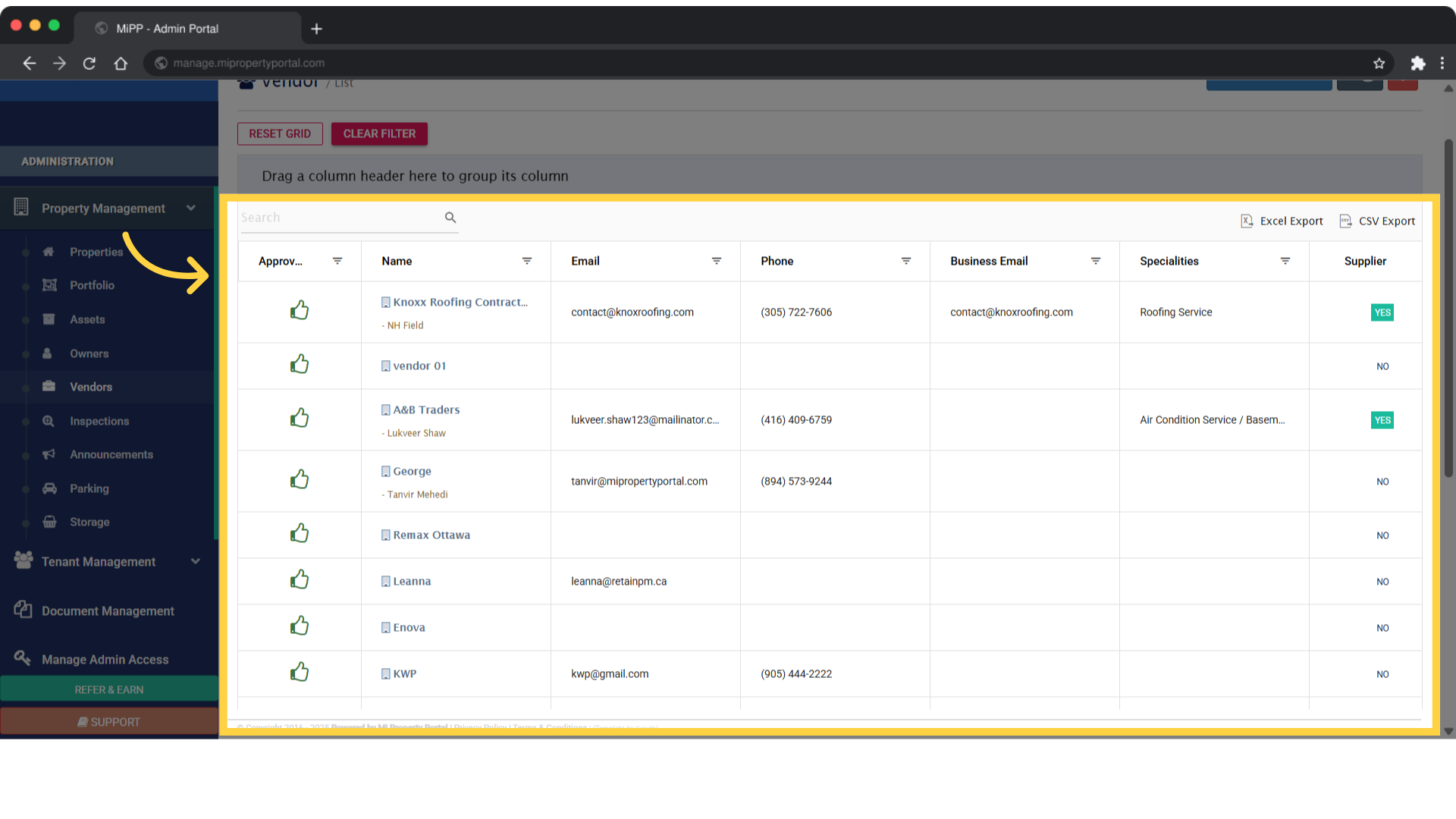
7. Tick the box next to the Inactive option, then click on the Filter menu to view vendors with an inactive status
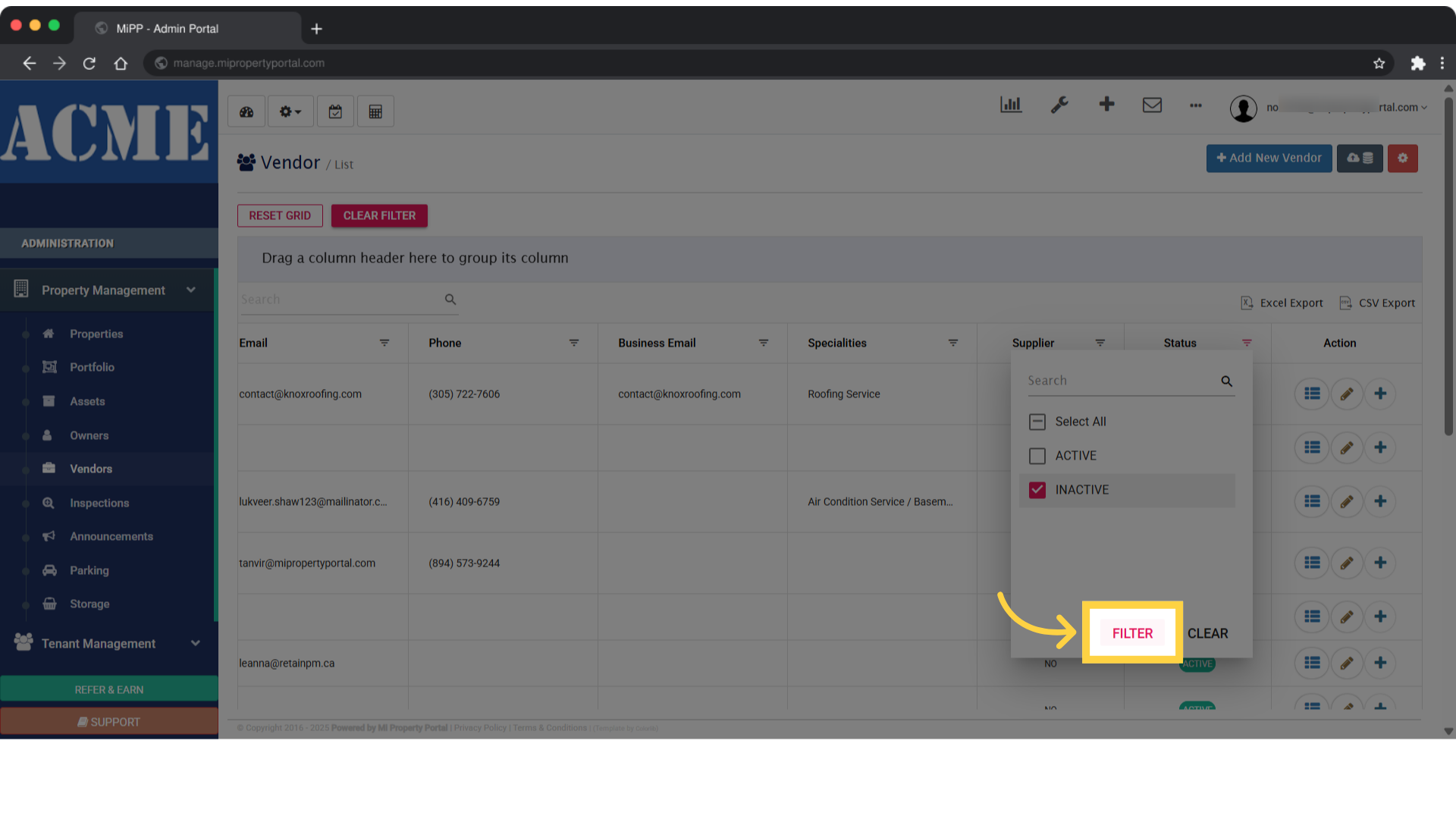
8. Once that’s done, the vendors with an ‘Inactive’ status will appear, marked with an eclipse icon in the list