• Home
  • Blogs
  • FAQs
  • Login
  • Home
  • Blogs
  • FAQs
  • Login
home/Knowledge Base/Tenant Management/How to Transfer Management Fee to Another Business Property or Account?

How to Transfer Management Fee to Another Business Property or Account?

38 views 0 October 30, 2024 mippsupportadmin

1. click on settings gear dropdown icon
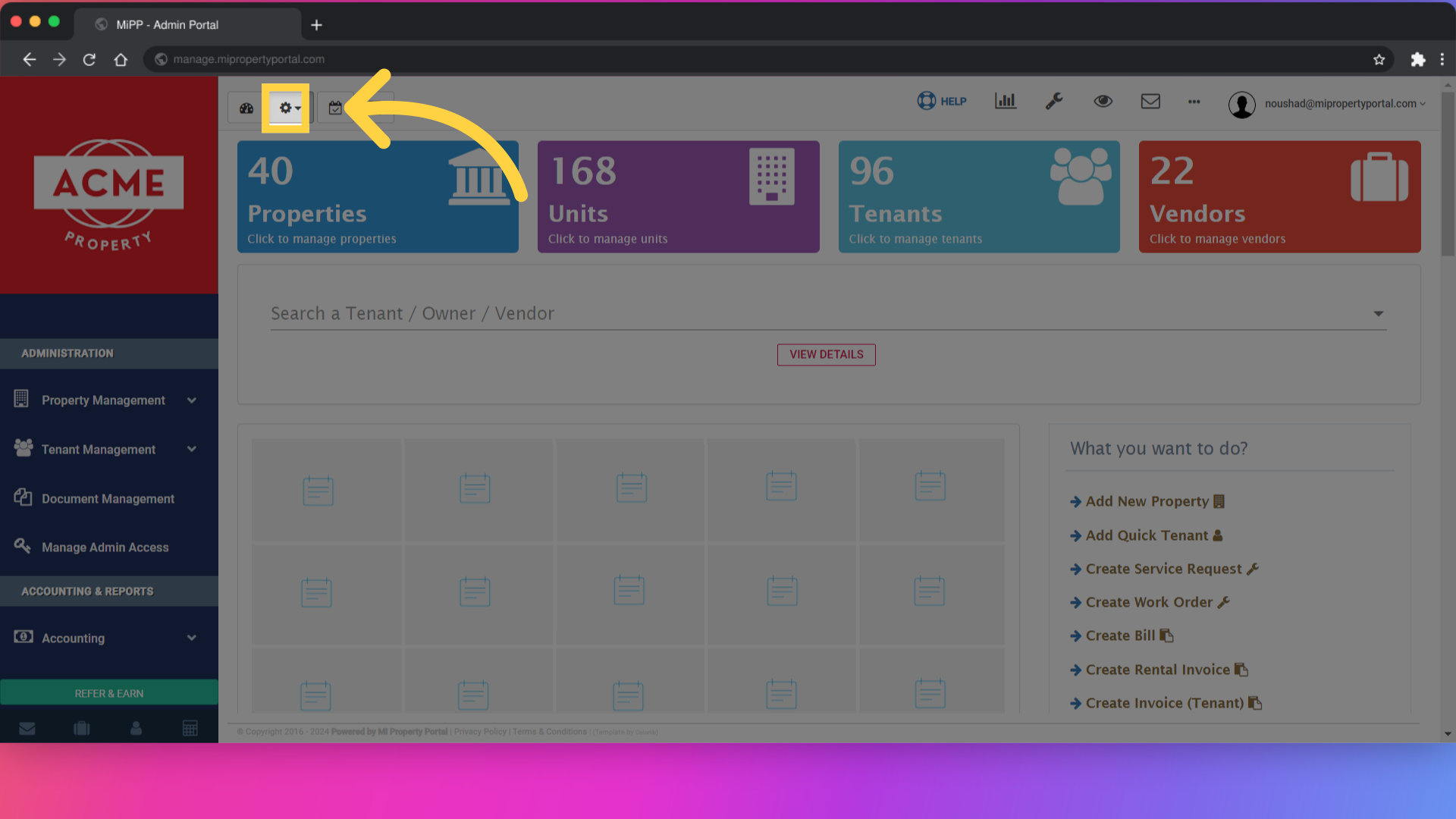
click on settings gear dropdown icon

2. Click on Management Fee settings
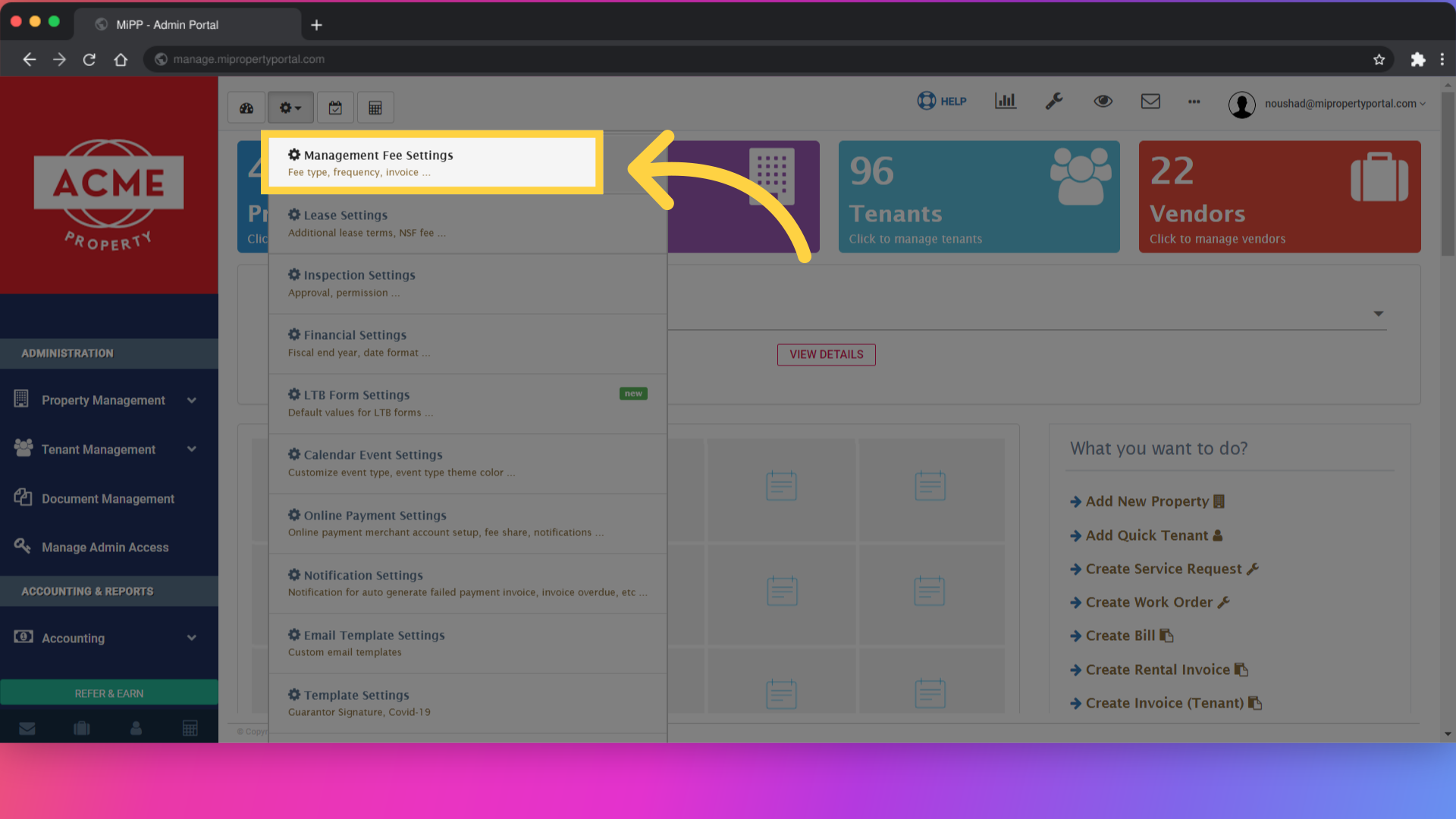
Click on Management Fee settings

3. Select a property that has a management fee you want to transfer
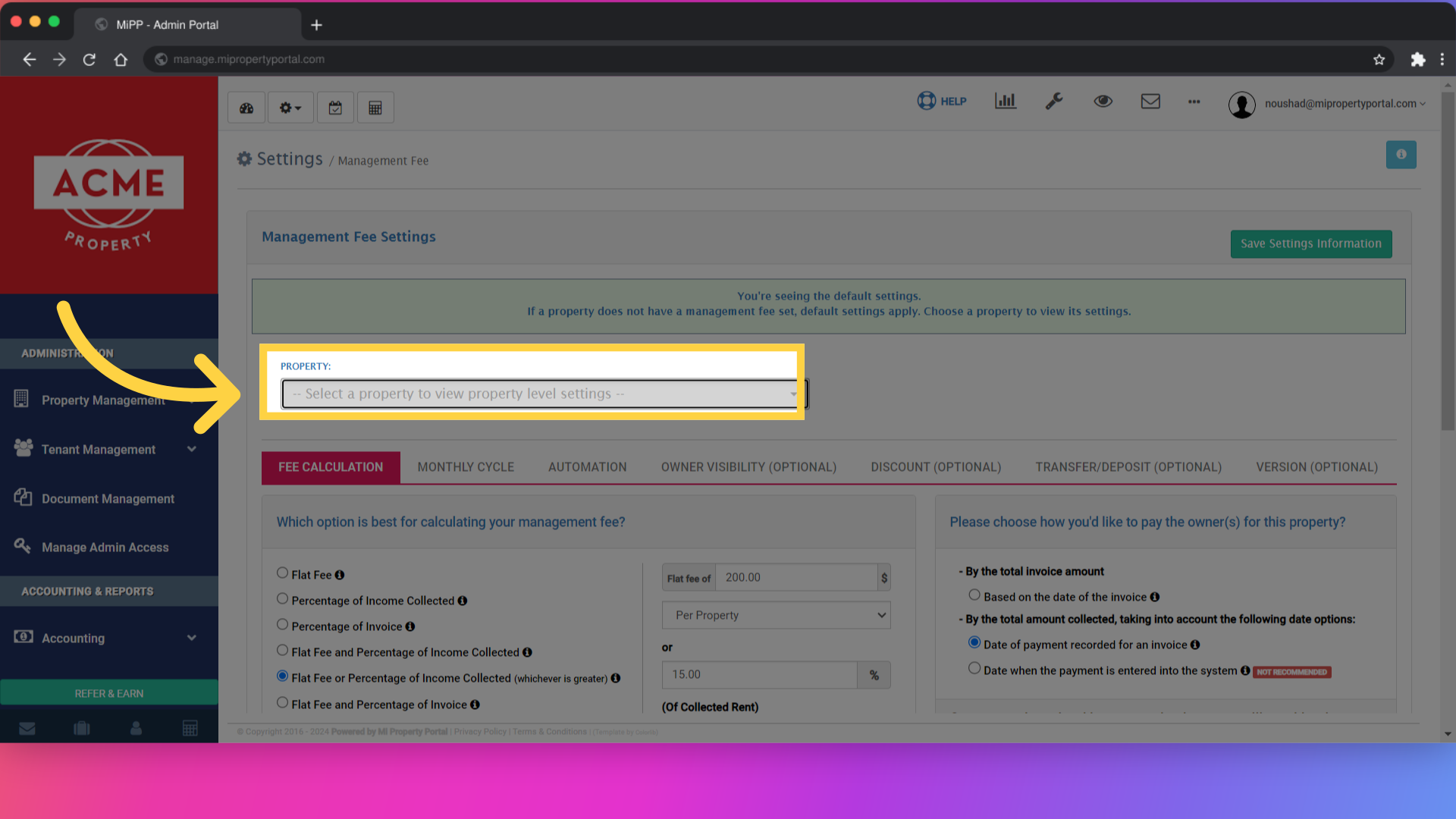
Select a property

4. Once you select property, then you have to go to Transfer/deposit Tab
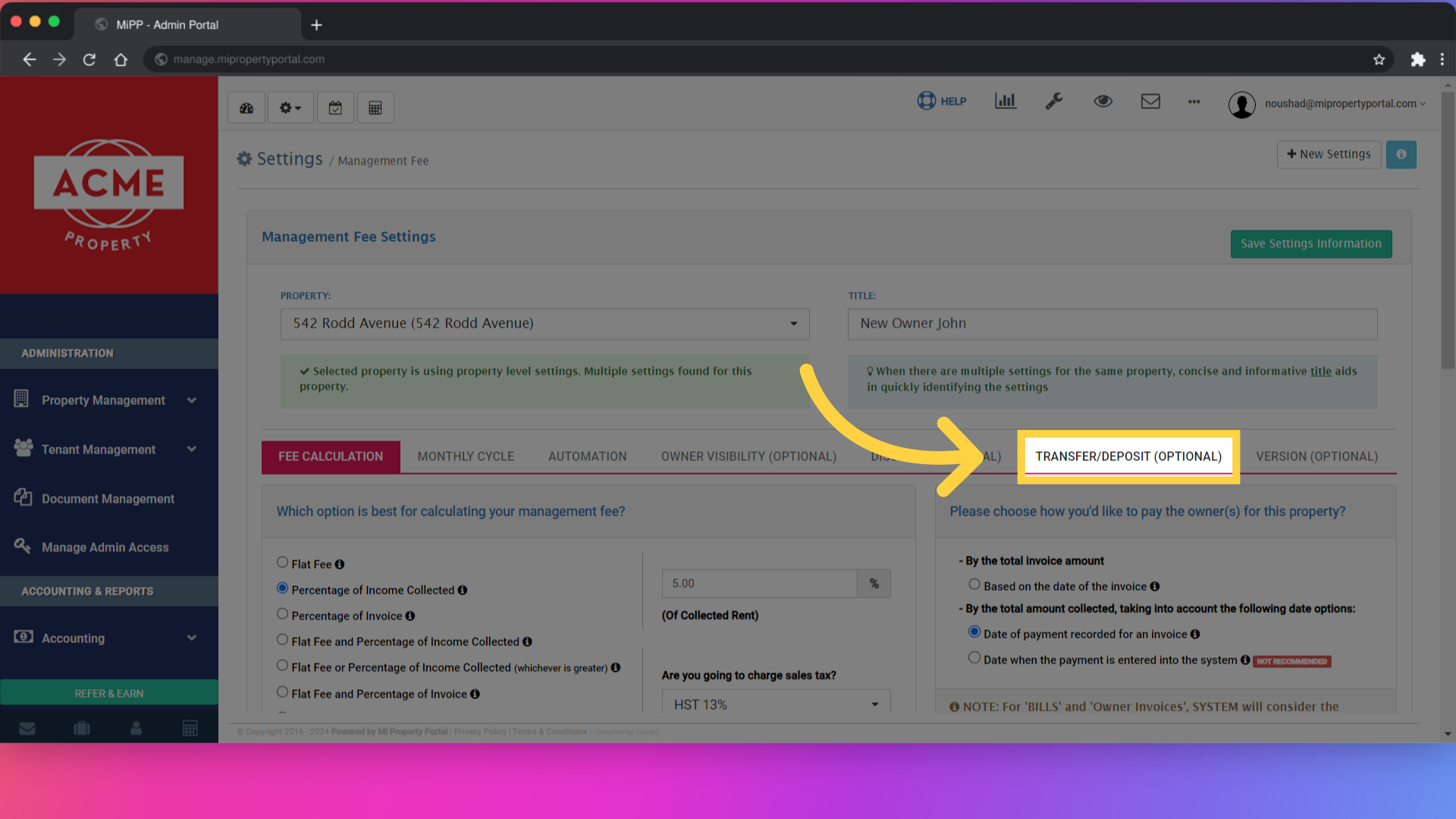
Click 'TRANSFER/DEPOSIT (Optional)'

5. On the transfer/deposit tab, fill out the property and specify the bank account where you want the management fee income to be recorded
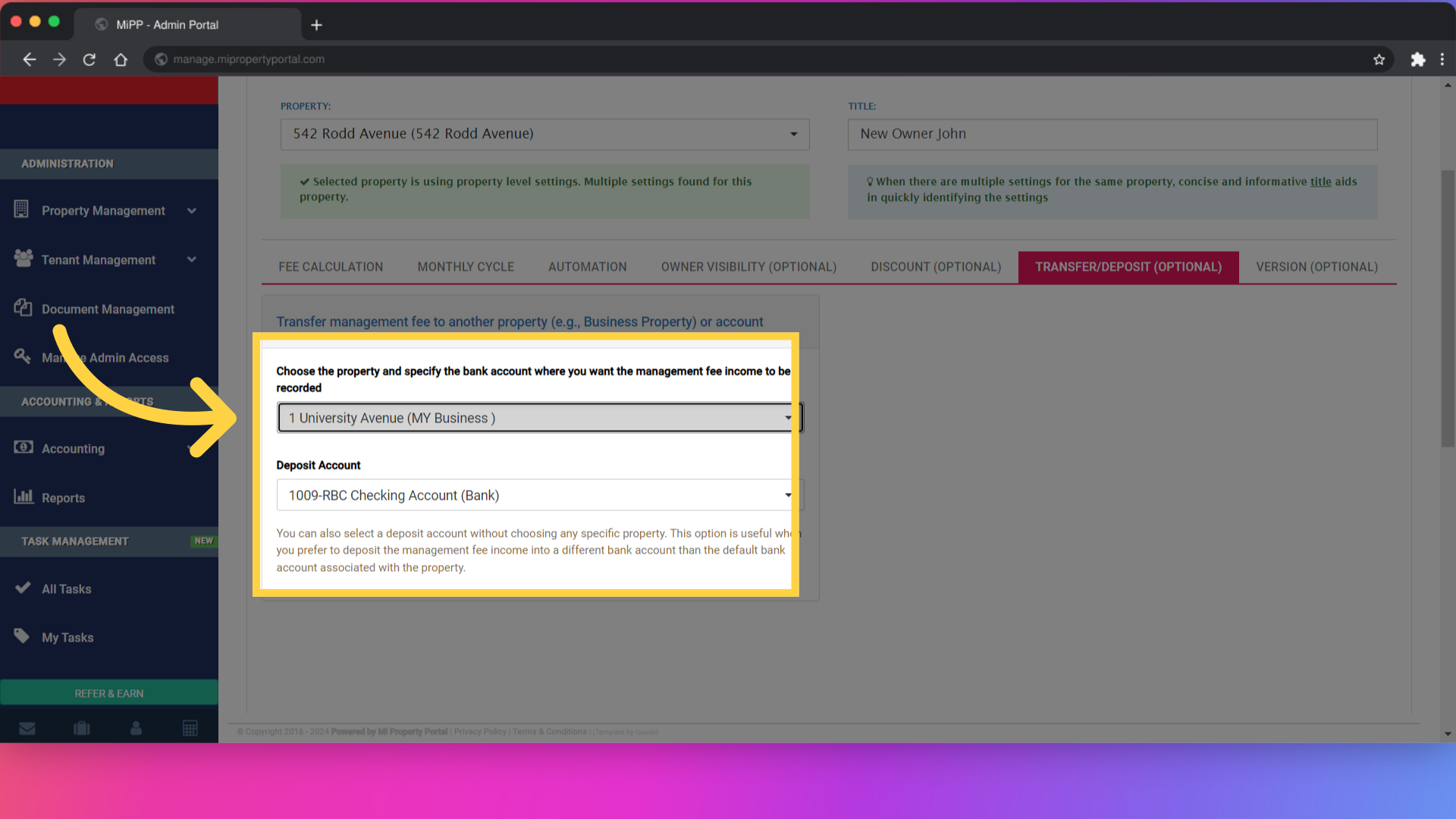
Click '1 University Avenue (MY Business )'

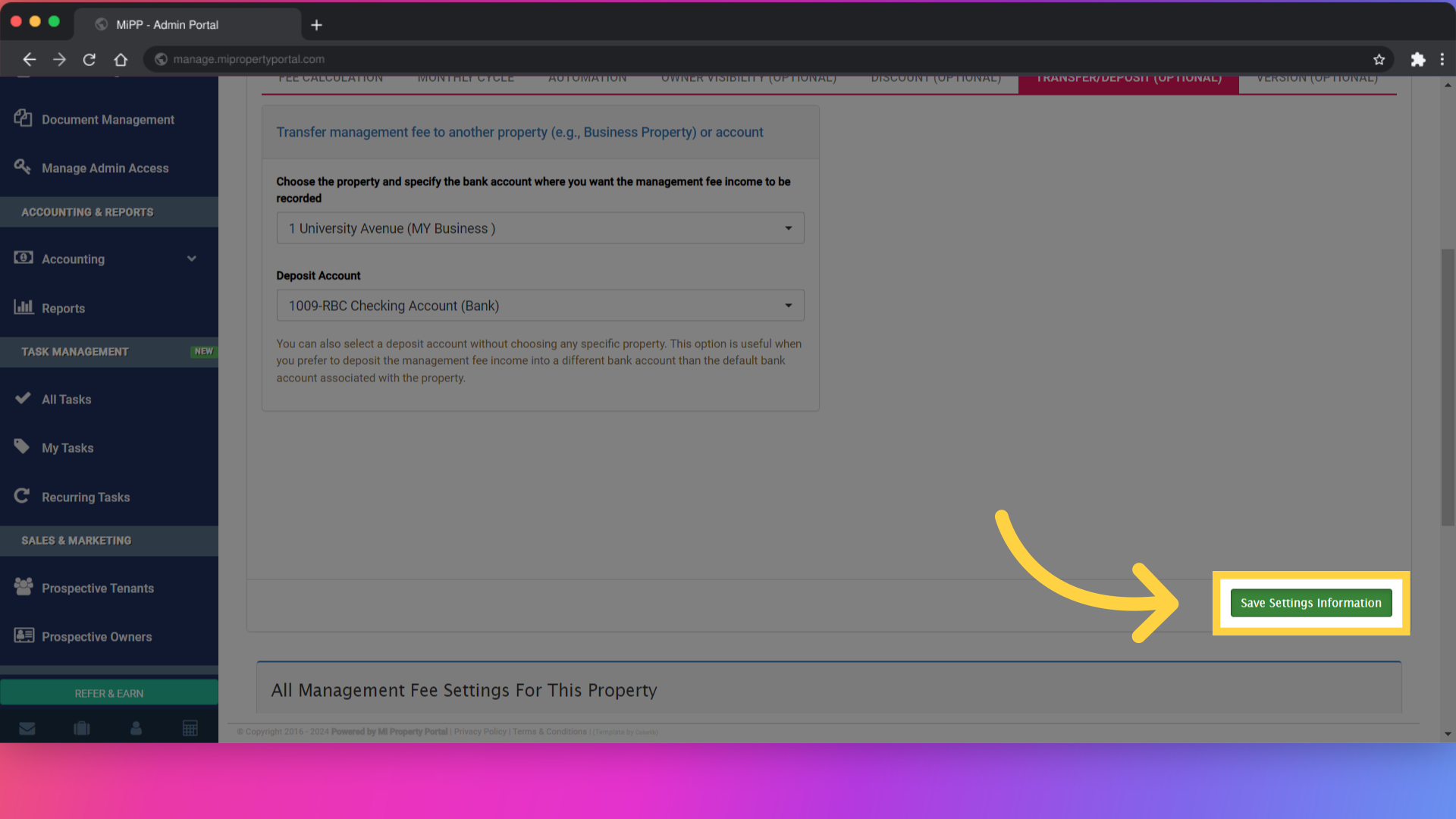
6. Click “Save Settings Information”

Click 'Save Settings Information'

Tags:How to Transfer Management Fee to Another Business Property or Account?Transfer management fee to a different propertyHow to reassign management fees between propertiesMove management fee to another business accountSteps to allocate management fee to a different propertyReallocate management fee in MiPropertyPortalTransfer property management fee to another accountHow to reassign management fees to a new propertyMove management fees across business accountsGuide to transferring management fees to another propertyAdjust management fee allocation between properties

Was this helpful?

Yes  No
Related Articles
  • How to Rent a Parking Spot in Mi Property Portal
  • How to Communicate with Tenants?
  • How to start a Tenant Background Check?
  • How to Split Rent Among Multiple Tenants?
  • How to add parking in a tenant profile?
  • Notice of intent to enter: How to save the PDF under tenant form history

Didn't find your answer? Contact Us

Leave A Comment Cancel reply

You must be logged in to post a comment.

Popular Articles
  • Can I log rental income for ‘Unpaid’ invoices for ‘Moved-out’ tenants?
  • How to Rent a Parking Spot in Mi Property Portal
  • How to View Bulk Payment History Report
  • Can I Use VoPay for Some Properties and Worldline for Others?
  • How to add a line item category for invoice and bill?
KB Category
  • Service Request
  • Subscription
  • Bulk Data Upload
  • Owner Portal
  • MiPropertyPortal Admins Training Workshop
  • MiPropertyPortal New Features/Improvements Monthly Webinar
  • Task Management
  • Prospective Tenants
  • Setup
  • Vendor Management
  • Tenant Screening
  • Tenant Portal
  • Tenant Management
  • Accounting
  • Security Deposit
  • Reporting
  • Rental Tax
  • Rental Listing
  • Property Owner Related
  • Property
  • Other
  • Asset Management
  • Online Payment
  • Lease Management
  • General
  • Form Management

  How to Edit/Update Storage for a Tenant?

Notice of intent to enter: How to save the PDF under tenant form history  

MiPP
MiProperty Portal is Canadian-made for
Canadian landlords and property managers.
COMPANY
  • About Us
  • Why MiPP?
  • Features
SUPPORT
  • Knowledge Base
  • Get Email Help
SOCIAL
  • Linkedin
  • Facebook
  • Twitter
  • Privacy Policy
  • Terms of Use
  • © 2025 mipropertyportal.com. All Rights Reserved.